
Management of cybersecurity risk requires a multi-faceted approach
Cyber risks are an increasingly common concern in today’s digital age. With the increasing reliance on technology and the Internet, organizations are exposed to a range of threats, including hacking, malware, data breaches, and phishing scams. As a result, managing and monitoring cyber risks has become a top priority for many organizations, and creating a comprehensive cyber risk protection plan is essential to safeguarding against these threats.
One of the most important factors in managing and monitoring cyber risks is understanding the technological environment. This includes staying up-to-date on the latest technologies and trends, as well as understanding how these technologies can be used to attack an organization. This knowledge allows organizations to identify potential threats and take proactive measures to mitigate them before they cause significant harm.
One of the best ways to create a cyber risk protection plan is to utilize artificial intelligence (AI). AI has the ability to analyze vast amounts of data and identify patterns and trends that can indicate a potential threat. This allows organizations to quickly respond to potential threats and take the necessary steps to mitigate them.
In addition, AI can also be used to automate many of the manual tasks associated with managing and monitoring cyber risks, such as analyzing log files, detecting suspicious activity, and responding to incidents. This not only saves time and resources but also helps to ensure that potential threats are addressed in a timely and effective manner.
Moreover, AI can be used to monitor employee behavior, which can be a significant source of cyber risk. This includes monitoring email and instant messaging communications, as well as tracking the use of removable devices such as USB drives. AI can help to detect patterns of behavior that are indicative of a potential threat and alert the appropriate personnel to take action.
Managing and monitoring cyber risks is critical to protecting organizations against the threats posed by technology and the Internet. Utilizing AI is a highly effective way to create a comprehensive cyber risk protection plan, allowing organizations to quickly identify and respond to potential threats, while also freeing up time and resources to focus on other important tasks. By staying informed about the latest technologies and trends and using AI to manage and monitor cyber risks, organizations can stay ahead of the curve and minimize the risks associated with the digital age.
Effective management of cybersecurity risk requires a multi-faceted approach that involves several key steps:
- Risk assessment: The first step in managing cybersecurity risk is to conduct a thorough risk assessment. This involves identifying the assets that need to be protected, evaluating the likelihood and impact of potential threats, and determining the appropriate controls to mitigate those risks.
- Develop a security strategy: Based on the results of the risk assessment, organizations should develop a comprehensive security strategy that includes the use of various security technologies, such as firewalls, intrusion detection systems, and encryption, as well as policies and procedures to ensure the safe and secure use of technology.
- Regular security audits: Regular security audits are critical to ensuring that systems and processes are functioning as intended and that vulnerabilities are identified and addressed in a timely manner.
- Employee training and awareness: Employee behavior can have a significant impact on an organization’s cybersecurity posture. Regular training and awareness programs help employees understand the importance of cybersecurity, recognize potential threats, and follow best practices to minimize risks.
- Incident response plan: Developing a comprehensive incident response plan is an essential component of effective cybersecurity risk management. This plan should include procedures for detecting, reporting, and responding to security incidents, as well as a clear chain of command and procedures for escalation.
- Continuously monitor and update: Cybersecurity threats are constantly evolving, so it’s important to continuously monitor systems and update security measures as needed. Regular software updates, patching, and penetration testing can help identify and address vulnerabilities before they are exploited.
- Partner with experts: Organizations may find it beneficial to partner with cybersecurity experts who can provide ongoing support, expertise, and resources to help manage and mitigate cybersecurity risk.
Effective management of cybersecurity risk requires a comprehensive approach that involves regular risk assessments, development of a security strategy, employee training and awareness, incident response planning, continuous monitoring and updating, and partnership with experts. By taking these steps, organizations can protect their assets, minimize the impact of security incidents, and maintain the trust of their stakeholders.

latest video

news via inbox
Nulla turp dis cursus. Integer liberos euismod pretium faucibua
you might also like
- All hosting, dedicated server and VPS Secure Remote Control with full Access
- SSH allowed zipping and unzipping large data files and database
- Fast speed and also Hosting files and directories can be added, removed, backeup, edited, and restored.
- Your database can be imported and exported secure and easily with SSH command line
- It has been established that two different servers are connected
- Secure authentication: SSH uses strong encryption and authentication methods, making it virtually impossible for an unauthorized user to access your system.
- Security: SSH is an incredibly secure protocol, which makes it difficult for attackers to intercept data and gain access to your system.
- Speed: SSH is much faster than other protocols, making it ideal for large file transfers and remote access to applications.
- Compression: SSH can compress data before transmission, which means faster transfer speeds and less bandwidth usage.
- Portability: SSH can be used on any operating system, making it a great choice for multi-platform environments.
- Use strong passwords: Always use strong passwords when authenticating with SSH.
- Use two-factor authentication: Use two-factor authentication whenever possible to add an extra layer of security to your connection.
- Use SSH keys: SSH keys are a secure way to authenticate with SSH, and they can help protect against brute-force attacks.
- Disable root login: Disable root login to prevent unauthorized access to the system.
- Change the SSH port: Change the SSH port to a non-standard port to prevent unauthorized access.
- Use a firewall: Use a firewall to restrict access to the server.
- Check your firewall: Make sure that the SSH port is open on the firewall.
- Check the SSH configuration: Make sure that the SSH configuration is correct, and that the user has the correct permissions.
- Check the SSH keys: Make sure that the SSH keys are valid and that they are correctly configured.
- Check the network connection: Make sure that the network connection is stable and that the remote computer is accessible.
- Secure Shell (SSH) is a secure network protocol that enables remote access to systems and applications. It’s an incredibly powerful tool, and it’s essential for anyone who needs access to remote systems. In this article, we’ve covered the basics of SSH, its benefits, protocols and extensions, and best practices.
- If you’re looking for a reliable, secure way to access your systems, then you should consider using SSH. It’s fast, secure, and easy to use. So why not give it a try?
- If you’re ready to unlock the power of SSH, then start downloading SSH Secure Shell and get started today!
What is SSH and Getting the most out of Secure Shell
What is SSH?
SSH, or Secure Shell, is your secure gateway to remote computing—whether you’re managing web servers, transferring files, or automating DevOps tasks. This cryptographic protocol creates encrypted connections that keep your data safe while giving you powerful command-line control from anywhere.
SSH, or Secure Shell, is a network protocol that allows secure data exchange between two computers connected via the internet. It’s used as a secure replacement for the Telnet protocol, which is an older protocol that allows access to a remote computer without any encryption. SSH works by authenticating the user who is attempting to connect to the remote computer and then establishing an encrypted connection. Once the connection is established, the user can access files, folders, and applications on the remote computer.
SSH has become a popular choice for remote access, especially in the world of DevOps, where automation and remote access are essential. It’s also used in web hosting environments, where secure access to a web server is required. SSH is one of the most secure protocols available, and it’s used in many different industries, from banking to government.
Secure shell (SSH) is a cryptographic network protocol that provides secure network access on unsecured networks. It is mainly used for web hosting, dedicated servers, and virtual private servers (VPS) for enabling and disabling services and zipping and unzipping large data files and databases. Its most popular applications are remote login and command-line execution. A web server that uses SSH (secure shell) can be connected to via this interface. SSH network protocol allows you to connect to another web server via a command line interface (CLI). Remotely managing your server, configuring CGI scripts, and performing other tasks are possible with this network protocol.
The following benefits can be gained from enabling SSH access:
Benefits of Using SSH
There are many advantages of using SSH, including the following:
Understanding SSH Ports
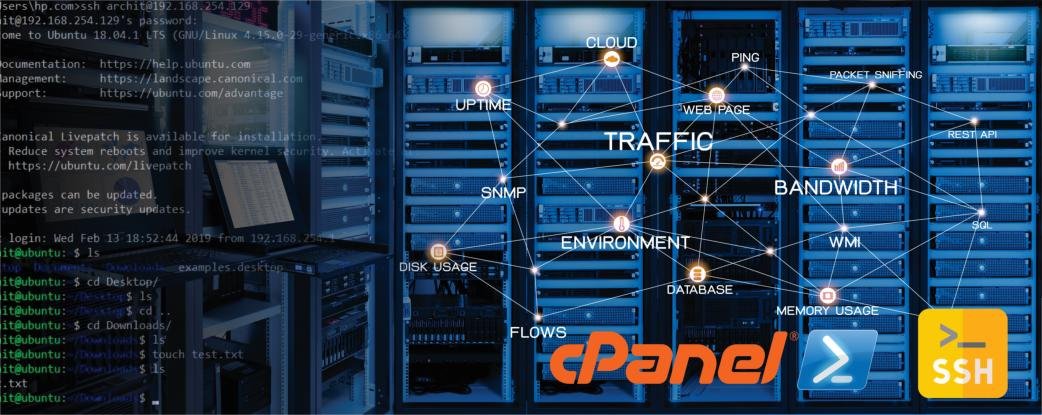
When using SSH, you need to open a specific port on the server. This is known as the SSH port, and it’s usually set to port 22 by default. You can also change the port to any other number, but it’s important to remember that the port must be open in order for the SSH connection to be successful. It’s also important to ensure that the port is not open to the public, as this could potentially leave your system vulnerable to attack.
SSH Protocols and Extensions
SSH has a number of different protocols and extensions, which provide additional security and functionality. The most common protocols are SSH-1 and SSH-2, which are the two main versions of the SSH protocol. SSH-1 was the original version of the protocol, and it’s still used today, though it’s not as secure as the newer version, SSH-2.
SSH also has a number of extensions, such as SFTP, SCP, X11, and Kerberos. SFTP is a secure file transfer protocol, which is used to securely transfer files between two computers. SCP is a secure copy protocol, which is used to securely copy files between two computers. X11 is an extension that allows graphical applications to be displayed remotely. Finally, Kerberos is an authentication protocol, which is used to authenticate users.
Installing SSH Secure Shell
Installing SSH Secure Shell is relatively easy. All you need to do is download the software from the official website and follow the instructions provided. You can also use the command line interface to install the software. Once it’s been installed, you can then use the SSH client to establish a secure connection to the remote computer.
SSH Remote Access
Once you have SSH Secure Shell installed, you can use it to securely access the remote computer. To do this, you will need to authenticate your identity using either a username and password, or an SSH key. Once you have authenticated, you can then establish a secure connection to the remote computer and access its files, folders, and applications.
The best software for SSH is PuTTY (or another SSH client) which you can download the private/public keys from here.
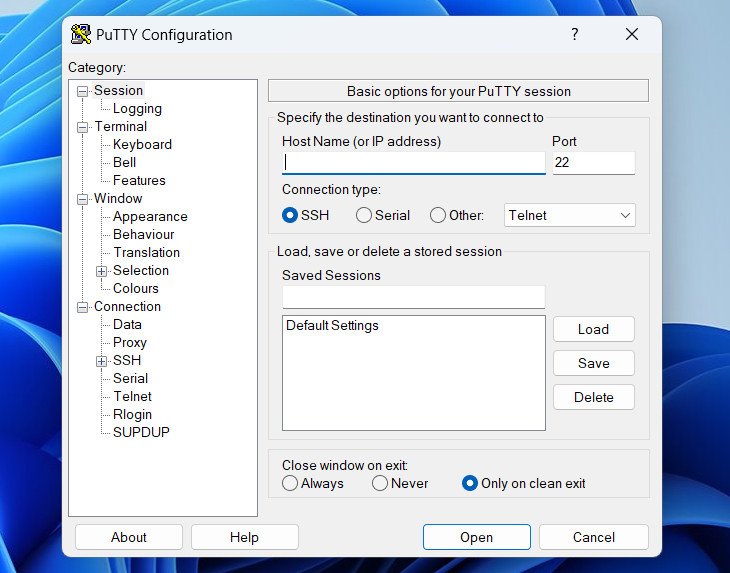
Official Website: www.putty.org
SSH for Chrome
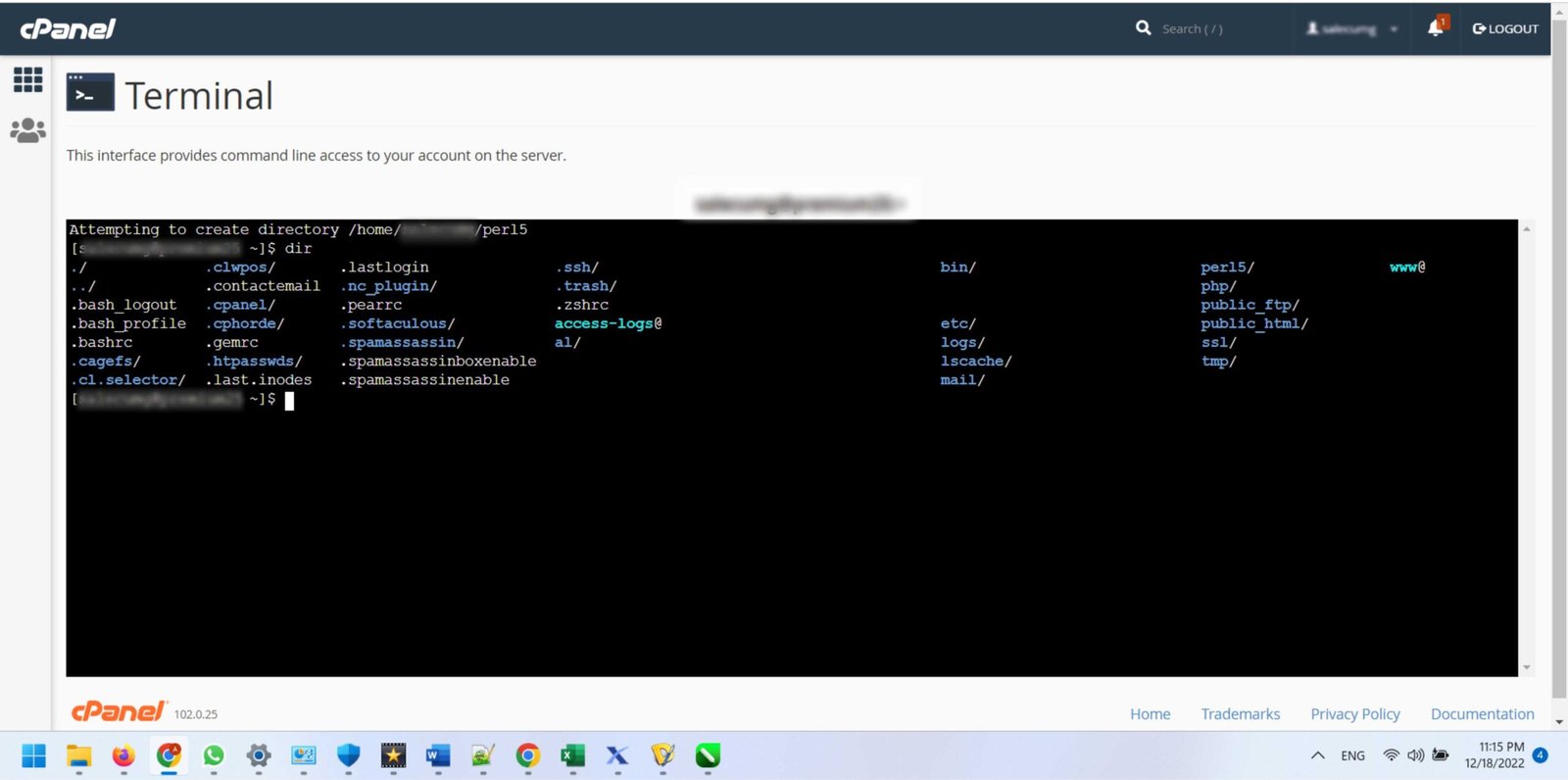
If you are using the Chrome browser, you can also access SSH using the Chrome Secure Shell extension. This extension allows you to securely access remote computers from within the Chrome browser. You can use the extension to securely access remote computers, as well as transfer files and folders. Access to the servers is available directly through Cpanel hosting without the need for additional software.
SSH Security Best Practices
When using SSH, it’s important to follow some basic security best practices to ensure that your connection is secure.
SSH Troubleshooting Tips
If you are having trouble establishing an SSH connection, there are a few things you can try.