
Skill SEO Pro Plugin, Boost Website in Google, Web Backup and Spam Protection Toolkit
SkillSurface’s “Skill SEO Pro Plugin”, a professional, user-friendly SEO solution designed to boost your website to Google’s first page and increase performance and visibility. Skill SEO Pro is engineered to provide advanced SEO features that focus on performance, security, and cutting-edge AI integration and Powerfull Tool for Comments Spam Protection. It’s designed to boost your rankings on the first page of Google for Pages, Posts, WooCommerce Products, and even Google Images.

This powerful SEO toolkit includes everything you need, from metadata management and XML sitemaps to social meta tags, keyword management, AI-driven content analysis, and security hardening. Additionally, the plugin optimizes your images for SEO, integrates seamlessly with Google Analytics, and offers website backup and system cleanup tools to keep your site running smoothly.
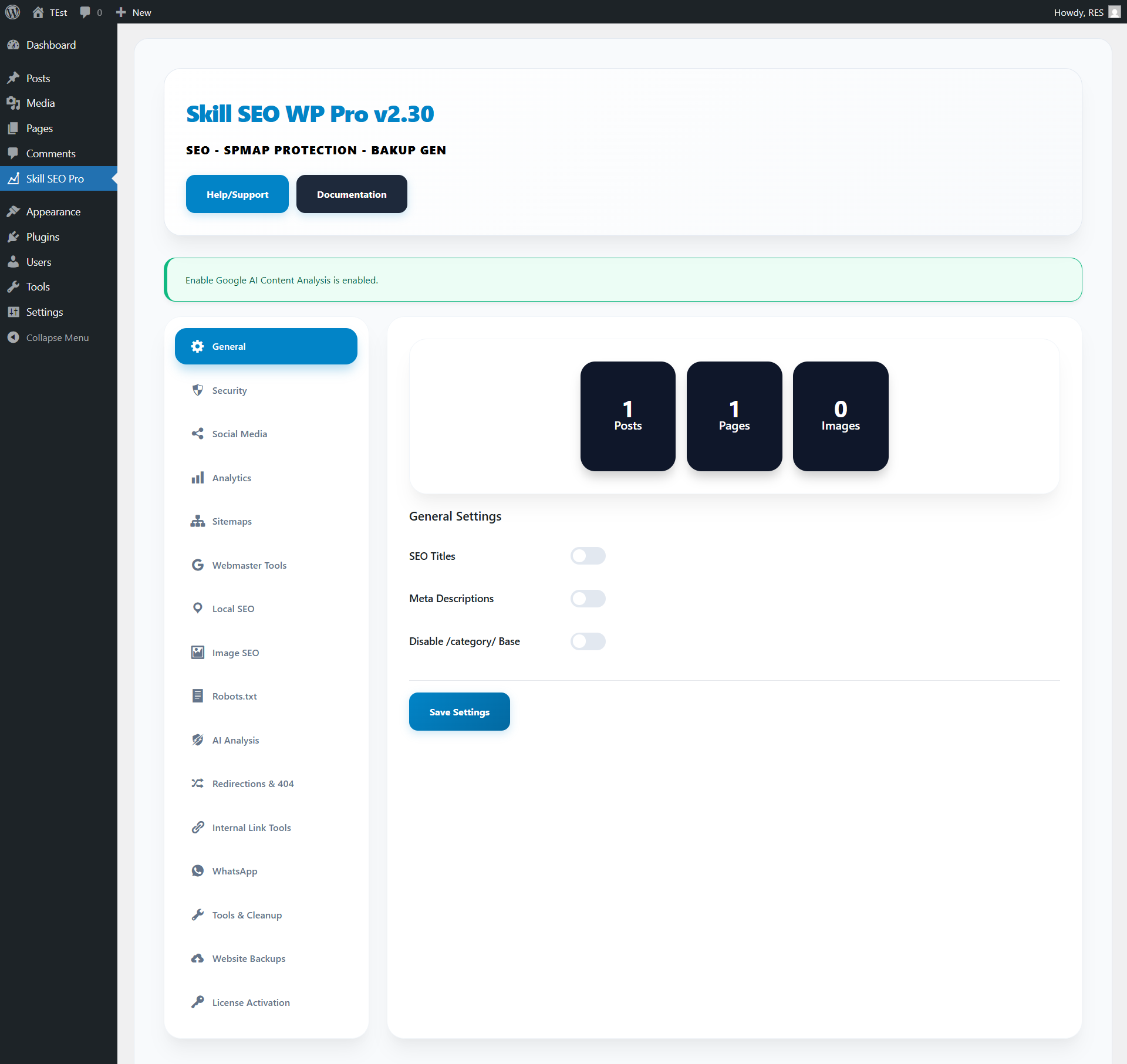
Key Features / Core SEO Modules:
SEO Page, Post, Products Metadata Keywords Management
Complete control over Title tags, Meta Descriptions, and Canonical URLs for every page. Fine-tune how your content appears in search results with full metadata customization for posts, pages, and products. Ensure each page has unique, optimized metadata that attracts clicks and improves your click-through rate. We’ve introduced a powerful Keyword Management system directly into your post editor. Open any Post, Page, or Product editor, scroll down to the Skill SEO section, and enter up to 10 Focus Keywords separated by commas. The real-time counter will help you stay within the 10-keyword limit. Modern SEO focuses on topical relevance, ensuring that your content is optimized without being flagged for “keyword stuffing.” This intelligent system guides you to target the right keywords with the right density for maximum ranking potential.
Google Analytics 4 (GA4)
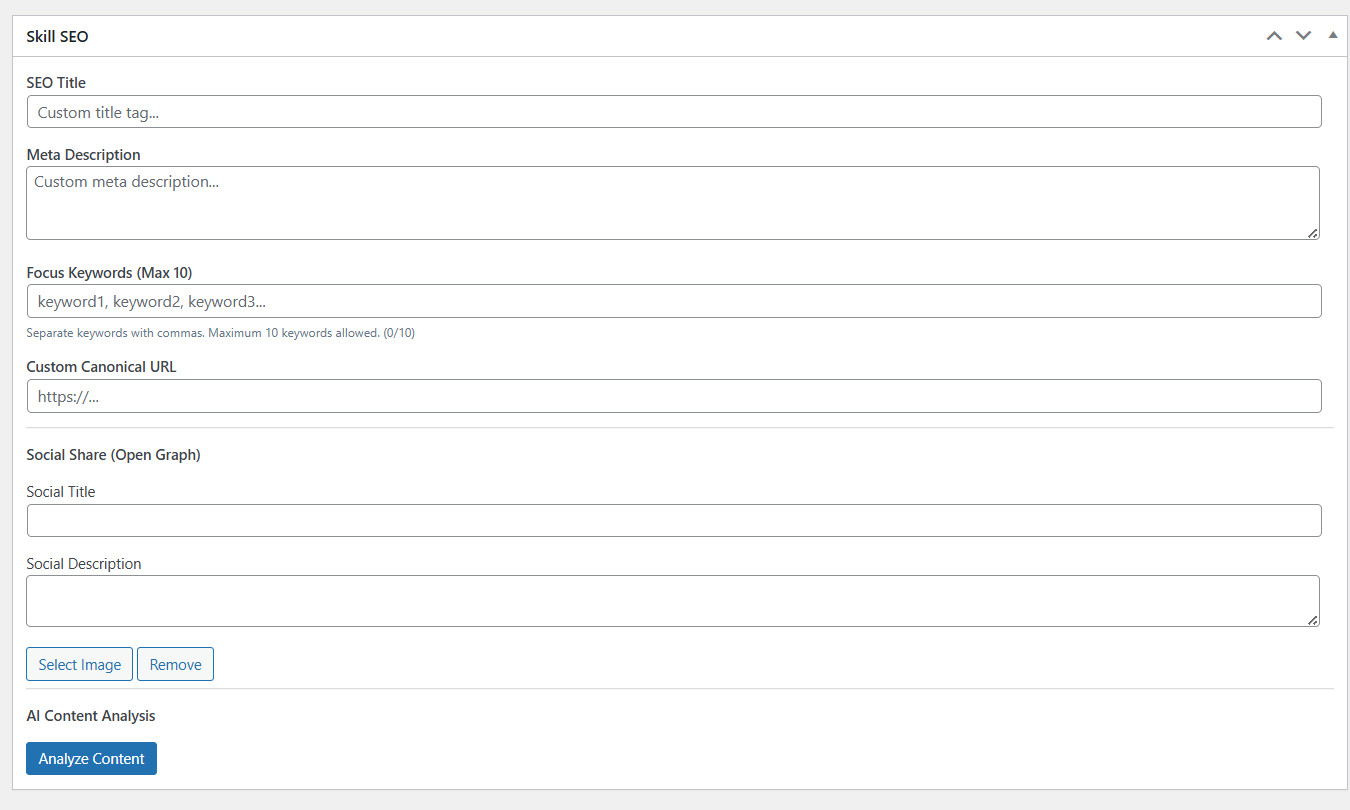
Seamlessly integrate Google Analytics 4 (GA4) and Webmaster Tools without editing your theme files. Enable GA4 by entering your GA4 Measurement ID (e.g., G-XXXXXXXXXX) and track your website’s performance. Additionally, activate the Keyword Search Tracker to monitor what visitors are searching for using your website’s search bar, with data displayed in a table showing total hits and the last search. If no keywords are tracked, the table will display “No search keywords tracked yet.” You can also reset keyword stats as needed. For further integration, enter verification codes for Google Search Console.
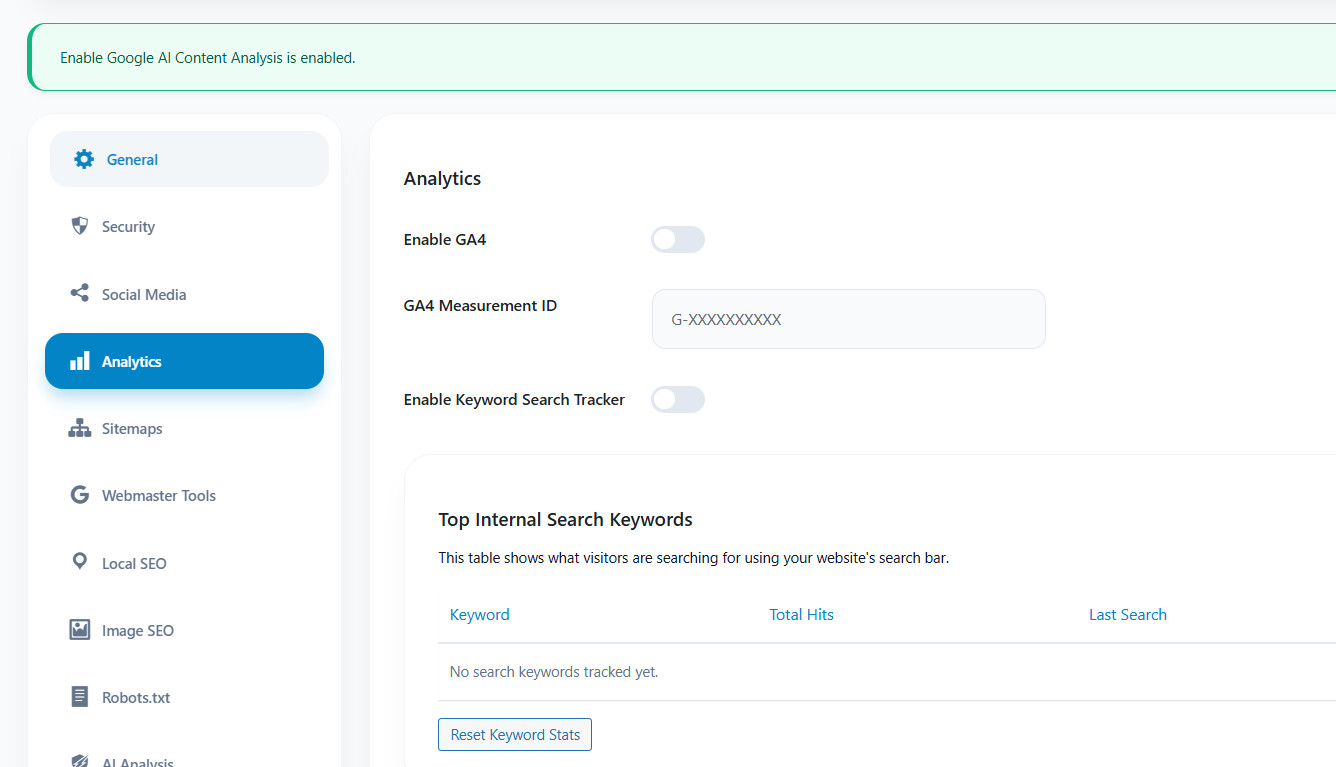
Google and Bing Webmaster Tools
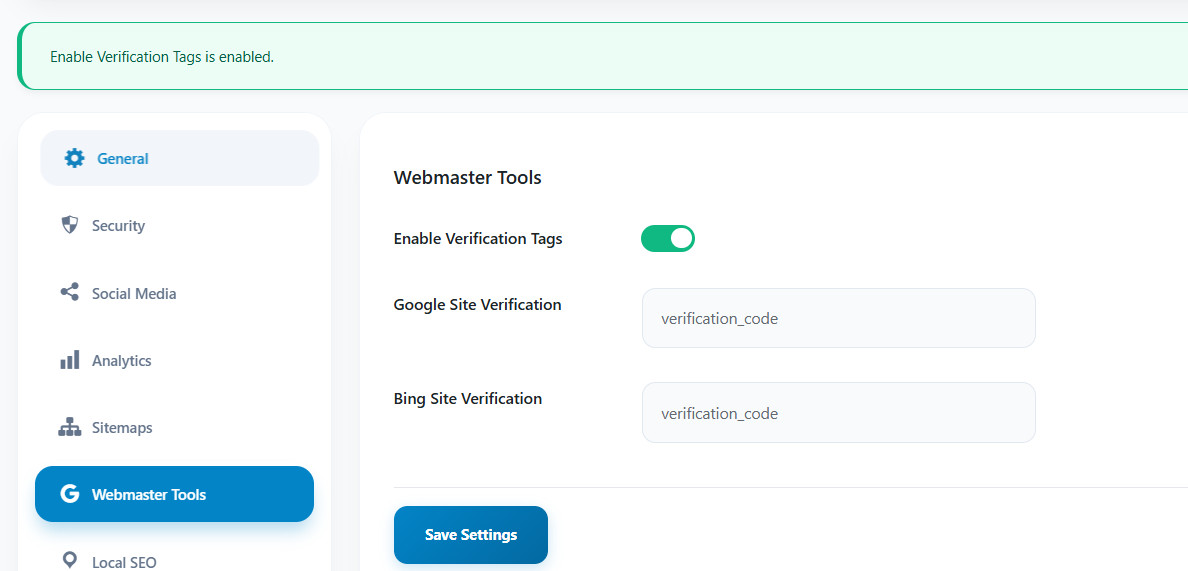
Google and Bing Webmaster Tools connect your website to search engines by allowing you to submit sitemaps and configure crawl data, improving your site’s ranking and indexing in search engines like Google. These free tools, including Google Search Console and Bing Webmaster Tools, help website owners monitor, maintain, and troubleshoot their site’s presence in search results. Enabling these tools, along with verification tags for Google and Bing, enhances your site’s performance by allowing search engines to properly crawl and index your pages. Simply enter the verification codes for Google and Bing to activate these features.
XML Sitemaps
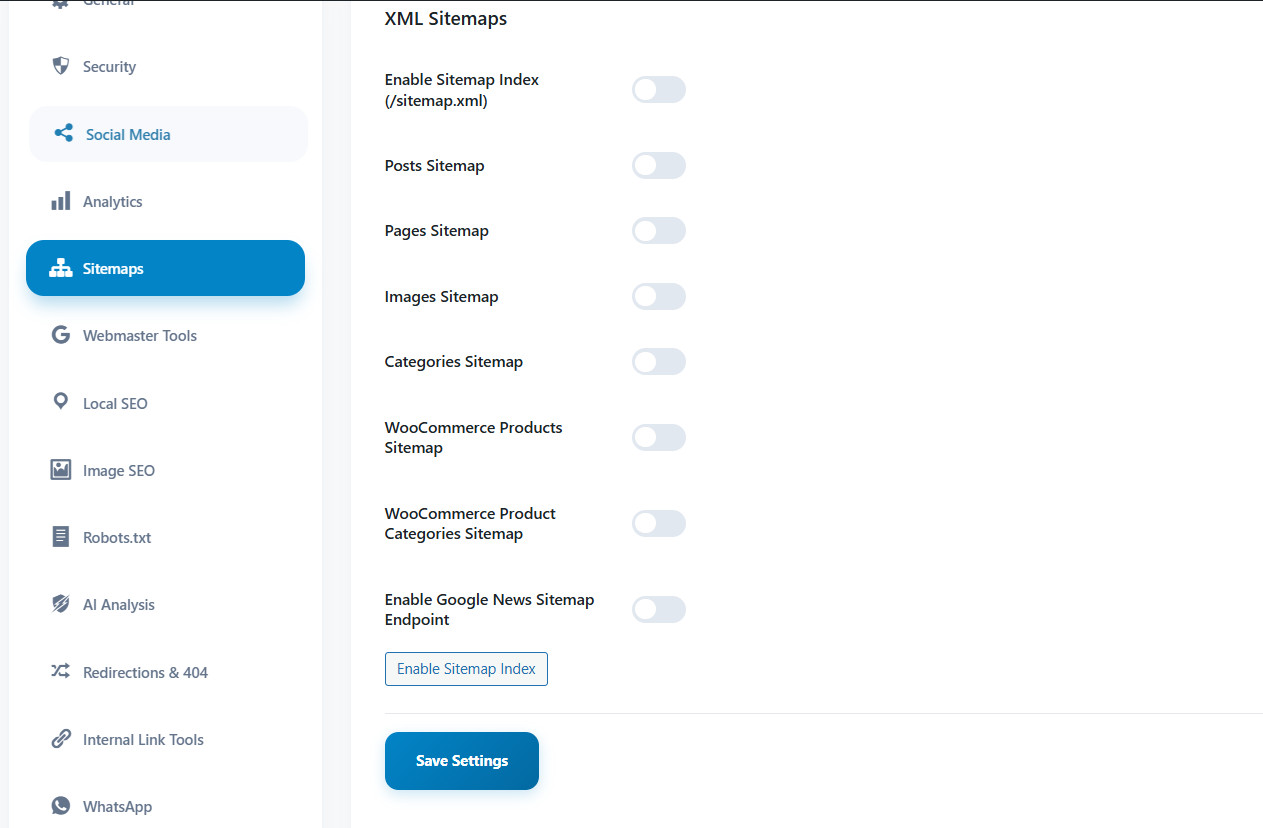
Auto-generated Sitemap Index that updates whenever you publish new content. Google and other search engines can discover and crawl your pages faster, ensuring your latest content gets indexed promptly for maximum search visibility.
Social Media Meta
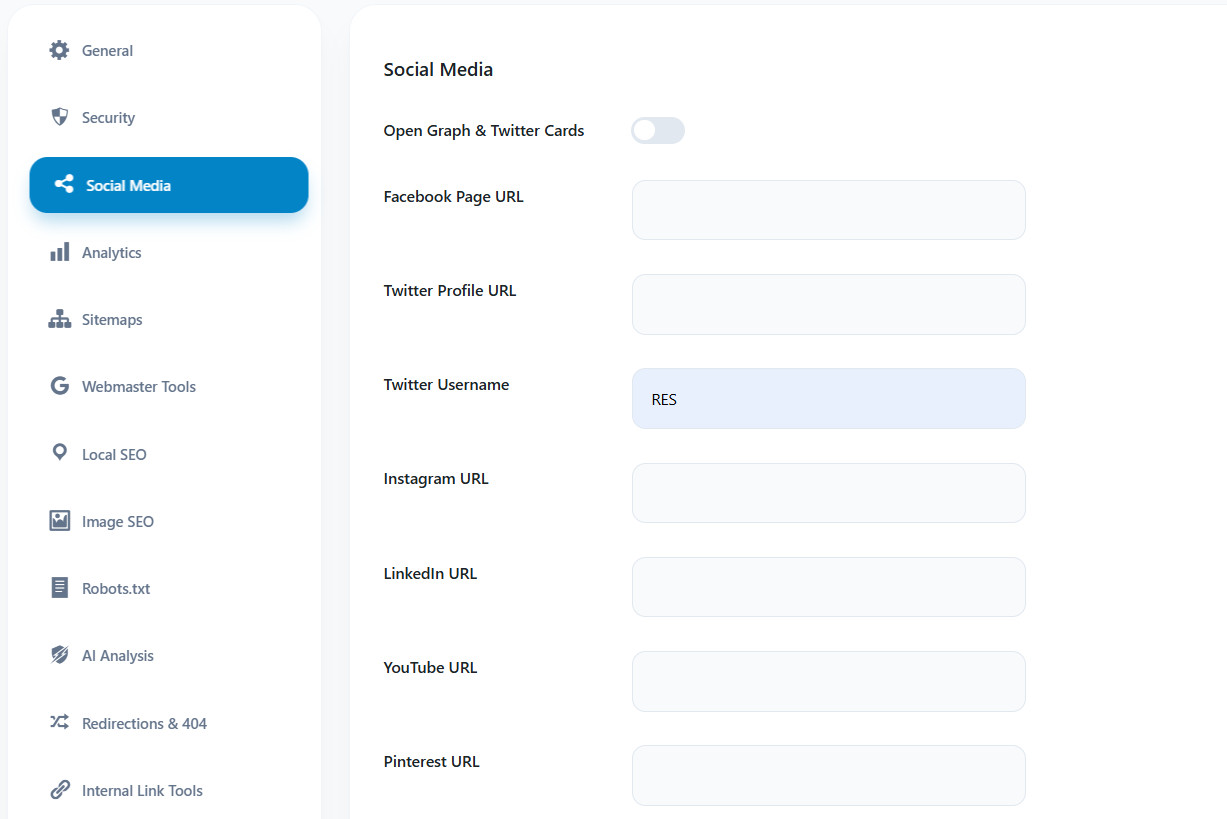
Full Open Graph and Twitter Card support for beautiful social sharing previews. When your content is shared on Facebook, Twitter, LinkedIn, or other platforms, it appears with rich, eye-catching previews that drive engagement and traffic back to your site.
Robots.txt Editor
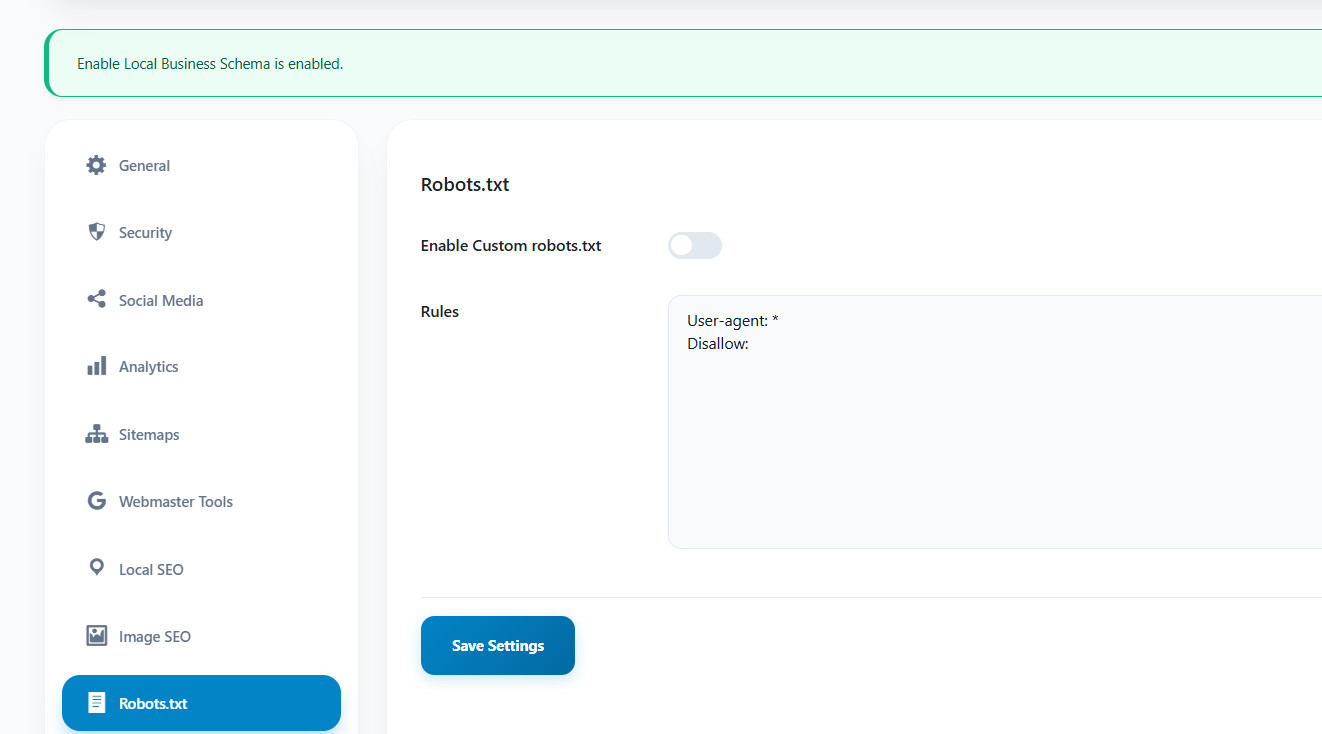
Directly edit your site’s robots.txt file from the dashboard for better crawling control. Manage which pages search engines can crawl, block unwanted bots, and optimize your crawl budget without touching any server files.
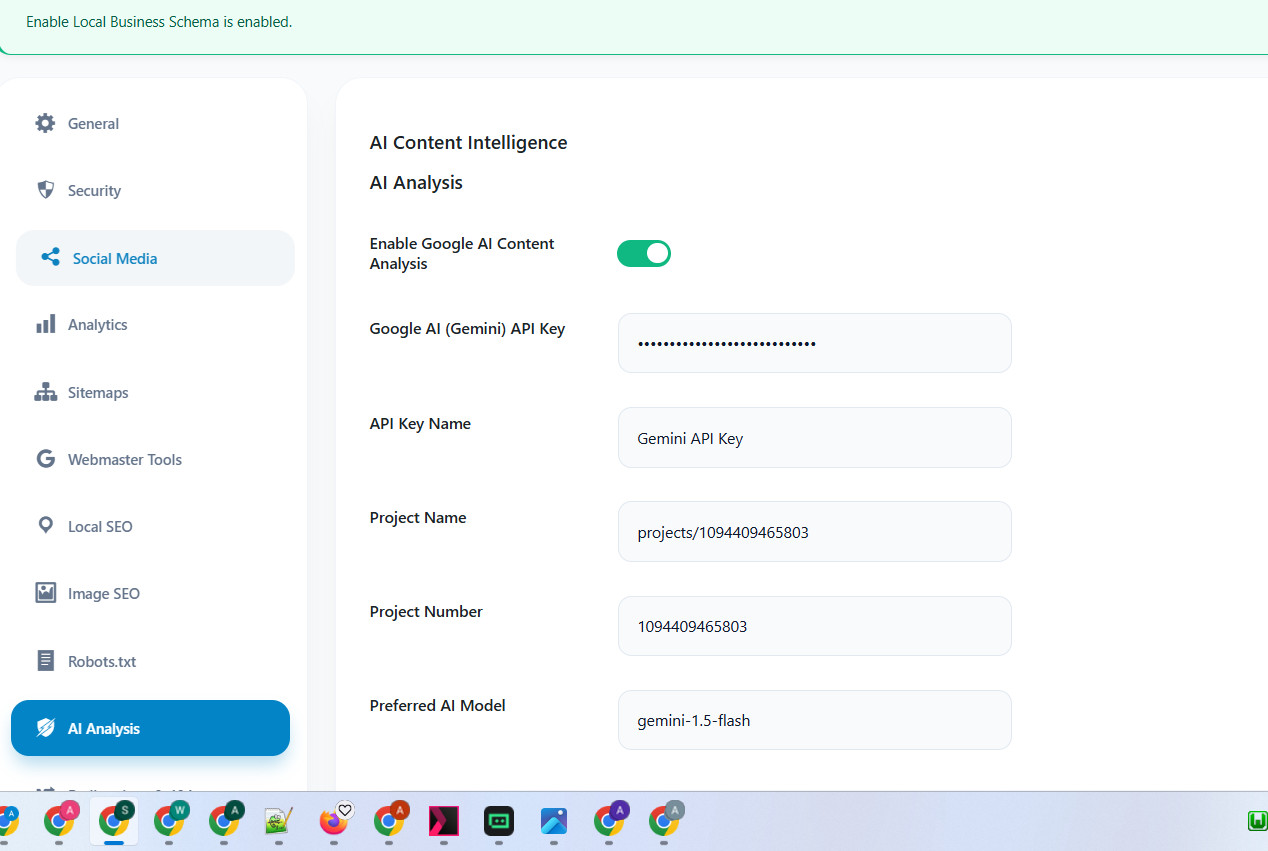
AI Content Analysis AI-Powered with Gimini API Key
Harness the power of Google Gemini AI to analyze your content’s SEO strength. Get your API key from Google AI Studio, paste it into Skill SEO > AI Analysis, and click “Analyze Content” in the post editor for instant feedback on readability, keyword density, and SEO score. The AI engine evaluates your content structure, heading usage, internal linking, and overall optimization level, providing actionable suggestions to improve your rankings.
Security Hardening:
SEO isn’t just about keywords; it’s about ensuring your site’s health and security. Our security module protects your website by preventing spam and unauthorized activities. It includes features like disabling comments on posts, pages, and media to block spam bots, controlling open registration to prevent fake user accounts, and hardening. These security settings help maintain your site’s reputation and ensure a safe, optimized experience.
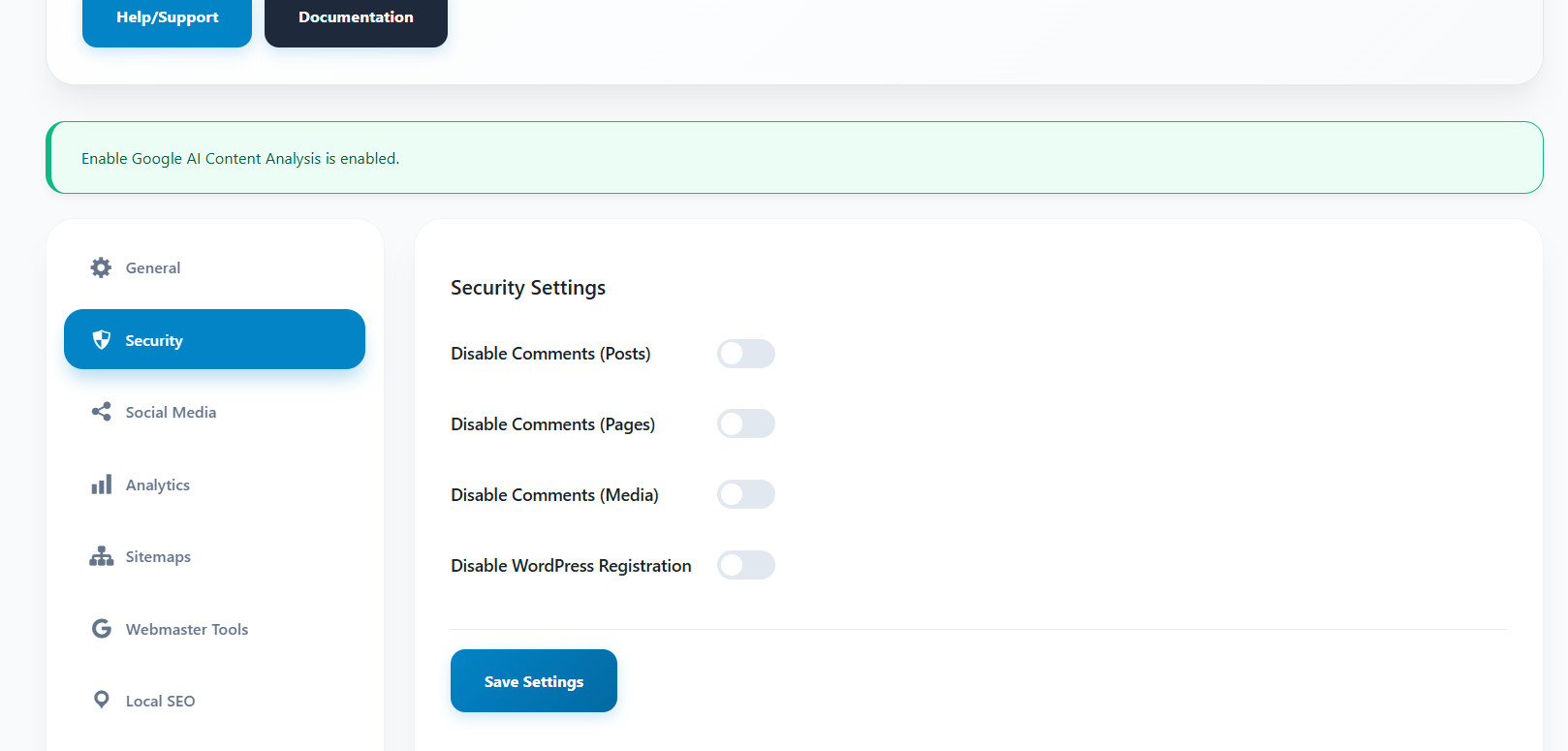
Image SEO Optimization
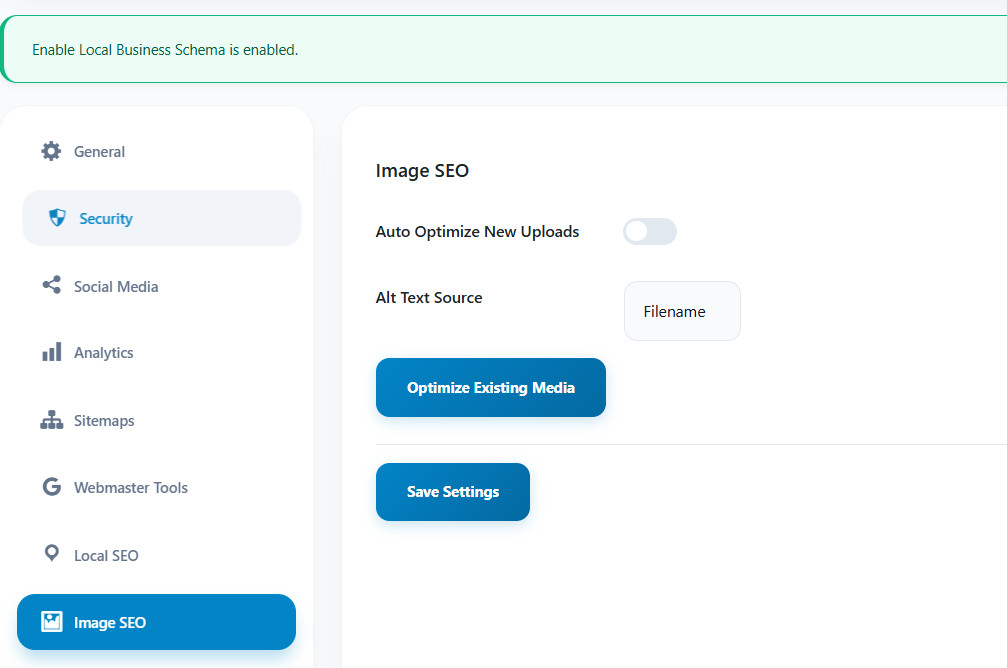
Automate your image optimization to improve accessibility and image search rankings. This module provides comprehensive image SEO tools to ensure every image on your site contributes to your overall SEO strategy:
Tools & System Cleanup (DATABASE Cleanup & Optimization)
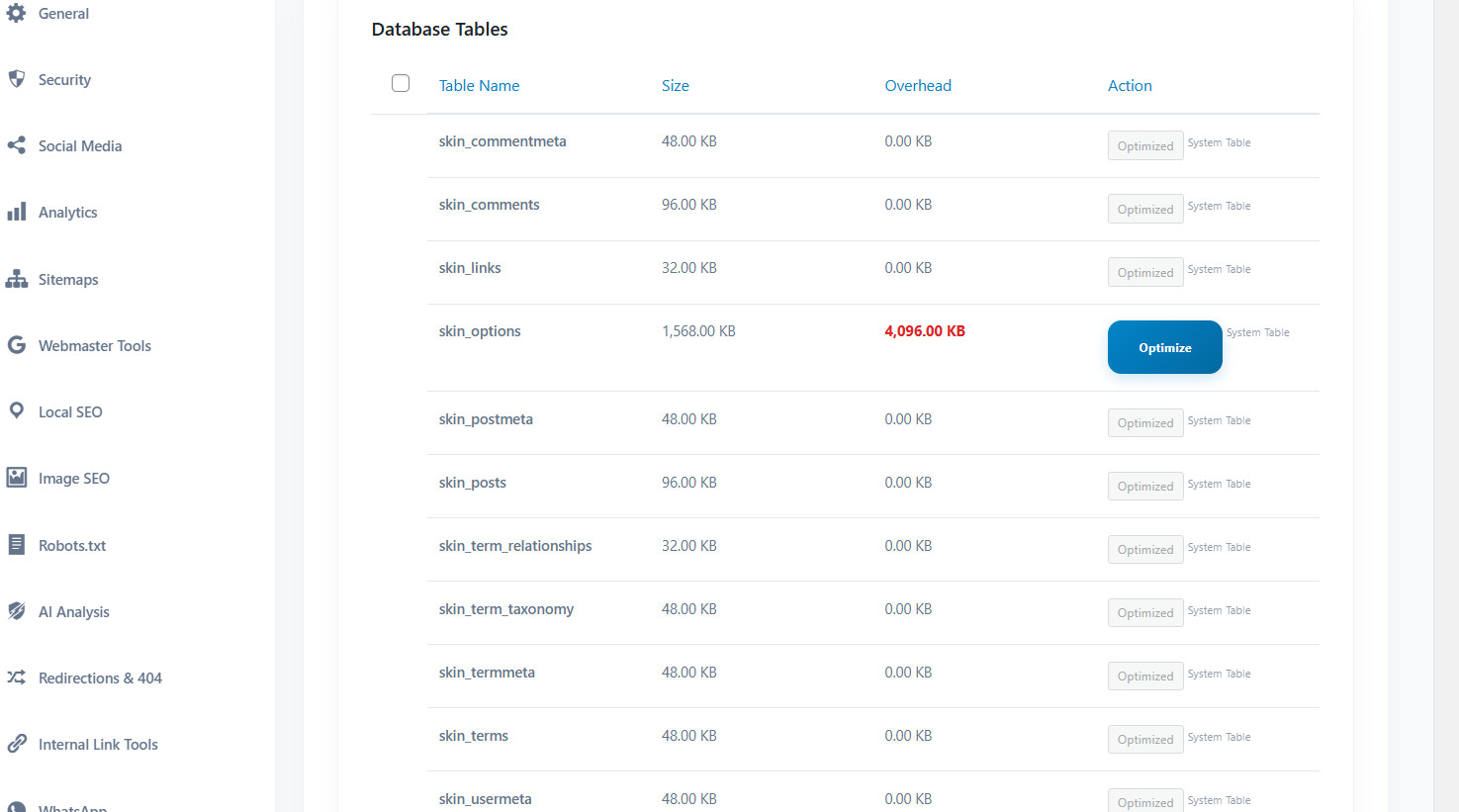
This tool allows you to delete unnecessary tables from your database without needing to access phpMyAdmin or connect to the database directly. It displays all tables in this tab, helping you keep your WordPress database lean for optimal speed. A bloated database can slow down your site and negatively impact your SEO rankings. Our cleanup tools ensure peak performance with powerful features, including database optimization, cache clearing, and a setting reset option. Keep your WordPress database fast and efficient with these essential tools.
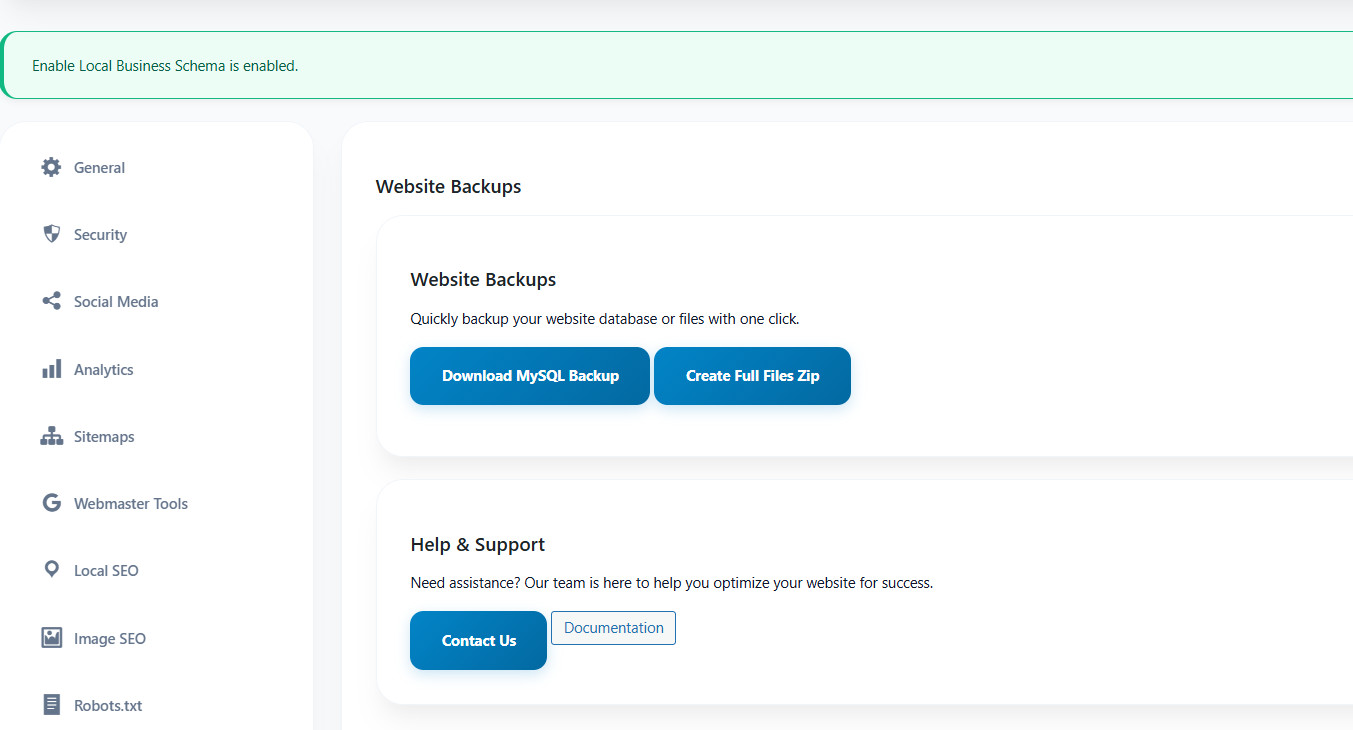
Download Website Backups and MySql Backup without Cpanel
Download website backups and MySQL backups without needing cPanel. With our integrated backup solution, you can easily download website files using the backup generator, without accessing the file manager or cPanel. Additionally, you can generate a MySQL database backup with just one click. Protect your data with our one-click backup solutions, allowing you to back up both your MySQL database and full website files. Real-time progress tracking and instant download options ensure that your data is safe. Never worry about losing your content, settings, or customizations again. Our backup system creates comprehensive archives, allowing you to restore your entire website in minutes.
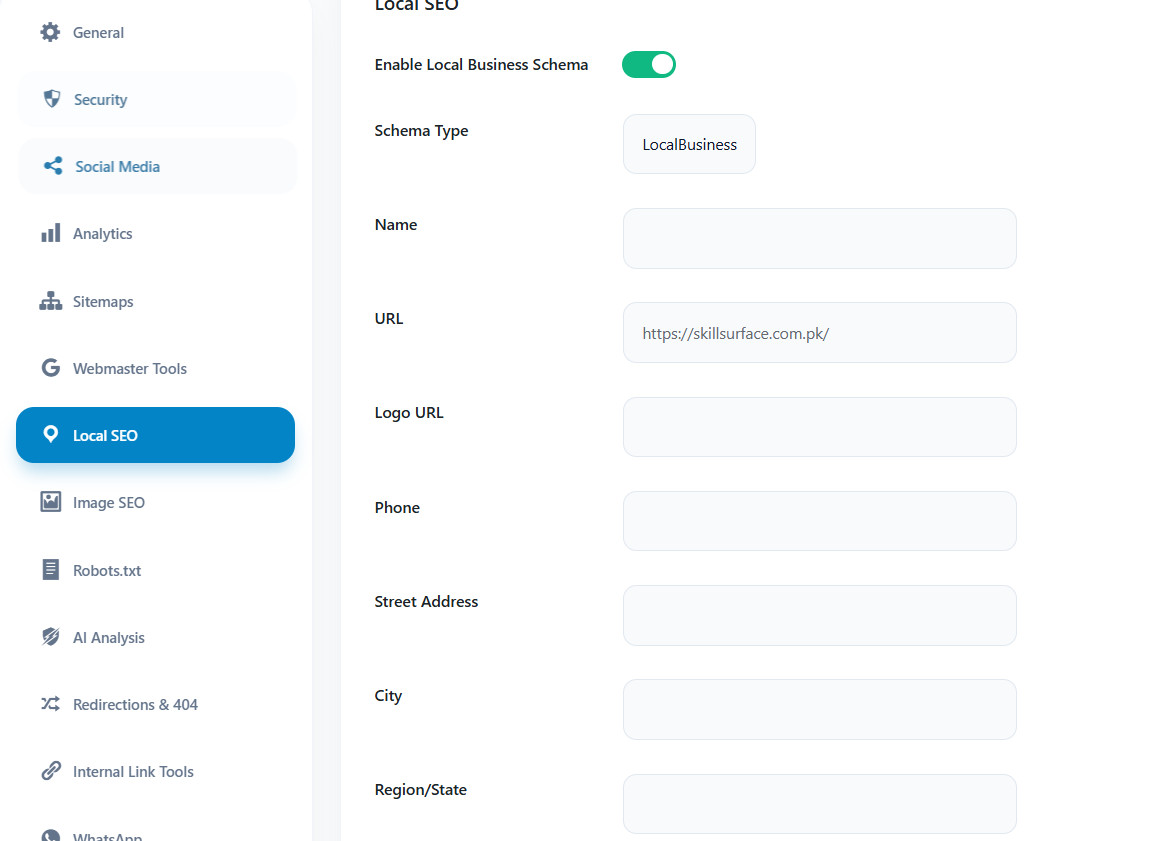
Local SEO Local Business Schema
The Local SEO option in the Skill SEO WP Pro plugin allows you to enable Local Business Schema, which helps improve your website’s visibility in local search results. By enabling the schema, you provide search engines with structured data about your business, including your business name, URL, logo, phone number, address, and geographic coordinates. This information helps search engines like Google better understand and display your business in local search results and on Google Maps. To activate this feature, fill in the necessary fields such as your business name, website URL, logo URL, phone number, address, and geographic location details, then save the settings to enhance your local SEO efforts.
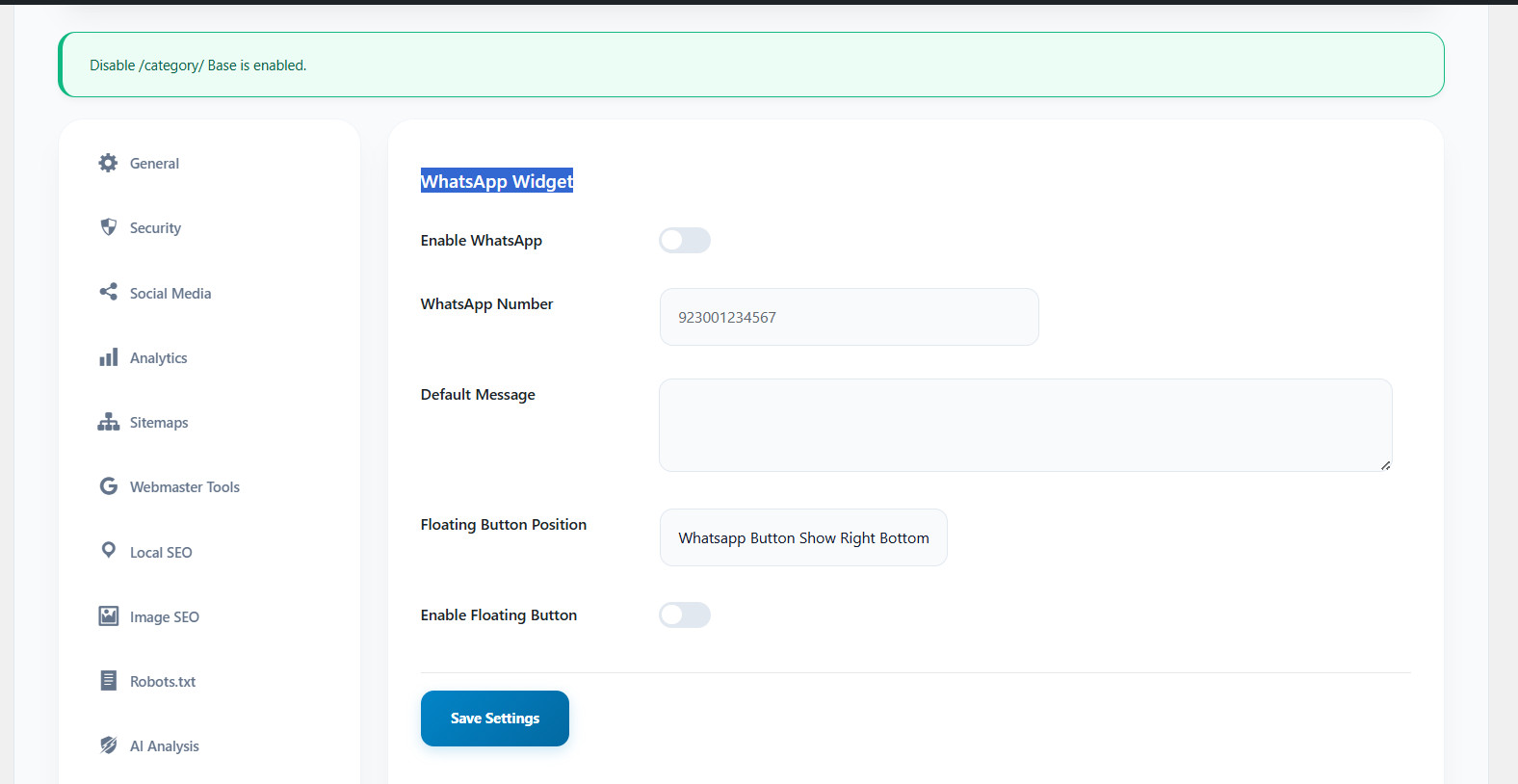
WhatsApp Business Widget
The WhatsApp Business Widget in the Skill SEO WP Pro plugin allows you to add a quick response feature to your website, enabling instant communication with your customers via WhatsApp. By enabling this widget, you can provide real-time support and engage with visitors directly on their phones, building trust and offering immediate assistance.
This feature is designed to improve customer interaction by placing a floating WhatsApp button on your website, typically positioned at the right bottom of the page. Visitors can click the button to initiate a chat directly with you on WhatsApp, which increases conversion rates by providing faster response times compared to traditional contact forms.
You can customize the widget by entering your WhatsApp number, setting a default message for initial conversations, and toggling the floating button to ensure it’s visible to visitors. This tool helps convert visitors into customers more efficiently by enabling direct communication and real-time support.
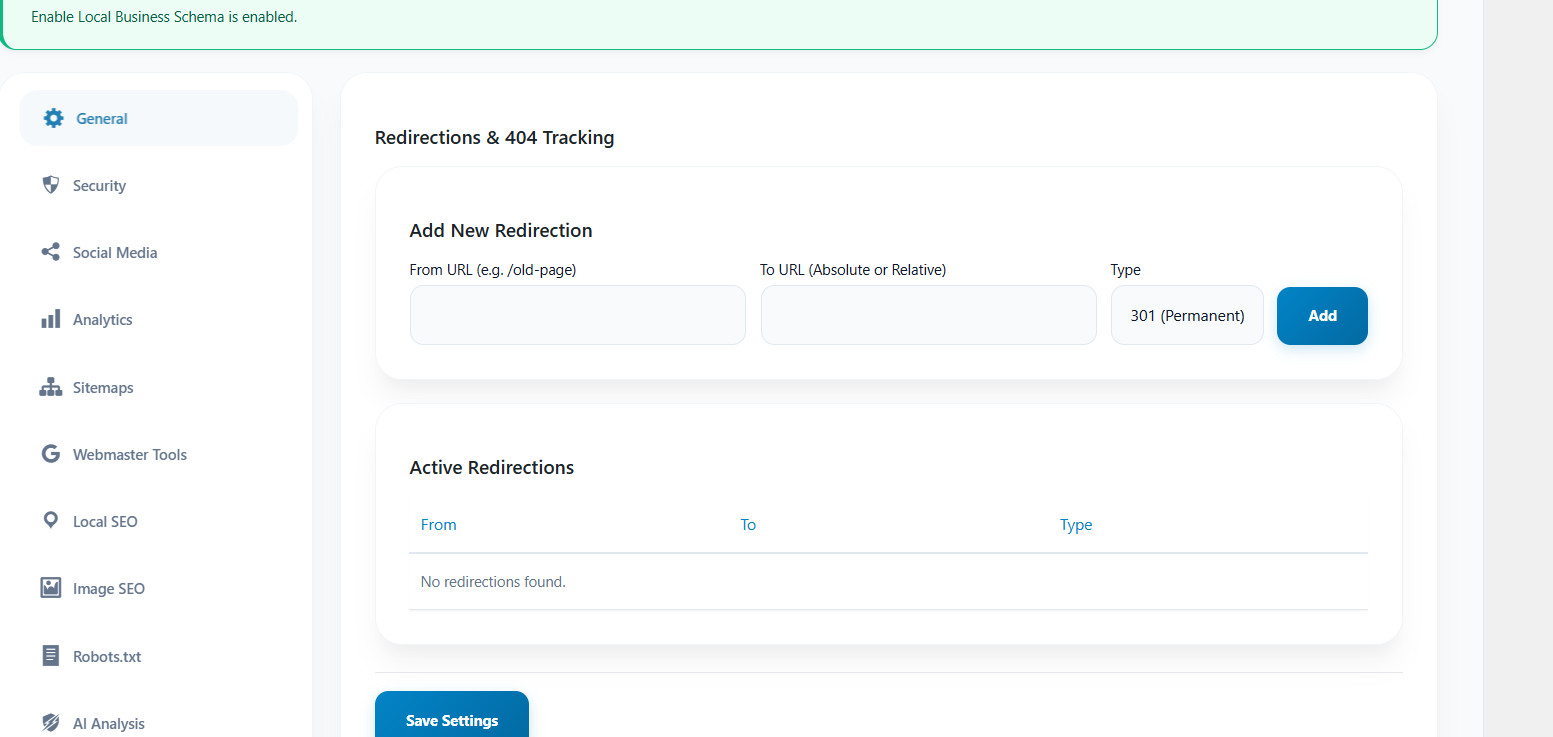
Redirections & 404 Tracking
The Redirections & 404 Tracking feature in the Skill SEO WP Pro plugin allows you to manage URL redirections and track 404 errors (page not found). This tool helps maintain SEO performance and ensures visitors and search engines are directed to the correct pages.
- Add New Redirection: You can add new URL redirections by specifying the “From URL” (the old or broken URL) and the “To URL” (the new URL where visitors should be redirected). You can choose between absolute or relative URLs and select the type of redirection, typically 301 (Permanent), which signals that the page has permanently moved to a new location. Once you fill in the details, click the Add button to create the redirection.
- Active Redirections: This section displays all the active redirections that have been set up. It shows the “From” and “To” URLs, as well as the type of redirection. If no redirections are set, the message “No redirections found” will appear.
Internal Link Tools/Broken Link Checker
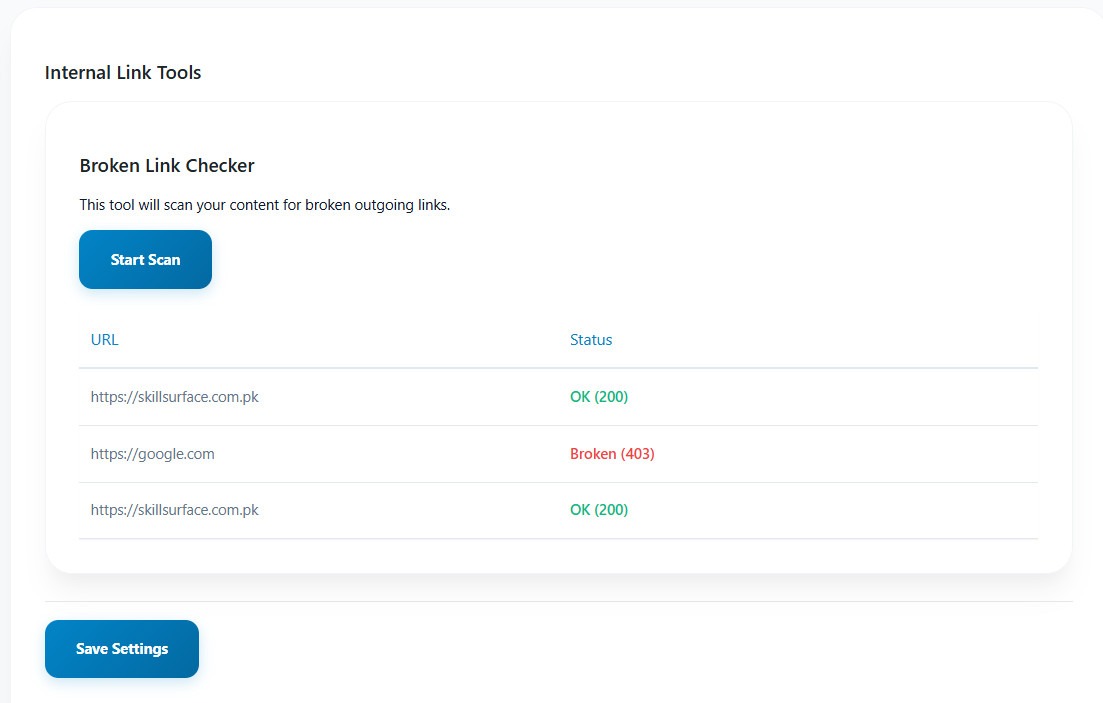
The Internal Link Tools section in the Skill SEO WP Pro plugin includes the Broken Link Checker, which helps you identify broken outgoing links on your website. This tool scans your content to find URLs that are no longer working, ensuring that you maintain a clean and functional website.
In this interface, you can initiate a scan by clicking the Start Scan button. The tool will then list the URLs and their status. For example, URLs marked as “OK (200)” are functioning properly, while those labeled as “Broken (403)” are returning errors, indicating that the links are no longer accessible. This feature is essential for improving your website’s user experience and SEO performance by avoiding dead links and ensuring all outbound links are functional.
Plugin Documentation

Plugin Changelog
Important Note
This is digital product from this platform, you acknowledge that once the product is downloaded, it is non-refundable, regardless of the reason or any error we offer full support at no additional cost for solve error and full assistance, please contact us at help@skillsurface.com.pk. We strive to provide quick responses, and in case of urgency or ticket-based inquiries, we guarantee a reply within 3 business days. However, any additional customization requests will incur extra charges, which will be communicated and agreed upon before proceeding.