Download Premium and Best Comments Spam Protection WordPress Plugin (Free Download)
Best Comments Spam Protection WordPress Plugin. Free download premium and powerful comments disable and spam protection wordpress plugin best for blog, Ecommerce and business website secure with single click. Are you tired of waking up to dozens of spam comments? Is moderating comments on your WordPress site becoming a full-time job? For many website owners, from bloggers to e-commerce stores, comment spam is a relentless problem that clutters your database, hurts your brand’s professionalism, and can even pose security risks.
While comments can foster community, they are often unnecessary for business websites, portfolios, or product pages. Manually disabling them on every single post is tedious and inefficient.
That’s why we developed the Comments Disable & Spam Protection plugin for WordPress. It’s a simple, powerful, and completely free tool designed to give you back control over your website with a single click.
Comment sections are a prime target for spammers and bots. They fill your site with irrelevant links, malicious code, and nonsensical text. This leads to:
- Wasted Time: You have to spend valuable time sifting through and deleting spam.
- Poor User Experience: Legitimate visitors are turned off by a spam-filled comment section.
- Security Risks: Spam links can lead to phishing sites or malware.
- Slower Website: Every comment adds to your database, and excessive spam can slow down your site’s performance.
Our plugin provides an elegant solution by letting you disable the entire comment system where you don’t need it.
Download the Comments Disable & Spam Protection Plugin Now – It’s Free!

Introducing the “Comments Disable & Spam Protection” Plugin
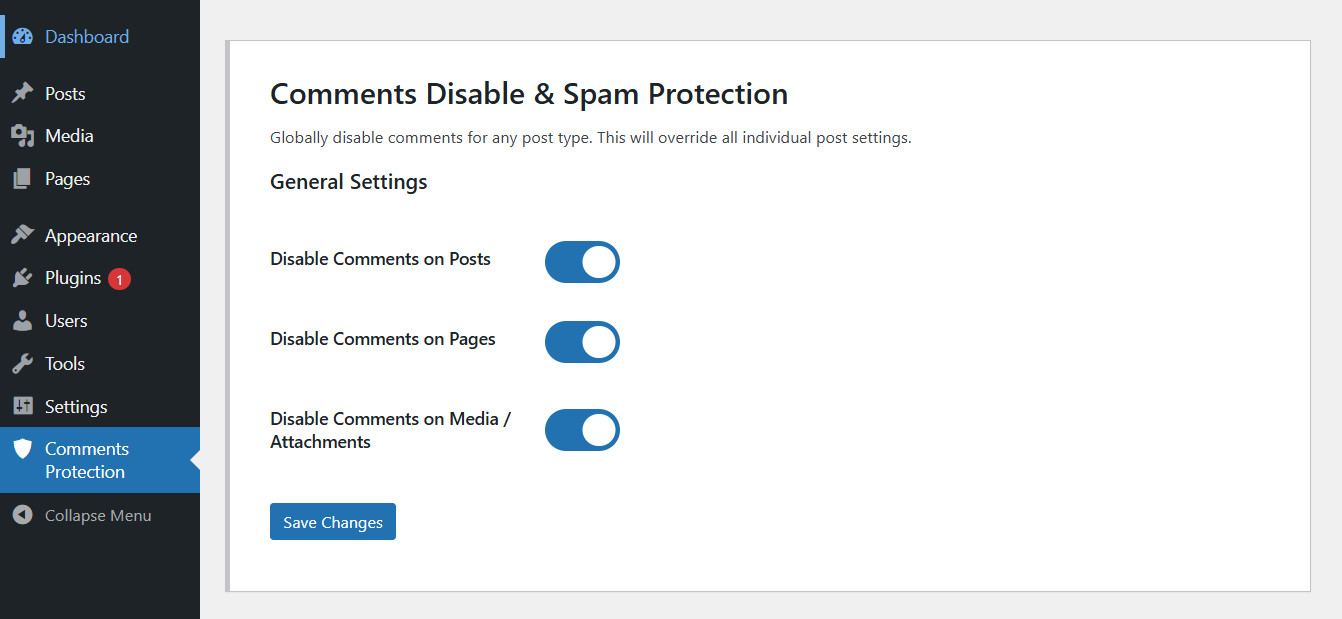
This plugin is a lightweight yet powerful tool that allows you to globally disable comments on various post types across your entire WordPress website. No more digging through individual post settings. Control everything from one beautiful, intuitive dashboard.
Simple Dashboard Easy to Use. Below Complete Documention of How To Install
Key Features
We built this plugin to be both powerful and incredibly easy to use.
- Central Control Panel: Manage all settings from a single, user-friendly page right in your WordPress dashboard.
- Selective Disabling: You have full control. Choose to disable comments on:
- Posts: Perfect for blogs that don’t want reader feedback.
- Pages: Keep your static pages like “About Us” or “Services” clean.
- Media/Attachments: Prevent comments on image and file attachment pages.
- WooCommerce Products: Easily turn off product reviews (which use the WordPress comment system).
- Clean and Lightweight: The plugin is built with performance in mind. It adds zero bloat to your website and won’t slow it down.
- Non-Destructive: We value your data. The plugin doesn’t delete any existing comments. If you ever deactivate it, your old comments and settings will be restored instantly.
- Admin Interface Cleanup: To provide a cleaner workspace, the plugin automatically hides the “Comments” link from your admin menu and the top admin bar.
- 100% Free & Open Source: This plugin is released under the GPL license. It’s completely free to download, use, and modify, with no hidden costs or license keys required.
Who Is This Plugin For?
This plugin is a must-have for:
- Business & Corporate Websites: Maintain a professional look by disabling comments on all pages and posts.
- WooCommerce Store Owners: Who want to disable product reviews globally.
- Portfolio Websites: To showcase work without a distracting comments section.
- Bloggers who have decided to move their community discussions to social media.
- Any WordPress user who is simply tired of fighting a losing battle against spam.
How to Install and Use the Plugin
Getting started is simple. Follow these steps to protect your site in under two minutes.
Method 1: Installing via WordPress Admin Dashboard (Recommended)
- Download the Plugin: First, download the plugin ZIP file from the link below.
- Navigate to Plugins: In your WordPress dashboard, go to Plugins → Add New.
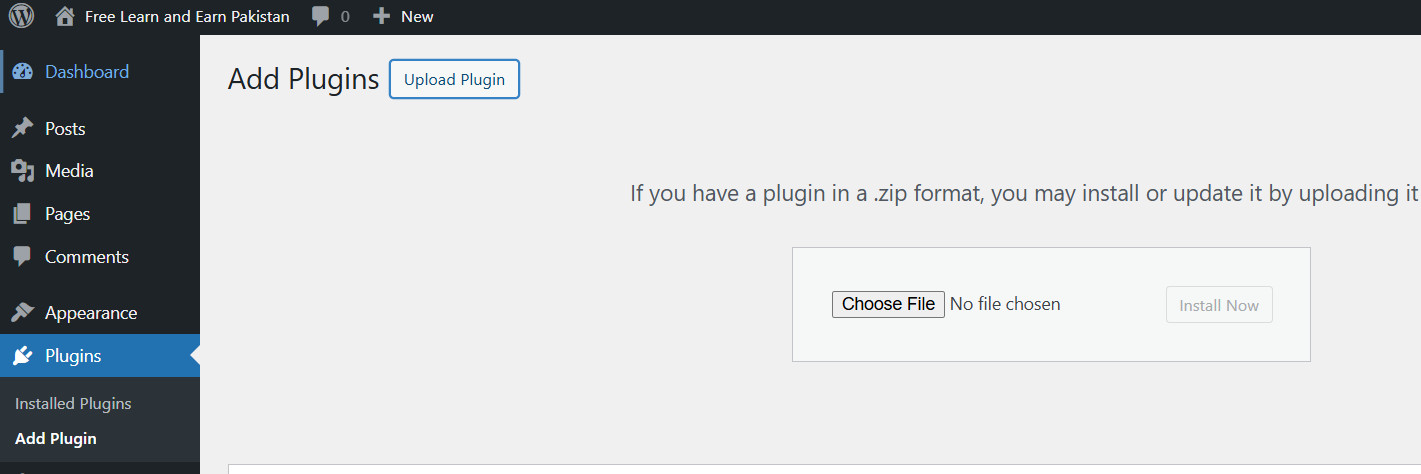
- Upload Plugin: Click the “Upload Plugin” button at the top of the page.
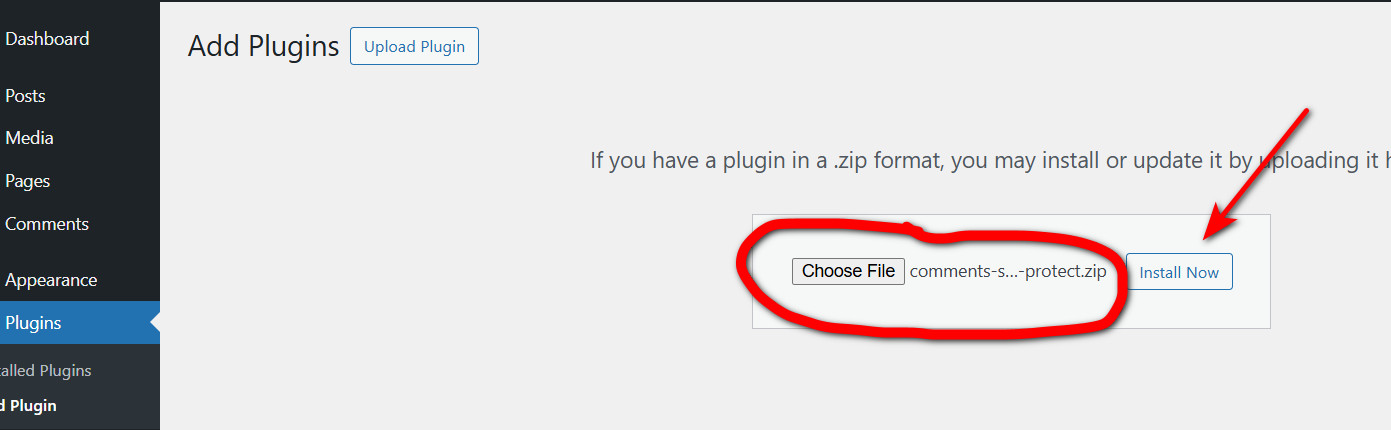
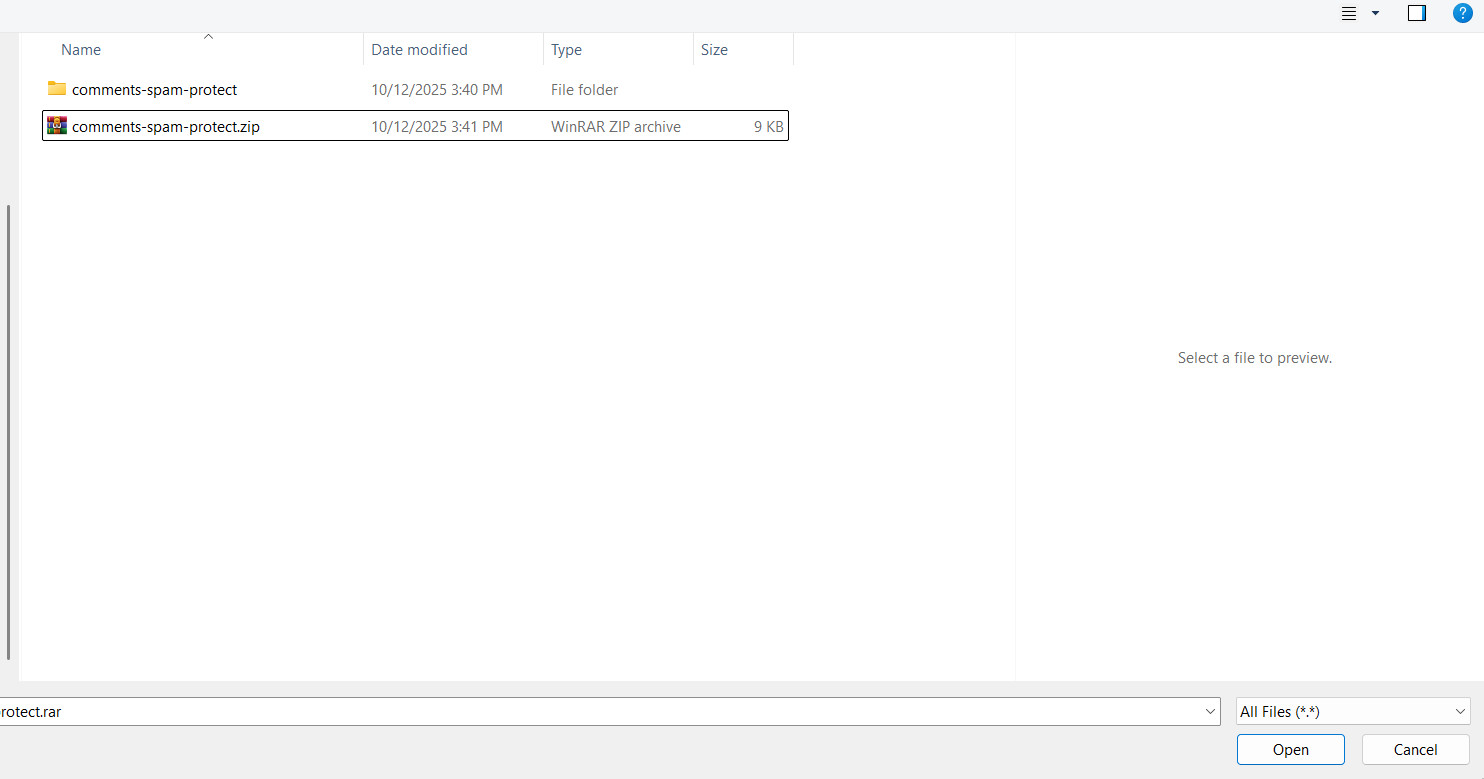
- Choose File: Click “Choose File” and select the
comments-spam-protect.zipfile you just downloaded.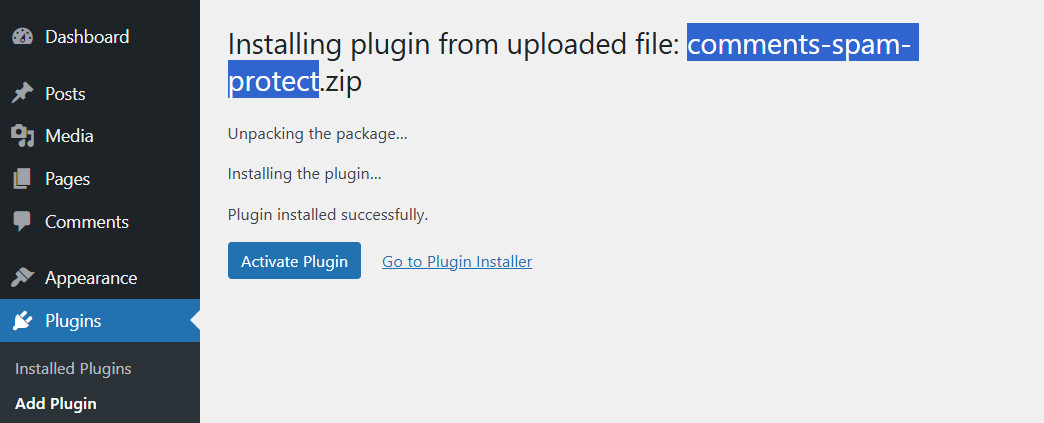
- Install and Activate: Click “Install Now”, and after the installation is complete, click “Activate Plugin”.
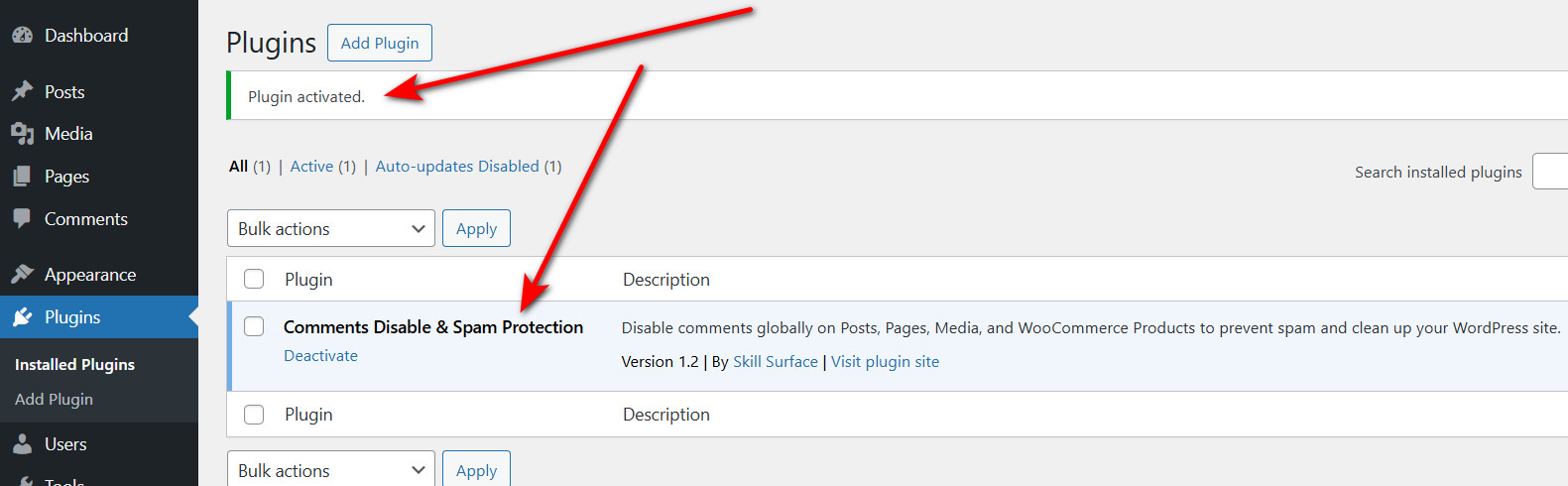
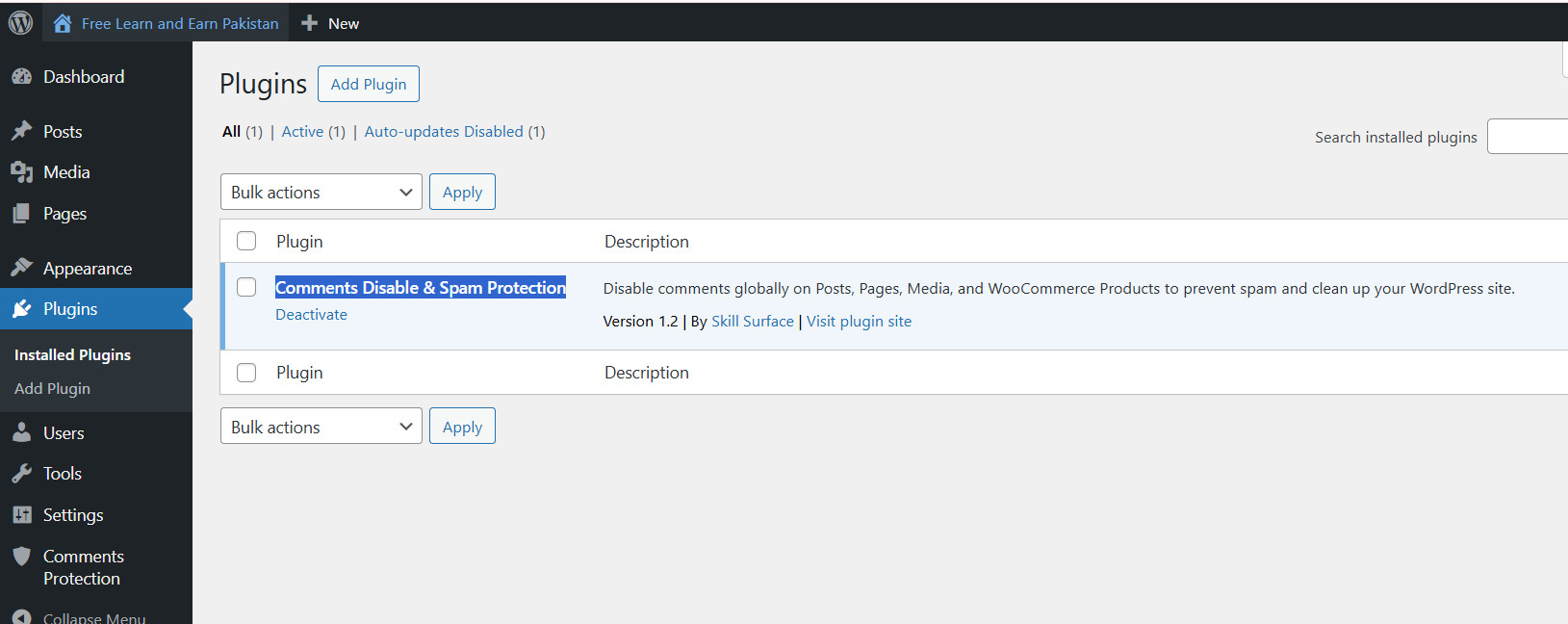
Method 2: Installing via FTP
- Download and Unzip: Download the plugin ZIP file and unzip it. You will have a folder named
comments-spam-protect. - Connect via FTP: Use an FTP client (like FileZilla) to connect to your website’s server.
- Upload Folder: Navigate to the
/wp-content/plugins/directory and upload the entirecomments-spam-protectfolder. - Activate: Go to your WordPress dashboard, navigate to the Plugins page, find “Comments Disable & Spam Protection” in the list, and click “Activate”.
Configuring the Settings
Once activated, configuring the plugin is a breeze:
- In your WordPress dashboard, find the new menu item called “Comments Protection”.
- On the settings page, you will see simple toggle switches for Posts, Pages, Media, and WooCommerce Products.
- Toggle on the options for which you want to disable comments.
- Click the “Save Changes” button.
That’s it! The comment forms and existing comments will now be hidden on the front end of your site for the selected content types.
Frequently Asked Questions (FAQ)
- Will this plugin delete my existing comments? No, absolutely not. The plugin simply hides them from being displayed. Your data remains safe in the database.
- What happens if I deactivate the plugin? If you deactivate the plugin, all your original comment settings will be restored, and any existing comments will become visible again.
- Does this plugin work with any theme? Yes. It uses core WordPress functions, making it compatible with all well-coded themes and plugins.
Take Back Control of Your Website Today!
Stop letting spam dictate how you manage your website. Clean up your site, improve its performance, and save yourself countless hours of moderation.
Download the Comments Disable & Spam Protection Plugin Now – It’s Free!