

Skill SEO Pro A to Z Guide
01. Visual Startup Guide
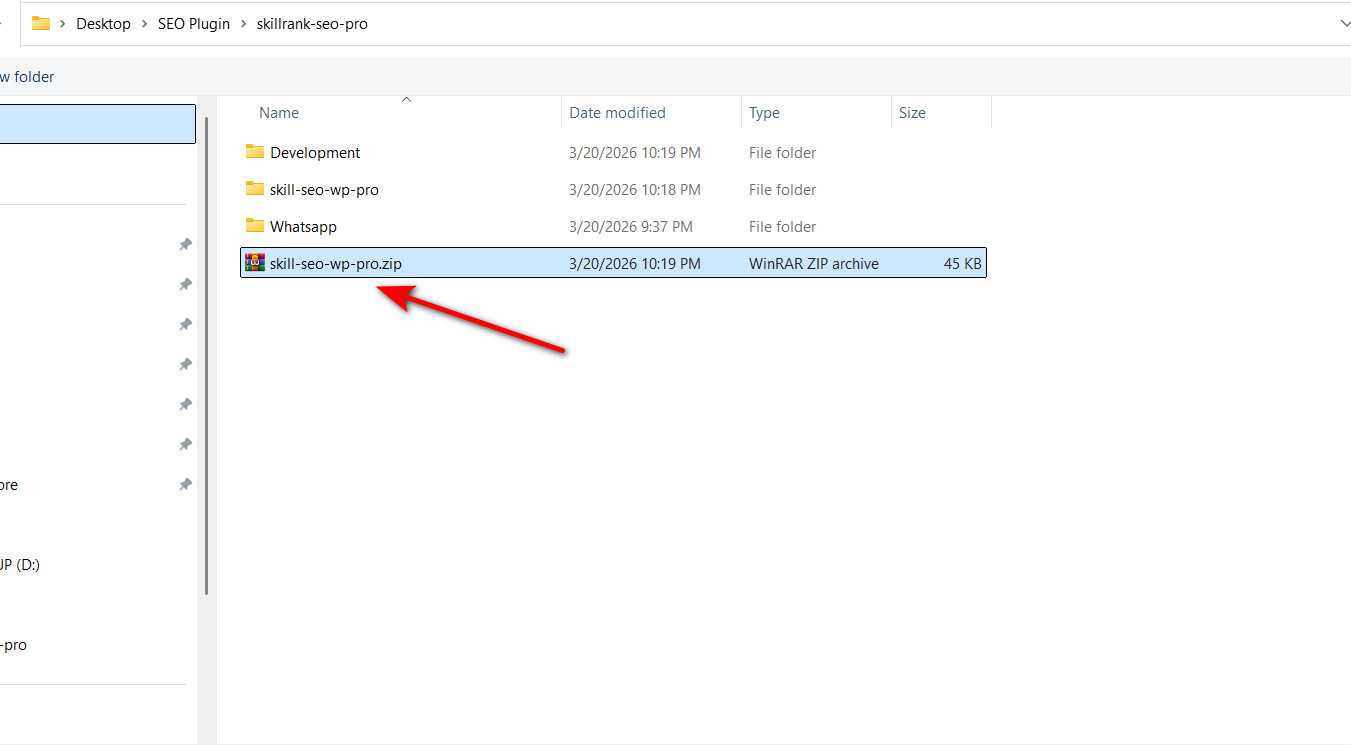
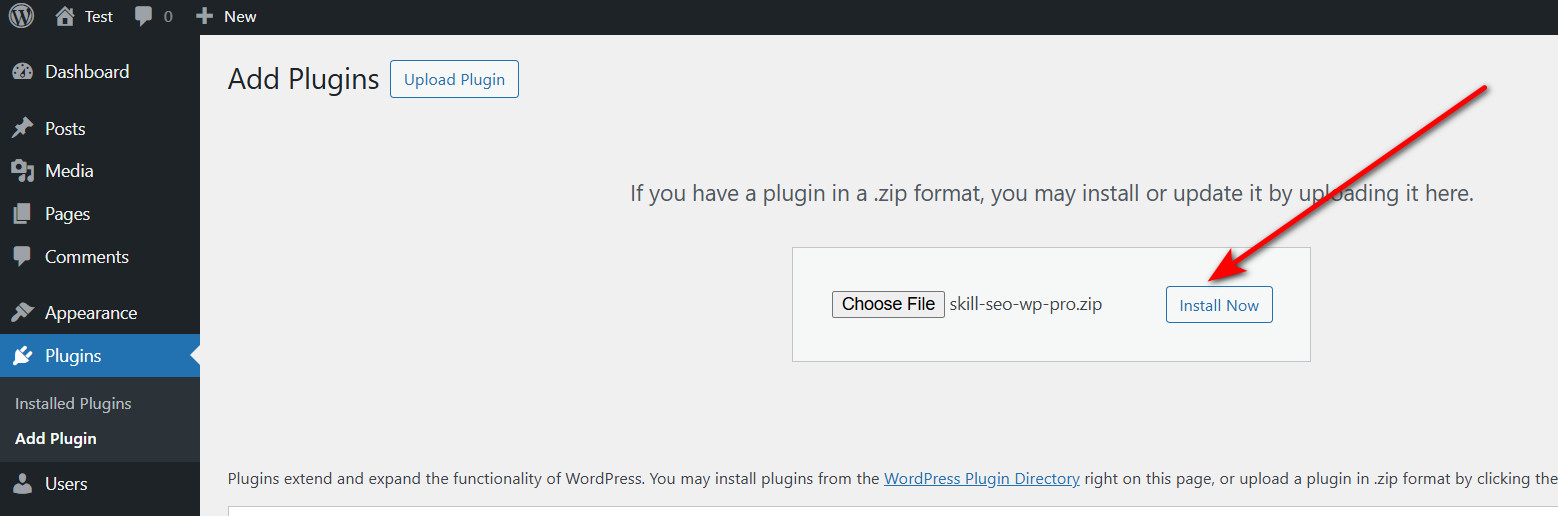
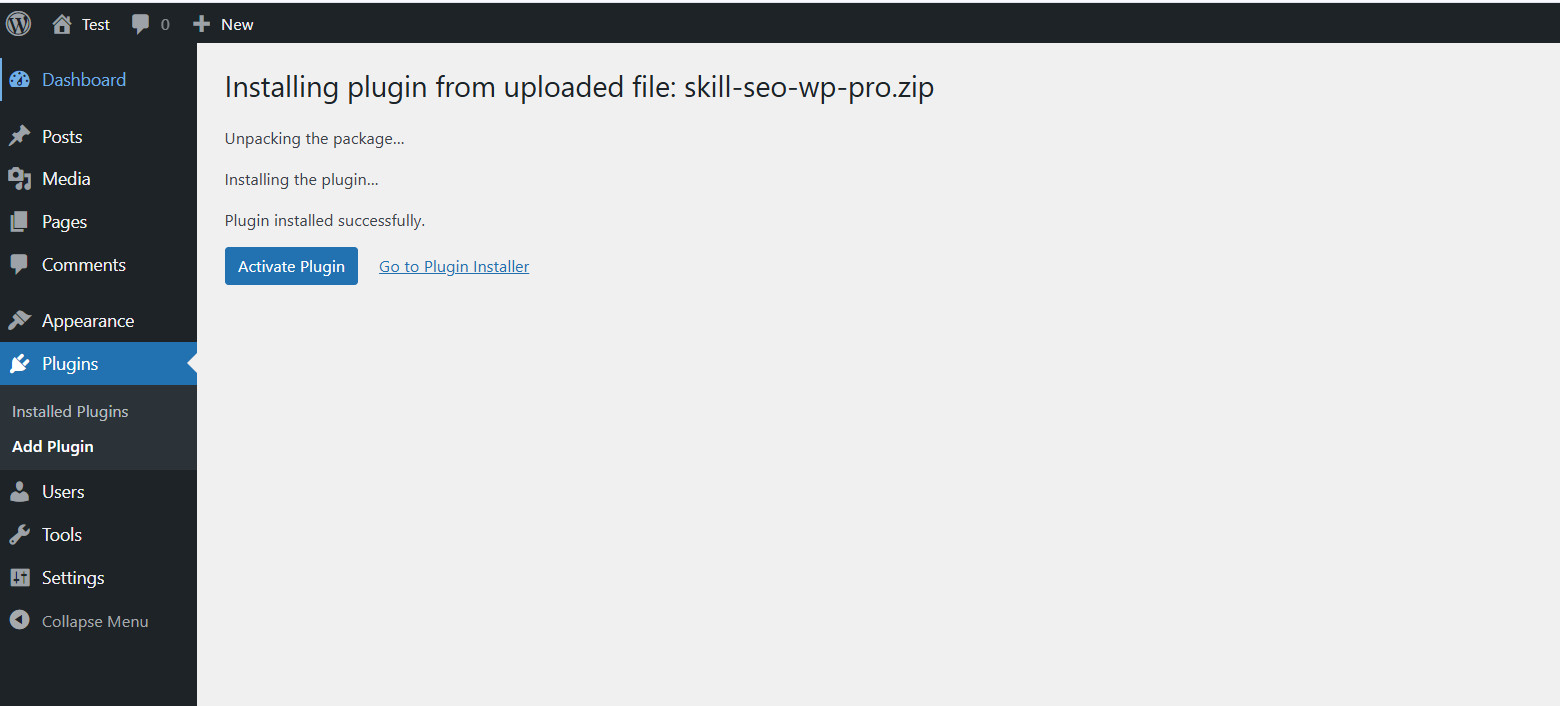
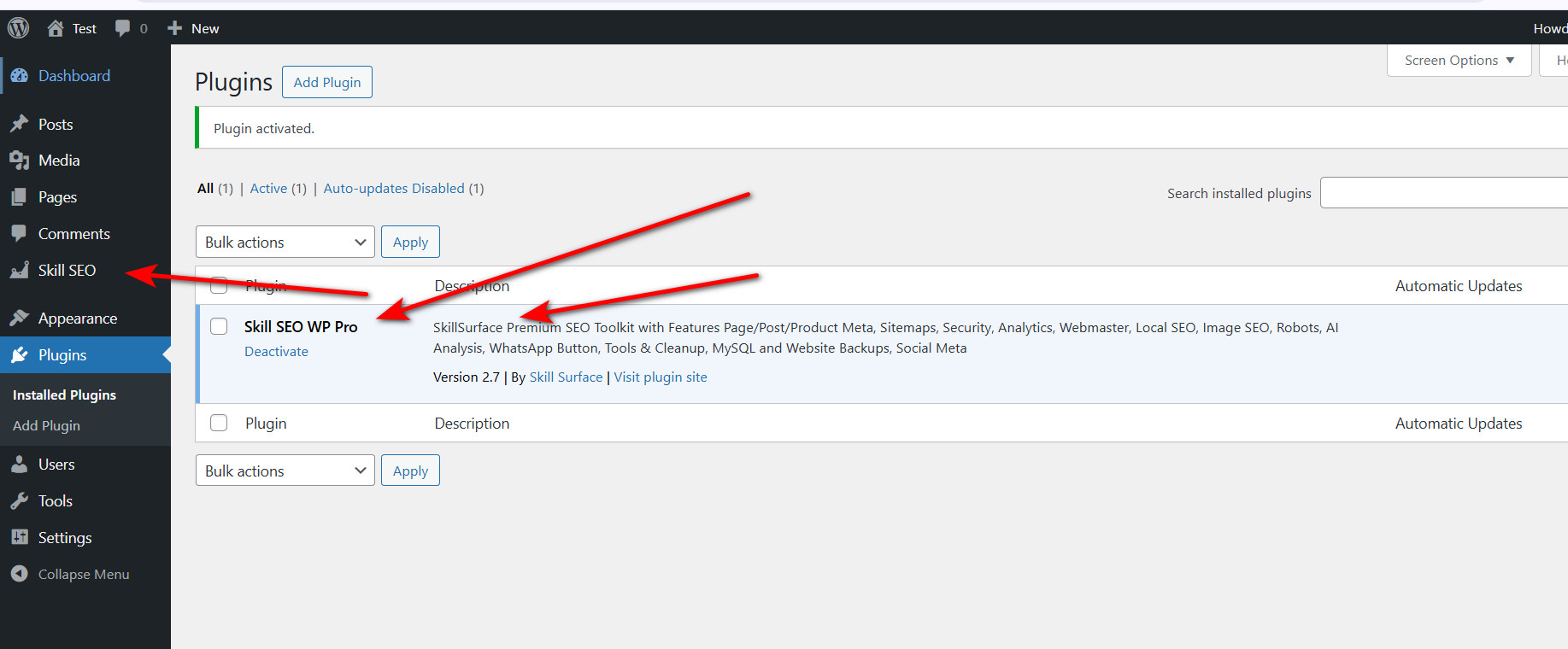
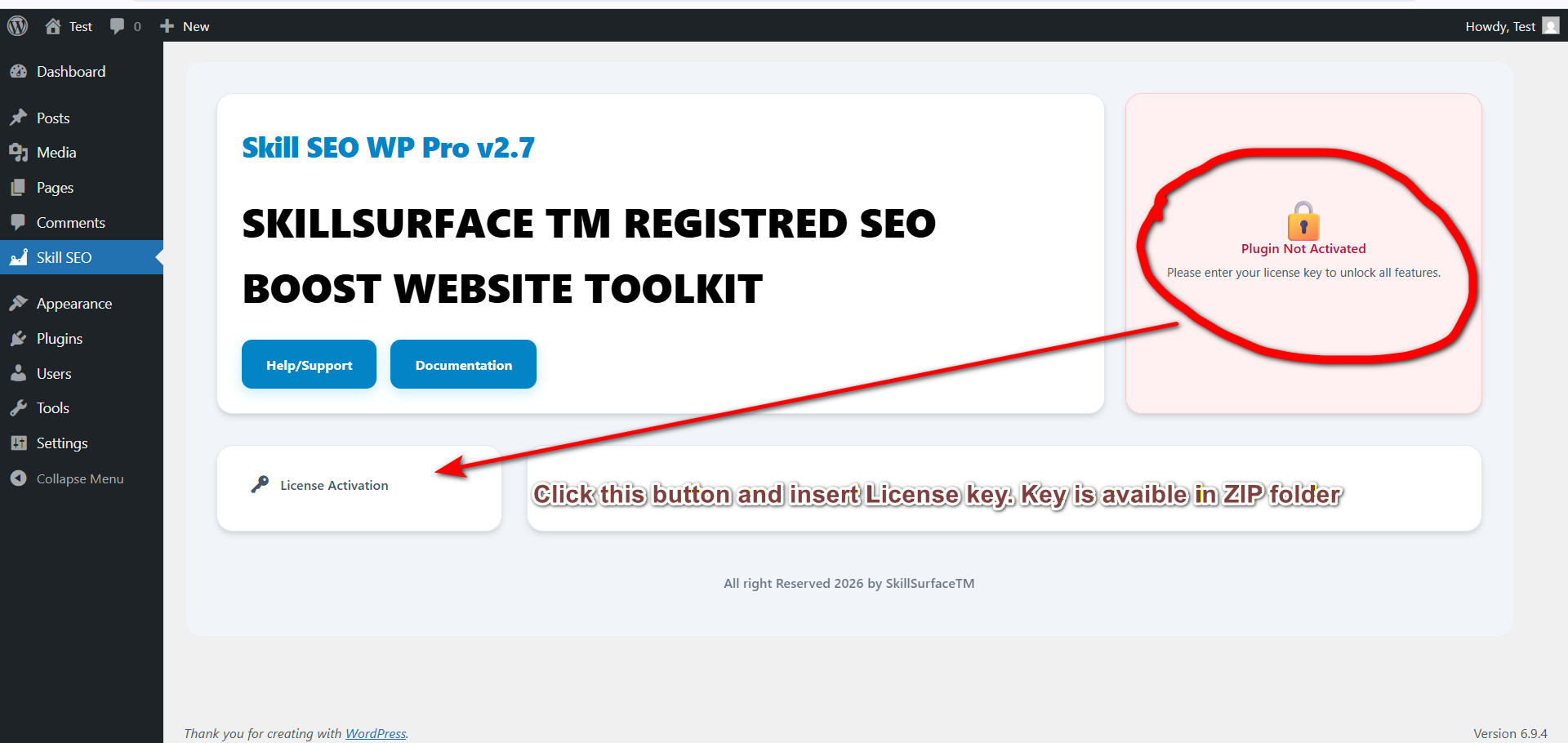
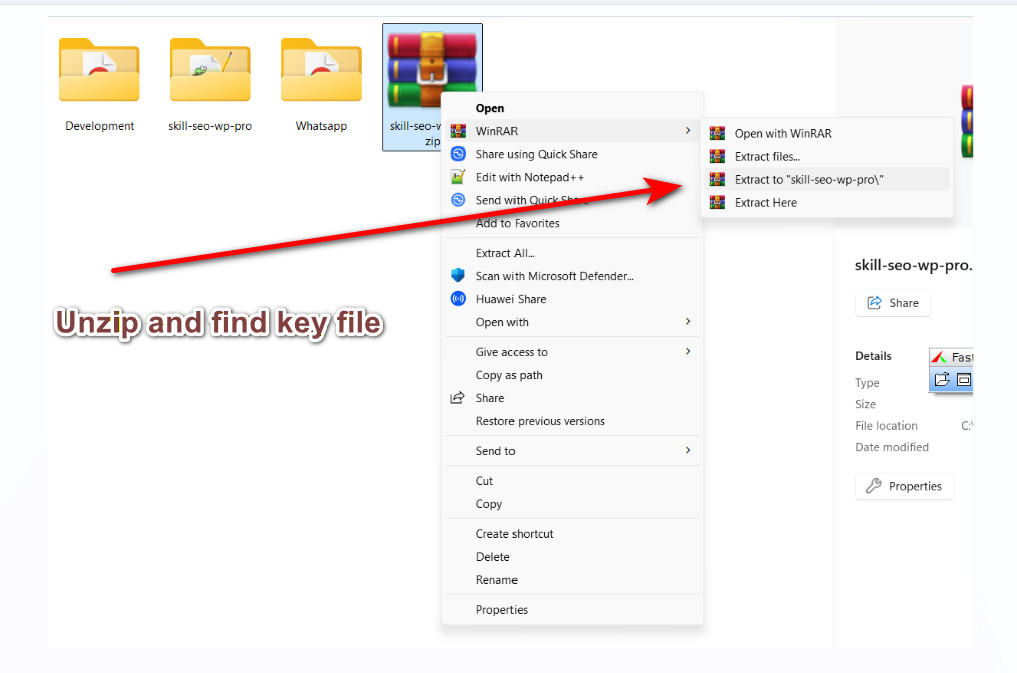
Complete 14-step visual walkthrough to get you started with Skill SEO Pro.
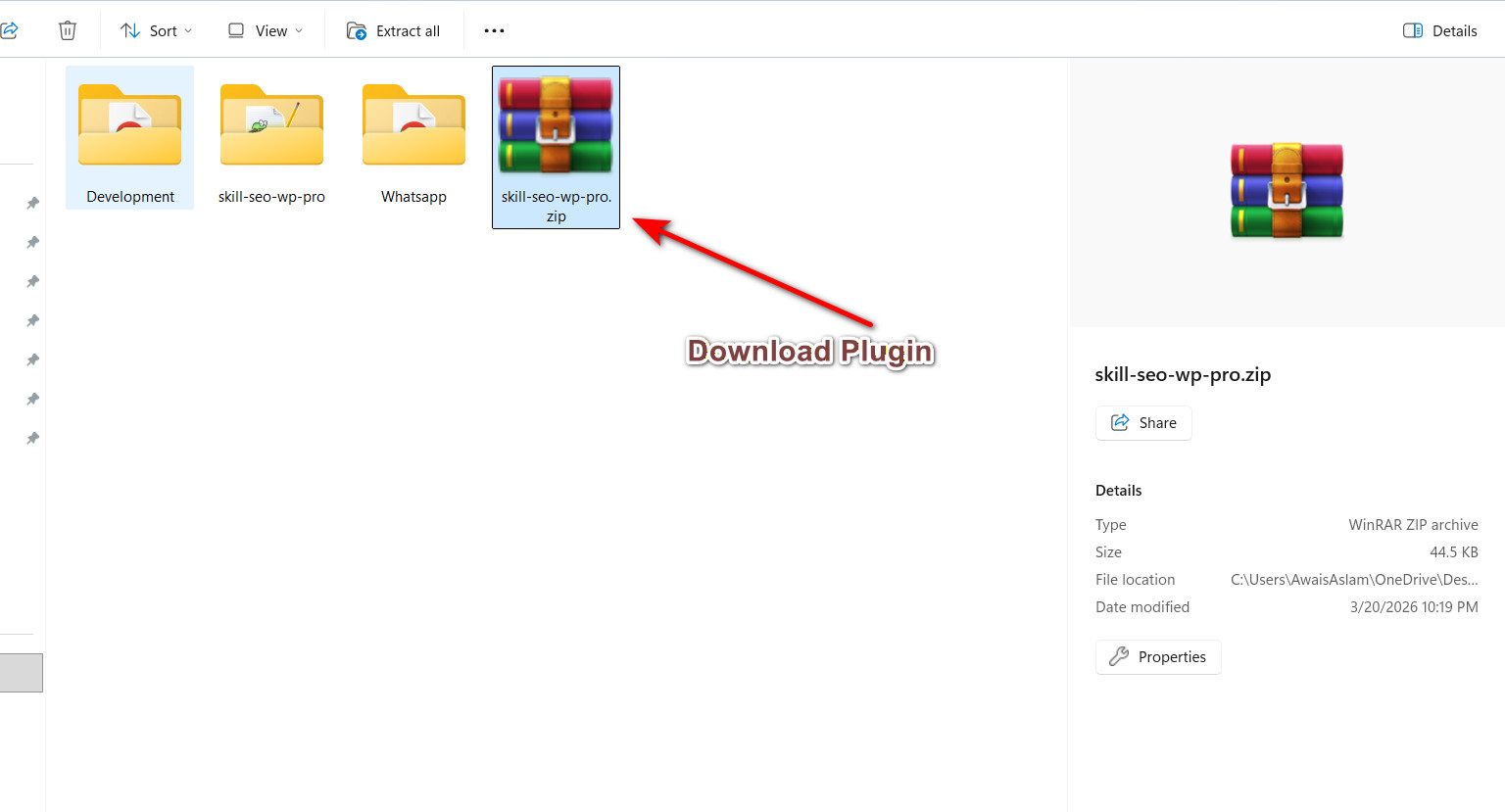
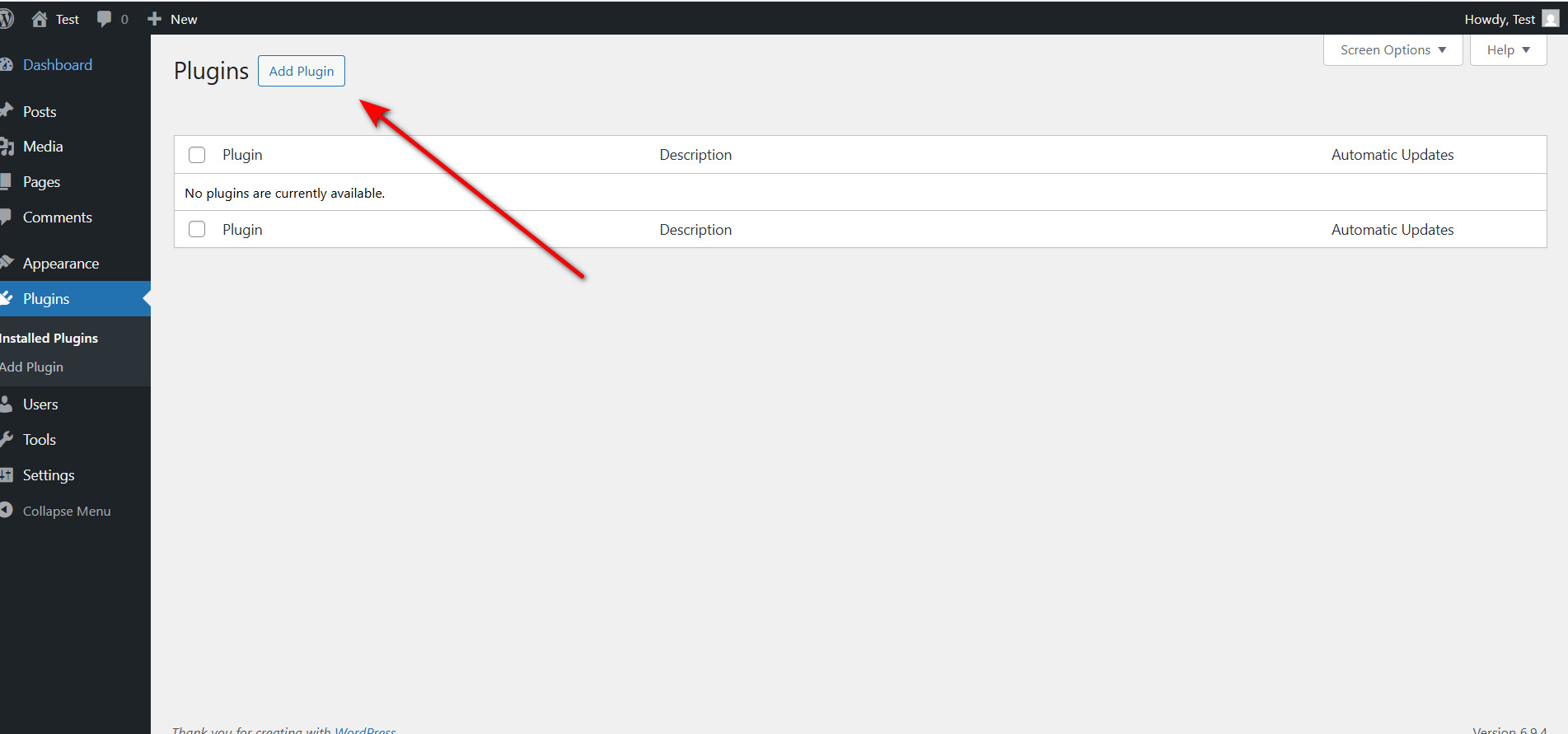
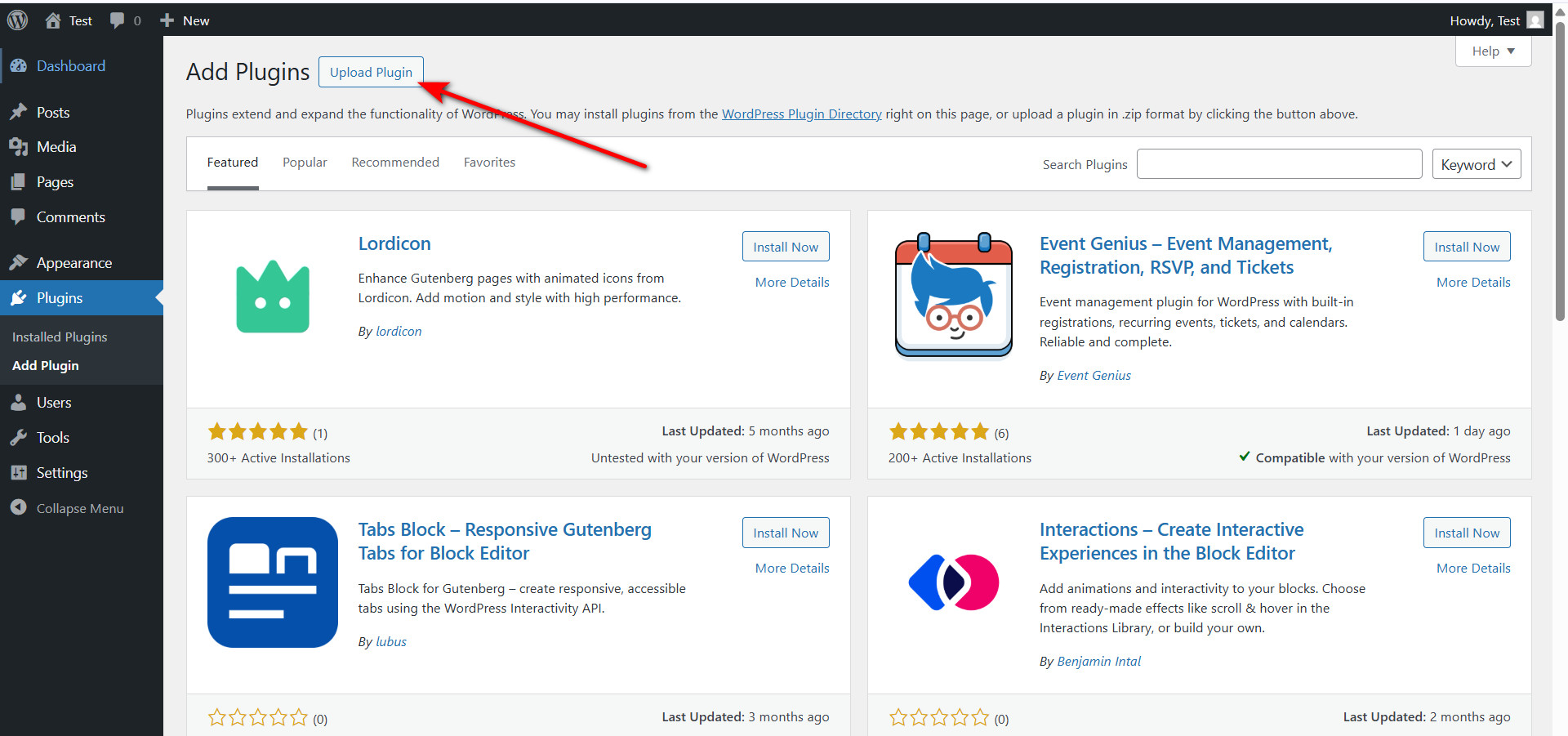
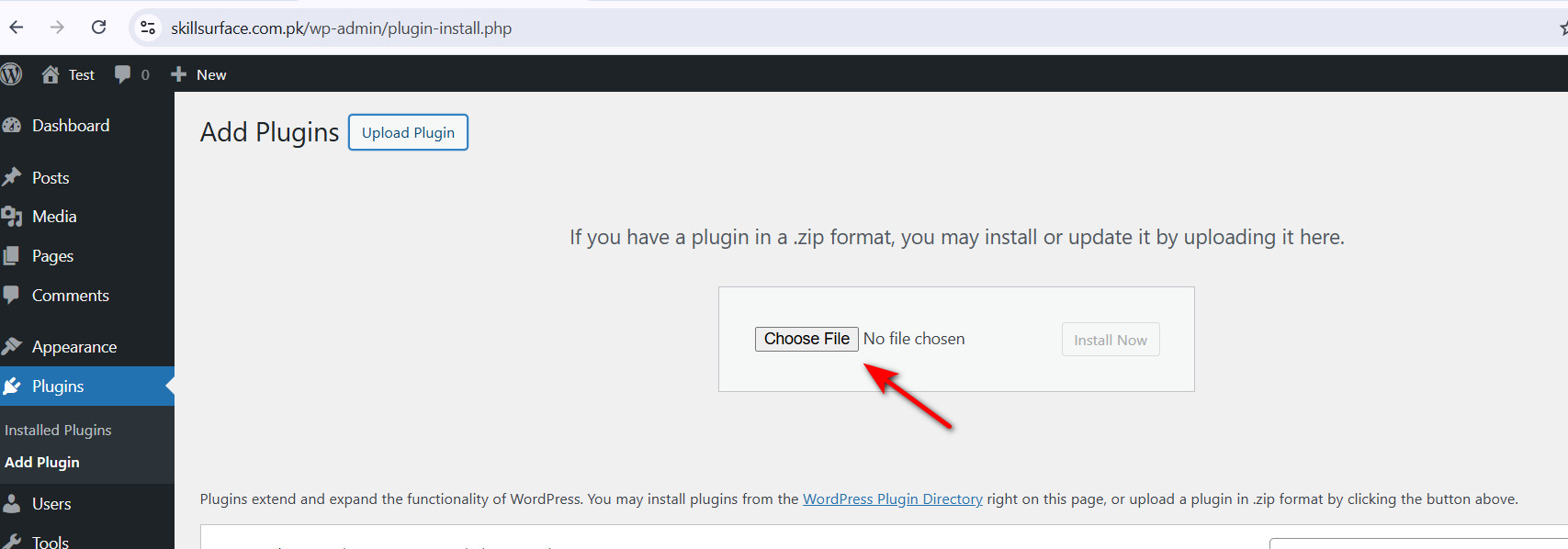
02. License Activation
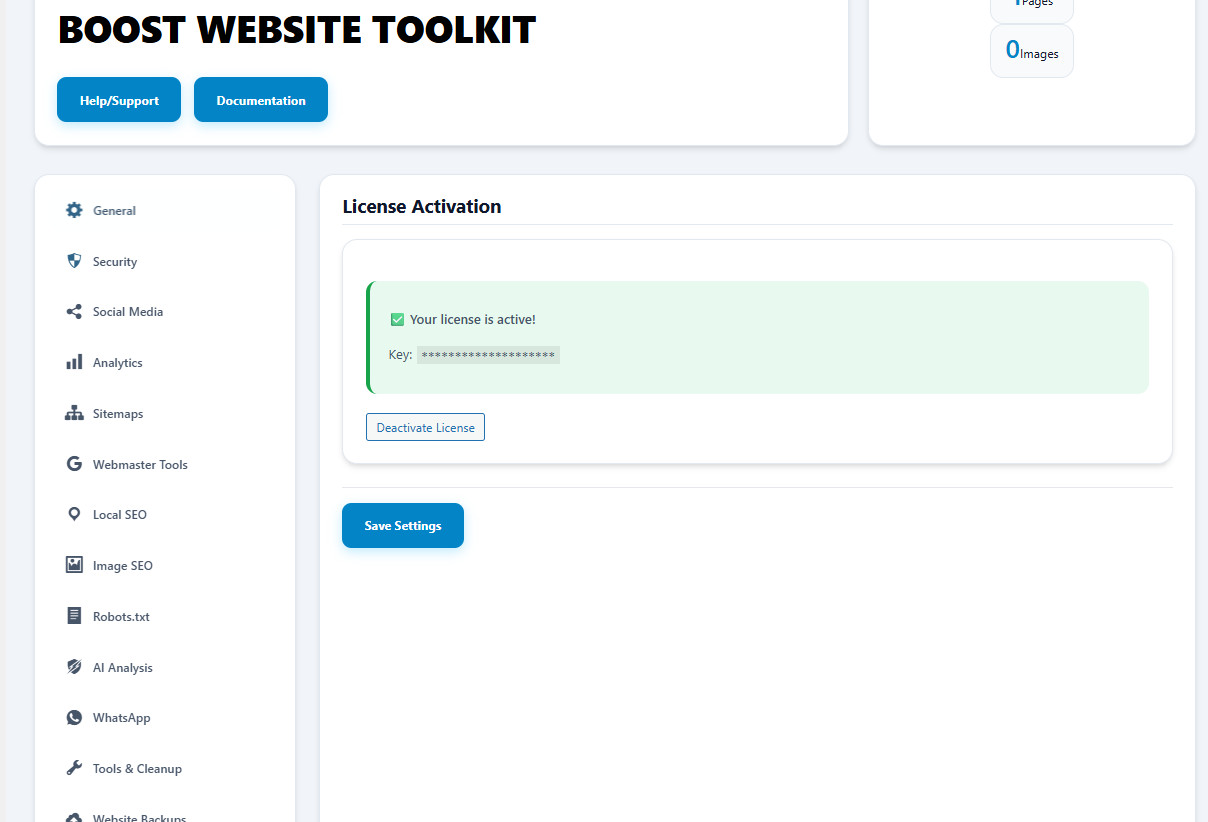
Why Use This?
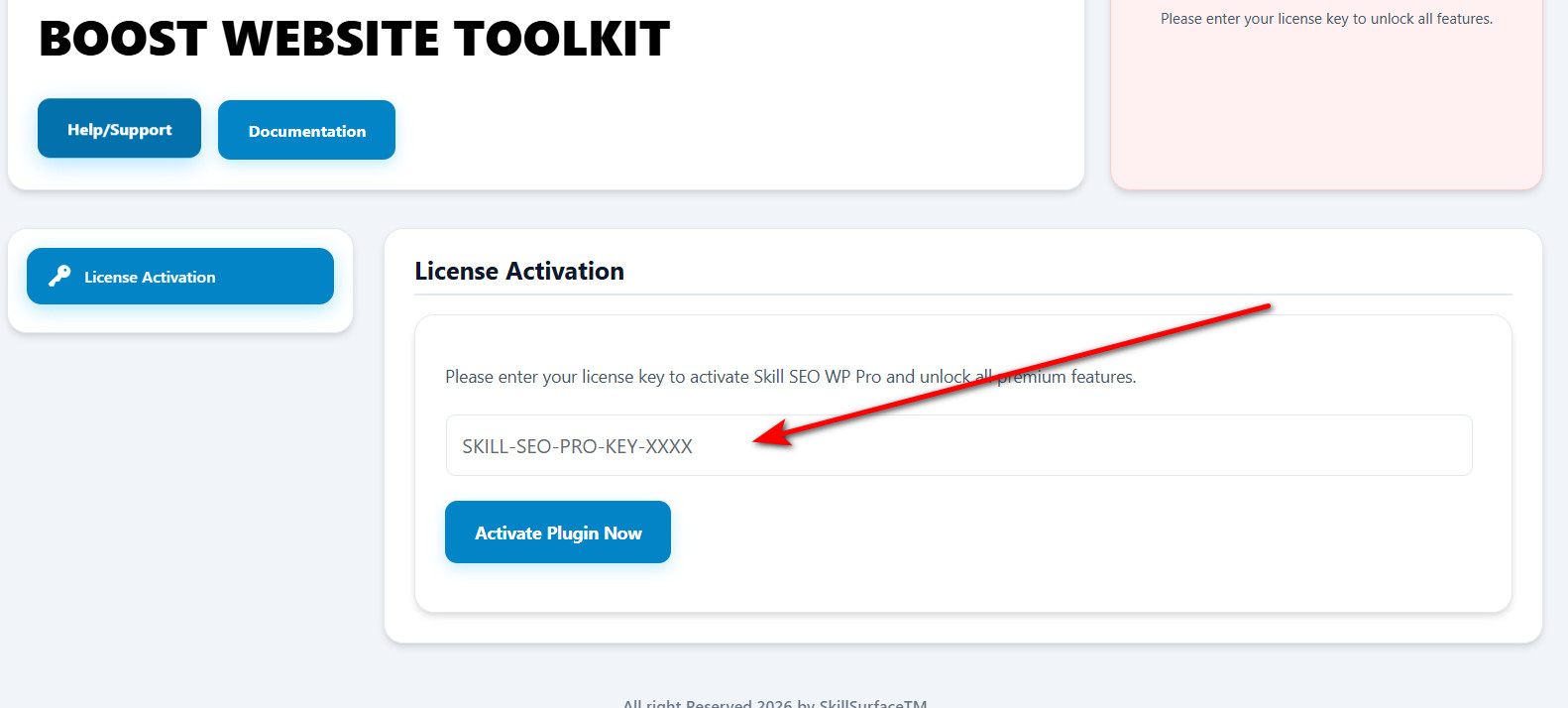
Unlocks all premium SEO modules, AI tools, and automated backups.
Benefit
Validates your purchase and enables one-click updates for life.
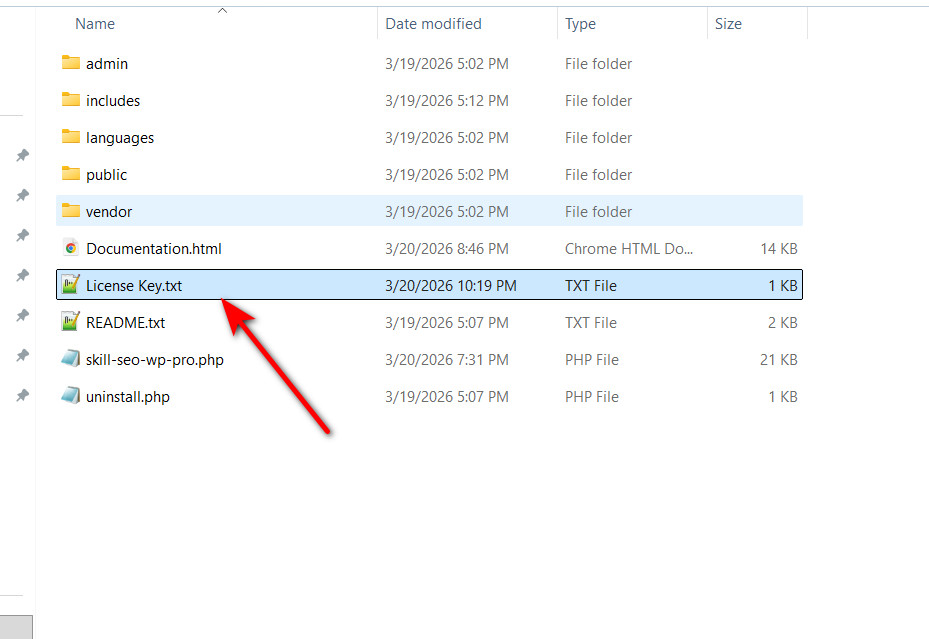
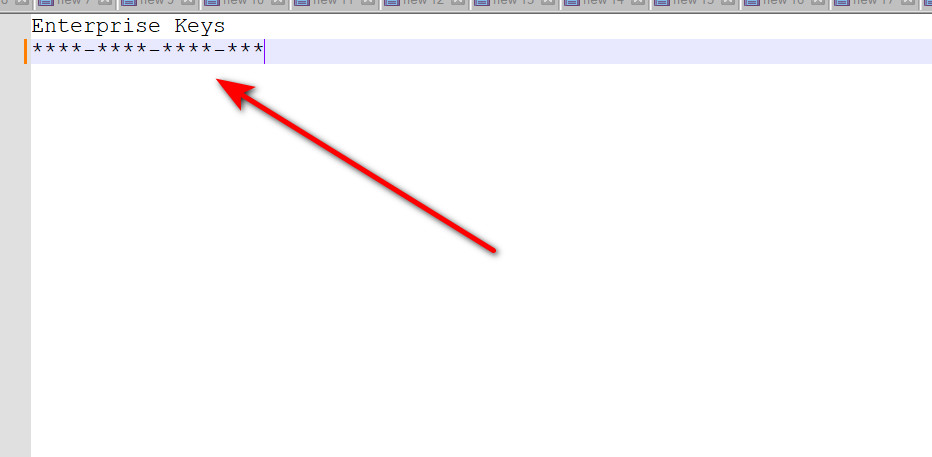
License Key.txt.03. General Settings
Why Use This?
Foundation for technical SEO like title rewrites and URL cleaning.
Benefit
Improved search rankings and cleaner, more professional URLs.
04. Site Security
Why Use This?
Stops spam bots from bloating your database and hurting your SEO.
Benefit
Faster site speed and protection against common WP vulnerabilities.
06. Search Analytics
Why Use This?
Track visitor behavior and internal search intent automatically.
Benefit
Data-driven decisions based on what users are searching for.
07. XML Sitemaps
Why Use This?
Helps Google find and index every page on your website quickly.
Benefit
Faster indexing of new content and better crawl efficiency.
sitemap.xml to Google Search Console.08. Site Verification
Why Use This?
Verifies ownership for Google and Bing search consoles.
Benefit
Access critical SEO performance data without editing code.
09. Local SEO & Schema
Why Use This?
Helps you rank in local "Near Me" searches and Google Maps.
Benefit
Rich snippets (address, phone) show directly in search results.
10. Image SEO Tools
Why Use This?
Automatically fixes images missing ALT text for search engines.
Benefit
Increases traffic from Google Image Search and improves accessibility.
11. Robots.txt Editor
Why Use This?
Manually control which parts of your site bots can crawl.
Benefit
Prevents indexing of private or irrelevant folders.
12. AI Content Intelligence
Why Use This?
Uses Gemini AI to audit your content for SEO best practices.
Benefit
Professional SEO advice instantly while you write posts.
13. Redirections & 404
Why Use This?
Fixes broken links that would otherwise show a 404 error.
Benefit
Keeps users on your site and preserves search ranking authority.
14. Internal Link Tools
Why Use This?
Finds and fixes broken outgoing links on your website.
Benefit
Prevents Google penalties for linking to dead or malicious sites.
15. WhatsApp Widget
Why Use This?
Provides instant communication for visitors to increase sales.
Benefit
Highly effective floating chat button for mobile and desktop.
16. Database Cleanup
Why Use This?
Cleans up wasted space in your database to speed up your site.
Benefit
Faster page load times and reduced server resource usage.
17. Backups & Recovery
Why Use This?
The ultimate safety net before making any major site changes.
Benefit
One-click recovery of your entire business if things go wrong.