Home Blog

LLM TXT GEN PRO, Free Download LLM WordPress Plugin 2026

LLM TXT GEN PRO

LLM TXT GEN PRO – Free Download LLM Optimization WordPress Plugin

# 1 First Free with premium features AI LLM TXT GEN PRO, Free Download LLM WordPress Plugin 2026, Easy to use with Powerful AI API management Wp Plugin. Free Download LLM TXT GEN PRO, LLM TXT Optimization WordPress Plugin. Artificial intelligence is changing how people discover websites. Search is no longer just about traditional keywords and backlinks. Today, users ask ChatGPT, Claude, Gemini, Perplexity, and DeepSeek to summarize, recommend, and explain online content. this is world best llm txt generator wordpress plugin. If your website isn’t readable by Large Language Models, you are losing out on future traffic. LLM TXT GEN PRO is the ultimate free llm txt generator wp plugin designed for Generative Engine Optimization (GEO), ensuring your site is perfectly indexed for AI bots.

LLM TXT GEN PRO Free Download LLM WordPress Plugin 2026

Frequently Asked Questions (SEO FAQ)

Q: What is an llms.txt file, and why does my website need it?

An llms.txt file is a machine-readable index file located in your website’s root directory. It serves as a clean, structured map specifically for AI crawlers and Large Language Models.

Instead of forcing AI bots to guess your site structure, an llms.txt file provides a clear summary of your key pages, latest posts, and core context. This helps AI models accurately understand, cite, and recommend your website in AI-powered search results.

Q: What is LLM TXT GEN PRO?

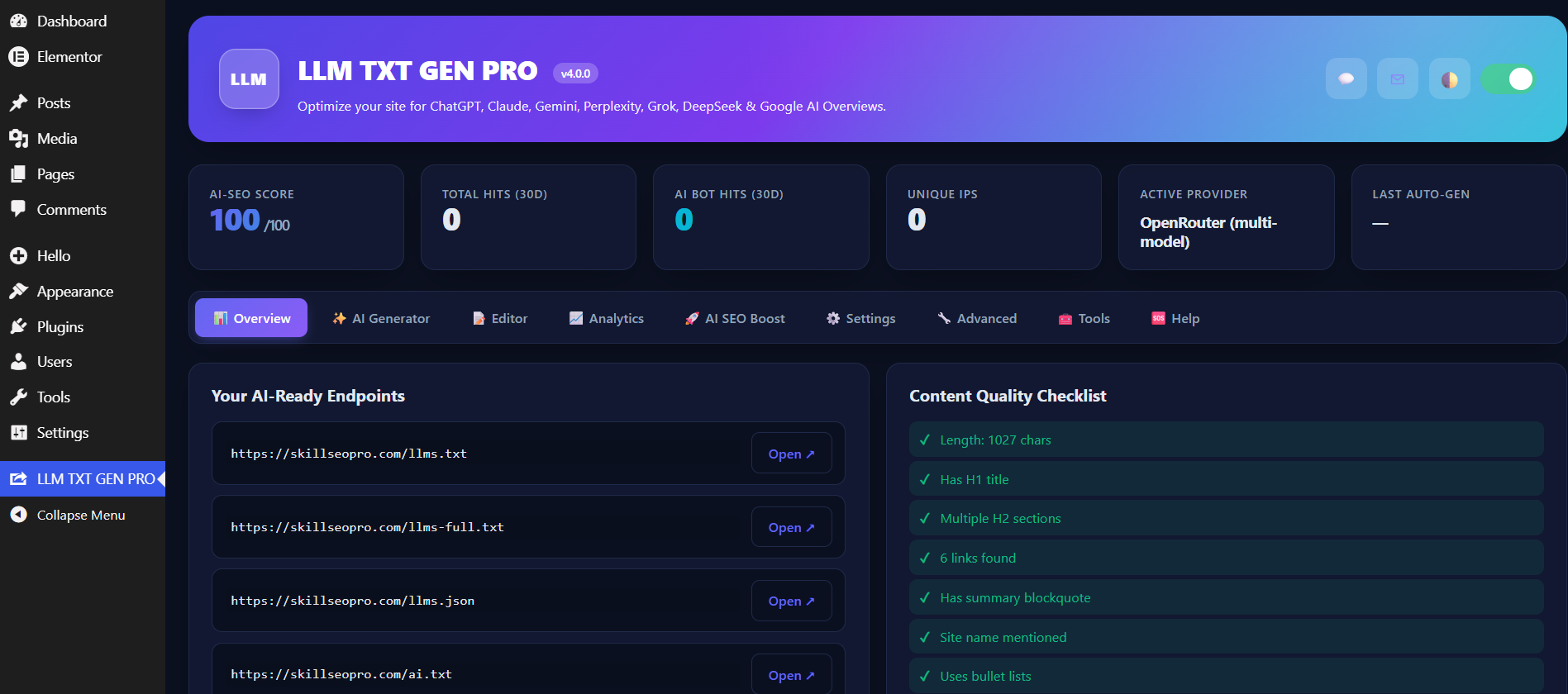
LLM TXT GEN PRO is a powerful, free WordPress plugin with premium features that automates your Generative Engine Optimization (GEO). It allows you to generate, manage, monitor, and optimize AI-friendly index files right from a beautiful, modern WordPress dashboard.

Q: How does the new OpenRouter API feature work?

LLM TXT GEN PRO now features seamless integration with the OpenRouter API. This powerful addition allows you to connect to a vast array of cutting-edge AI models (like DeepSeek, OpenAI, Anthropic, and Google Gemini) through a single API key. You can leverage these models to analyze your content quality, generate smart summaries, and handle advanced LLM file optimization directly from your WordPress dashboard for free.

Q: What files does LLM TXT GEN PRO automatically generate?

The plugin automatically builds and updates four essential AI discovery paths:

  • /llms.txt: A concise markdown index of your most important site content.

  • /llms-full.txt: A comprehensive, long-form content export for detailed AI reading (ideal for documentation and blogs).

  • /llms.json: A structured, machine-readable JSON endpoint for advanced developers and automated workflows.

  • /ai.txt: An alias file ensuring broader compatibility across evolving AI web crawler standards.

LLM TXT GEN PRO Free Download LLM

Mobile Specs Database

Untitled design


Q: Can I control which AI bots access my WordPress content?

Yes. LLM TXT GEN PRO includes a built-in Bot Blocker and robots.txt Integration. You can easily choose which AI crawlers to allow and which to block (such as GPTBot, CCBot, or ClaudeBot), giving you total control over your intellectual property and site bandwidth.

Q: What are the key features of LLM TXT GEN PRO?

  • 9+ AI Providers Supported: Connect via OpenAI, Gemini, Claude, DeepSeek, or the newly added OpenRouter API.

  • AI Bot Analytics: Live tracking to see exactly which AI crawlers are visiting your files and how often.

  • Per-Post LLM Control: Exclude specific pages or set priority hints (High/Low) directly within the WordPress block editor.

  • Smart Transient Caching: Keeps your site lightning-fast by caching LLM files and flushing them automatically when content updates.

  • Developer Friendly: Features full WP-CLI support, JSON-LD Schema integration, and custom Webhook notifications (Zapier, n8n, Make).

LLM TXT GEN PRO Free Download LLM2

Q: How do I install and configure LLM TXT GEN PRO?

  1. Download the plugin ZIP file.

  2. Go to your WordPress Dashboard $\rightarrow$ Plugins $\rightarrow$ Add New $\rightarrow$ Upload Plugin.

  3. Upload the ZIP file and click Activate.

  4. Navigate to the new LLM Optimization menu to set up your OpenRouter API key and customize your automated markdown settings.

LLM TXT GEN PRO Free Download LLM24

Make your website ready for the future of AI search today. Download LLM TXT GEN PRO for free!

The digital landscape is undergoing a massive shift. Traditional Search Engine Optimization (SEO) is no longer the sole driver of organic traffic. We have entered the era of Generative Engine Optimization (GEO) and Answer Engine Optimization (AEO), where users rely on AI assistants—like ChatGPT, Claude, Gemini, and DeepSeek—to synthesize, summarize, and recommend content.

To thrive in this new environment, your WordPress site must speak the language of Large Language Models (LLMs). Enter LLM TXT GEN PRO (also known as the Skill LLM Optimization Plugin), a premium-grade, highly sophisticated tool developed by Skill Surface to bridge the gap between your content and AI crawlers.

Below is a comprehensive, deep-dive breakdown of the plugin’s architecture, its core features, and how it transforms your WordPress backend into an AI-ready powerhouse.

1. The Core Infrastructure: Comprehensive LLM File Generation

At the heart of the plugin is its ability to automatically generate and maintain a suite of AI-specific index files. These files act as a direct, machine-readable map for AI crawlers, stripping away unnecessary HTML and presenting your content in pure, optimized formats.

  • The Standard /llms.txt File: This is your primary AI sitemap. The plugin automatically compiles your site’s name, description, critical URLs, latest articles, and category structures into a clean Markdown format. This ensures that when an AI model scans your site, it instantly grasps your core authority and offerings.

  • The Deep-Dive /llms-full.txt File: For sites with rich, long-form content—such as documentation portals, comprehensive blogs, or SaaS knowledge bases—this file exports the full text of your priority pages. It prevents AI models from generating shallow summaries by providing them with the complete context of your expertise.

  • The Structured /llms.json Endpoint: Designed for complex automation and developer workflows, this file provides a highly structured, machine-readable JSON index of your site. It includes metadata like publication dates, modification dates, authorship, and priority status, making it perfect for custom AI integrations.

  • The /ai.txt Alias: AI crawling standards are constantly evolving. By automatically generating an ai.txt alias alongside your standard files, the plugin ensures maximum compatibility with both current and future bot crawling conventions.

2. Unprecedented AI Model Integration: OpenRouter & 9+ Providers

What sets this plugin apart from basic text generators is its deep integration with the wider AI ecosystem.

  • Seamless OpenRouter API Integration: By connecting via the OpenRouter API, you unlock access to dozens of cutting-edge models through a single gateway. This allows you to leverage the best AI tools on the market directly from your WordPress dashboard without managing multiple subscriptions.

  • Direct Provider Support: If you prefer direct connections, the plugin natively supports API integration for 9 major providers: OpenAI (ChatGPT), Google Gemini, Anthropic (Claude), DeepSeek, Mistral, Groq (Llama), Perplexity, xAI (Grok), and Cohere. You can verify your keys and generate optimized content summaries seamlessly.

3. Total Visibility and Control: Analytics and Bot Management

Most website owners are completely blind to when and how AI bots crawl their data. This plugin changes that by providing an advanced tracking and security suite.

  • Live AI Bot Analytics: The integrated dashboard monitors exactly which AI agents are accessing your llms.txt files. You can track hits from GPTBot, ClaudeBot, Google-Extended, PerplexityBot, and even Apple’s AI crawlers in real-time.

  • Robots.txt Integration & Bot Blocker: You own your data. If you want to prevent specific crawlers (like CCBot or Bytespider) from scraping your content, the built-in bot blocker allows you to instantly add strict Disallow rules to your site’s robots.txt file. Conversely, the plugin automatically advertises your approved LLM files in robots.txt to ensure friendly bots find them immediately.

LLM TXT GEN PRO Free Download LLM22

4. Granular Content Architecture: Per-Post Control & Custom Types

Not every page on your site is meant for an AI’s training data or summary output. The plugin integrates directly into the WordPress block/classic editor to give you surgical precision over your GEO strategy.

  • Individual Editor Controls: On every single post, page, or custom post type, you can toggle its inclusion in the LLM index. You can mark cornerstone content as “High Priority” to ensure AI models focus on your most valuable assets, or exclude private/low-value pages entirely.

  • Custom Post Type Compatibility: Whether you are running a WooCommerce store, an Envato-style digital asset portfolio, a real estate listing site, or an online course platform, the plugin seamlessly supports public custom post types, ensuring all your specialized content is AI-readable.

  • Custom Markdown Injections: You can inject custom Markdown intros and outros into your generated files. Use the intro to establish strict brand guidelines or context, and use the outro to mandate citation rules or provide direct contact information for AI-generated summaries.

5. Enterprise-Ready Performance: Caching, WP-CLI, and Webhooks

Performance and automation are critical for scaling businesses. The plugin is engineered to operate silently and efficiently in the background.

  • Smart Transient Caching: Generating large text files dynamically can strain server resources. The plugin utilizes an intelligent transient caching system. Your LLM files are cached and delivered instantly, and the cache is only automatically flushed when a post is created, updated, or deleted, guaranteeing zero performance lag.

  • Webhooks for Workflow Automation: Whenever your LLM index updates, the plugin can fire a JSON webhook. You can catch this webhook in Zapier, Make, n8n, or Slack to trigger broader company workflows, notify your SEO team, or sync with external databases.

  • Full WP-CLI Support: For server administrators and specialized hosting environments, the plugin can be fully managed via the command line. Commands like wp skill-llm regenerate or wp skill-llm flush make it incredibly easy to integrate into automated deployment pipelines.

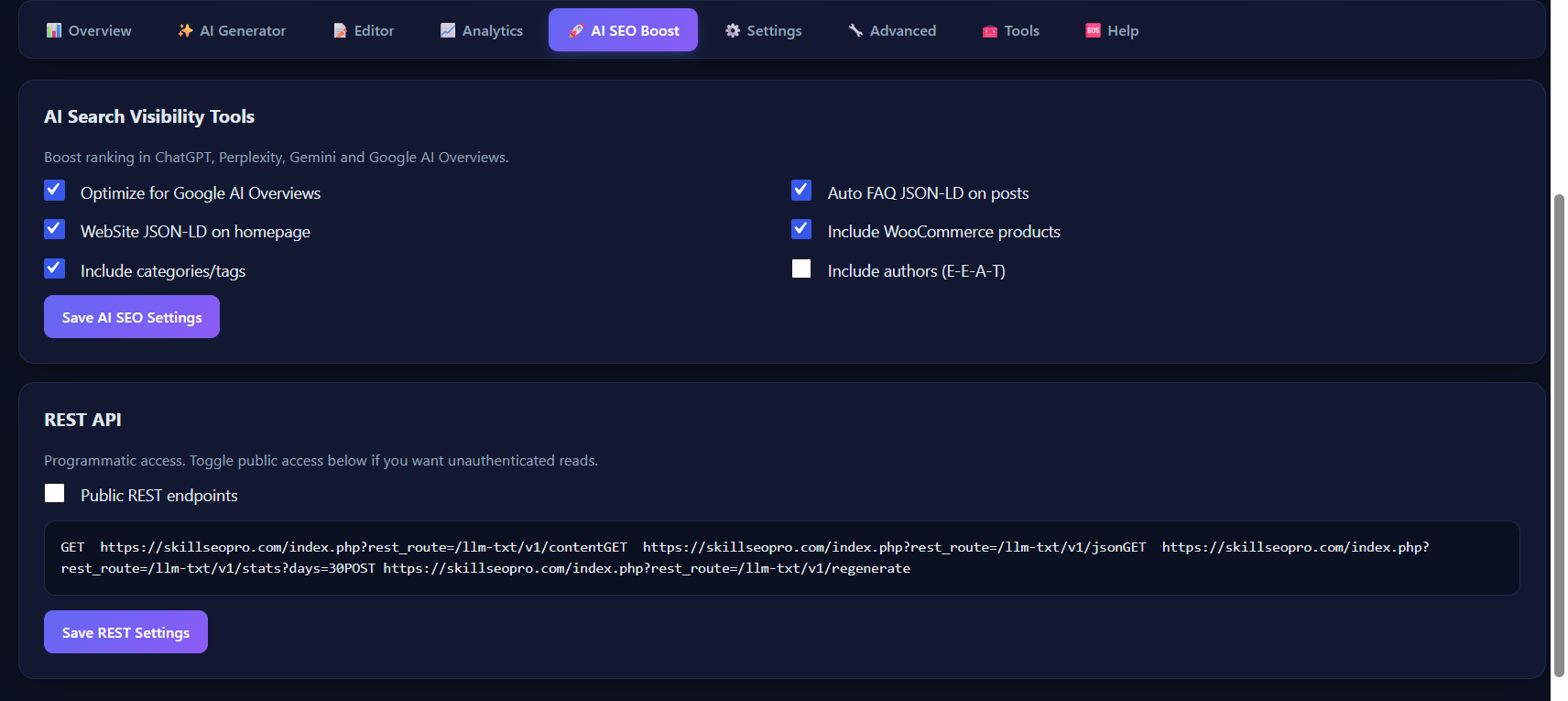
  • JSON-LD Schema Injection: To bridge the gap between traditional SEO and AI discovery, the plugin automatically injects highly structured WebSite and SearchAction JSON-LD schema into your homepage, reinforcing your site’s technical architecture.

Mobile Specs Database

Untitled design


LLM TXT GEN PRO is not just a utility; it is a foundational upgrade for your website’s architecture. By structuring your data flawlessly for Large Language Models, tracking bot behavior, and integrating with top-tier AI APIs, you secure your position in the next generation of search. Prepare your digital assets for the AI revolution. Optimize your WordPress site today with Skill Surface’s LLM TXT GEN PRO. if you need more free best plugins please visit official wordpress plugin website.

Best World and Pakistan Travel and Tourism hashtags 2026

Best Travel and Tourism hashtags 2026: Discover Pakistan and Beyond

Travel in 2026 offers an exciting opportunity to explore the best of both the world and Pakistan, with an emphasis on hidden gems, adventure, and sustainable tourism. As more travelers seek off-the-beaten-path experiences, destinations that are less commercialized but equally stunning are becoming increasingly popular. From the vibrant cities and lush green valleys of Pakistan to the world’s best natural wonders, there is an entire world waiting to be discovered. Eco-tourism and sustainable travel are at the forefront of this change, encouraging travelers to explore destinations in a way that protects and preserves the environment for future generations. This year, travelers are focusing on experiences that connect them with nature, from trekking through Pakistan’s rugged mountains to exploring the remote beaches of Southeast Asia.
Travel and Tourism hashtags 2026

Top Hashtags

Travel2026 #Tourism2026 #WorldTravel #PakistanTravel #VisitPakistan #TravelPakistan #PakistanTourism #ExplorePakistan #BeautifulPakistan #TravelVlog #Tourism #AdventureTravel #TravelGuide #MountainTravel #HistoricalPlaces #FoodTravel #NatureTravel #DiscoverPakistan #TouristPlaces #TravelTheWorld

Explore Pakistan: A Hidden Gem for Adventure and Culture

In Pakistan, 2026 is expected to be a year of growth for the tourism sector. The country’s natural beauty, historical landmarks, and diverse culture offer something for every type of traveler. Whether you’re hiking in the majestic Himalayas, visiting the ancient city of Mohenjo-daro, or exploring the vibrant bazaars of Lahore, there’s always a new adventure around the corner. Moreover, Pakistan’s government is actively working on improving its tourism infrastructure, ensuring that travelers have access to safe, comfortable, and memorable experiences.

Niche Hashtags

#HiddenGems #OffTheBeatenPath #EcoTourism2026 #CulturalTravels #AdventureSeekers #MountainExplorers #HistoricalJourneys #AuthenticExperiences #TravelOffGrid #LocalWonders #SustainableTravel #ExploreWithPurpose #UntouchedDestinations #AdventureInNature #UniqueTravelSpots

Why 2026 is the Best Year to Travel: Focus on Eco-Tourism and Sustainable Travel

With a growing focus on local culture and heritage, travelers are encouraged to explore authentic experiences, such as staying with local families, indulging in traditional foods, and supporting local artisans. Pakistan is quickly becoming a destination for those looking to experience the world in its truest form, making 2026 the perfect time to embark on a journey through this beautiful and diverse country.

Best Sustainable and Eco-Friendly Travel Destinations in 2026

As the world embraces sustainability, eco-tourism is becoming a major travel trend in 2026. This year, travelers are prioritizing destinations that offer a balance between adventure and environmental responsibility. From pristine beaches in Southeast Asia to the untouched wilderness in South America, sustainable travel is reshaping how we explore the world.

Top Adventure Travel Destinations in 2026

If you’re an adventure seeker, the world is full of exciting opportunities in 2026. Whether you’re scaling the peaks of Pakistan’s Karakoram range, trekking through the Amazon Rainforest, or exploring remote islands in the Pacific, adventure travel offers something for everyone.

UK ILR New Update 2026 Is This Good or Bad for Educational Immigrants

study in uk
study in uk

UK ILR 2026 is transforming how educational immigrants like you can secure permanent residency in the UK. If you’re a student or graduate wondering whether these changes help or hinder your path to staying long-term, let’s explore what this major immigration update really means for your future plans and opportunities across the pond.

The UK ILR update in 2026 represents a significant shift in the way the government evaluates applicants for permanent residency. Instead of focusing solely on the length of time an individual has lived in the UK, the new system emphasizes a person’s contributions — both economically and socially. For educational immigrants, this change could bring both challenges and opportunities. While those with high‑demand skills and meaningful contributions to the UK workforce will benefit from faster and clearer pathways to permanent residency, those who have not yet secured skilled employment or engaged in substantial community service may find the journey longer and more complex. The importance of documenting professional achievements, gaining relevant work experience, and contributing to society cannot be overstated. As the UK continues to adapt to global trends and needs, educational immigrants must not only focus on their academic success but also demonstrate their active role in the workforce and communities. This updated ILR system encourages a more dynamic approach to immigration, rewarding those who make tangible contributions, while placing a greater burden on those who do not, potentially reshaping the landscape for educational immigrants seeking a permanent future in the UK.


What is the New 2026 UK ILR System? A Quick Overview

In 2026, the UK Home Office introduced a redesigned immigration route with the primary aim of simplifying access to permanent residency — known as Indefinite Leave to Remain. Under this update, there are three distinct pathways available depending on the applicant’s profile:

1. Fast Track Route (Approximately 3 Years)

  • Designed for highly skilled professionals and individuals in shortage sectors.

  • Shorter residency requirement compared to traditional routes.

  • Focuses on economic contribution and value in high‑demand occupations.

2. Standard Route (Approximately 5 Years)

  • Traditional residency period for most skilled workers and migrants.

  • Includes NHS workers, educators, and professionals in regulated careers.

  • Requires standard income and employment threshold.

3. Long‑Term Contribution Pathway (10 to 20 Years)

  • Reserved for those with long‑term residence and community involvement.

  • Recognizes social contribution beyond employment — including volunteering and civic engagement.

  • Aimed at migrants with widespread public benefits participation.

Each pathway involves different eligibility requirements, financial thresholds, and documentation — but all eventually lead to settlement and the ability to live permanently in the UK.


New Principles That Define the 2026 ILR Update

The new ILR system is shaped by a clear philosophy:
➡️ “Earn your ILR — Social and Economic Contribution Matters.”

This means that the UK government now evaluates applicants not just on years lived in the country, but on measurable contributions — whether it’s paying taxes, serving in community roles, or working in priority sectors like healthcare and technology.

This marks a departure from older rules that focused heavily on time spent in the UK, replacing it with a more dynamic, merit‑plus‑impact system.


What the Update Means for Educational Immigrants

Potential Benefits

✔️ Faster Settlement for Top Talent
Students who graduate in high‑value fields (e.g., STEM, medicine, data science) and secure skilled employment could qualify for ILR faster under the fast track route.

✔️ Recognition of NHS and Public Service
Those working in public services such as the NHS, education, and research may find their experience valued more positively under the new system.

✔️ Broader Consideration of Social Impact
Volunteering, community service, and leadership roles may now strengthen ILR applications — a win for student leaders and civic contributors.

✔️ Clearer Expectations and Pathways
Applicants now have transparent pathways rather than opaque residency rules, allowing better planning after graduation.


Potential Challenges

⚠️ Higher Thresholds for Contribution
Not all students automatically qualify — applicants must demonstrate meaningful contribution, not just residency.

⚠️ Income and Employment Requirements Remain Strong
Even educational immigrants must secure skilled jobs with competitive salaries to remain eligible.

⚠️ Complex Documentation
Proof of contribution is more rigorous. Academic achievements alone may no longer be sufficient without employment or social involvement metrics.

⚠️ Longer Wait Times for Non‑Skilled Roles
Those working in part‑time, low‑skill, or non‑priority sectors might find the long‑term route extends beyond 10 or even 20 years.


UK ILR 2026: A Closer Look at Each Pathway

🔹 Fast Track (3‑Year ILR)

  • Targeted at high‑earning, high‑need professionals.

  • Ideal for graduates from priority sectors with job offers.

  • Requires evidence of economic impact and talent value.

🔹 Standard (5‑Year ILR)

  • Traditional settlement route.

  • Common for educators, healthcare workers, business professionals.

  • Combines residency with contribution assessment.

🔹 Long‑Term Pathway (10‑20 Years)

  • Designed for migrants deeply rooted in UK society.

  • Assesses social contribution, community service, and civic integration.

  • Best for long‑standing residents or those without immediate high‑skill employment.


How This Impacts Students Specifically

🎓 Graduates

  • Must transition from student visa to skilled worker or eligible employment.

  • Work experience and professional impact are crucial for ILR consideration.

  • Many find clearer opportunities post‑study with defined contribution metrics.

👩‍🔬 Researchers & Academics

  • Research roles in science, healthcare, and innovation score highly.

  • Academic impact, publications, and collaborations matter.

📚 International Students Without Immediate Jobs

  • Must build contribution through internships, volunteering, and community engagement.

  • May follow the long‑term route if immediate employment isn’t available.


Tips to Maximize Your ILR Chances in 2026

✔️ Plan your career path before graduation
✔️ Target high‑demand sectors and employers
✔️ Volunteer and engage in UK communities
✔️ Track and document all professional achievements
✔️ Seek careers with measurable impact (research, service, innovation)


Final Verdict — Is the 2026 UK ILR Update Good or Bad for Educational Immigrants?

Neither wholly good nor bad — but transformative.

This update shifts the focus from time served to value contributed. For students with clear career paths, strong employment, and measurable impact, the new ILR 2026 represents opportunity, direction, and faster settlement.

For those without work or contribution evidence, it raises the bar — demanding proactive planning and documented achievement.

Ultimately, educational immigrants must adapt, prepare, and contribute if they want to benefit from these changes.

The UK ILR update of 2026 marks a new era in immigration policy — emphasizing merit, impact, and contribution over passive residency. While it creates fresh challenges for students and educational immigrants, it also opens doors for those willing to align with UK labor market needs and social contribution goals.

How to Secure a Study Visa for Canada in 2026

How to Secure a Study Visa for Canada in 2026
#image_title

How to Secure a Study Visa for Canada in 2026: A Comparative Step-by-Step Guide for International Students

Step-by-Step Guid to Secure a Study Visa for Canada in 2026 for International Students and Pakistan Students to Canada has fundamentally (IRCC) changed. . Following aggressive policy updates by Immigration, Refugees and Citizenship Canada (IRCC) aimed at stabilizing population growth, the 2026 study visa process is more rigorous, targeted, and competitive than ever. Canada study visa 2026 demands a fresh approach, but don’t let the new caps and stricter requirements intimidate you. If you’re dreaming of studying in Canada, this guide will walk you through exactly what’s changed and how to position yourself for success—because with the right strategy, your Canadian education journey is still very much within reach.

With the national cap for new student arrivals reduced to 155,000 in 2026, IRCC is prioritizing quality, financial readiness, and alignment with Canada’s labor market. However, for well-prepared students—especially those pursuing advanced degrees or studying in high-demand fields—Canada remains a highly accessible and rewarding destination.

Here is your complete, step-by-step guide to navigating the 2026 Canadian study permit process, complete with a comparative look at what has changed.

This video guide provides a detailed breakdown of the 2026 Canada study visa changes, including the updated PAL system and approval strategies for international students.


📊 The 2026 Canadian Study Visa Landscape: What Changed?

To understand how to succeed in 2026, you first need to understand how the rules have shifted compared to previous years.

Feature Previous Rules (Pre-2024/2025) The New 2026 Reality
National Intake Cap No strict cap (Over 400,000+ arrivals) Capped at 155,000 new arrivals.
Attestation Letters (PAL/TAL) Broadly required across the board. Required for Undergrad/College; Exempt for Public Master’s & PhDs (as of Jan 1, 2026).
Proof of Funds (Living Costs) ~$10,000 CAD $22,895 CAD + first-year tuition.
Spousal Open Work Permits Available to spouses of most students. Restricted strictly to spouses of Master’s, PhD, and certain professional degree students.
Post-Graduation Work Permit (PGWP) Broadly available for most DLI graduates. College non-degree programs must align with specific labor shortage fields (e.g., healthcare, trades, STEM). University degrees remain broadly eligible.
Fast-Track Processing Student Direct Stream (SDS) active. Standard processing only (SDS was permanently closed in late 2024). Exception: Doctoral students now get expedited 14-day processing.

📝 Step-by-Step Process to Secure Your Canada Study Permit in 2026

Step 1: Choose an Eligible DLI and the Right Program

In 2026, what you study is just as important as where you study.

  • University Degrees (Bachelor’s, Master’s, PhD): Graduates remain fully eligible for the Post-Graduation Work Permit (PGWP) regardless of their field of study.

  • College Diplomas/Certificates: If you are attending a college for a non-degree program, you must ensure your program’s Classification of Instructional Programs (CIP) code aligns with one of IRCC’s 920 eligible fields (focusing on healthcare, trades, STEM, and education) to qualify for a PGWP later.

  • Verify the Institution: Ensure your school is a Designated Learning Institution (DLI).

Step 2: Secure Your Letter of Acceptance (LOA)

Apply to your chosen institution. Once accepted, the school will issue a formal Letter of Acceptance (LOA). Do not proceed to the next steps until you have this document in hand. IRCC now directly verifies every LOA with the issuing institution to prevent fraud.

Step 3: Obtain a Provincial Attestation Letter (PAL) — If Applicable

The PAL/TAL system is Canada’s way of distributing the 155,000 cap among provinces.

  • If you are an Undergraduate or College Student: Your DLI will apply for a PAL from the provincial government on your behalf once you accept your offer and pay your deposit. You cannot submit your visa application without it.

  • The 2026 Exemption: Starting January 1, 2026, if you are enrolling in a Master’s or Doctoral degree at a public DLI, you are entirely exempt from the cap and do not need a PAL.

    Step 4: Gather Robust Financial Documentation

The financial threshold has increased significantly to ensure students can survive amidst Canada’s current cost of living.

  • You must prove you have liquid access to $22,895 CAD for a single student to cover your first year of living expenses.

    You must also show proof of funds for your first-year tuition and travel costs.

    Acceptable Proof: Bank statements from the past four months, a Guaranteed Investment Certificate (GIC) from a participating Canadian financial institution, or an approved educational loan.

Step 5: Submit the Application Online

With the closure of the SDS program, all international students now use the standard online IRCC portal.

  • Create an IRCC secure account.

  • Upload your LOA, PAL (if required), valid passport, financial proof, language test scores (now strictly enforced for PGWP tracking), and a highly detailed Statement of Purpose (SOP).

  • Note for Doctoral Candidates: IRCC has introduced a fast-track system for PhD students applying from outside Canada, processing these applications in just 14 days.

Step 6: Complete Biometrics and Medical Exams

Shortly after submitting your application, you will receive a Biometrics Instruction Letter. Book an appointment at your local Visa Application Centre (VAC) immediately. Additionally, completing an upfront medical exam with an IRCC-approved panel physician can significantly speed up your processing time.


🔑 3 Strategies to Maximize Approval in 2026

  1. Prioritize Public Master’s and PhD Programs: Because these are exempt from the national cap and bypass the PAL requirement, your application is shielded from provincial quota limits.

  2. Over-Deliver on Financials: Do not just meet the bare minimum of $22,895 CAD. Visa officers look for financial stability. Paying your first year’s tuition in full and securing a GIC is highly recommended.

  3. Perfect Your Statement of Purpose (SOP): Your SOP must clearly articulate your study plan, how it ties into your home country’s job market (proving your intent to return if required), and why this specific Canadian program makes sense for your career trajectory.


Would you like me to help you draft a customized Statement of Purpose (SOP) based on your specific academic background, or would you like me to check if your target college program qualifies for the new PGWP rules?

Study Abroad USA 2026, Best USA Study Visa Top Universities

study in usa
study in usa

Study Abroad USA 2026, Best USA Study Visa Top Universities

Are you considering study abroad in the USA in 2026? With its world-renowned universities, diverse culture, and cutting-edge research opportunities, the USA remains a Top choice for international students and Pakistani StudentsTop Universities Study Visa USA, Study Abroad USA 2026, Guide will help explore scholarships. and the key factors you need to consider before making your decision. The USA remains one of the best destinations for international students in 2026, offering prestigious universities and diverse opportunities for personal and academic growth. However, it’s important to weigh the high costs and immigration policies against the advantages. If you prefer a more affordable and stable option, consider exploring Canada, which also offers excellent academic and post-graduate opportunities. No matter where you choose, studying abroad in 2026 is a rewarding experience that can shape your future in ways you never imagined.

Why Study in the USA?

The United States offers a wealth of academic opportunities. It is home to a multitude of top-ranking institutions known for their cutting-edge research, diverse student population, and vibrant campus life. By studying in the USA, you not only gain an exceptional education but also experience cultural enrichment, develop global networks, and enhance your career prospects.

Top Universities in the USA for 2026

The USA boasts some of the most prestigious universities in the world. Here are a few of the top ones to consider in 2026:

1. Harvard University

  • Location: Cambridge, Massachusetts

  • Rankings: Often ranked as the best university globally.

  • Programs: Harvard offers a vast array of programs across disciplines such as law, business, engineering, and medicine.

  • Why Choose Harvard? The university is renowned for its academic rigor, global reputation, and alumni network, which includes numerous Nobel laureates and world leaders.

2. Stanford University

  • Location: Stanford, California

  • Rankings: Consistently in the top 5 globally.

  • Programs: Known for its tech-oriented programs, especially in engineering, computer science, and business.

  • Why Choose Stanford? Located in the heart of Silicon Valley, Stanford provides students unparalleled opportunities for internships and networking with industry giants.

3. Massachusetts Institute of Technology (MIT)

  • Location: Cambridge, Massachusetts

  • Rankings: One of the top choices for technology and engineering students.

  • Programs: MIT is famous for its research in science, technology, and engineering.

  • Why Choose MIT? MIT has a cutting-edge approach to education and is deeply integrated into the tech industry.

4. University of California, Berkeley (UC Berkeley)

  • Location: Berkeley, California

  • Rankings: A leader in research and public service.

  • Programs: UC Berkeley is well-known for its strong programs in law, engineering, and environmental sciences.

  • Why Choose UC Berkeley? It offers a vibrant campus life with numerous student organizations and opportunities for academic and personal growth.

5. Princeton University

  • Location: Princeton, New Jersey

  • Rankings: Regularly ranks within the top 10 universities in the world.

  • Programs: Known for strong humanities and social sciences programs, in addition to science and engineering.

  • Why Choose Princeton? Princeton offers a student-focused learning environment with small class sizes and a tight-knit community.

Scholarships for International Students in the USA for 2026

Studying in the USA can be expensive, but there are a variety of scholarships available to help you finance your education. Here are some of the top scholarships for 2026:

1. Fulbright Foreign Student Program

  • Eligibility: Open to graduate students, young professionals, and artists from around the world.

  • Benefits: Provides funding for tuition, living expenses, and travel costs.

  • Why Apply? The Fulbright Program is one of the most prestigious scholarships for international students and offers opportunities for academic and cultural exchange.

2. Hubert H. Humphrey Fellowship Program

  • Eligibility: Open to mid-career professionals from designated countries with a strong interest in public service.

  • Benefits: Covers tuition, living expenses, and provides professional development opportunities.

  • Why Apply? This program offers a unique opportunity for those looking to gain leadership experience in public policy.

3. University-Specific Scholarships

  • Many universities in the USA offer scholarships to international students. These can include merit-based scholarships, need-based scholarships, and scholarships for specific programs or regions.

    • Examples:

      • Harvard University: Offers financial aid to international students based on need.

      • Stanford University: Provides need-based financial aid and merit-based scholarships for exceptional students.

4. The American University Emerging Global Leader Scholarship

  • Eligibility: For high-achieving international students with a demonstrated commitment to leadership and community service.

  • Benefits: Covers full tuition, fees, and living expenses.

  • Why Apply? This scholarship supports students from underrepresented regions and provides a pathway to make a positive impact in their home countries.

Comparative Analysis: High-Risk vs. Stable Countries for Study Abroad in 2026

High-Risk/High-Reward: USA

  • Tuition Fees: High, particularly for top-tier universities like Harvard and MIT.

  • Cost of Living: Varies widely by city. Living in places like New York or San Francisco can be very expensive, whereas cities like Boston and Chicago offer more affordable options.

  • Post-Study Work Rights: The USA offers a range of post-graduation visa options like the Optional Practical Training (OPT) program, allowing international students to stay and work in the country for up to 3 years depending on the field of study.

  • Challenges: Immigration policies can be stringent, and there may be uncertainty regarding visa regulations.

Stable/Conservative: Canada

  • Tuition Fees: Generally lower than in the USA, making it an attractive option for budget-conscious students.

  • Cost of Living: More affordable than in the USA, particularly in cities like Toronto and Vancouver.

  • Post-Study Work Rights: Canada offers an excellent post-graduation work permit program, allowing international students to work in Canada for up to 3 years after graduation.

  • Challenges: Some programs in Canada can be competitive, but overall, the process is more straightforward than in the USA.

Key Considerations for 2026

Before you make your decision, here are some important factors to keep in mind:

1. Tuition Costs and Scholarships

  • Always consider the total cost of your education, including tuition, living expenses, and travel costs.

  • Research and apply for scholarships well in advance to ease the financial burden.

2. Cultural Fit

  • Different universities offer varying campus cultures. Make sure the environment aligns with your values and goals.

  • Consider extracurricular activities, community support, and student resources.

3. Visa and Work Opportunities

  • Research the visa requirements for your chosen university and program.

  • Consider post-graduation work opportunities, which are crucial for gaining practical experience and securing a job.

4. Career Services and Alumni Network

  • Strong career support and an extensive alumni network can significantly impact your career prospects after graduation.

  • Universities like Harvard and Stanford offer exceptional career development resources for their students.

Top 10 Billion and Trillionaire Companies 2026 Business Growth through Digital Marketing

Top 10 Billion and Trillionaire Companies

Top 10 Billion and Trillionaire Companies 2026 Growth through Digital Marketing

World most iconic billion and trillionaire companies,top 10 Billion and Trillionaire Companies 2026 Growth through Digital Marketing including Apple, Tesla, Nvidia, and Samsung, have achieved their $billion and trillion dollar status through investments in social media marketing 2026 and digital marketing in world. In today’s fast-paced world, businesses must harness the power of digital marketing to scale and dominate their respective industries. From small startups to billion-dollars conglomerates, the internet and social media have become powerful tools for driving brand awareness, customer engagement, and ultimately, business growth. In this article, we explore how some of the most successful companies, such as Amazon, Tesla, and Apple, have effectively leveraged digital marketing strategies to become global giants worth billions and trillions 2026.

Why Digital Marketing Is Key to Business Growth

Digital marketing has transformed the way businesses communicate with their audience. With the proliferation of the internet and mobile devices, companies now have access to vast online audiences that were previously out of reach. Through targeted social media campaigns, search engine optimization (SEO) 2026, paid ads, and influencer partnerships, companies can build brand awareness, drive sales, and foster customer loyalty. This makes digital marketing essential for companies that aim to achieve long-term success and expand into global markets.

Companies That Have Profited from Online Digital Marketing and Social  Media Marketing

  • Amazon E-commerce Giant and Discover millions of products Worldwide

    Amazon’s success story is a testament to the power of digital marketing. The company utilizes SEO, paid advertising, and data-driven marketing to reach millions of customers globally. Amazon has become the go-to platform for everything from electronics to home appliances and fashion, with a market value of approximately $2.5 trillion. The company’s effective use of digital marketing has played a major role in making it the leader of the e-commerce industry.

    Amazon - Mobiles, Electronics, Home Appliances, Women's Fashion

  • Tesla Electric Cars and Clean Energy

    Tesla’s growth in the electric car and clean energy sector is largely attributed to its digital marketing strategy. The company uses online content, social media engagement, and digital ads to promote its innovative products. Tesla’s focus on digital marketing has allowed it to cultivate a strong online presence and build brand awareness, driving its valuation to around $1.6 trillion.

    TESLA: Electric Cars, Solar & Clean Energy

  • Samsung Electronics Manufacturer

    Samsung has embraced digital marketing to promote its range of products, including mobile phones, televisions, and home appliances. Through social media, targeted ads, and influencer partnerships, Samsung has successfully reached a global audience. This strategy has significantly contributed to the company’s $340 billion valuation.

    SAMSUNG: MOBILES | TV | HOME APPLIANCES

  • Apple – Tech Giant with Global Reach

    Apple’s success in becoming a trillion-dollar company is largely thanks to its refined digital marketing strategy. From sleek online advertising to targeted campaigns and exclusive content, Apple has built an incredibly loyal customer base. The brand’s investments in digital marketing, especially for products like the iPhone and Apple Watch, have been integral to its current market value of approximately $4 trillion

APPLE:  iPhone, iPad, Apple Watch, Mac, and Apple TV

Nvidia – AI and High-Performance Computing

Nvidia is a leader in artificial intelligence (AI) computing, with a substantial portion of its growth stemming from strategic digital marketing efforts. Through social media, content marketing, and partnerships with key influencers, Nvidia has expanded its reach in sectors like gaming, robotics, and autonomous vehicles. This has propelled the company to new heights, with a market value surpassing and in January 2026 $4.6 trillion to hitting $5 trillion.

January 2026, NVIDIA's net worth is around $4.5-$4.6 trillion. The company, known for inventing the GPU, leads innovations in AI, HPC, gaming
  • Daraz Pakistan – Leading E-commerce Platform

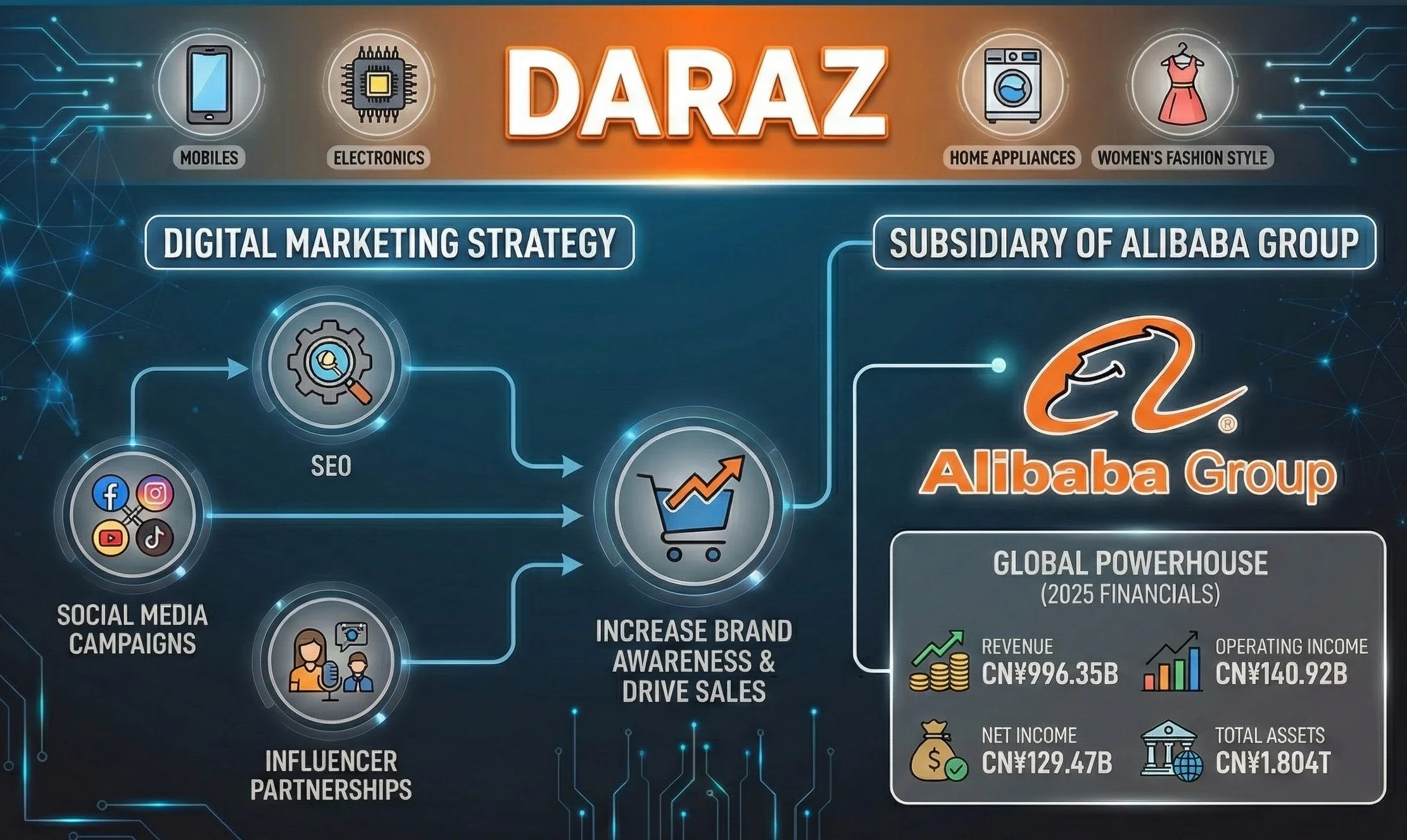
    Daraz, a subsidiary of Alibaba Group, has made strategic investments in online marketing to boost brand recognition in Pakistan. By leveraging SEO, social media campaigns, and influencer partnerships, Daraz has successfully grown into one of the largest e-commerce platforms in the country. With Alibaba’s backing, Daraz’s growth trajectory is aimed at reaching a multi-billion-dollar valuation.

DARAZ PAKISTAN: Mobiles, Electronics, Home Appliances, Women's Fashion Style

Microsoft – Cloud Services, AI, and Gaming

Microsoft’s transition to a cloud-based platform and its focus on digital marketing have been key to its continued dominance in the tech world. By leveraging social media, content marketing, and paid ads for services like Azure and Office 365, Microsoft has maintained its billion-dollar status and achieved a market value of approximately $3.6 trillion.

Microsoft – AI, Cloud, Productivity, Gaming, Apps and Windows OS

  • Toyota – Global Automotive Manufacturer

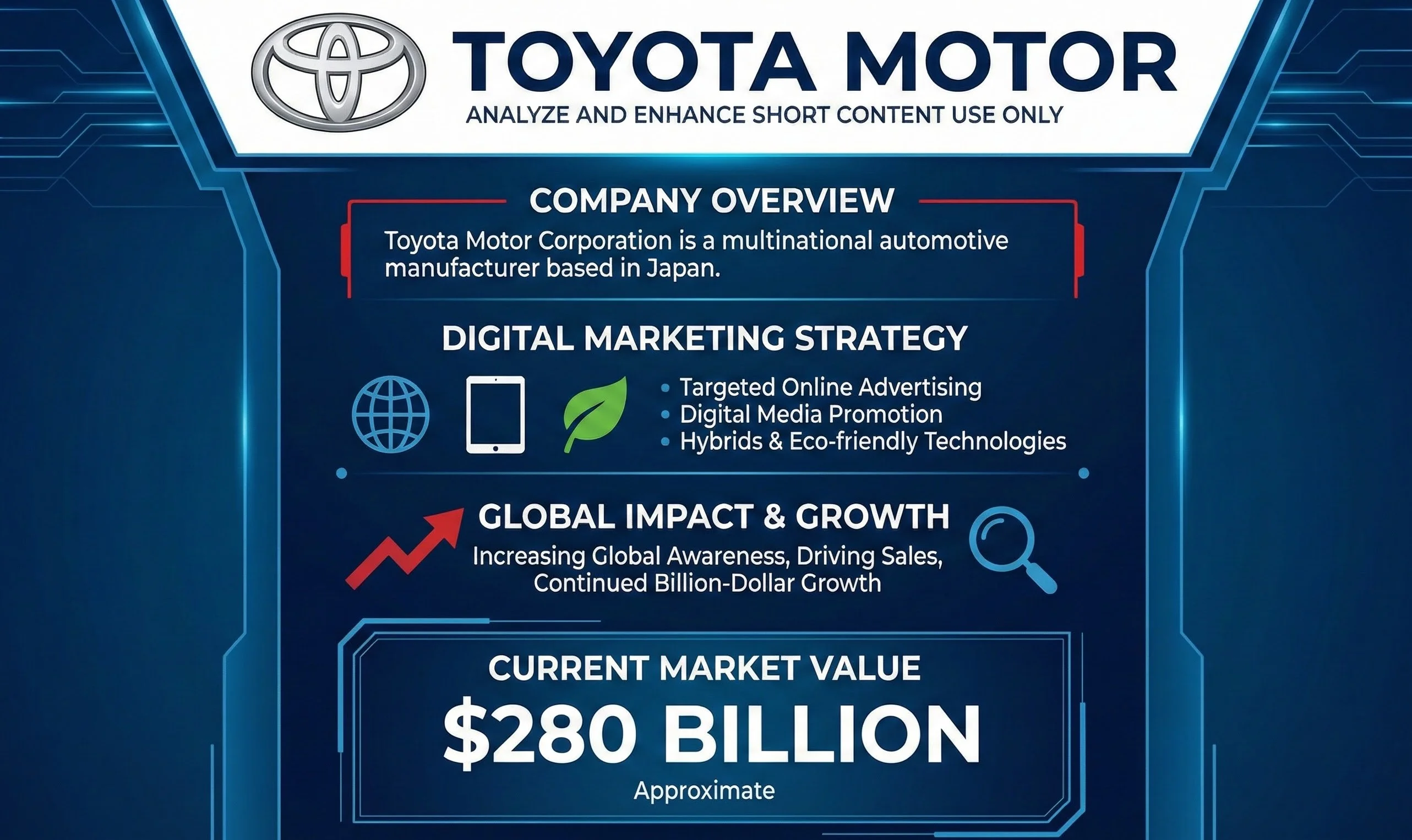
    Toyota has invested heavily in digital marketing to promote its cars, hybrids, and eco-friendly technologies. The company utilizes targeted online ads and digital media to drive awareness and sales, contributing to its market value of approximately $280 billion. Digital marketing efforts have helped Toyota maintain a strong presence in global markets, boosting its bottom line.

    Toyota Motor multinational automotive manufacturer Japan

  • Honda – Innovative Automotive Leader

    Honda has also recognized the value of digital marketing, using platforms like social media and video content to connect with its customers. With engaging online campaigns, Honda has successfully built brand loyalty and increased its market value to approximately $50 billion

    Honda Motor Japanese multinational automotive manufacturer

  • Alibaba Group – E-commerce Powerhouse

    Alibaba Group, based in China, is the world’s largest e-commerce company, facilitating global trade between buyers and suppliers. The company’s digital marketing efforts, which include SEO, social media ads, and affiliate marketing, have been crucial in expanding its global footprint. With a market value of around $350 billion, Alibaba’s digital marketing strategy has played a pivotal role in its success.

Alibaba Group: IT Services Clouds, Manufacturers, Suppliers, Exporters, Importers, and Wholesalers

Digital marketing is not just an optional strategy for businesses looking to succeed in the modern world – it’s an essential component of business growth. Companies like Amazon, Tesla, and Apple have harnessed the power of the internet and social media to create powerful, scalable marketing campaigns that have driven billions and even trillions in market value. As we approach 2026, the digital marketing landscape will continue to evolve, and companies that fail to invest in these strategies may risk losing their competitive edge in an increasingly digital world.

How to Grow Your Business with AI Digital Marketing in 2026 | Became Billionaires, Trillionaires

Grow-Business-digital-marketing

AI digital marketing is your key to unlocking unprecedented business growth in 2026. Imagine reaching customers worldwide with smart, automated strategies that boost profits and connect you to global audiences—let’s dive into how this powerful combination can transform your business today.

How to Grow Your Business with AI Digital Marketing in 2026 | Became Billionaires, Trillionaires

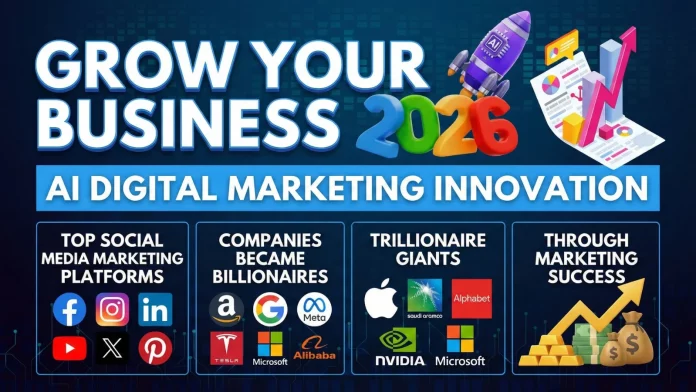
Grow Your Business 2026, AI digital marketing innovation, Top social madia marekting platforms, Companies became billionaires, trillionaires through marketing. Discover profitable AI business ideas, top social platforms, and the ultimate website strategy to rank #1 and earn millions globally. Learn how to leverage AI and digital marketing to grow your business globally. Discover the power of social media platforms, AI Innovation for Websites Digital Marketing and SEO strategies, and more to boost profits and rank higher in 2026.

Growing Your Business in 2026 with Digital Marketing and AI

As we step into 2026, digital marketing has become more vital than ever before. With businesses going online globally and AI transforming how we interact with technology, staying ahead of the curve is crucial for success. In this article, we’ll explore why having a website, embracing digital marketing, and using AI innovation are essential for business growth. We’ll also highlight some top social media Marketing platforms that help expand your business worldwide and generate significant profits.

Why is Digital Marketing Crucial in 2026?

In today’s digital world, the success of any business depends on its online presence. With almost every business transitioning online, digital marketing has become a key player in gaining visibility, attracting customers, and driving sales. But it’s not just about having an online presence—it’s about using the latest tools and strategies to stay competitive.

Key reasons to prioritize digital marketing and website creation in 2026:

  • Global Reach: A website and digital marketing enable your business to reach a worldwide audience.

  • Cost-Effective: Compared to traditional marketing, digital marketing offers more affordable and measurable campaigns.

  • Data-Driven: With tools like Google Analytics and SEO, you can track customer behavior and optimize campaigns for better results.

AI Innovation and Its Impact on Digital Marketing

Artificial Intelligence (AI) is revolutionizing the way businesses approach digital marketing. From AI-driven content creation to chatbots and personalized recommendations, AI is enhancing every aspect of online marketing.

How AI helps businesses in digital marketing:

  • AI for Content Creation: AI tools can generate high-quality blog posts, social media captions, and ads to save time and ensure consistency.

  • Personalization: AI can analyze customer data and deliver personalized marketing experiences, increasing engagement and conversion rates.

  • Automation: AI can automate repetitive tasks such as social media posting, customer service, and lead generation, freeing up your time to focus on strategic growth.

Top Social Media Platforms for Marketing

In 2026, social media remains one of the most powerful marketing tools for businesses. Here are the key platforms that provide marketing services to help expand your business globally:

1- Facebook: Still one of the largest platforms for business advertising, Facebook offers powerful targeting options and diverse ad formats.

Facebook Meta Ads Digital Marketing

FACEBOOK META WEBSITE

2- Instagram: Ideal for visually-driven businesses, Instagram offers tools like Stories and Shoppable Posts to drive engagement and sales.

Instagram Marketing with Facebook Meta

INSTAGRAM FOR BUSINESS ADVERTISMENT

3- X Advertising, Twitter: Great for real-time communication and brand awareness, Twitter allows businesses to engage directly with customers.

X Advertising and twitter ads Digital Marketing

X ADVERTISING

4- LinkedIn: Essential for B2B marketing, LinkedIn helps build professional networks and generate leads.

LinkedIn Ads and B2B Digital Marekting

5- TikTok: A booming platform for short-form videos, TikTok businesses Marketing to tap into younger demographics through creative and viral content.

Tiktok Ads and Tiktok Digital Marketing

TIKTOK BUSINESS ADS

6- YouTube: As a video-first platform, YouTube is ideal for showcasing products, tutorials, and behind-the-scenes content to engage customers.

Youtube-Adword Digital Marketing and Grow Youtube Channel and Business

YOUTUBE BUSINESS ADS

7- Pinterest Ads: Visually engaging ads that target users based on interests and demographics to drive traffic and conversions.

Pinterest Ads for Business and graphics Marketing

PINTEREST DIGITAL MARKETING ADS

8- Reddit Ads: Targeted ads focused on niche communities, allowing brands to engage with highly engaged users in specific subreddits.

Reddit Ads for Website and Business Marketing

REDDIT ADVERTISING

9- Snapchat Ads: Creative, mobile-first ads designed to connect with a young audience using immersive formats like Snap Ads and filters.

Snapchat Ads Boost your Business with Videos Ads

SNAPCHAT ADS MARKETING

10 Profitable AI Business Ideas for 2026

  1. AI-Powered Content Creation: Offer AI-driven content writing and marketing services.
  2. AI for Customer Service: Build AI chatbots that provide instant support for businesses.
  3. Automated Social Media Management: Create AI tools that schedule and manage social media posts.
  4. Personalized E-commerce Solutions: Use AI to create personalized shopping experiences for customers.
  5. Voice Search Optimization: Help businesses optimize their websites and content for voice searches.
  6. AI-Based Email Marketing: Develop AI-driven email marketing campaigns that are tailored to individual customer preferences.
  7. AI in Video Marketing: Offer AI tools to create personalized video ads for businesses.
  8. Data Analytics for Marketing: Provide AI-powered analytics to help businesses understand customer behavior and trends.
  9. AI Enhanced SEO Services: Use AI tools to improve website rankings and SEO.
  10. AI Lead Generation: Create AI tools that automatically qualify and generate leads for businesses.

Top AI Tools to Automate This Calendar in 2026

To run this calendar alone without burning out, use these tools:

  1. ChatGPT / Claude: For writing the captions and scripts for these posts.

  2. Canva (Magic Studio): To create the images and slide decks for LinkedIn/Instagram.

  3. Buffer / Hootsuite: To schedule all these posts at once at the start of the week.

  4. CapCut: For editing your TikTok/Reels videos quickly with auto-captions.

Expanding Your Business Globally

By adopting the strategies mentioned above, including AI, SEO, Digital Marketing 2026 and leveraging social media, your business can successfully grow and thrive globally. With a solid online presence and a digital marketing strategy in place, the potential to earn millions is within reach.

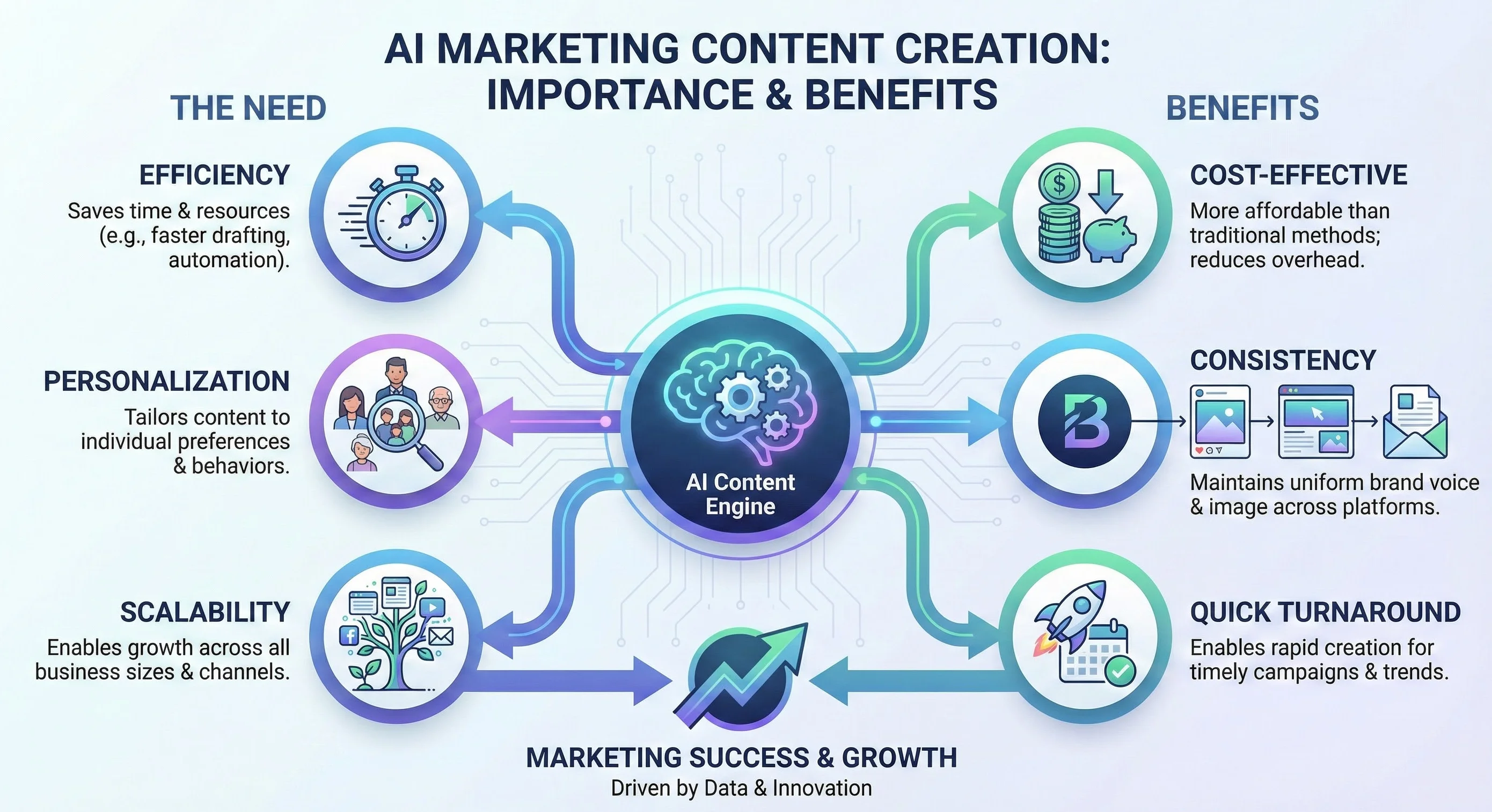
Unique AI Marketing Content Creation: Why It’s Essential and Its Benefits

In today’s competitive digital landscape, businesses must continuously innovate to capture the attention of their target audience. One of the most effective ways to do so is through unique AI-driven content creation. By harnessing the power of Artificial Intelligence (AI), companies can develop tailored, high-quality content that resonates with their customers. Unlike traditional methods, AI marketing content creation offers numerous advantages such as improved personalization, efficiency, and scalability. AI can analyze vast amounts of data to understand customer preferences and behaviors, allowing brands to create highly engaging and relevant content. This not only helps in attracting potential customers but also fosters brand loyalty. Moreover, AI tools can automate much of the content creation process, freeing up valuable time and resources for businesses to focus on other aspects of their marketing strategy.

marketing content creation

The use of AI also ensures that the content stays fresh, consistent, and up to date with current trends. By leveraging this technology, businesses can stay ahead of the curve, adapting to changes quickly and maintaining a competitive edge in the market. Furthermore, AI-generated content can be optimized for SEO, helping brands reach a broader audience. In summary, embracing AI for unique marketing content creation is essential for companies looking to thrive in the fast-paced digital world, providing them with a significant edge over competitors who may still rely on manual content creation methods.

Mistakes in Digital Marketing and Solutions

Mistakes in Modern digital marketing AI Innovation

Some common mistakes in digital marketing include:

  • Not Tracking Performance: Without analytics, it’s impossible to know what’s working and what isn’t.

  • Ignoring SEO: SEO is the backbone of digital marketing. Without it, your website will struggle to rank on Google.

  • Not Adapting to AI: Failing to embrace AI means missing out on automation, personalization, and efficiency.

Best Solutions for Grow Business Clear Mistakes:

  • Regularly track your performance using Google Analytics.
  • Implement strong SEO strategies from the start.
  • Use AI to automate and optimize your marketing efforts.

Companies That Have Profited From Online Marketing

Many companies have seen tremendous success by investing in digital marketing:

  • Amazon – Discover millions of products “Mobiles, Electronics, Home Appliances, Women’s Fashion

    Leveraged SEO, paid advertising, and data-driven marketing to become a global e-commerce giant. Current Market Value Approximate: ~$2.5 Trillion

    Amazon - Mobiles, Electronics, Home Appliances, Women's Fashion

  • TESLA: Electric Cars, Solar & Clean Energy

    Relied on online content, social media engagement, and digital marketing to drive sales and brand awareness. Current Market Value Approximate: ~$1.6 Trillion

    TESLA: Electric Cars, Solar & Clean Energy

  • SAMSUNG: MOBILES | TV | HOME APPLIANCES

    Samsung has invested heavily in online digital marketing, leveraging social media, targeted ads, and influencer partnerships to reach global consumers. This digital focus, along with its innovative products, has contributed to its massive growth and billion-dollar status. Current Market Value Approximate: ~$340 Billion

    SAMSUNG: MOBILES | TV | HOME APPLIANCES

  • APPLE:  iPhone, iPad, Apple Watch, Mac, and Apple TV

APPLE:  iPhone, iPad, Apple Watch, Mac, and Apple TV

Apple’s digital marketing strategy, focusing on sleek online advertising, targeted campaigns, and exclusive content, has helped propel the iPhone to global dominance. Their vast investment in online marketing has played a key role in making Apple a tech giant and a multi-billion-dollar company. Current Market Value Approximate: ~$4 Trillion

NVIDIA’s Strategic Use of Social Media and Digital Marketing to Drive Innovation and Revenue

January 2026, NVIDIA's net worth is around $4.5-$4.6 trillion. The company, known for inventing the GPU, leads innovations in AI, HPC, gaming

NVIDIA, a world leader in artificial intelligence computing, is gaining widespread recognition and generating revenue through strategic social media and digital marketing efforts. By showcasing its groundbreaking innovations in AI, HPC, gaming, creative design, autonomous vehicles, and robotics, the company has successfully captured the attention of a global audience. Leveraging digital platforms, NVIDIA not only promotes its cutting-edge technologies but also engages with consumers and businesses, creating a powerful online presence that drives both awareness and revenue.

  • DARAZ PAKISTAN: Mobiles, Electronics, Home Appliances, Women’s Fashion Style

DARAZ PAKISTAN: Mobiles, Electronics, Home Appliances, Women's Fashion Style

  • Daraz has successfully utilized online digital marketing, focusing on SEO, social media campaigns, and influencer partnerships to increase brand awareness and drive sales. These digital marketing efforts have been essential in establishing Daraz as Pakistan’s leading e-commerce platform, helping it scale into a billion-dollar business. Daraz Subsidiary of Alibaba Group and Alibaba is a Biggest Group of Companies in World and in till 2025 Revenue. CN¥996.35 billion, Operating income CN¥140.92 billion, Net income CN¥129.47 billion, Total assets CN¥1.804 trillion.

  • Microsoft – AI, Cloud, Productivity, Gaming, Apps and Windows OS

    Microsoft’s heavy investment in digital marketing across social media, search engines, and content marketing has expanded its reach in both consumer and enterprise sectors. Its robust digital advertising campaigns for services like Azure, Office 365, and Xbox have played a significant role in maintaining its status as a tech giant worth billions. Current Market Value Approximate: ~$3.6 Trillion

    Microsoft – AI, Cloud, Productivity, Gaming, Apps and Windows OS

  • Toyota Motor:Toyota Motor Corporation is a multinational automotive manufacturer based in Japan.

    Toyota has increasingly invested in digital marketing, focusing on targeted online advertising and digital media to promote its cars, hybrids, and eco-friendly technologies. These campaigns have been key in increasing global awareness and driving sales, contributing to Toyota’s continued billion-dollar growth. Current Market Value Approximate: ~$280 Billion

    Toyota Motor multinational automotive manufacturer Japan

  • Honda Motor: Honda is a Japanese multinational automotive manufacturer based in Tokyo.

    Honda has heavily invested in digital marketing, using online platforms for advertising, video content, and interactive campaigns to connect with consumers. This strategic digital push has helped Honda maintain its global market leadership and grow its brand value significantly. Current Market Value Approximate: ~$50 Billion

    Honda Motor Japanese multinational automotive manufacturer

  • Alibaba Group: IT Services Clouds, Manufacturers, Suppliers, Exporters, Importers, and Wholesalers

    Alibaba Group, based in Hangzhou, China, is the world’s largest e-commerce company, linking over 40 million buyers globally with manufacturers, suppliers, exporters, and wholesalers. Its rapid growth is fueled by strategic digital marketing investments in SEO, social media ads, affiliate marketing, and personalized content. With a market value of approximately $350 billion, Alibaba is a leading player in global e-commerce.

Alibaba Group: IT Services Clouds, Manufacturers, Suppliers, Exporters, Importers, and Wholesalers

Digital marketing is essential in 2026

Digital marketing Learning and tutorials

Digital marketing is crucial for business growth in 2026. Keep reading and visit SkillSurface for free learning on digital marketing and AI innovations. Digital Marketing 2026 is essential in 2026 for business growth. A well-optimized website, a robust presence on social media, and leveraging AI tools can help businesses stay competitive. By following the strategies outlined in this article, businesses can expand their reach, earn more, and achieve global success. The key takeaway is the importance of creating a strong online presence through websites, digital marketing, AI, and social media in 2026. By using AI to automate and optimize marketing efforts, businesses can grow faster, reach a wider audience, and achieve long-term success in an increasingly digital world.

10 Best Bismillah Arabic Calligraphy Vector Graphics Design

Bismillah Calligraphy
Download Bismillah Al Rahman Al Rahim islamic calligraphy vector

10 Best Bismillah Calligraphy Islamic Graphics Design Vector Template

Download 10 Best Bismillah Calligraphy, Islamic calligraphy graphics Design. Get free New ideas beautiful “Bismillah Al Rahman Al Rahim” Arabic Calligraphy Vector Template. Explore our newest collection of high-quality Bismillah vector art, featuring fresh concepts and beautiful renditions of “Bismillah Al Rahman Al Rahim” in Arabic Quranic calligraphy. We offer over 10 stunning designs of Bismillah Calligraphy (Islaminc Calligraphy / اسلامک خطاطی), perfect for wall decoration and digital projects. In the world of Islamic art, Arabic calligraphy holds a distinctive place. The revered phrase “Bismillah Al Rahman Al Rahim” (Arabic: بِسْمِ ٱللَّٰهِ ٱلرَّحْمَٰنِ ٱلرَّحِيمِ), meaning “In the name of Allah, the Infinitely Gracious, the Most Merciful,” is central to Islamic culture.

1- Bismillah Islamic Caligraphy Vector Islamic Graphics Design

Bismillah Al Rahman Al Rahim calligraphy vector


2- Bismillah Arabic Caligraphy Vector Islamic Graphics Design

Bismillah Al Rahman Al Rahim islamic calligraphy vector

3- Bismillah Caligraphy Vector Islamic Graphics Design

Bismillah Al Rahman Al Rahim New arabic calligraphy vector


4- Bismillah Caligraphy Vector Islamic Graphics Design

Bismillah Al Rahman Al Rahim Vector arabic calligraphy

5- Bismillah Caligraphy Vector Islamic Graphics Design

Bismillah Arabic Calligraphy vector design

6- Bismillah Caligraphy Bold Vector Islamic Graphics Design

Bismillah Arabic Calligraphy vector

7- Bismillah Caligraphy Handwriting Vector Islamic Graphics Design

Bismillah Calligraphy art Al Rahman Al Rahim

8- Bismillah Islamic Caligraphy Vector Islamic Graphics Design

Bismillah Islamic Calligraphy vector design

9- Bismillah Caligraphy Islamic Graphics Design

Bismillah vector Islamic Calligraphy

10- Bismillah Arabic Caligraphy Islamic Graphics Design

Free download Bismillah calligraphy vector

Free Download Bismillah Calligraphy Islamic graphics Design in CorelDraw CDR 17V

download cdr

Free Download Bismillah Calligraphy Islamic Graphics Design in Adobe Illustrator EPS File

download button

Download and purchase from the Shutterstock profile “Skill Surface Graphics”.

Discover a stunning collection of Islamic Graphics Design Resources

Free Download: Get the most popular Bismillah vectors, social media marketing banners, and Islamic stock photos to elevate your projects. All graphic resources are available for free download in PSD, EPS, and CDR formats, ready for use in your ads and designs from Skill Surface. On this page of our website, you can download a variety of content, including Arabic, Urdu, English words and Quran Kareem verses, hadiths, Sunnah, as well as words in Persian, Punjabi and other languages in different beautiful unique styles and artwork. You can also access beautiful, editable handwritten texts in various styles, completely free of charge. Incorporating the sacred phrase “Bismillah Al Rahman Al Rahim” Arabic calligraphy into your creative projects adds a layer of spiritual elegance and cultural depth that few other design elements can achieve. Whether you are a professional graphic designer working on a high-profile Ramadan Kareem marketing campaign, a craftsman utilizing CNC technology to create intricate wall decor, or simply a student of Islamic art looking for inspiration, this collection offers a versatile range of styles to suit every need.

Why Need CDN for WordPress Website, 3 Best Fast Speed CDN

CDN for WordPress
Why Need Cdn For Wordpress Website Best Fast Speed Cdn

CDN for WordPress is your ultimate solution for transforming a sluggish site into a lightning-fast powerhouse that Google rewards. If you’ve ever watched visitors bounce due to slow loading or felt the sting of dropping search rankings, you’ll discover how this simple tool can revolutionize your website’s performance and keep users engaged from the first click.

Why Need CDN for WordPress Website, 3 Best Fast Speed CDN

Boost your WordPress website speed improve Google rankings with these top 3 Fast Speed CDN affordable for WordPress Website for high traffic CDN for WordPress. Learn why a CDN is essential for high traffic and performance. Digital age, website speed is paramount to user experience and SEO performance. For WordPress websites, especially those receiving high traffic or media-heavy content, a Content Delivery Network (CDN) is crucial. Not only does it ensure faster load times, but it also boosts your chances of ranking higher on Google’s first page.

Best CDN for WordPress 

Without a CDN, websites often struggle with database connection issues. If you’re experiencing frequent crashes or slow loading times, especially during high traffic periods from Google Ads or social media campaigns, your shared hosting plan may not be equipped to handle the load. Even with premium hosting plans, such as Supreme Hosting, which offer high resources, integrating a CDN can still significantly improve your website’s performance.

What Is a CDN and Why Is It Crucial for WordPress Websites?

A CDN is a network of servers distributed around the world that cache static content (images, CSS, JavaScript). This ensures that when visitors access your site, they’re served content from the nearest location, speeding up load times.

CDNs reduce the load on your server by handling portions of heavy traffic, especially media files like images or downloads. For WordPress sites with high traffic, a CDN becomes a game-changer.

If you’re using shared hosting, server overload during traffic surges is common, and this can result in issues like database connection failures, “server errors,” and slowdowns. A CDN will efficiently handle your MySQL database and large data files, preventing these issues.

Do You Need a CDN, VPS, or Dedicated Server?

Many website owners wonder whether a VPS or dedicated server is sufficient to handle increased traffic, or if a CDN is necessary.

  • VPS (Virtual Private Server): Provides dedicated resources like CPU, RAM, and storage, making it ideal for websites with high traffic. It ensures better performance compared to shared hosting.

  • Dedicated Server: Offers maximum control and dedicated resources, which is excellent for large-scale websites.

However, even with VPS or dedicated hosting, a CDN can still optimize performance. Before investing in a CDN, monitor your website’s performance under normal traffic conditions. If you notice high CPU or RAM usage, or database strain, it may be time to consider a CDN.

3 Best Affordable CDNs for WordPress Sites

If you’re looking for affordable yet powerful CDNs to boost your website’s speed and performance, here are the top 3 choices:

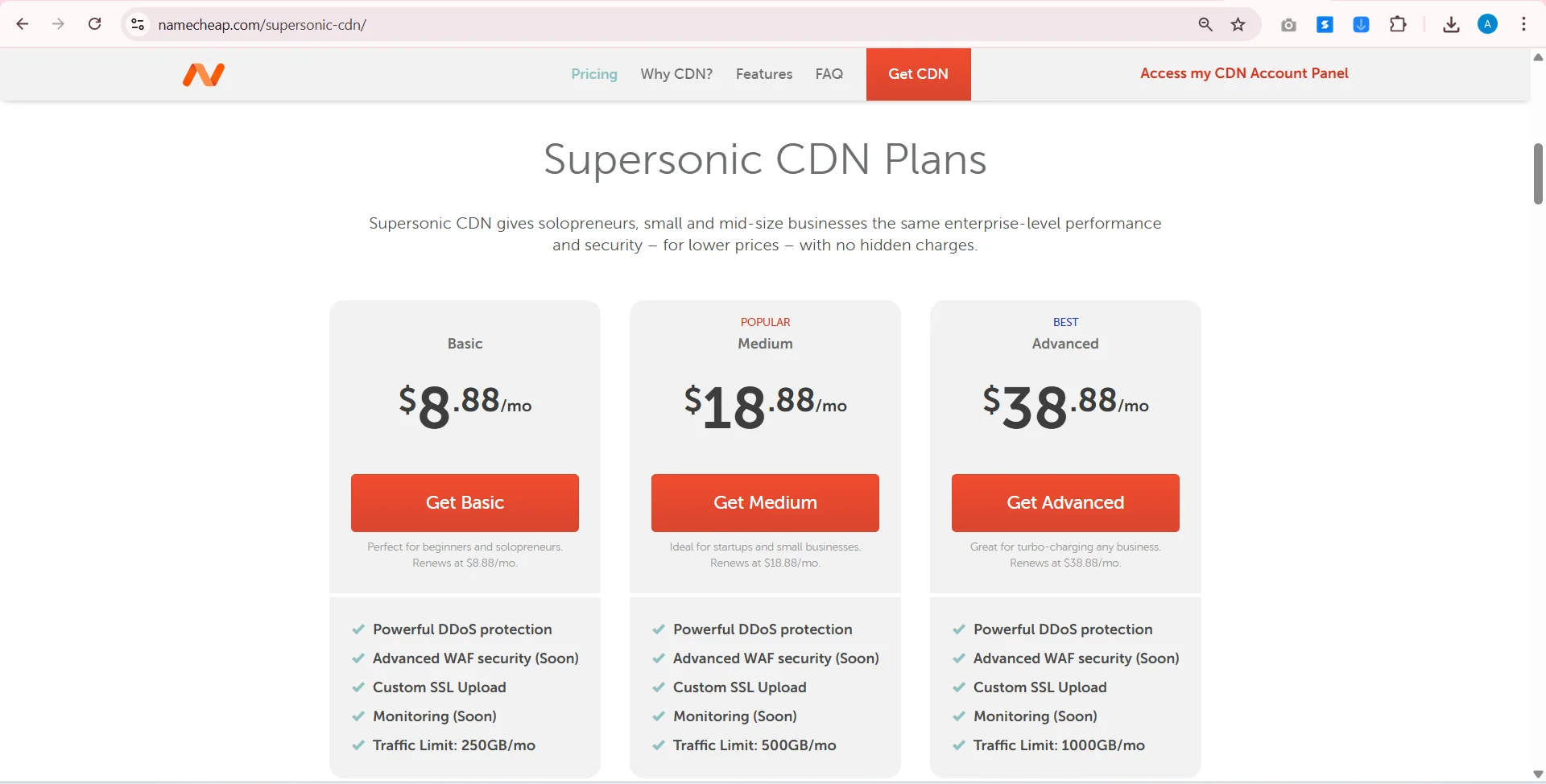
  1. Supersonic CDN (Namecheap)

Supersonic CDN offers fast content delivery and is easy to integrate with WordPress. Perfect for small to medium-sized websites looking to improve speed and reduce server load.

Fast Speed CDN


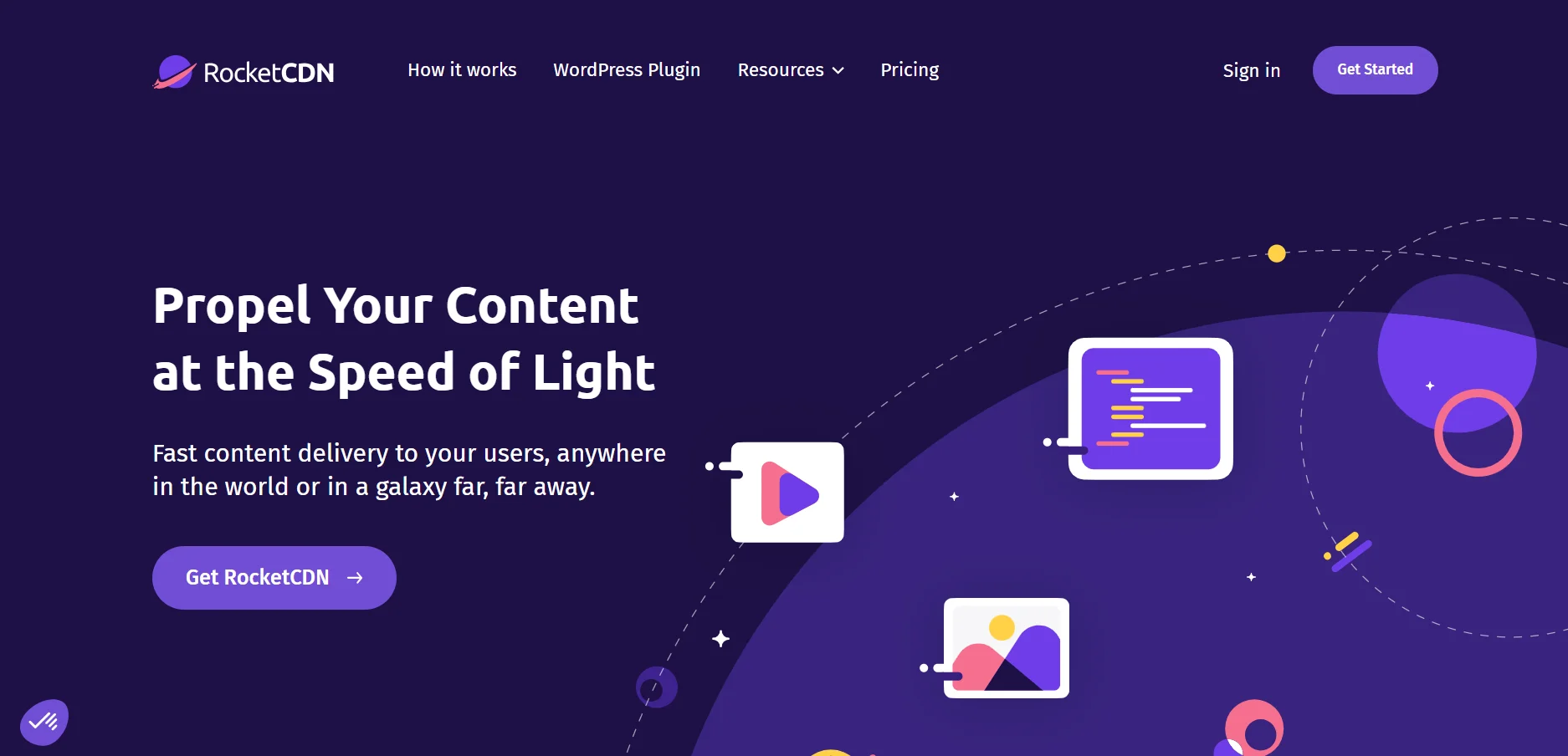
2. RocketCDN

Known for its low-cost pricing and excellent performance, RocketCDN is ideal for WordPress users looking to optimize website load times and handle high volumes of traffic.

CDN for WordPress

3. Bunny CDN – Best CDN for WordPress 

Bunny CDN is one of the most cost-effective options that provides global coverage. It’s user-friendly and provides a perfect solution for sites with heavy media content.

Bunny CDN

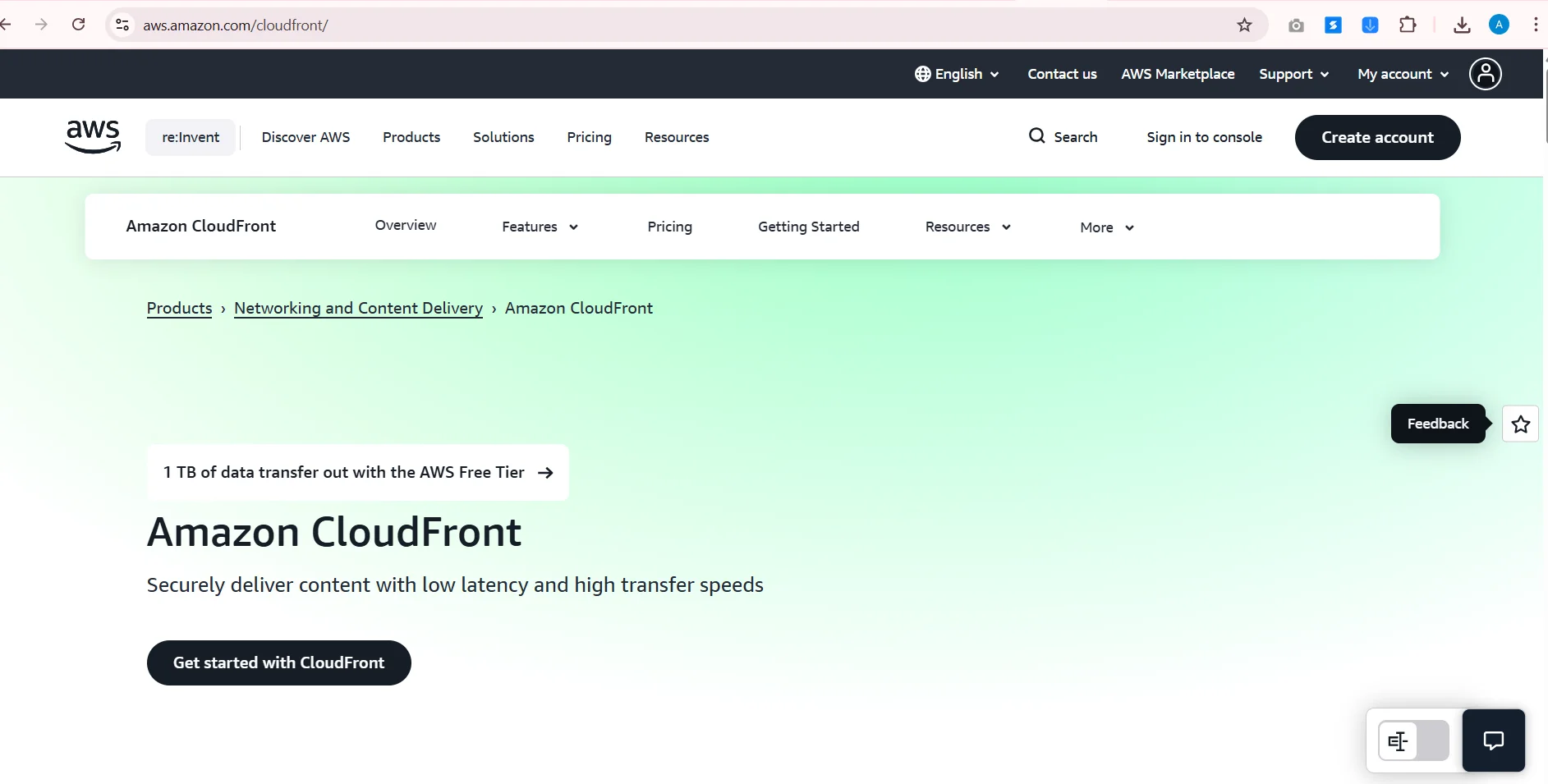
Bonus CDN Option: Amazon AWS CloudFront

– Best CDN for WordPress 

Amazon CloudFront is a scalable CDN solution for larger websites that need advanced features and superior performance. Though more complex to set up, it’s a powerful tool for boosting your website’s global reach.

CDN for WordPress Amazon AWS CloudFront CDN

Best Hosting Plans for High-Traffic WordPress Websites

Pairing a CDN with a reliable web hosting plan can further enhance your website’s performance. Below are some of the best hosting plans for high-traffic websites:

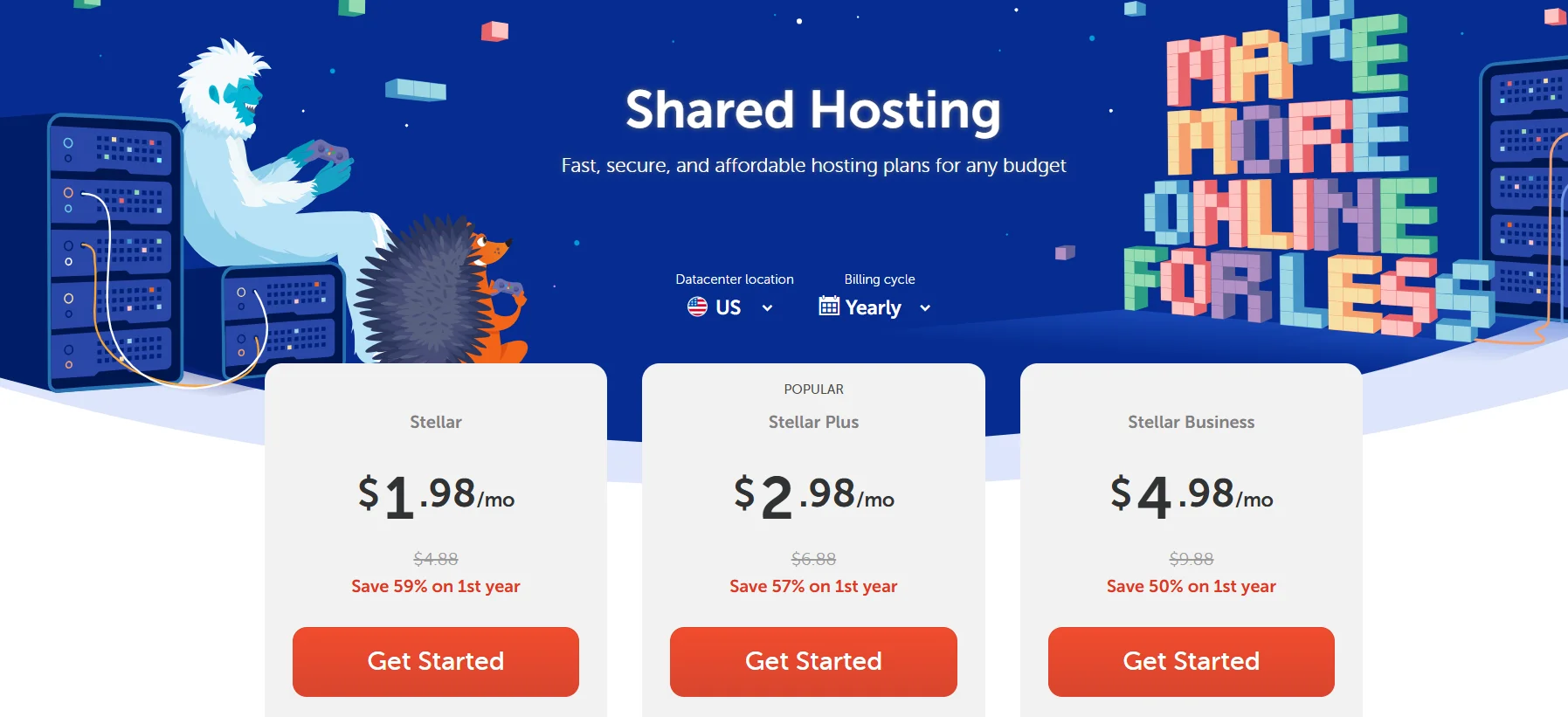
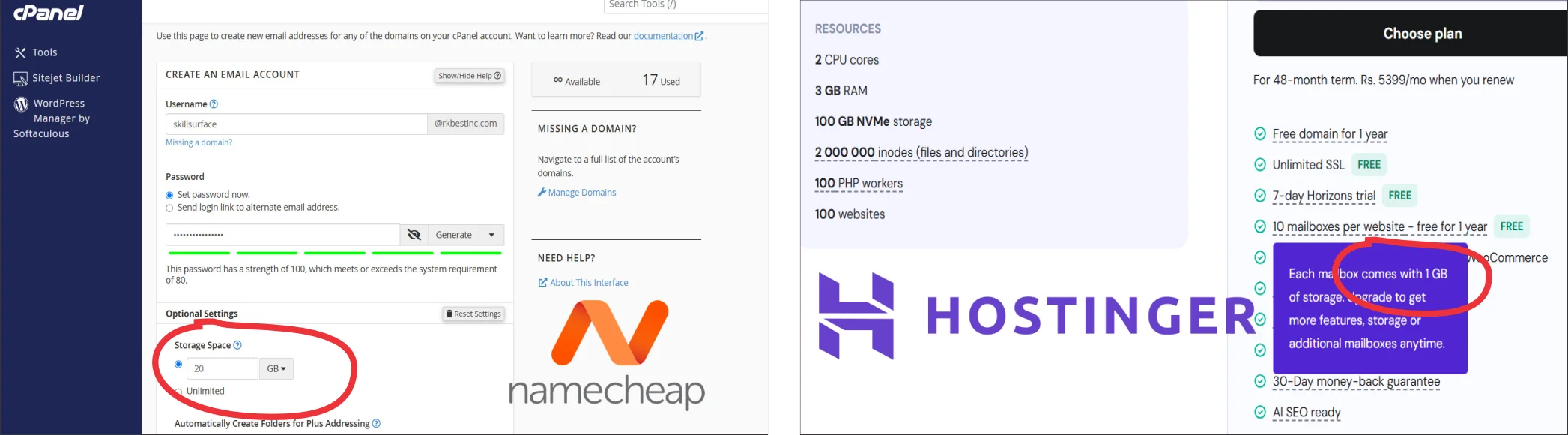
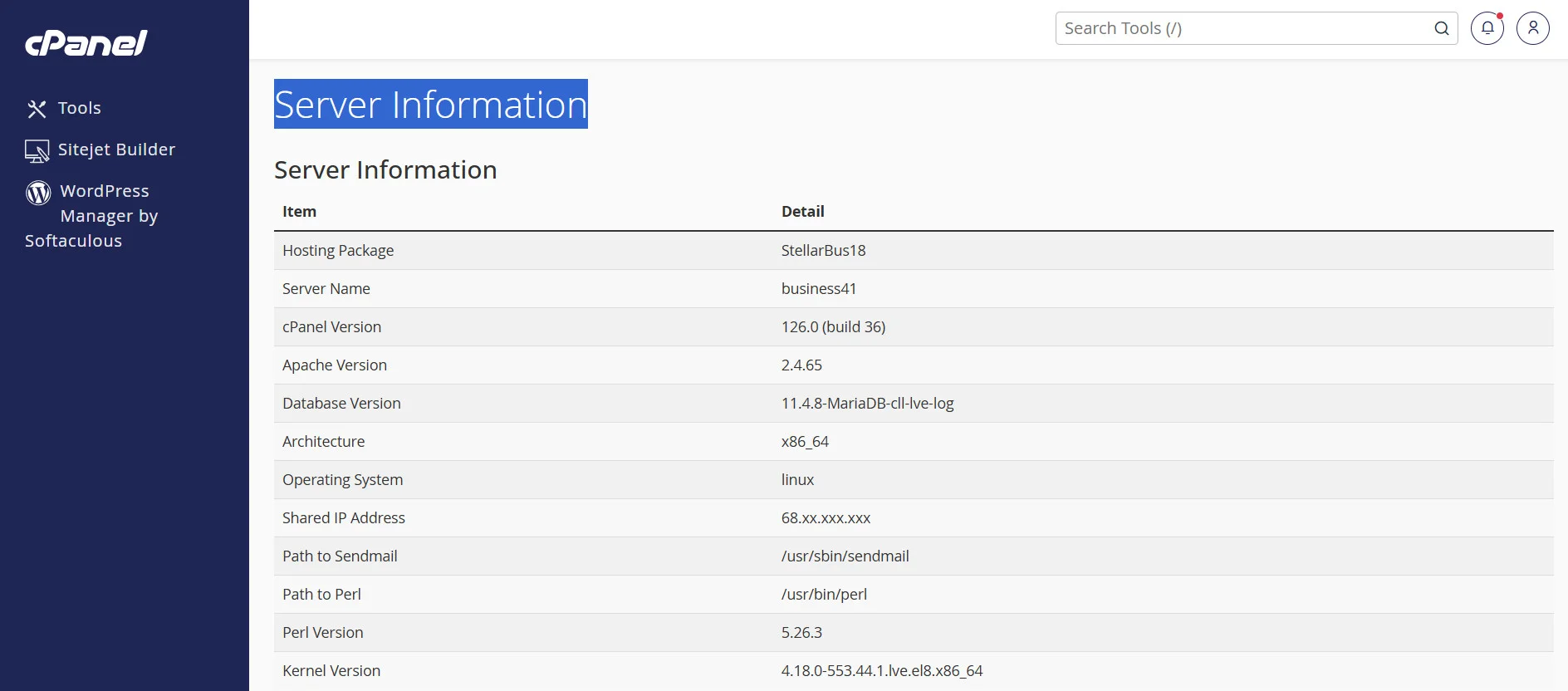
  1. Namecheap Cloud Hosting – Stellar Business Package

  • 50GB SSD Storage
  • 2GB RAM
  • Entry Process: 40
  • CPU Usage: 400%
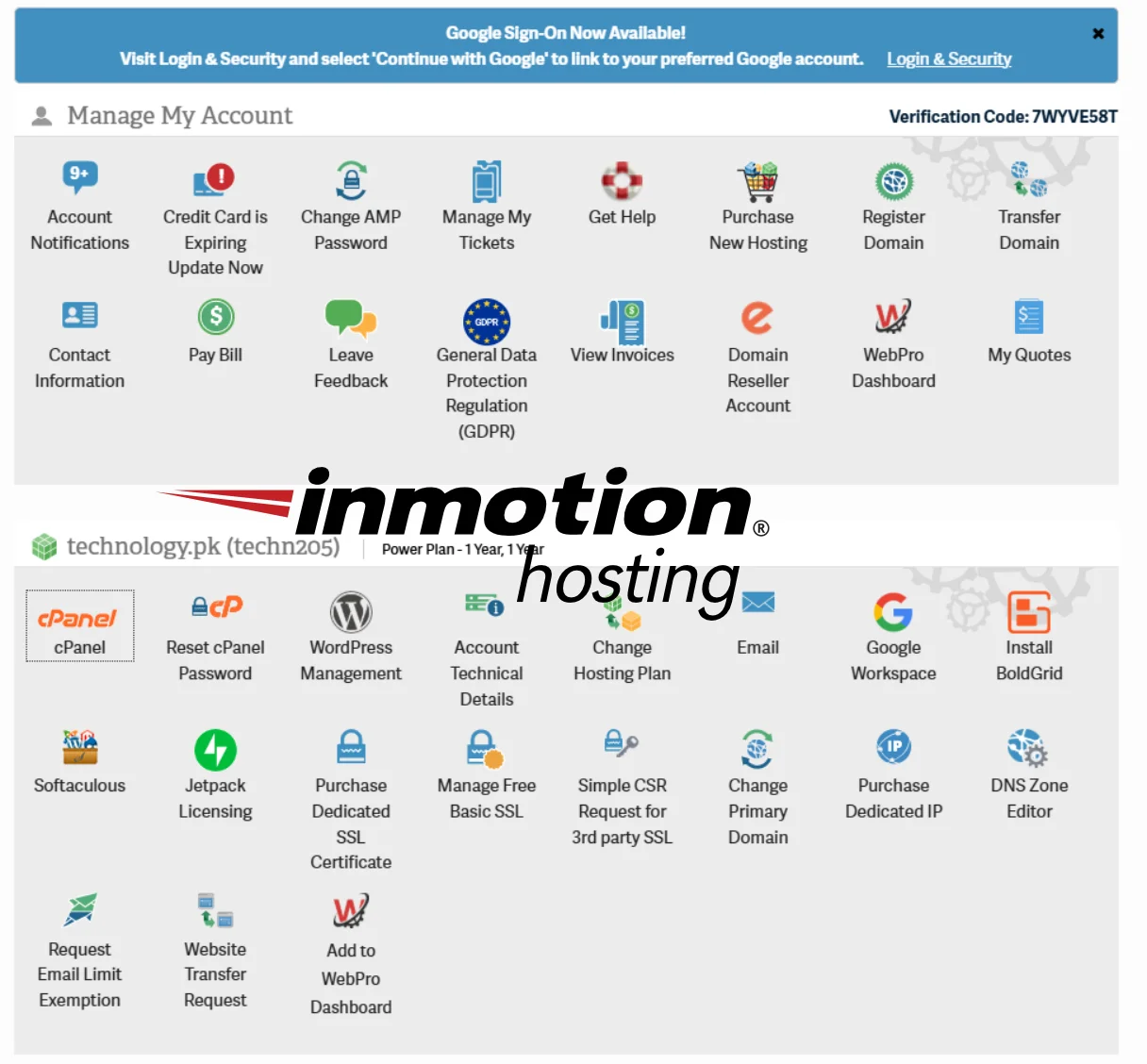
  1. InMotion Hosting – Premium Pro Package

  • 4GB RAM
  • 2 vCPUs
  • 300GB SSD Storage
  • Traffic Capacity: ~500K Visitors/Month
  • 20X Faster Load Time
  • SPACISHIP Shared Cloud Hosting – Supreme Package
  • Unmetered SSD Storage
  • 3GB RAM
  • CPU Usage: 400%
  • Entry Processes: 200
  • Burst Time: 15 minutes (hard), 30 minutes (soft)
  • IOPS: 1,024

A CDN is essential for WordPress websites aiming to improve site speed, reduce server load, and rank higher on Google. Whether you’re dealing with high traffic, heavy media files, or shared hosting limitations, a CDN will provide the boost your website needs. Coupled with a powerful hosting plan, it ensures better performance, fewer errors, and an optimized user experience.

If you need assistance with CDN configuration, hosting choices, or server setup, feel free to contact Skill Surface for expert advice.

To truly propel your WordPress website to higher rankings and exceptional performance, the best solution lies in integrating a Content Delivery Network (CDN). As the internet becomes increasingly competitive, having a fast, secure, and reliable website is no longer optional—it’s essential. A CDN optimizes your WordPress website by reducing load times, improving mobile experience, enhancing security, and minimizing server strain, especially during traffic spikes. This directly impacts your Google rankings, as search engines prioritize sites that offer superior user experience through faster load speeds and less downtime. By caching your static content across multiple global servers, a CDN ensures that every user, regardless of their location, receives content from the nearest server, significantly enhancing load times and accessibility.

Moreover, the CDN’s security features protect your site from malicious attacks, including DDoS, safeguarding your data and preserving uptime. With all these benefits, a CDN is not just an option but a strategic tool to ensure that your WordPress website performs at its best, handles high traffic smoothly, and secures a spot on Google’s first page. Coupled with solid hosting and the right plugins, the CDN becomes the ultimate solution for boosting your site’s performance, increasing user engagement, and establishing long-term SEO success. If you’re ready to unlock the full potential of your website and reach new heights in search engine rankings, embracing a CDN is the best investment you can make.

Top WordPress Security Tips for Enhance Website Google Rank

Top WordPress Security Tips for Enhance Website Google Rank
Top Wordpress Security Tips For Enhance Website Google Rank

Top WordPress Security Tips for Enhance Website Google Rank

Most website owners treat search engine optimization (SEO) and website WordPress Security as two completely separate tasks. SEO is for marketing, and security is for IT.  This mindset is not just outdated; it’s actively costing you rankings. Google’s primary goal is to provide its users with the best, most authoritative, and safest possible results. If your WordPress site is slow, unsecured, or compromised, Google will not hesitate to bury it in the search results or remove it entirely. A secure, well-maintained website is the foundation of any successful SEO strategy, sending powerful signals of trust, reliability, and quality directly to Google.

Part 1: How Security Directly Impacts Your SEO

The connection between WordPress security and SEO isn’t just theoretical. Google uses specific, measurable signals that are directly tied to your site’s security posture.

The “Not Secure” Warning and the HTTPS Ranking Signal

This is the most direct link. An SSL certificate (which enables HTTPS) encrypts the connection between your site and your visitor.

  • Direct Ranking Boost: Years ago, Google confirmed that HTTPS is a lightweight ranking signal. Given two equal sites, the one with HTTPS will get a slight edge.
  • The User Experience (UX) Penalty: More importantly, modern browsers like Google Chrome will prominently display a “Not Secure” warning to visitors on any site still using HTTP. This warning shatters user trust, causing your bounce rate to skyrocket. A high bounce rate tells Google your page is not a good result, which can tank your rankings.

Core Web Vitals (Site Speed)

Your Core Web Vitals (CWV) are a critical, confirmed ranking factor. A slow site equals a poor user experience, which Google penalizes. But how does this relate to security?

  • Plugin Bloat: Insecure, poorly coded, or outdated plugins are often major sources of code bloat, slowing down your site.
  • Malicious Bot Traffic: A poorly secured site (especially one without a Web Application Firewall, or WAF) gets hammered by malicious bots 24/7. These bots attempt brute-force logins, scan for vulnerabilities, and scrape content. This “junk traffic” consumes massive amounts of your server’s resources (CPU and memory), slowing your site to a crawl for legitimate users and for the Googlebot. A good WAF blocks this traffic, freeing up resources and directly improving your load times and CWV scores.

Google Blacklisting: The SEO Death Sentence

This is the most devastating penalty. If Google’s crawlers detect malware, spam, or deceptive content (like a phishing page) on your site, it will take immediate action.

  1. Your site will be removed from search results.
  2. All visitors, including those from ads, will be met with a bright red “Deceptive site ahead” or “This site may be hacked” warning.

Your traffic will drop to zero overnight. Recovering from this is a slow, painful process that requires cleaning the site and submitting a reconsideration request to Google. All the SEO effort you’ve invested can be wiped out in an instant.

It’s clear that Google’s algorithm has evolved to fundamentally link security with quality. A “high-quality” site, in Google’s eyes, is one that is fast, accessible, and trustworthy. Your security measures are no longer just a defensive chore; they are a direct and vital investment in your website’s visibility and authority. Every security step you take is also a step toward protecting and improving your Google rank. Now, let’s turn these concepts into an actionable checklist that serves both your security and your SEO goals.

Part 2: The Security Checklist to Boost Your Google Rank

Use these steps to lock down your site, improve your user experience, and send all the right trust signals to Google.

  1. Install an SSL Certificate (Go HTTPS)
    • SEO Impact: This is non-negotiable. It provides a direct (though small) ranking boost and, more importantly, removes the “Not Secure” warning. This builds user trust, lowers your bounce rate, and is a core component of Google’s E-E-A-T (Experience, Expertise, Authoritativeness, and Trustworthiness) framework.
  2. Use a Quality Security Plugin with a WAF
    • SEO Impact: A Web Application Firewall (like those in Sucuri, Wordfence, or Solid Security) is your single best defense. It blocks malicious bots, which reduces server load and improves your Core Web Vitals. It also stops attacks before they can inject the malware that gets you blacklisted by Google.
  3. Keep Everything Updated (Core, Plugins, Themes)
    • SEO Impact: Most hacks exploit known vulnerabilities in outdated software. These hacks are what lead to malware injection and spam links (like the “Japanese keyword hack”) that destroy your site’s relevance and get you penalized. An updated site is a clean site, and a clean site is one Google trusts.
  4. Harden Logins & Block Brute-Force Attacks
    • SEO Impact: Brute-force attacks are a massive drain on server resources, directly harming your site’s speed (CWV). By implementing two-factor authentication (2FA) and limiting login attempts, you shut down this resource-hogging traffic and protect the “front door” to your content.
  5. Remove Unused Plugins and Themes
    • SEO Impact: This is a simple win for both speed and security. Every plugin is a potential “attack surface” (a way for hackers to get in) and adds code that can slow your site. By deleting “dead” code, you make your site lighter and faster (boosting CWV) and more secure (reducing vulnerability).
  6. Perform Regular Malware Scans
    • SEO Impact: A good security plugin will scan your site for malicious code. This is your early warning system. Finding and removing malware before Google finds it is the key to avoiding a Google blacklist and the ranking catastrophe that comes with it.

Stop viewing WordPress security as a separate, optional expense. It is one of the most important investments you can make in your website’s long-term SEO success. Every security measure you implement, from an SSL certificate to a firewall, directly supports Google’s mission to provide safe, fast, and trustworthy results. By hardening your website, you are not just protecting your data; you are protecting your hard-earned rankings, your crawl budget, and your brand’s reputation with both users and search engines.

Comment and Signup Disabler WordPress Plugin

Free Download Comment Spam Disabler
Comment And Signup Disabler Wordpress Plugin

Free Premium Download WordPress Comment Disabler Plugin

Free Premium Download WordPress Comment Disabler Plugin is a powerful, easy-to-use WordPress plugin developed by Skill Surface to help website owners take control of their site’s comment and registration functionalities. With this plugin, you can easily enable or disable comments across your site and permanently disable the registration/signup page. The plugin provides a simple, intuitive settings page in the WordPress dashboard to manage these features. It is an ideal solution for WordPress site administrators looking to customize their site’s user interaction by managing comments and restricting user registrations.

Comment and Signup Disabler WordPress Plugin- Free Download. A powerful Wp plugin to help websitecomment and registration control functionalities.

Key Features:

  • Disable Comments: Turn off comments on all posts, pages, and custom post types with a simple toggle. Ideal for sites where you want to remove comment functionality.
  • Disable Registration/Signup Page: Block access to the WordPress registration page (wp-login.php) and prevent new user registrations permanently.
  • Simple and Easy-to-Use: Easily manage settings through the WordPress dashboard without any complex configurations or coding required.
  • Secure: The plugin uses nonce verification and sanitization to ensure the security of your settings and prevent unauthorized changes.

Why Use This Plugin?

  • If you want full control over your site’s comment sections or wish to prevent new user registrations, this plugin is perfect.
  • It’s especially useful for sites that are not community-focused or do not require user signups.
  • Secure, easy-to-use, and fully customizable through the WordPress dashboard.

How to Install:

  1. Download the plugin ZIP file.
  2. Log in to your WordPress dashboard.
  3. Go to Plugins > Add New > Upload Plugin and upload the downloaded plugin file.
  4. Activate the plugin from the Plugins section.
  5. Navigate to Settings > Skill Comment/Signup Disabler to configure the plugin and enable or disable comments and registration as per your needs.

Used by millions of websites, Skill Comment and Signup Disabler WordPress Plugin is arguably one of the most effective solutions to protect your blog from spam. It automatically filters out harmful content, ensuring your site is fully secure and protected, even while you’re not actively monitoring it.

Mobile Specs Database

Simplify Your WordPress Management:

Managing comments and user registrations on a WordPress site can sometimes be challenging, especially if you’re not looking to allow public interaction. Skill Comment/Signup Disabler makes it easy to remove these features with just a few clicks. Whether you’re running a private blog or a business website that doesn’t require user registrations or comments, this plugin gives you full control over your site’s interaction features. With a clean, user-friendly dashboard interface, you can disable comments site-wide or remove the registration page, ensuring your website’s content is only accessible to those who you want to engage.

Save Time and Improve Security:

By disabling unnecessary features like comments and user registration, you not only make your WordPress site easier to manage but also improve its security. Disabling the registration/signup page prevents unauthorized signups, reducing potential spam or malicious users from accessing your site. Similarly, turning off comments can reduce the risk of comment spam and enhance the overall user experience. With Skill Comment/Signup Disabler, you streamline your site management while ensuring it remains secure and free from unwanted interactions.

حضرت محمد ﷺ اللہ کے آخری نبی ہیں اور ان کی عزت و احترام ہر انسان پر فرض ہے

حضرت محمد ﷺ اللہ کے آخری نبی ہیں
#image_title

حضرت محمد ﷺ اللہ کے آخری نبی ہیں اور ان کی عزت و احترام (Respect Khatamul Anbiya)ہر انسان پر فرض ہے

حضرت محمد ﷺ اللہ کے آخری نبی ہیں، اور ان کے بعد نا کویی نبی آیا ہے اور نا ہی آئے گا۔ اورحضرت محمد ﷺ کی عزت و احترام ہر انسان پر لازم اور فرض ہے
حضرت محمد ﷺ اللہ کے آخری نبی ہیں، جن پر قرآن اور احادیث کی روشنی میں ایمان لانا ہر انسان اورمسلمان پر ایمان کا لازمی حصہ ہے۔ قرآن مجید اور احادیث شریفہ میں حضرت محمد ﷺ کے مقام و مرتبہ کو نہایت بلند اور عظیم قرار دیا گیا ہے، اور ان کی عزت و احترام کی اہمیت کو بار بار واضح کیا گیا ہے۔ اس مضمون میں ہم قرآن اور حدیث کی روشنی میں یہ بیان کریں گے کہ حضرت محمد ﷺ کی شان کو تسلیم کرنا اور ان کی عزت و احترام کرنا ہر انسان پر فرض ہے۔

(Last Prophet Muhammad) قرآن کی تعلیمات

قرآن مجید میں حضرت محمد ﷺ(Prophet Muhammad) کی عزت و احترام پر کئی مقامات پر زور دیا گیا ہے۔ اللہ تعالی نے قرآن میں فرمایا
حمد تمہارے مردوں میں کسی کے باپ نہیں ہیں لیکن اللہ کے رسول ہیں اور سب نبیوں کے آخر میں تشریف لانے والے ہیں اور اللہ سب کچھ جاننے والاہے۔ (سورت الاحزاب آیت نمبر40)

اس آیت سے یہ ثابت ہوتا ہے کہ حضرت محمد ﷺ آخری نبی ہیں اور ان کے بعد کوئی نبی نہیں آئے گا۔ اس آیت میں اللہ تعالیٰ نے ان کی شان کو بلند کیا اور ان کی نبوت کو قطیعی طور پر آخری قرار دیا۔

اسی طرح قرآن میں اللہ تعالی نے نبی ﷺ کی عزت و احترام کا حکم دیتے ہوئے فرمایا
یشک اللہ اور اس کے فرشتے نبی پر درود بھیجتے ہیں ۔ اے ایمان والو!ان پر درود اور خوب سلام بھیجو۔
(سورت الاحزاب آیت نمبر: 56)
یہ آیت ِمبارکہ سیّد المرسَلین صَلَّی اللہ تَعَالٰی عَلَیْہِ وَاٰلِہٖ وَسَلَّمَ کی صریح نعت ہے،جس میں بتایا گیا کہ اللہ تعالیٰ اپنے حبیب صَلَّی اللہ تَعَالٰی عَلَیْہِ وَاٰلِہٖ وَسَلَّمَ پررحمت نازل فرماتا ہے اور فرشتے بھی آپ صَلَّی اللہ تَعَالٰی عَلَیْہِ وَاٰلِہٖ وَسَلَّمَ کے حق میں دعائے رحمت کرتے ہیں اور اے مسلمانو! تم بھی ان پر درود و سلام بھیجو یعنی رحمت و سلامتی کی دعائیں کرو۔

حدیث کی روشنی میں

حضرت محمد ﷺ کی عزت و احترام کی اہمیت احادیث میں بھی بار بار بیان کی گئی ہے۔ ایک حدیث میں حضرت ابو ہریرہ رضی اللہ عنہ نے فرمایا کہ نبی اکرم صلی اللہ علیہ وسلم نے فرمایا: ”جو شخص مجھ پر ایک مرتبہ درود و رحمت بھیجے گا اللہ اس پر دس مرتبہدرود و رحمت بھیجے گا“۔ [سنن نسائي/كتاب السهو/حدیث: 1297]
اس حدیث سے یہ معلوم ہوتا ہے کہ نبی ﷺ پر درود بھیجنا نہ صرف ان کی عزت و احترام کو بڑھاتا ہے بلکہ اللہ کی طرف سے بے شمار رحمتوں کا سبب بنتا ہے۔

ایک اور صحیح مسلم کی حدیث میں نبی اکرم ﷺ نے فرمایا
اللہ کے آخری نبی ،رسول اللہ ﷺ نے فرمایا تم میں سے کوئی شخص مومن نہ ہوگا جب تک میں اسے اس کی اولاد اور سب لوگوں سے زیادہ محبوب نہ ہوجاؤں۔

اس حدیث میں نبی ﷺ کی محبت اور عزت کی اہمیت کو واضح کیا گیا ہے کہ ہر مسلمان پر فرض ہے کہ وہ نبی ﷺ کی محبت اور عزت کو اپنی ذات پر فوقیت دے۔

نبی ﷺ کی عزت و احترام کی ضرورت

حضرت محمد ﷺ کی عزت و احترام ہر انسان پر فرض ہے۔ قرآن اور حدیث کی تعلیمات کے مطابق، نبی ﷺ کی محبت اور عزت نہ صرف ایمان کا حصہ ہے بلکہ یہ ہمارے اعمال کا معیار بھی ہے۔ ان کی عزت و احترام کی مکمل ادائیگی اس بات کا ثبوت ہے کہ ہم اللہ کی رضا کے طلب گار ہیں اور نبی ﷺ کی تعلیمات کی پیروی کرنا چاہتے ہیں۔

نبی ﷺ کے ساتھ محبت اور ان کی عزت و احترام کو دل و جان سے ماننhttps://skillsurface.com/c/graphics/islamic/ا ہماری زندگی کی بنیاد ہونی چاہیے۔ نبی اکرم ﷺ کی تعلیمات پر عمل کرنا اور ان کے نقش قدم پر چلنا ہی انسان کی فلاح کا راستہ ہے۔

حضرت محمد ﷺ کی عزت و احترام کا حکم قرآن و حدیث میں بار بار دیا گیا ہے۔ آپ ﷺ کی شان کو تسلیم کرنا اور ان پر درود و سلام بھیجنا ہر مسلمان پر فرض ہے۔ آپ ﷺ کی عزت و احترام کرنے سے انسان کی زندگی میں سکون و اطمینان آتا ہے اور اللہ کی رضا حاصل ہوتی ہے۔ لہذا، ہر مسلمان کو نبی ﷺ کی عزت و احترام کا مکمل خیال رکھنا چاہیے اور ان کی تعلیمات پر عمل پیرا ہونا چاہیے۔

اللہ ہمیں حضرت محمد ﷺ کی عزت و احترام کی حقیقت کو سمجھنے اور اس پر عمل کرنے کی توفیق دے۔ آمین۔

Best Halal Street Foods Around The world Must Try 2026

Best Halal Street Foods Around The world Must Try 2026

As we step into 2026, the global culinary landscape has transformed into a vibrant tapestry of flavors, where traditional recipes meet modern innovation. For the Muslim traveler and food enthusiast, finding authentic, delicious, and permissible meals has never been more exciting. The search for the Best Halal Street Foods Around The world Must Try 2026 is not just about satisfying hunger; it’s about experiencing the soul of a city through its most accessible and flavorful offerings. From the bustling night markets of Kuala Lumpur to the historic street corners of Istanbul and the trendy food trucks in New York, the halal street food scene is booming with creativity and heritage. In this comprehensive guide, we take you on a sensory journey across continents to uncover the must-try dishes that are defining the halal food scene this year. Whether you are a seasoned traveler or a curious foodie, these street-side delicacies offer a unique window into diverse cultures, all while adhering to halal principles.

The Evolution of the Best Halal Street Foods Around The world Must Try 2026

In 2026, street food is no longer just a quick bite on the go; it’s a destination in itself. We’ve seen a significant shift toward “fusion halal” and “modern traditionalism.” Chefs are taking age-old family recipes and giving them a contemporary twist, such as sate with Korean BBQ glazes or halal-certified takoyaki with local spices. According to recent trends from Halal Expo, the demand for high-quality, ethically sourced halal ingredients in street food has reached an all-time high, making it easier than ever to find gourmet-level snacks on the sidewalk.

Southeast Asia: The Heart of the Best Halal Street Foods Around The world Must Try 2026

Southeast Asia remains the undisputed champion of halal street food. Countries like Malaysia and Indonesia offer a natural sanctuary for halal foodies, where almost every street corner boasts a stall serving up steaming plates of perfection.

1. Nasi Lemak – The Fragrant Icon of Malaysia

While Nasi Lemak is a staple, the 2026 version often features gourmet sides like wagyu beef rendang or organic sambal. It’s widely considered one of the Best Halal Street Foods Around The world Must Try 2026 for its perfect balance of coconut-infused rice, spicy sambal, and crunchy anchovies. If you’re planning your trip, don’t miss our ultimate guide to Malaysian halal dining for more tips.

The rise of “street-side gourmet” is one of the most significant trends in the Best Halal Street Foods Around The world Must Try 2026. Travelers are now looking for authentic experiences that don’t compromise on quality or religious requirements.

2. Modern Satay – Indonesia’s Sizzling Skewers

Satay has evolved. In the markets of Jakarta and Bali, you’ll find “Satay 2.0″—skewers marinated in innovative sauces like mentai or butter garlic. These skewers remain a top contender for the Best Halal Street Foods Around The world Must Try 2026 due to their smoky aroma and tender textures that melt in your mouth.

Middle Eastern Delights: Classic and Modern Best Halal Street Foods Around The world Must Try 2026

The Middle East is the birthplace of many street food legends. In 2026, these classics are being reimagined with a focus on plant-based options and health-conscious ingredients.

3. Istanbul’s Gourmet Kebabs – A Turkish Essential

Turkey continues to lead the way with its variety of kebabs. From the classic Döner to the more refined Iskender, these dishes are fundamental to the Best Halal Street Foods Around The world Must Try 2026. For more information on authentic Turkish ingredients, check out the BBC Food Turkish Cuisine guide.

4. Falafel 2026 – The Ultimate Plant-Based Halal Snack

The humble falafel has become a global superstar. In Cairo and Amman, street vendors are now serving falafel stuffed with spicy cheeses or sun-dried tomatoes, proving why it stays on the list of the Best Halal Street Foods Around The world Must Try 2026. It’s crispy, healthy, and universally loved.

The Rise of the Best Halal Street Foods Around The world Must Try 2026 in the West

The Western world has embraced halal street food with open arms. Cities like London, New York, and Berlin have become hotspots for innovative halal vendors.

5. The “New” Halal Cart Chicken and Rice – New York City

What started as a quick meal for cab drivers has turned into a global phenomenon. The NYC halal cart style, with its signature white sauce and yellow rice, is a must-experience part of the Best Halal Street Foods Around The world Must Try 2026. Many vendors are now offering organic chicken and locally sourced vegetables to meet the demands of modern diners.

How to Find the Best Halal Street Foods Around The world Must Try 2026

Finding reliable halal food in 2026 is easier thanks to technology. Apps like Zabihah and local halal food blogs are essential tools for any traveler. When searching for the Best Halal Street Foods Around The world Must Try 2026, always look for the official halal certification displayed at the stall, or ask the vendor about their sourcing. For more advice on traveling as a Muslim, see our post on essential apps for halal travelers.

Conclusion: A Flavorful Future

The world of halal street food is more diverse and accessible than ever before. As we journey through 2026, these dishes remind us that food is a universal language that brings people together. By exploring the Best Halal Street Foods Around The world Must Try 2026, you aren’t just eating; you’re celebrating a global culture of hospitality and tradition. So, pack your bags (and your appetite) and get ready to taste the best the world has to offer.

5 Best Fast Speed Cloud Hosting for Ecommerce Store

Cloud hosting
Cloud hosting

5 Best Fast Speed Cloud Hosting for Ecommerce Store for Online Business Store

5 Best Fast Speed Best Cloud Hosting 2026, best Web Hosting for eCommerce Hosting for online business, Newspaper with shared hosting CPU, I/O, entry processor. Discover the best cloud hosting solutions for your eCommerce, Blogs Posting, Newspaper and corporate business website with top providers fast speed web hosting companies like Namecheap, InMotion Hosting, Hostinger, Spaceship and Verpex. below information related companies offer premium-quality, world-class insights into shared hosting and cloud hosting options, providing an in-depth comparison and analysis that no other platform matches as per provided information from companies websites. Our detailed reviews cover essential features such as control panel options (whether cPanel or custom-made), web hosting disk storage, Linux OS systems, physical memory usage, IOPS, CPU, and entry processes. We also dive into crucial aspects like I/O usage, the number of processes, subdomains, email and FTP accounts, bandwidth, AI tools, script installers, and SSL certificate hosting.

1- Namecheap Fast Cloud Hosting

Founded in 2000 by Richard Kirkendall in Phoenix, Arizona, Namecheap aimed to provide affordable, reliable domain registration services. The company expanded to offer web hosting, SSL certificates, and more, managing over 10 million domains by 2022. In 2025, CVC Capital Partners acquired a majority stake for $1.5 billion. Namecheap launched Spaceship in 2023, offering high-speed, top-tier hosting services with 24/7 support. Their cloud hosting features unlimited websites, 50 GB SSD storage, unmetered bandwidth, a free AI website builder, domain protection, automatic SSL, and personalized email services, making it an ideal solution for businesses seeking reliable, cost-effective hosting.

namecheap cloud business hosting

1. Namecheap Cloud Hosting

Hosting Package Name: Stellar Business

Price: $4.98/mo ($9.88) Save 50% on 1st year

Experience fast and reliable Cloud Hosting optimized for WooCommerce and online shopping stores. Perfect for PHP-based websites with budget-friendly Cloud Hosting, making it ideal for both large and small businesses.

Key Features Cloud Hosting:

  • Control Panel: Cpanel Based, Utilizes cPanel for easy management.
  • Disk Space: 50 GB Pure SSD Data Storage Cloud Based
  • Physical Memory Usage: 2 GB
  • IOPS: 1,024, CPU Usage: 400, Entry Processes: 40, I/O Usage: 50 MB/s
  • Number of Processes: 200
  • Websites: Add Unlimied Domains and Subdomains Addon
  • E-Mail/FTP: Unlimited mailboxes and FTP Accounts
  • Bulk Emails: Stellar Business: 10,000 emails per hour per domain.
  • Bandwidth: Unlimited Per Month Bandwidth
  • AI Tools and Builder: AI create website with images, text, Website Builder, WordPress, Sitejet Builder
  • SSL: 1st Year free cPanel Premium PositiveSSL Certificate for 50 Domains and Addons
  • Database: Unlimited Disk Usage limit as per hosting data storage drive 50GB
  • AutoBackup: Fast Speed Cloud Storage Automatic Backup with 100% uptime
  • Imunify360 Security: Protuction Malware, bots, DoS attacks, and zero-day threats
  • Website Migration: Provides free website migration within 24 hours.
  • Inodes Files: 600,000 Files and directories usage limit
  • DataCenter: Included with EU, US, UK and SG datacenters
  • Physical Memory Usage: 2 GB
  • IOPS: 1,024, CPU Usage: 400, Entry Processes: 40, I/O Usage: 50 MB/s
  • Dedicated IP: On Demand 4USD per Month
  • Script Installer: Deploy in seconds with Softaculous App and Fast WordPress
  • UpTime: Cloud Storage provides you with 100% uptime.
  • Money-Back Guarantee: 30 Days
  • Live Chat & Phone Support: 24/7 Human Support

Advantage: The biggest advantage of this is that you can adjust the storage for your email ID according to your needs. For example, if your hosting space is 50 GB and each website takes up 10 GB, you can allocate the remaining 40 GB entirely to your email storage. This is different from other hosting providers like Hostinger, which limits each email ID to a maximum of 1 GB, and if you need extra space, you’ll have to pay for it. With Namecheap, you don’t have to worry about paying extra as the space is available within your hosting plan, making this package an excellent choice.

Namecheap Cloud Hosting Email Storage
namecheap Server Information
Namecheap Server Information

2. InMotion Hosting Pro Plan

InMotion Hosting: Fast SSD Cloud Hosting for Ecommerce

InMotion Hosting offers scalable, high-performance hosting tailored for ecommerce, providing a reliable 99.99% uptime and optimized for fast speeds with SSD storage. Ideal for personal and business websites, it comes with a range of premium features, including free domain, SSL, and email services. With robust security, human support, and an easy-to-use control panel, your website will perform at its best, with room to grow.

InMotionHosting Fast Speed SSD Hosting


Hosting Package Name: Premium Pro

Price: $10.79/mo on 1st year Renews at $25.99/mo 

Key Features Cloud Hosting InMotion Hosting:

  • Domain Registration: 1 Free Domain Name for 1 Year
  • RAM (Physical Memory Usage): 4GB
  • vCPU Cores: 2 vCPU
  • Number of Processes: nproc limit 350
  • IOPS Limit: 12288, Cpu Limit: 120%, PMEM limit: 12288
  • Domain: 40 Domains Websites, Unlimited Sub Domains
  • Disk Space: 300GB NVMe SSD Storage
  • Speed: Up to 20x faster load times
  • Programing Tools: Web development tools like SSH, Git, frameworks
  • One-Click Installs: 400+ applications with Softaculous
  • Bandwidth: Unmetered Bandwidth
  • eCommerce Ready: Traffic Capacity: ~500K Visitors/month
  • Migration: No downtime Free Website Transfer
  • Free SSL: Protect free 2048-bit encryption SSL
  • Security: Hack & Malware, DDoS Protection, Web Firewall
  • Hosting Support: Python, Node.JS, Ruby, GIT
  • Email Storage: Email Storage per Inbox Maximum 20GB
  • Bulk Email: 250 emails per hour, per domain. but provide option to request as per demand allwed emails more for per hour
  • Free Advertising: $150 in credits
  • SSH Access: Available for developers and SSH Terminial
  • Guarantee: 90-Day Money-Back Guarantee
  • Dedicated IP: Self Domain DNS and  One Dedicated IP
  • Uptime Guarantee: 99.99% UpTime
  • Support: Live Chat and Phone Support from Helpful Humans

3. Hostinger Cloud Hosting

Now Ready to Make Fast Secure your online store with high-performance eCommerce cloud hosting. Our optimized, scalable servers are engineered for business, providing exceptional speed with 100 GB NVMe SSD storage and 3 GB RAM. This solution includes a free domain, free SSL, and 10 business email accounts. Get managed WordPress and WooCommerce hosting specifically optimized with AI-driven SEO to achieve faster Google rankings. Benefit from 99.9% uptime, enhanced DDoS protection, automated backups, and a CDN for 40% faster load times. Launch easily with our 150-template website builder and free Google integration.

hostinger cloud hosting

Hostinger Cloud Hosting StartUp Package for eCommerce

Price: $20.00, Save 67%: now $6.66/month +3 months free

Key Features Cloud Hosting:

  • Domain Registration: 1 Free Domain Name for 1st Year
  • Domain: 100 Domains Websites, 300 Sub Domains
  • Website Trefic: Unlimited web traffic
  • Disk Space: 100 GB NVMe SSD Storage
  • RAM (Physical Memory Usage): 3 GB RAM
  • IOPS: 2048, IO:4MB/s, NPROC: 100
  • Inodes Files: 20,00,000 Files and directories usage limit
  • MySQL max user connections: 100
  • vCPU Cores: 2 CPU Cores, PHP workers: 100
  • SSL Certificate: Protect encryption SSL
  • Email Account: 10 mailboxes per website – free for 1 year
  • Bulk Emails: Hourly Limit: 300 emails per hour.
  • Email Storage: 1 GB Per Email ID Storage
  • Power for eCommerce: Get 20x more resources
  • eCommerce Ready: Managed hosting for WordPress and WooCommerce
  • Google Rank: Ready with AI for SEO. WordPress boost visibility AI search. Auto-generated llms.txt
  • IP Address: Self DNS and Dedicated IP Address
  • Backup: Backups and enhanced DDoS protection.
  • Stable & secure: Stay online with a 99.9% uptime
  • CDN Storage: Hostinger CDN Included 40% more fast website
  • Optimization: ObjectCache, LiteSpeed , and NVMe SSD, Cloudflare
  • Fully managed. Hostinger Custom Developed Control Panel
  • Google Conectivity: Free 1-click Google integration
  • WordPress CommandLine: WP-CLI and SSH
  • Website builder: Drag&drop and 150 Designer-crafted Templates
  • Server Locations: North America, South America, Europe, South Africa, Asia Australia
  • Node.js: Doesn’t support Node.js
  • Cpanel: Cpanel is not included
  • More Tech Details: Unlimited FTP, Cronjobs,GIT access, SSH access

Note: The support provided is limited to basic hosting-related issues. For more advanced assistance, Hostinger will require you to pay additional fees, such as $100, $50, etc.

4- SPACISHIP Shared Cloud Hosting Server

Hosting Package Name: Supreme (Fast Speed Best Business Boosting Package)

Price: $6.88/mo  Save Yearly 40% on 1st year $38.88/yr

Experience fast, secure, and stable shared Cloud hosting designed to simplify your Ecommerce and Business website management. Set up quickly and easily with WordPress, utilizing powerful AI tools to create personalized, professional websites. Supreme package is Spaceship’s highest-tier Cloud web hosting plan, and yes, it is cPanel-based. This means you will manage your website, files, databases, and other features through the popular cPanel interface. It’s suitable for Google AdSense as Coud Hosting, posting learning articles, and boosting on social media. It supports eCommerce websites and popular CMS platforms like WordPress, Joomla, and Magento. You get cPanel for advanced management, and the plan includes good resources for growing sites.

spaceship web hosting

Key Features Cloud Hosting:

  • Control Panel: Cpanel Based, Utilizes cPanel for easy management.
  • Disk Space: Unmetered Files Storage SSD Storage Cloud Hosting
  • Physical Memory Usage: 3 GB RAM
  • Soft Burst CPU: 30Min and RAM 15 min 4096MB
  • IOPS: 1,024, CPU Usage: 400%, Entry Processes: 200, I/O Usage: 50 MB/s
  • Websites: Add Unlimied Domains and Subdomains Addon
  • FTP: Unlimited FTP Accounts
  • Email POWERED BY SPACEMAIL: 5 free mailboxes per domain  Space Maximum 10GB per Email
  • Bulk Email: 20 emails/hour per mailbox for trial plans and 500 emails/hour per mailbox for paid plans
  • Bandwidth: Get all the traffic and none of the limits.
  • AI Tools: WordPress AI Tool
  • SSL Certificates: FreeSSL issued by Let’s Encrypt, or PositiveSSL 1st year Free
  • Database: MySql Database Storage for full cPanel All domains maximum of 10GB.
  • AutoBackup: Auto Backups are not included by default with the Supreme
  • Imunify360 Security: Protuction Malware, bots, DoS attacks, and zero-day threats
  • Website Migration: Provides free website migration within 24 hours.
  • Inodes Files: You can host up to 700,000 files with the Supreme plan
  • Dedicated IP: You can buy the Dedicated IP in the Hosting Manager
  • Script Installer: Softaculous App Installer, Website Builder, AWStats, Tool Backup Manager
  • UpTime: 99.99% Uptime
  • Money-Back Guarantee: within first 30 days if you are not satisfied with the service.
  • Server Location: US, EU, UK, or Singapore powered by 100% renewable energy
  • Live Chat & Phone Support: 24/7 Human Support

Cloud Hosting Spaceship

Note: The “Supreme shared Cloud Hosting” plan offers a free Spacemail mailbox (up to 5 mailboxes for the first year per email 10GB Space), unmetered disk space, and shared 3GB RAM (bursting to 4GB for 15min). It supports popular CMS platforms and eCommerce sites with cPanel for management. Backups are available as a paid add-on. Users may need to upgrade to VPS hosting for larger websites. A Dedicated IP can be purchased, but personal nameservers are not supported. A maximum of 10GB of a web hosting account can be allocated to MySql databasesand database dumps, including but not limited to .sql files. As for the phpMyAdmin upload limit, if you mean the size of the database that can be imported/exported via the tool/phpMyAdmin, the limit is 1 GB. The total combined size of all databases within a single hosting account must not exceed 10 GB.

5- Verpex Cloud Hosting Fast Speed Shared Web Hosting

Hosting Package Name: Gold

A modern solution to kickstart and boost eCommerce, newspaper, and learning websites, driving growth and success from the ground up.)

Price: Gold $15.00 Save 40% $8.99 /mo Renews at $15.00/mo

Experience seamless control with Verpex’s cPanel-based Cloud Hosting. Designed for peak performance, it offers optimized resources tailored for the best Google AdSense results, WooCommerce, and eCommerce online store hosting. Elevate your website’s speed, reliability, and scalability, ensuring smooth operations and an exceptional user experience for your business growth.

best cloud hosting

Key Features Cloud Hosting:

  • Domain: Free Domain Registration/Transfer
  • Control Panel: Cpanel and LiteSpeed Webserver and WP CLI
  • Disk Space: 100GB NVMe SSD disk space
  • Bandwidth: Unlimited Bandwidth
  • Physical Memory Usage: 2 GB RAM
  • IOPS: 1,024, Entry Processes: 35, I/O Usage: 50 MB/s
  • Websites: Add Unlimied Domains and Subdomains Addon
  • FTP: Unlimited FTP Accounts
  • Email: Individual email address storage limits Unlimited Attachment Size Maximum 100MB
  • Bulk Email: Maximum of 100 emails per hour per account
  • SSL Certificates: Free SSL Certificates and Malware Protection
  • Database: While not explicitly stated, the maximum database storage limit per database is 5GB.
  • AutoBackup: Free Daily Backups ($21.06 value)
  • Website Migration:Free Websites and data Migrations
  • Inodes Files: Maximum number of files (inodes): Unlimited
  • Dedicated IP: Not avaible Dedicated IP, and unable to create custom nameservers
  • Script Installer: Softaculous App Installer, Website Builder, AWStats, Tool Backup Manager
  • UpTime: 99.99% Uptime
  • Imunify360 Security: Protuction Malware, bots, DoS attacks, and zero-day threats
  • Money-Back Guarantee: within first 45 days if you are not satisfied with the service.
  • Server Location: Australia, Canada, US, EU, UK, Mexico and Singapore
  • Live Chat & Phone Support: 24/7 Human Support

Note: All Verpex cloud hosting plans enable you to host multiple websites effortlessly and best only for Blog, newspaper and also best for only smal ecommerce or woocommrece website. You can seamlessly manage each site through a single cPanel account, with individual domains and configurations for each, ensuring streamlined control and organization across all your online properties.

Cloud hosting is the ultimate solution for scalability and performance, empowering your website with the robust infrastructure of cloud technology and Virtual Private Servers (VPS). This advanced hosting model supports seamless growth, handling increased traffic and resource demands with ease. It ensures your site benefits from optimal uptime, rapid load speeds, and exceptional flexibility, allowing you to scale your resources as needed. Cloud hosting also enhances data security by distributing information across multiple servers, ensuring continuous operation and peak performance. Designed for businesses seeking reliable, long-term hosting solutions, cloud hosting guarantees that your website remains responsive, secure, and ready for future growth, no matter how much it evolves.

Summery:

Cloud hosting has become an essential part of website management, particularly for eCommerce stores, blogs, newspapers, and corporate websites. The need for fast, reliable, and scalable solutions is at an all-time high, especially for businesses seeking optimal performance and uptime. High-performance cloud hosting services, such as those offered by Namecheap, InMotion Hosting, Hostinger, Spaceship, and Verpex, provide businesses with top-tier solutions to meet the demands of growing websites. These companies offer a wide range of features, from SSD storage to high IOPS, CPU, and entry processes, which are critical for maintaining fast load speeds and efficient resource usage. By choosing the right hosting service, businesses can ensure their websites operate at peak performance with seamless scalability.

Namecheap, a well-established hosting provider, offers fast and affordable cloud hosting solutions that are especially suitable for eCommerce businesses and small to medium-sized websites. Their Stellar Business package, which includes 50GB of SSD storage, unlimited websites, and AI-powered website building tools, is a strong contender in the market. Additionally, with features like automatic SSL certificates, unlimited email and FTP accounts, and 24/7 customer support, Namecheap provides a comprehensive hosting package that ensures businesses can grow without worrying about performance issues. The flexibility in allocating email storage space within the 50GB limit sets Namecheap apart from other competitors, giving businesses greater control over their hosting resources.

InMotion Hosting is another top contender in the cloud hosting space, offering a scalable solution that excels in eCommerce environments. Their Premium Pro plan features 300GB of NVMe SSD storage, 4GB of RAM, and high IOPS, which is crucial for handling high traffic volumes on eCommerce sites. With a 99.99% uptime guarantee, free domain registration, and SSL certificates, InMotion Hosting delivers a reliable and secure hosting environment for businesses. Furthermore, their managed hosting services ensure that businesses can focus on growth while the technical aspects of hosting are handled by experts. Their cloud hosting solutions are particularly beneficial for businesses that require scalability, fast speeds, and robust security features.

Hostinger offers a cloud hosting solution that is ideal for businesses looking to optimize their eCommerce websites for speed and performance. With a generous 100GB of NVMe SSD storage and 3GB of RAM, Hostinger’s cloud hosting service is designed for businesses with growing traffic needs. They provide unlimited bandwidth, a free domain for the first year, and enhanced security features like DDoS protection and SSL certificates. Additionally, their easy-to-use website builder and AI-driven SEO tools make it easy for businesses to launch and optimize their sites for maximum performance. Hostinger’s commitment to providing managed hosting for platforms like WordPress and WooCommerce makes it a strong choice for businesses looking to enhance their online presence.

Spaceship, a newer entrant in the cloud hosting market, offers a high-performance shared cloud hosting plan that is tailored to eCommerce businesses and websites looking for fast, secure, and stable hosting. Their Supreme plan offers unmetered SSD storage, 3GB of RAM, and excellent resource scaling through cPanel, which simplifies website management. Spaceship provides essential features like automated backups, free website migration, and comprehensive security with Imunify360 protection. Their plan is suitable for businesses looking to optimize their websites with minimal hassle, thanks to the inclusion of powerful AI tools and a generous email storage option. The addition of 99.99% uptime and 24/7 customer support further strengthens Spaceship’s offering for businesses seeking reliable hosting solutions.

Verpex rounds out the list with its high-performance cloud hosting service designed for businesses of all sizes. Verpex’s Gold plan features 100GB of NVMe SSD storage, unlimited bandwidth, and a robust security infrastructure, ensuring smooth and secure operations for eCommerce sites, blogs, and newspapers. Their focus on providing 99.99% uptime, daily backups, and free website migration ensures businesses can operate without interruption. Verpex’s inclusion of LiteSpeed Webserver and AI-powered SEO optimization further enhances website performance and search engine rankings, making it an excellent choice for businesses looking to improve their online visibility. With 24/7 customer support and free SSL certificates, Verpex offers a complete package for businesses seeking high-quality cloud hosting.

These top cloud hosting providers – Namecheap, InMotion Hosting, Hostinger, Spaceship, and Verpex – offer powerful solutions that cater to the varying needs of eCommerce, blog, newspaper, and corporate websites. By focusing on high-performance features such as SSD storage, scalability, and top-notch security, these companies ensure that businesses can focus on growth while their hosting infrastructure handles the technical side. Whether you’re launching a new eCommerce store, optimizing an existing site, or looking for a reliable hosting solution for a corporate website, these providers offer the tools and support necessary to succeed in today’s fast-paced digital environment.

16 Best Web Browser for Install on Windows for youtube Videos

16 Best Web Browser for Install on Windows for youtube Videos
Best Web Browser For Install On Windows For Youtube Videos

16 Best Web Browser for Install on Windows for youtube Videos

16 Best Web Browser for Install on Windows. When it comes to streaming YouTube videos in ultra HD on Windows, the web browser you choose can significantly impact your viewing experience. Whether you’re looking for faster speeds, superior performance, enhanced privacy, or features like ad-blocking, selecting the right browser ensures smooth, uninterrupted streaming with the best video quality. In this guide, we’ve compiled a list of the 16 best web browser for YouTube streaming, each offering unique features that optimize your HD video viewing experience. Discover which browser is the perfect fit for seamless YouTube playback and ultra HD results on your Windows device.

Hola Browser is popular for its speed and smooth browsing experience. Its peer-to-peer technology optimizes video streaming, reducing buffering and load times. Hola also allows you to bypass region-specific content restrictions, meaning you can access YouTube content from anywhere in the world. This makes it an excellent choice for uninterrupted viewing sessions, especially for international YouTube channels.

Features:

  • Peer-to-peer network for faster streaming.

  • Free VPN for bypassing regional restrictions.

  • Lightweight design for faster load times.

  • Ideal for long, seamless YouTube watching sessions.

2. CCleaner Browser

Known for its optimization tools, the CCleaner Browser enhances your YouTube experience by blocking unwanted ads and tracking scripts. This ensures that your viewing experience remains free from interruptions and distractions. Additionally, CCleaner optimizes video load times and keeps your browsing history clean, which is great for privacy and speed.

Features:

  • Built-in ad blocker for uninterrupted streaming.

  • Privacy protection with tracker blocking.

  • Speed-optimized video playback.

  • Designed for smooth, long YouTube sessions.

3. Baidu Web Browser

Baidu Browser, a Chinese web browser, is light and optimized for media-heavy websites like YouTube. It allows users to save videos for offline viewing through its built-in downloader, making it perfect for those who want to keep their favorite videos. It’s a simple yet efficient browser for high-speed video streaming without system overloads.

Features:

  • Media downloader for offline viewing.

  • Lightweight browser with fast video loading times.

  • Simple user interface for easy navigation.

  • Great for smooth, long YouTube watch long hours streaming.

4. Safari Web Browser

Safari for Windows may not be as popular as it is on Apple devices, but it still provides excellent video quality and streaming speed. Safari is known for its clean and minimalist interface, which makes it easier to focus on content. The browser’s HD video support ensures that YouTube streams in the highest resolution, providing a premium viewing experience.

Features:

  • Excellent HD video streaming quality.

  • Minimalist design for distraction-free watching.

  • Fast loading times for high-definition content.

  • Perfect for users who prioritize quality streaming.

5. Opera Web Browser

Opera is a feature-packed browser with built-in tools like a free VPN, ad-blocker, and battery-saving mode. The integrated YouTube sidebar feature lets you keep your video playing while browsing other websites. Opera’s design and performance make it an excellent choice for users who spend long streaming hours on YouTube.

Features:

  • Built-in VPN and ad blocker for faster streaming.

  • YouTube sidebar integration for multitasking.

  • Battery-saving mode for longer streaming hours.

  • Customizable interface for user preference.

6. Google Chrome Web Browser

Google Chrome is the most widely used browser for a reason: it offers excellent performance, speed, and seamless integration with YouTube. Its ability to handle large amounts of data without lag is ideal for watching YouTube videos for long periods. Chrome also supports HD streaming, offers powerful extensions, and integrates flawlessly with Google’s services, ensuring a smooth YouTube experience.

Features:

  • Fast and reliable performance for long YouTube watch streaming hours.

  • Seamless integration with Google services and YouTube.

  • Wide range of extensions for customization.

  • Supports HD streaming and high-quality playback.

7. Vivaldi Web Browser

Vivaldi is one of the most customizable browsers available, offering unique features like a built-in ad blocker, tab stacking, and a customizable interface. Its ability to block ads and trackers ensures that YouTube videos load faster and play without interruptions. Additionally, Vivaldi’s pop-out video feature lets you watch YouTube while using other applications.

Features:

  • Highly customizable for personalized YouTube viewing.

  • Built-in ad-blocker and tracker protection.

  • Pop-out video feature for multitasking.

  • Fast loading and smooth video playback.

8. Arc Web Browser

Arc Browser offers a fresh and modern approach to browsing. Its clean interface and minimal distractions make it a great option for long YouTube sessions. Arc’s innovative design emphasizes speed and efficiency, providing smooth and high-quality video playback. If you like a distraction-free YouTube experience, Arc is the right browser for you.

Features:

  • Minimalistic design for a focused YouTube experience.

  • Fast video loading times and smooth playback.

  • Great performance for extended YouTube sessions.

  • Clean, sleek interface for a smooth user experience.

9. Brave Web Browser

Brave Browser is built with privacy and speed in mind. It blocks unwanted ads and trackers by default, making YouTube videos load faster and without interruptions. Brave’s privacy features are perfect for users who want to browse securely while enjoying uninterrupted YouTube streaming for long time for movies and videos hours. It’s a powerful, privacy-focused browser that delivers excellent video performance.

Features:

  • Built-in ad and tracker blocking for faster video streaming.

  • Privacy-focused design for secure YouTube browsing.

  • High-speed performance for long YouTube sessions.

  • Seamless video playback with minimal interruptions.

10. Ulaa Web Browser

Ulaa Browser offers a fast and secure browsing experience, with features that enhance your YouTube viewing time. It’s lightweight and designed for high-speed browsing, making it ideal for watching videos without experiencing lag. Ulaa’s simple interface ensures that you can focus on your content and enjoy uninterrupted streaming.

Features:

  • Lightweight and fast for smooth YouTube streaming.

  • Secure browsing with advanced privacy features.

  • Clean interface for easy YouTube navigation.

  • Optimized for long YouTube viewing hours with best movies result.

11. Aloha Web Browser

Aloha Browser provides a secure and private environment for YouTube streaming. With a built-in VPN and support for HD video streaming, Aloha ensures that you can watch YouTube content securely and without interruptions. It also allows users to download YouTube videos for offline viewing, making it a great choice for those who want to keep their favorite content.

Features:

  • Built-in VPN for secure YouTube viewing.

  • High-definition video playback for optimal streaming.

  • Media downloader for offline content.

  • User-friendly interface for seamless navigation.

12. UC Web Browser

UC Browser is one of the fastest browsers available, optimized for multimedia content like YouTube videos. It offers a built-in video player and downloader, enabling you to save and watch YouTube videos offline. UC Browser’s data compression technology ensures that even users with slower internet connections can enjoy high-quality video streaming.

Features:

  • Fast video streaming with minimal buffering.

  • Built-in video downloader for offline viewing.

  • Data compression for smooth streaming on slow connections.

  • Ideal for long, uninterrupted YouTube watch long hours high Quality Movies and videos and shorts.

13. Maxthon Web Browser

Maxthon Browser is known for its cloud-based features and efficient media playback. It supports YouTube streaming without interruption, even during extended viewing sessions. With a built-in ad blocker and support for multi-tasking, Maxthon offers a seamless experience for watching YouTube videos for lng time hd stream watch on end.

Features:

  • Cloud-based features for easy syncing across devices.

  • Built-in ad-blocker for uninterrupted video streaming.

  • High-quality video playback with minimal interruptions.

  • Efficient performance for long YouTube viewing best high Quality videos for long time or hours.

14. Ghost Web Browser

Ghost Browser is perfect for users who want to manage multiple YouTube accounts simultaneously. It allows you to create separate sessions within the same browser window, making it easy to switch between different YouTube accounts without logging in and out. With built-in privacy features, Ghost Browser ensures a secure and seamless viewing experience.

Features:

  • Multi-session feature for managing multiple YouTube accounts.

  • Privacy and security-focused design.

  • Smooth video playback with minimal buffering.

  • Great for long YouTube viewing sessions without interruptions.

15. Epic Web Browser

Epic Browser is designed with privacy at its core, making it ideal for users who value anonymity while watching YouTube. It blocks ads and trackers, ensuring a faster and more secure browsing experience. With its focus on privacy, Epic Browser ensures that your YouTube sessions remain free from external interruptions and tracking.

Features:

  • Privacy-focused browser with built-in security features.

  • Blocks ads and trackers for faster streaming.

  • High-speed video playback for long stream viewing hours.

  • Secure and anonymous YouTube browsing experience.

16. Postman Web Browser

Though mainly used for API testing, Postman Browser can also be a great tool for YouTube viewing. Its fast and responsive performance makes streaming videos smooth, and its lightweight design ensures that it can handle long sessions of video viewing without slowing down.

Features:

  • Fast and responsive performance for YouTube streaming.

  • Lightweight design for efficient browsing.

  • Smooth video load times for extended YouTube viewing.

  • Simple and clean interface for easy navigation.

Women Celebrities Spark Fashion Trends in World 2026

How Women Celebrities Spark Fashion Trends in World 2026

The fashion landscape has undergone a seismic shift, and more than ever, women celebrities spark fashion trends in world 2026 through a blend of digital influence and authentic street style. Unlike the fleeting fads of previous decades, this year is defined by “intentional dressing.” From the red carpets of Paris to the casual sidewalks of Los Angeles, the world’s most influential women are no longer just wearing clothes; they are curating movements. Whether it is the revival of “Poetic Whimsy” or the dominance of “Power Tailoring,” the global wardrobe is being rewritten by a few key icons who understand the power of a viral moment.


The Icons Driving Celebrity Style in 2026

In the current era, a single Instagram post or a paparazzi snap can sell out a collection in minutes. This phenomenon explains why women celebrities spark fashion trends in world 2026 with such velocity. Leading the charge is Zendaya, whose collaboration with top designers has turned “Method Dressing” into a global standard. By wearing outfits that mirror the themes of her film projects, she has bridged the gap between cinema and the closet.

Similarly, Hailey Bieber continues to reign as the queen of “Quiet Luxury 2.0.” Her ability to mix oversized blazers with vintage-inspired denim has made her the primary blueprint for the modern woman. According to recent reports from Vogue, the “Bieber Effect” has led to a 40% increase in the demand for sustainable, high-end basics this year.

Top 3 Fashion Movements Sparked by Celebrities This Year

As women celebrities spark fashion trends in world 2026, three specific aesthetics have risen to the top of the search charts:

  • Power Tailoring with ’80s Edge: Led by icons like Kendall Jenner and Rosé, sharp shoulders and wide-leg trousers are the new office and evening standard.
  • Poetic Whimsy: Celebrities like Elle Fanning and Taylor Swift have popularized romantic ruffles, sheer fabrics, and floral tapestries, moving away from harsh minimalism.
  • Sport Mode Luxe: Thanks to Rihanna and Bella Hadid, technical fabrics and “dance shoe” sneakers are being paired with high-fashion skirts, proving that functionality is the ultimate luxury.
Celebrity Icon Key Trend Sparked Must-Have Item
Zendaya Method Tailoring Structured Blazers
Hailey Bieber Minimalist Chic Straight-Leg Denim
Rihanna Maximalist Denim Leopard Print Heels

Sustainable Luxury: The New Celebrity Mandate

A significant reason why women celebrities spark fashion trends in world 2026 so effectively is their pivot toward sustainability. In 2026, “cool” is synonymous with “conscious.” Celebrities are increasingly seen carrying “It Bags” from circular brands. For instance, the Alaïa Le Teckel and The Row Marlo Bag have become staples not just for their beauty, but for their longevity and craftsmanship.

Internal data shows that readers interested in latest fashion news are prioritizing quality over quantity. Designers like Gabriela Hearst, favored by A-list activists, are now using nearly 100% deadstock materials, a trend heavily promoted by celebrity stylists on the 2026 awards circuit.

“The 2026 woman looks to celebrities not just for what to wear, but for how to wear it with purpose. It’s about the story behind the fabric.” — Elite Style Magazine

How to Style Like the Stars in 2026

To capture the essence of how women celebrities spark fashion trends in world 2026, focus on proportional play. Low-slung trousers paired with “high-vamp” flats are a major street-style hack seen on the likes of Dakota Johnson. Additionally, animal prints—specifically leopard and cow prints—are being used as neutrals rather than statement pieces.

Conclusion: The Future of Influence

As we move further into the year, it is clear that women celebrities spark fashion trends in world 2026 by blending nostalgia with innovation. By following the lead of these global style mavens, you can build a wardrobe that is both trendy and timeless. For more insights on upcoming seasonal shifts, check out the comprehensive guides at The Business of Fashion.

Luxury Brands Redefine Style with Sustainable Collections Hitting Global Markets 2026

Luxury Brands Redefine Style with Sustainable Collections Hitting Global Markets 2026

The high-end fashion industry is undergoing a monumental transformation as we enter a new era of conscious consumption. Today, Luxury brands redefine style with sustainable collections hitting global markets 2026, moving beyond mere aesthetics to embrace a philosophy of environmental responsibility and ethical craftsmanship. This shift isn’t just a response to consumer demand; it’s a complete overhaul of how luxury is defined in the modern age. From the use of innovative bio-based materials like mushroom leather to the implementation of digital product passports for total transparency, the world’s most prestigious houses are proving that opulence and ecology can coexist beautifully. As these collections reach major fashion hubs from Paris to Shanghai, they are setting a new standard for what it means to be “in style.” In this article, we delve into the core strategies, innovative materials, and market shifts that are allowing these iconic labels to lead the way in a greener, more sophisticated future.

How Luxury Brands Redefine Style with Sustainable Collections Hitting Global Markets 2026

The primary driver behind this movement is the realization that true luxury must be timeless—not just in design, but in its impact on the planet. Leading fashion houses are now integrating Environmental, Social, and Governance (ESG) practices into their core operations. According to recent industry insights from The Aztec Journal, nearly 70% of luxury companies have now fully integrated sustainability into their business models. This transition ensures that as Luxury brands redefine style with sustainable collections hitting global markets 2026, they are doing so with a focus on long-term value rather than fleeting trends.

Material Innovation: The Backbone of Sustainable Luxury

One of the most exciting ways Luxury brands redefine style with sustainable collections hitting global markets 2026 is through the development of “next-gen” materials. We are seeing a surge in the use of recycled fabrics, vegan leathers derived from cacti or pineapples, and lab-grown silk that mimics the properties of traditional varieties without the environmental toll.

H3: Embracing the Circular Economy in 2026

Circular fashion is no longer a niche concept. Many brands are launching official resale and refurbishment programs, allowing customers to trade in vintage pieces for credit toward new sustainable collections. This circularity is a key component of how Luxury brands redefine style with sustainable collections hitting global markets 2026, promoting the idea that a luxury item should have multiple lives. For those interested in how these models work, check out our comprehensive guide to the circular fashion economy.

Global Market Impact: From New York to Tokyo

The rollout of these collections is truly global. In 2026, markets in the Middle East and Asia are showing an unprecedented appetite for eco-conscious luxury. Consumers in these regions are increasingly prioritizing “Quiet Luxury”—understated elegance that carries a deep commitment to ethical sourcing. As Luxury brands redefine style with sustainable collections hitting global markets 2026, they are tailoring their offerings to these sophisticated demographics who value transparency above all else.

H3: Digital Passports and Ethical Sourcing

Transparency is the new exclusivity. By 2026, digital product passports (DPPs) have become a standard feature for high-end goods. These digital IDs allow buyers to scan a QR code and see the entire journey of their garment—from the organic farm where the fibers were grown to the artisan workshop where it was assembled. This level of honesty is exactly how Luxury brands redefine style with sustainable collections hitting global markets 2026 while building trust with a younger, more skeptical generation of shoppers.

The Future Outlook for Sustainable Style

Looking ahead, the integration of AI in supply chain management will further optimize production, reducing waste and ensuring that Luxury brands redefine style with sustainable collections hitting global markets 2026 with maximum efficiency. The future of fashion is undoubtedly green, and those who fail to adapt will quickly find themselves out of favor in a market that rewards responsibility. For more on the role of tech in fashion, see the Deloitte Global Fashion & Luxury Report for the latest data.

The New Era of Luxury

The transformation we are witnessing is profound. As Luxury brands redefine style with sustainable collections hitting global markets 2026, they are proving that the industry’s greatest strength lies in its ability to innovate and inspire. By choosing to prioritize the planet alongside profit, these brands are ensuring their relevance for decades to come. Whether you are a collector or a casual shopper, the sustainable collections of 2026 offer a glimpse into a world where fashion is a force for good.

Top 10 Food Delivery App & Grocery Apps Grow Business with Digital Marketing

Top 10 Food Delivery App & Grocery Apps Grow Business with Digital Marketing

Top 10 Food Delivery App & Grocery Apps Grow Business with Digital Marketing

This is best information for World travelers to find in 2026 h food delivery app and grocery delivery app earn trillion-dollar and Grow Business with Digital Marketing in World in a highly sophisticated technological race, where market leaders leverage cutting-edge digital marketing strategies and AI-powered logistics to capture global market share. From the rapid-fire “quick commerce” in the UAE to the established delivery giants in the USA and UK, the industry has evolved beyond simply delivering meals—it’s now about providing everything from local Halal delicacies and essential pharmaceuticals to last-minute gifts and household groceries.

1- DoorDash Food Delivery App in USA

Transforming the traditional shopping landscape, DoorDash has emerged as a comprehensive logistics powerhouse that extends far beyond simple meal delivery to encompass a vast ecosystem of grocery and retail solutions in United State of America. By leveraging a sophisticated real-time marketplace, the platform connects millions of consumers with their favorite neighborhood establishments, offering unparalleled access to everything from fresh produce and household essentials to high-end fashion and beauty products. This seamless integration of local commerce allows users to bypass time-consuming errands through rapid, same-day fulfillment that prioritizes both speed and reliability. Whether restocking a pantry, ordering a last-minute gift, or securing daily necessities, the service provides a professional, unified interface where convenience meets community support. By empowering local merchants with advanced digital storefronts and providing flexible earning opportunities for couriers, DoorDash fosters a thriving local economy that delivers the best of the neighborhood directly to the customer’s doorstep.

DoorDash Food Delivery App in USA

2- Uber Eats Food Delivery App in Canada

Operating coast-to-coast across more than 400 Canadian cities, Uber Eats has grown far beyond a simple restaurant takeout service into a comprehensive on-demand delivery platform. While the app remains a prime destination for discovering local eateries and popular national chains, it now enables Canadians to order a wide range of grocery items from major partners, including a nationwide selection from T&T Supermarket and various Loblaws banners. To prioritize safety, the service provides a contactless delivery option, allowing customers to request their order be left at their door for a completely touch-free pickup. This evolution reflects a strategic shift from an occasional luxury to a daily utility, providing busy individuals and families with the flexibility to have everything from a quick breakfast to weekly groceries delivered conveniently through a single integrated platform.

Uber Eats Food Delivery App in Canada

3- Deliveroo Food Delivery App in United Kingdom

Once confined to restaurant takeaways, Deliveroo has evolved into a comprehensive on‑demand convenience hub across the United Kingdom, now delivering groceries, pharmacy essentials, gifts, and DIY supplies alongside meals. Through expanded partnerships, customers can order over 2,500 fresh, frozen, and ambient products from 500 Morrisons Daily stores for doorstep delivery in under half an hour, while major chains like Co‑op, Waitrose, and Aldi provide similar rapid service. The platform’s collaboration with Boots brings more than 10,000 health and beauty items, including cold remedies and baby formula, directly to users’ doors, often within thirty minutes. A dedicated gifting feature, enhanced by an exclusive tie‑up with Not On The High Street, allows shoppers to send personalised presents like jewellery or stationery in as little as 25 minutes. With the launch of Deliveroo Shopping, consumers can now order electronics, pet supplies, flowers, and even tools from Screwfix, effectively turning the app into a one‑stop shop for daily needs.

Deliveroo Food Delivery App in United Kingdom

4- FoodPanda Food Delivery App in Pakistan

Serving as Pakistan’s leading on‑demand delivery network, foodpanda now connects millions of users across 35 cities with a vast ecosystem that goes well beyond restaurant takeout. Central to its evolution is pandamart, a network of hyper‑local dark stores that holds and dispatches daily groceries and household essentials, promising delivery in as little as 15‑20 minutes. To make everyday ordering even more rewarding, the platform offers the pandapro subscription for free deliveries and exclusive discounts, while pandago provides a flexible, on‑demand courier service for sending just about anything across town. Complementing these are thousands of partner restaurants, local retailers, and even home chefs, giving Pakistani households an all‑in‑one hub for everything from a quick biryani to a full weekly grocery run.

FoodPanda Food Delivery App in Pakistan

5- TALABAT Food Delivery App in UAE

Talabat has transformed from a simple restaurant delivery service into the UAE’s comprehensive daily-essentials hub, offering everything from local shawarma to quick groceries and pharmacy items. Powered by its tMart network of dark stores, the platform delivers everyday necessities across all seven emirates in under 30 minutes, while talabat Pro subscribers enjoy unlimited free deliveries and exclusive perks like discounts on Bolt rides. Complementing this ecosystem, contactless payment options and initiatives such as talabat Kitchens—supporting local culinary talent through rent-free cloud kitchens—demonstrate the platform’s commitment to innovation and community growth.

TALABAT Food Delivery App in UAE

6- HungerStation Food Delivery App in Saudi Arabia

Serving as the Kingdom’s first delivery platform, HungerStation has evolved from its 2012 founding into Saudi Arabia’s largest on-demand ecosystem, connecting over 55,000 merchants across more than 102 cities. Through its Quick Market network of dark stores, the service provides groceries in as little as 20 minutes, covering approximately 95% of the country with over 7,000 products. The optional HungerStation Plus subscription offers unlimited free delivery from 35,000 partners, having already surpassed 10 million members. The platform also features AI-powered route optimization that prioritizes shaded delivery paths to protect riders from extreme desert heat. Additionally, partnerships with major retailers like LuLu Hypermarket further extend its grocery delivery capabilities, making HungerStation a comprehensive daily-necessities hub.

HungerStation Food Delivery App in Saudi Arabia

7- Wolt Delivery – Food Delivery App in Japan

Born in Finland but now thriving across dozens of Japanese cities, Wolt has transformed its food delivery origins into a full-scale “shopping mall in your pocket.” True to its “Q-commerce” focus, the platform partners with major supermarkets like Inageya and Aoki, as well as chains such as Don Quijote, to deliver everything from fresh produce and daily necessities to cosmetics within roughly half an hour. By utilizing smart logistics and an easy-to-use interface, Wolt provides a reliable, time-saving solution for busy individuals, ensuring that household essentials and meals are just a tap away without ever leaving home.

Wolt Delivery - Food Delivery App in Japan

8- GrubUP Food Delivery App in Australia

Positioning itself as Australia’s leading platform for South Asian and Middle Eastern fare, GrubUP focuses on delivering authentic flavors that mainstream apps often overlook. The service distinguishes itself by handling long-distance orders, bridging the gap between suburban customers and specialty restaurants located up to 50 kilometers away. By prioritizing these extended deliveries, GrubUP ensures that cultural cuisine remains accessible even beyond dense urban centers, effectively serving communities with fewer local dining alternatives.

GrubUP Food Delivery App in Australia

9- Glovo Food Delivery App in Italy Europe

Italian delivery platform Glovo has redefined urban convenience by expanding far beyond restaurant takeout into a comprehensive on-demand ecosystem that delivers everything from fresh groceries and pharmacy items to pet supplies and home goods, often within 30 minutes. Through strategic partnerships with major retailers like Carrefour, Unes, and Crai, the service operates via a growing network of dark stores—dedicated urban fulfillment centers that enable ultra-fast turnaround times. Available in over 300 cities, Glovo’s multi-category app provides real-time tracking and allows users to send items to friends, making it a versatile tool for daily life rather than just a meal-ordering utility.

Glovo Food Delivery App in Italy Europe

10: Foodhub Food Delivery App and Takeaway Surf in 6 Countries (UK, Ireland, USA, Australia, Canada and New Zealand)

Born in the UK in 2008, Foodhub stands apart from typical delivery services by charging partner restaurants a simple flat weekly subscription instead of per‑order commissions. This fairer approach allows eateries to offer genuinely lower menu prices and exclusive discounts to customers across the UK, Ireland, USA, Australia, Canada and New Zealand. In a recent strategic move, the company relocated its global headquarters to Dublin to support its expanding tech and customer service teams. Meanwhile, a partnership with quick‑commerce platform Snappy Shopper has enabled the app to provide doorstep delivery of essential groceries in around half an hour, reinforcing Foodhub’s mission to deliver great value and convenience for everyday households.

Foodhub Food Delivery App and Takeaway Surf in 6 Countries (UK, Ireland, USA, Australia, Canada and New Zealand)

Strategic Digital Marketing: The Engine of Growth

To stay relevant in such a crowded market, these apps have pivoted away from mass advertising toward hyper-personalized digital marketing. In 2026, the most successful platforms utilize:

  • AI-Predictive Ordering: Apps now analyze past behavior to send “predictive push notifications.” If a user typically orders Sushi on Friday nights in Tokyo, the app will proactively offer a personalized discount code just before dinner time.

  • Social Commerce & Influencers: Instead of traditional ads, brands are partnering with micro-influencers on TikTok and Instagram for authentic “unboxing” experiences. Seeing a local creator enjoy a fresh Halal meal or a rapid grocery haul builds more trust than a generic billboard.

  • Hyper-Local SEO & ASO: With thousands of options, App Store Optimization (ASO) is critical. Companies optimize for specific local keywords like “fastest grocery delivery in London” or “best Halal food app in Riyadh” to ensure they appear at the top of search results.

  • Sustainability Branding: As consumers become more eco-conscious, marketing campaigns now highlight electric delivery fleets and plastic-free packaging, turning “green logistics” into a powerful brand differentiator.

Regional Market Highlights

Country Dominant Platforms Key Market Focus
USA & Canada DoorDash, Uber Eats, Grubhub Subscription loyalty and grocery expansion.
UK & Italy Deliveroo, Glovo, Foodhub Multicategory delivery (Gifts, Pharmacy, Food).
UAE & Saudi Arabia Talabat, HungerStation Halal-certified logistics and ultra-fast “Quick Commerce.”
Pakistan & Japan FoodPanda, Uber Eats, Demae-can Mobile-first adoption and high-density urban logistics.
Australia Uber Eats, Menulog, DoorDash Integration of alcohol and pharmaceutical delivery.

The industry is currently defined by a few key players who have mastered the art of the “everything app.” Platforms like Uber Eats and DoorDash dominate North America and Australia by integrating subscription models like Uber One and DashPass, which lock in customer loyalty through waived fees and exclusive perks. In the Middle East, Talabat and HungerStation lead the charge, specifically catering to regional tastes and rigorous Halal standards, while FoodPanda continues its stronghold across Asia and Pakistan by offering a seamless blend of restaurant orders and “Pandamart” grocery services.  Europe sees a fierce battle between Deliveroo, Glovo, and Wolt. Glovo, in particular, has found success in Italy and Spain by positioning itself as a multicategory delivery specialist—if it fits in a bag, they will deliver it. Meanwhile, in the UK, Foodhub and GrubUP offer competitive alternatives by focusing on lower commission models for local businesses, ensuring a diverse range of independent eateries remains accessible to digital-savvy consumers.

How Artificial Intelligence Reshapes Industries with Smarter Tools in 2026

How Artificial Intelligence Reshapes Industries with Smarter Tools in 2026

The year 2026 has marked a definitive turning point in the global business landscape. We are no longer simply talking about the potential of machine learning; we are living in an era where artificial intelligence reshapes industries from the ground up. Driven by smarter, highly autonomous tools and innovative frameworks, AI has moved out of the experimental lab and into the core operations of almost every major sector. From generative models that draft complex legal contracts to predictive algorithms that manage global supply chains with zero human intervention, the technological leap is staggering. For business leaders, entrepreneurs, and professionals, understanding how these smarter tools operate is no longer optional—it is the baseline for survival in a hyper-competitive digital economy.

The Core Ways Artificial Intelligence Reshapes Industries Today

To grasp the magnitude of this shift, we have to look past the chatbots and image generators that dominated headlines a few years ago. Today, the way artificial intelligence reshapes industries is deeply structural. AI is optimizing resource allocation, slashing operational costs, and personalizing consumer experiences at scale.

(Internal Link Suggestion: Anchor text like “discover our guide on [Your Website’s related article, e.g., ‘Top Business Technology Trends’]” to keep readers on your site.)

Healthcare: Smarter Tools for Diagnostics and Care

The medical field is experiencing one of the most profound AI-driven transformations. In 2026, hospitals and clinics are utilizing advanced predictive models to catch diseases long before symptoms manifest. AI-powered diagnostic tools now analyze medical imaging—such as MRIs and X-rays—with a level of precision that consistently matches or exceeds top human specialists. Furthermore, personalized medicine is scaling rapidly; algorithms now analyze a patient’s genetic profile alongside their lifestyle data to curate highly specific, preventative treatment plans.

(External DoFollow Link Suggestion: Link out to a medical journal or an authoritative source like the [World Health Organization (WHO)] or a [Nature Medicine] article discussing AI in diagnostics.)

Finance: Hyper-Personalization and Real-Time Fraud Prevention

If you want to see how artificial intelligence reshapes industries in real-time, look no further than the financial sector. Traditional banking models are being replaced by dynamic, AI-driven ecosystems. Smarter tools are now capable of analyzing millions of micro-transactions per second, flagging anomalies, and shutting down fraudulent activity before a compromised card can even be swiped. On the consumer side, AI financial advisors provide everyday users with institutional-grade investment strategies, democratizing wealth management like never before.

Innovative AI Tools Driving the 2026 Transformation

The secret behind this widespread disruption isn’t just raw computing power; it’s the evolution of the software itself. The tools have simply become smarter, more accessible, and easier to integrate.

Autonomous AI Agents

Unlike the passive assistants of the early 2020s, today’s AI agents act autonomously. You assign them a goal—such as “optimize this month’s marketing spend across all platforms”—and they execute the strategy, run A/B tests, and adjust budgets in real-time without requiring human sign-off for every micro-step. This level of smart automation frees up human workers to focus entirely on creative and strategic problem-solving.

Advanced Predictive Analytics

Supply chain management has historically been a logistical nightmare of delays and miscommunications. However, advanced predictive analytics tools now anticipate market shifts, weather disruptions, and raw material shortages weeks in advance. This is a prime example of how artificial intelligence reshapes industries by turning reactive business models into proactive powerhouses.

Preparing Your Business for the AI Shift

Understanding that artificial intelligence reshapes industries is only the first step; adapting to it is the real challenge. Companies that successfully integrate these smarter tools in 2026 share a common strategy: they focus on human-AI collaboration rather than pure replacement.

  1. Invest in Upskilling: Equip your team with the knowledge to manage and direct AI tools effectively.

  2. Start Small, Scale Fast: Identify a single operational bottleneck—like customer service routing or inventory forecasting—and integrate a smart AI tool to solve it.

  3. Prioritize Data Hygiene: AI is only as smart as the data you feed it. Ensure your business’s internal data is clean, organized, and accessible.

(Internal Link Suggestion: Anchor text like “Contact us for a consultation on [Your Website’s relevant service page]”.)

The Road Ahead

As we navigate 2026, it is abundantly clear that the integration of machine learning into everyday operations is the new gold standard. The pace at which artificial intelligence reshapes industries will only accelerate from here. By embracing these smarter, innovative tools today, businesses can ensure they aren’t left behind in the digital dust of tomorrow.

64 Latest Bismillah Calligraphy Vector Art Collection 2025

bismillah calligraphy
#image_title

Bismillah calligraphy transforms the sacred phrase ‘Bismillah Al Rahman Al Rahim’ into breathtaking vector art that beautifully bridges Islamic tradition with contemporary design. Whether you’re decorating your home for Ramadan, creating meaningful digital projects, or simply appreciating spiritual artistry, this collection offers 64+ stunning designs that honor both faith and creativity.

Download Latest Bismillah Calligraphy Quran Arabic Vector

Download Latest Bismillah Calligraphy vector art Bismillah Collection. New ideas beautiful “Bismillah Al Rahman Al Rahim” Arabic Quran Calligraphy Vector Stock. Latest Bismillah Calligraphy vector art Bismillah Collection 2025. 64+ beautiful design of Bismillah Al Rahman Al Rahim Arabic کیلیگرافی/ اسلامک خطاطی for wall decoration. Find 60+ beautiful designs of Bismillah Al Rahman Al Rahim in Arabic calligraphy for wall decoration. In the world of Islamic art, Arabic calligraphy holds a special place. Among the most revered phrases in Islamic culture is “Bismillah Al Rahman Al Rahim” (Arabic: “بِسْمِ ٱللَّٰهِ ٱلرَّحْمَٰنِ ٱلرَّحِيمِ”), which translates to “In the name of Allah, the Infinitely Gracious, the Most Merciful.” Al Quran Kareem calligraphy This powerful phrase, often abbreviated as بِسْمِ ٱللَّٰهِ is not only deeply spiritual but also a significant part of Islamic artistic expression. The stunning designs and intricate lines of Bismillah
کیلیگرافی/ اسلامک خطاطی
 have inspired countless artists for centuries.

64 Latest Bismillah Calligraphy Vector Art Collection 2025

In 2025, the art of بِسْمِ ٱللَّٰهِ calligraphy continues to evolve, with a fresh collection of Bismillah vector art that merges tradition with modern aesthetics. This article explores over 64+ unique Bismillah Arabic calligraphy vector designs, and perfect بِسْمِ ٱللَّٰهِ ideas for Islamic wall art, digital projects, and more. Whether you’re looking for elegant vector designs for Ramadan Kareem, religious artwork, or Quranic verses, this collection offers something special for all.

Bismillah Calligraphy Vector

Bismillah Calligraphy Vector

Bismillah Al Rahman Al Rahim Calligraphy. Arabic: "بسم الله الرحمن الرحيم" English: Allah In the name, Infinitely Gracious, Most Merciful. New and Unique Islamic Calligraphy Art vector of Bismiallah.

Why Bismillah Calligraphy Matters in Islamic Art

Before diving into the stunning designs of Bismillah calligraphy, it’s important to understand why this phrase is so significant in Islamic culture and art. Bismillah Al Rahman Al Rahim is recited by Muslims at the beginning of nearly every chapter of the Holy Quran (except one) and is used in daily prayers and rituals. It represents the essence of Allah’s mercy and grace. Thus, the
کیلیگرافی/ اسلامک خطاطی of this phrase is often treated with great respect and devotion.

Bismillah Calligraphy New Islamic Art Work. Arabic: بسم الله الرحمن الرحيم English : "Bismillah Al Rahman Al Rahim" English Translation: In the name of Allah, the Most Gracious, the Most Merciful."

50 Bismillah Arabic Calligraphy Art Vector. Best biggest and unique collection of "Bismillah Al Rahman Al Rahim" (In the name of Allah, the Infinitely Gracious, the Most Merciful).

Explore the beauty and elegance of بِسْمِ ٱللَّٰهِCalligraphy through a variety of stunning Bismillah ideas, from intricate calligraphy art to modern interpretations that blend traditional Islamic art
کیلیگرافی/ اسلامک خطاطی with contemporary styles. Islamic calligraphy has a rich history, and the Bismillah Calligraphy Art captures this heritage while offering diverse Bismillah graphic resources for all your creative needs. Whether you’re searching for Bismillah
کیلیگرافی/ اسلامک خطاطی vectors, exploring Modern بِسْمِ ٱللَّٰهِ Calligraphy, or looking for a unique Bismillah
کیلیگرافی/ اسلامک خطاطی font, you’ll find plenty of options to elevate your projects. For those seeking a quick and easy solution, a بِسْمِ ٱللَّٰهِ calligraphy generator can help create beautiful pieces, while Bismillah calligraphy in English ensures accessibility for a broader audience. Whether you are a designer, an artist, or simply someone who appreciates the beauty of Islamic calligraphy, these resources will provide you with everything needed to incorporate this timeless art form into your work.

Bismillah Modern islamic Calligraphy. "Bismillah Al Rahman Al Rahim" English Translate: In the name of Allah, the Infinitely Gracious, the Most Merciful.

The Latest بِسْمِ ٱللَّٰهِ Calligraphy Vector Art: What’s New in 2025?

The year 2025 brings forth a modern collection of Bismillah vector art that combines traditional Arabic script with contemporary design techniques. These designs are created using vector graphics, ensuring crisp lines and high resolution that can be scaled for any project. Whether you’re designing Islamic wall art, creating digital content, or working on Quranic project materials, this collection offers versatile and beautiful options.

Bismillah Calligraphy

بسم الله الرحمن الرحيم, Bismillah Calligraphy Vector Art Template. English: Allah In the name, the Infinitely Gracious, the Most Merciful.

Bismillah Calligraphy Vector

Bismillah Vector Calligraphy Artwork. English: Allah In the name, the Infinitely Gracious, the Most Merciful.

Most popular Bismillah New Calligraphy Vector Art. Arabic: بسم الله الرحمن الرحيم English Translation: In the name of Allah, the Infinitely Gracious, the Most Merciful.

Bismillah Calligraphy

Bismillah Calligraphy vector art

Latest Bismillah Calligraphy Art vector for Ramadan Kareem. English: Allah In the name, Infinitely Gracious, Most Merciful.

 بسم الله الرحمن الرحيم, Bismillah Al Rahman Al Rahim Calligraphy, Unique Islamic Art vector. English: Allah In the name, Infinitely Gracious, Most Merciful.

Bismillah Calligraphy

Bismillah Calligraphy Islamic Vector Art Design Arabic: بسم الله الرحمن الرحيم English Translation: In the name of Allah, the Infinitely Gracious, the Most Merciful


Bismillah Calligraphy

Download and purchase from the Shutterstock profile “Skill Surface Graphics”.

Discover a stunning collection of Bismillah
کیلیگرافی/ اسلامک خطاطی images, available for download and purchase from the Shutterstock profile “Skill Surface Graphics.” With high-definition images at your fingertips, you can access a wide range of Bismillah
کیلیگرافی/ اسلامک خطاطی designs and other royalty-free stock photos, illustrations, and vectors from Shutterstock’s vast library. Shutterstock offers millions of high-quality, royalty-free images perfect for personal and commercial use. Whether you’re looking to add an artistic touch to your project or enhance your creative work, you’ll find everything you need. Download your favorite images in HD from the world’s leading content library, ensuring you get premium, visually striking designs that will elevate any project. Explore the full range of images and illustrations available from Skill Surface Graphics on Shutterstock, and find the perfect match for your creative needs.

Top 3 Pre-Engineered Steel Buildings Manufacturer Pakistan

steel fabrication pre engineering buildings
Steel Fabrication Pre Engineering Buildings

#1 Top 3 Pre-Engineered Steel Buildings Manufacturer Pakistan

Top 3 Pre-Engineered Steel Buildings Manufacturers in Pakistan leading industry players like Vogue Engineering Services, TEK Engineering, and EKN Cooling system are setting the standard for quality, providing comprehensive services that cover everything from design and fabrication to on-site assembly and installation.

What is a Pre-Engineered Steel Building (PEB)?

A Pre-Engineered Steel Building (PEB) is a structure that is designed and fabricated at a factory according to the required specifications, and then transported to the construction site for assembly. These buildings are made from high-quality steel components, such as beams, columns, and roof systems, which are designed to be efficient, durable, and cost-effective. The key characteristic of PEBs is that they are fabricated in a controlled environment, allowing for precise engineering and faster construction timelines.

PEBs are typically used for commercial, industrial, and residential purposes, including warehouses, factories, sports arenas, and shopping malls. The main advantage of PEBs is that they are customized to meet specific needs and can be designed for various applications.

Best Steel Structure Companies in Pakistan

Here are three well-known manufacturers and suppliers of pre-engineered steel buildings in Pakistan:

  1. Vogue Engineering Services (Pvt.) Ltd.

    • Website: Vogue Engineering Services

    • Vogue Engineering specializes in the design, manufacturing, and installation of pre-engineered steel buildings. They offer a wide range of services, including structural design, fabrication, and on-site construction, ensuring high-quality results for both commercial and industrial projects.

Pre-Engineered Steel Buildings

  1. TEK Engineering Services

    • Website: TEK Engineering Services

    • TEK Engineering provides complete solutions for pre-engineered steel buildings, from design and fabrication to delivery and assembly. They are known for their engineering expertise and innovative approaches to steel building design and construction.

Pre-Engineered Steel Buildings

  1. EKN COOLING SYSTEMS

    • Website: EKN Cooling Systems

    • EKN Cooling Systems specializes in offering advanced cooling solutions alongside their steel building expertise. Their services include manufacturing, designing, and erecting pre-engineered steel buildings, particularly for industries that require cooling systems integrated into their structures.

Pre-Engineered Steel Buildings

Why Use Pre-Engineered Steel Buildings?

There are several benefits to using PEBs:

  • Cost-Effective: PEBs are generally more affordable than traditional construction methods because they use fewer materials and involve less labor. They can also reduce construction time, lowering overall project costs.

  • Faster Construction: Since the components are pre-fabricated in a factory and then assembled on-site, the construction process is quicker compared to traditional building methods. This leads to reduced labor costs and faster completion times.

  • Durability and Strength: Steel is known for its high strength-to-weight ratio, which makes PEBs highly durable and resistant to harsh weather conditions, such as wind and snow. Steel also has a longer lifespan compared to other materials, which reduces the need for maintenance.

  • Energy Efficiency: PEBs can be designed to include energy-efficient features such as insulation, which reduces the energy required for heating and cooling. This can lead to significant savings on energy bills over the long term.

  • Flexibility in Design: PEBs can be customized to suit specific design requirements, including various shapes, sizes, and configurations. The steel structure allows for more design flexibility, enabling architects and engineers to create innovative solutions.

  • Sustainability: Steel is a recyclable material, making PEBs an environmentally friendly option. At the end of their life cycle, the components can be recycled and reused, reducing the environmental impact of the building.

How to Make a Pre-Engineered Steel Building?

The process of creating a pre-engineered steel building typically involves the following steps:

  • Step 1: Design and Engineering
    The first step is to create a design based on the specific needs and requirements of the client. Engineers use specialized software to design the structure, taking into account the loads, environmental conditions, and any other factors that may affect the building’s performance.

  • Step 2: Fabrication
    After the design is finalized, the components of the building (steel columns, beams, roof panels, etc.) are fabricated at a factory. These components are cut, shaped, and pre-drilled to make assembly on-site easier and faster.

  • Step 3: Transportation
    Once the components are fabricated, they are packaged and transported to the construction site. The components are carefully organized to ensure they are easily accessible during the assembly process.

  • Step 4: Assembly
    On-site, the building components are assembled using cranes and skilled labor. The steel components are bolted together to create the structure. The assembly process is fast and efficient due to the pre-engineered nature of the components.

  • Step 5: Final Touches
    Once the frame is complete, additional elements such as doors, windows, and insulation are installed. The structure is then finished with any desired coatings or finishes to protect the steel from corrosion and to enhance the building’s appearance.

Pre-Engineered Steel Buildings (PEBs) offer numerous advantages over traditional construction methods, making them a popular choice for a wide range of applications, from warehouses to industrial facilities. Their cost-effectiveness, faster construction timelines, durability, and design flexibility make them a preferred option for many businesses and developers. The ability to customize designs based on specific requirements while ensuring high-quality materials and precision manufacturing is a key benefit.


How WhatsApp Works 2026 What Really Happens When You Hit Send?

How-WhatsApp-Works-2026

How WhatsApp Works 2026: What Really Happens When You Hit Send?

How WhatsApp works is a fascinating blend of speed, technology, and robust security that occurs in milliseconds. Every time you hit “send,” your text travels through complex layers of encryption and rapid delivery systems engineered to keep your conversations private.

With over two billion active users, WhatsApp is a staple in our daily digital lives. But as technology advances, so does the app. Let’s pull back the curtain and explore the exact mechanics of your favorite messaging platform today.

The Core Mechanics: How WhatsApp Works 2026

To understand the modern messaging experience, we need to look at the client-server model. You only need a stable internet connection and a registered mobile number. Here is a breakdown of the sequence of events triggered the moment you tap send.

  1. Message Input & AI Assistance: You type your message. In 2026, you might use Meta AI to draft the perfect reply or generate a quick image edit before sending.

  2. Data Compression: To ensure lightning-fast delivery—even on slower networks—the app compresses your text, image, or video.

  3. Instant Encryption: Before leaving your phone, the data is scrambled using public-key cryptography.

  4. Server Relay: The encrypted data travels to WhatsApp’s global servers, acting as a temporary holding area.

  5. Decryption & Delivery: The recipient’s phone pulls the message from the server and decrypts it using a unique private key.

  6. Delivery Receipts: You see the famous checkmarks: one gray (sent), two gray (delivered), and two blue (read).

Want to learn more about optimizing your device’s speed for faster messaging? Check out our internal guide to clearing app cache.

The Shield: End-to-End Encryption

When asking exactly how WhatsApp works 2026, you cannot ignore its security backbone. The app relies on the highly respected Signal Protocol to power its End-to-End Encryption (E2EE).

This means your data is secured locally on your device. WhatsApp operates on a “store-and-forward” mechanism. Messages temporarily sit on their servers until the recipient connects to the internet. Crucially, because the server does not hold the private decryption keys, not even WhatsApp (or its parent company, Meta) can read your chats. Once delivered, the message is permanently wiped from the server.

Understanding the Keys

Key Type Location Function
Public Key Sender’s Device Locks (encrypts) the outgoing message.
Private Key Recipient’s Device Unlocks (decrypts) the incoming message.

What’s New? How WhatsApp Works 2026 with Smart Features

WhatsApp has evolved far beyond a simple text-replacement tool. The 2026 landscape introduces cutting-edge features that seamlessly blend artificial intelligence with strict privacy rules.

  • Meta AI Integration: The built-in AI assistant can now suggest context-aware replies and edit photos directly within the chat window, all while maintaining the app’s strict E2EE standards.

  • Advanced Privacy Locks: You can now secure specific chats with a “Secret Code,” hiding them entirely from the main chat list for ultimate physical device privacy.

  • View Once Voice Messages: Expanding on self-destructing media, you can now send audio notes that disappear immediately after being heard, adding a new layer of conversational privacy.

  • True Cross-Platform Sync: Managing dual accounts natively on a single device (including iPhones) is now standard, alongside flawless Android-to-iOS chat history transfers.

Curious about the broader tech landscape and recent platform updates? Read more on the official Meta Newsroom.

Overcoming Modern Limitations

Despite its brilliant engineering, the system still has a few natural limitations. Because the service relies entirely on internet connectivity, offline users will have their incoming messages queued on the servers. Furthermore, because E2EE relies on local storage rather than cloud-syncing your raw messages, losing your phone without an active Google Drive or iCloud backup means your chat history is gone forever. The journey of a digital message is a masterclass in modern computer science. From instantaneous data compression to military-grade encryption protocols and integrated AI, the mechanics behind the app are both complex and invisible. Understanding how WhatsApp works 2026 gives you the confidence to communicate freely, knowing exactly how your data is handled from the second you hit send.

Top 10 Trends Blockchain Development AI innovation

Top 10 Trends Blockchain Development in 2025 AI innovation
Top Trends Blockchain Development In Ai Innovation

Blockchain development in 2025 isn’t just tech jargon—it’s actively reshaping Pakistan’s digital landscape right now. If you’re wondering how this powerful technology is creating exciting new career paths, revolutionizing industries, and blending seamlessly with AI innovation, you’ve come to the perfect starting point. Let’s explore what’s really happening on the ground.

Blockchain Development in 2025 AI innovation in Digital World in Pakistan

Blockchain Development technology has evolved significantly over the past decade, and by 2025, it has reached new heights of innovation and adoption. As more industries recognize the transformative power of decentralized systems, blockchain has become integral not just to cryptocurrencies but to a wide array of applications across finance, healthcare, supply chain, and even governance.

This article dives into the latest trends, technologies, and career opportunities in blockchain development in 2025, including the most in-demand skills and the future potential of blockchain technology.

How to Become a Blockchain Developer?

Becoming a blockchain developer in 2025 requires a blend of technical knowledge, practical experience, and adaptability. As blockchain technology continues to evolve and its applications expand beyond cryptocurrencies (like supply chain, finance, healthcare, and even voting systems), the role of a blockchain developer has also grown more specialized. Here’s a guide to help you navigate the steps toward becoming a blockchain developer in 2025:

Top 10 Trends Blockchain Development in 2025 AI innovation

1. The Rise of Blockchain Development Careers

Blockchain technology continues to gain traction in 2025, creating an ever-growing demand for skilled developers. In fact, blockchain developers have become some of the highest-paid professionals in the tech industry. The global demand for blockchain developers has surged, with salaries reaching over $136,000 per year in the United States and 60 Lakhs+  experienced developers.

Not only large enterprises like Microsoft, Amazon, Samsung, IBM, and Accenture, but also small and medium startups are aggressively hiring blockchain developers to integrate decentralized systems into their operations. This surge is fueled by the increasing use of blockchain across various sectors such as DeFi (Decentralized Finance), NFTs (Non-Fungible Tokens), Web3, and the Metaverse.

2. Popular Blockchain Networks and Technologies

In 2025, various blockchain platforms have emerged as industry leaders due to their unique features, scalability, and ecosystem benefits. The most notable platforms include:

  • Ethereum 2.0: Ethereum remains the backbone of decentralized applications (dApps) and smart contracts. With the transition to Ethereum 2.0, which introduced Proof of Stake (PoS) instead of Proof of Work (PoW), Ethereum has enhanced its scalability, energy efficiency, and transaction speed. This shift positions Ethereum as the preferred blockchain for most dApp developers.

  • Polkadot & Cosmos: These blockchain networks provide cross-chain compatibility, allowing different blockchains to communicate and interact. This inter-chain capability is crucial for building a more interconnected blockchain ecosystem and is rapidly gaining adoption in 2025.

  • Layer 2 Solutions: With scalability challenges continuing to rise, solutions like Optimistic Rollups and zk-Rollups are increasingly being adopted. These layer 2 solutions allow for faster transactions at lower costs without compromising the security of the base layer.

  • Solana & Avalanche: These are high-speed blockchains that prioritize scalability and low transaction fees, catering to industries that require fast processing times, such as gaming and decentralized finance.

3. The Emergence of Web3, DeFi, and NFTs

2025 marks a watershed year for Web3, Decentralized Finance (DeFi), and NFTs. Web3 represents a paradigm shift in how we interact with the internet, focusing on decentralization, user ownership, and privacy. It is built on blockchain technology, enabling users to interact directly with applications without intermediaries.

  • DeFi has disrupted traditional finance, offering decentralized lending, borrowing, trading, and yield farming. Blockchain technology underpins DeFi applications, allowing for trustless financial services without central authorities.

  • NFTs have revolutionized the concept of ownership in digital art, gaming, and collectibles. By 2025, NFTs are no longer just a trend but an established asset class, with applications extending beyond art into gaming, real estate, and even virtual identities within the Metaverse.

4. Blockchain Development Technologies and Tools

The blockchain development ecosystem in 2025 is more sophisticated and powerful, incorporating a wide array of advanced tools and frameworks. Some of the top technologies and platforms shaping the blockchain development landscape include:

  • Solidity: Solidity remains the most popular language for writing smart contracts, particularly on the Ethereum blockchain. In 2025, new updates to Solidity have improved its security and efficiency, making it even more critical for blockchain developers.

  • Rust: The Rust programming language has seen significant adoption, especially in blockchains like Solana and Polkadot. Its focus on memory safety and performance makes it ideal for building high-performance decentralized applications.

  • Truffle and Hardhat: These frameworks allow developers to write, test, and deploy smart contracts seamlessly. They have become integral tools for Ethereum developers due to their versatility and efficiency.

  • Ganache: For testing blockchain applications, Ganache provides a personal Ethereum blockchain, enabling developers to test contracts without incurring any real-world costs. It’s a vital tool for ensuring that smart contracts work as expected before deployment.

5. Key Skills for Blockchain Developers in 2025

As blockchain technology evolves, so do the skill sets required for blockchain developers. To stay ahead in this competitive field, developers must be proficient in several advanced tools, languages, and concepts:

  • Frontend Development: Modern blockchain applications require a solid understanding of frontend technologies like JavaScript, React.js, and Vue.js to build user-friendly interfaces that interact with blockchain backends.

  • Backend Development: While many blockchain applications are built on decentralized networks, there is still a significant need for robust backend development. Languages like Python, Go, and Node.js are crucial for building the server-side infrastructure for decentralized apps.

  • Cryptography: Blockchain security depends heavily on cryptographic techniques like hash functions, digital signatures, and public-private key cryptography. Understanding these concepts is essential for ensuring that blockchain applications are secure and tamper-proof.

  • Smart Contract Development: Mastering Solidity and Vyper (another language for Ethereum) is essential for developers working on decentralized finance or creating decentralized applications on Ethereum and similar platforms.

  • Blockchain Interoperability: With the rise of multi-chain ecosystems, knowledge of cross-chain technologies like Polkadot and Cosmos is becoming increasingly important. Developers should also be familiar with Layer 2 solutions for scalability.

6. The Future of Blockchain Development

The future of blockchain development in 2025 and beyond is highly promising. As more sectors adopt blockchain for various use cases, developers will have the opportunity to shape the future of industries ranging from finance and healthcare to supply chains and governance.

With the rise of the Metaverse, blockchain will serve as the underlying technology for virtual worlds where users own and trade assets, participate in virtual economies, and establish digital identities. Additionally, the continued development of decentralized autonomous organizations (DAOs) will play a significant role in re-imagining business models, governance, and organizational structures.

7. Blockchain Development Process: A Step-by-Step Guide

Becoming a blockchain developer in 2025 requires a structured approach:

  1. Learn Blockchain Fundamentals: Understanding the basic concepts of blockchain, including how decentralized ledgers, consensus algorithms, and cryptographic techniques work, is the first step.

  2. Master Blockchain Development Tools and Languages: Get hands-on experience with languages like Solidity and Rust, and learn to use blockchain development frameworks like Truffle, Hardhat, and Ganache.

  3. Create Your Own dApps: Start building decentralized applications using platforms like Ethereum, Solana, or Polkadot. Explore real-world use cases in DeFi, NFTs, and Web3.

  4. Build a Strong Portfolio: Develop several personal or freelance projects, and showcase them in your portfolio. This will help you land freelance gigs or full-time jobs.

  5. Stay Updated with the Latest Trends: Blockchain is a rapidly evolving field. Stay up-to-date with the latest research, technologies, and industry news to remain competitive.

8. Blockchain Security and Privacy Considerations

As blockchain technology continues to evolve, security and privacy have become top priorities. While blockchain offers inherent security features, such as immutability and decentralized verification, new challenges are emerging. For example:

  • Smart Contract Vulnerabilities: Despite their advantages, smart contracts can have security vulnerabilities. In 2025, developers must be adept at writing secure code and using auditing tools to identify and rectify security loopholes in smart contracts before they go live.

  • Privacy Enhancements: Technologies like zero-knowledge proofs (ZKPs) and MimbleWimble are being integrated into blockchain networks to enhance privacy without sacrificing transparency. ZKPs allow transactions to be verified without revealing the underlying data, a crucial feature for privacy-sensitive applications.

  • Regulatory Compliance: As governments worldwide continue to regulate the blockchain space, developers will need to ensure that their applications comply with emerging data protection and privacy laws (like GDPR or CCPA). This is crucial for global projects that need to meet legal requirements in different jurisdictions.

9. Blockchain and the Evolution of Decentralized Autonomous Organizations (DAOs)

In 2025, Decentralized Autonomous Organizations (DAOs) are becoming an essential part of the blockchain ecosystem. These organizations are governed by code rather than centralized leadership, enabling users to make decisions collectively.

Key developments in DAOs in 2025 include:

  • Governance Models: DAOs are revolutionizing traditional governance by providing users with voting rights through tokens. This decentralized decision-making process ensures transparency and equal participation, which could disrupt industries ranging from finance to charity organizations.

  • DAO-as-a-Service: In 2025, platforms are emerging that allow businesses to easily create and manage DAOs, democratizing the use of blockchain governance for all types of organizations. This move could bring blockchain governance tools to everyday businesses and even local communities.

  • Integration with NFTs and DeFi: DAOs are increasingly integrated with NFTs and DeFi protocols, enabling decentralized ownership models and creating opportunities for collective investments in digital assets or real-world projects.

10. Blockchain for Enterprise Solutions: The Adoption of Private Blockchains

While public blockchains such as Ethereum and Bitcoin continue to dominate the decentralized landscape, private and consortium blockchains are seeing significant adoption among enterprises.

In 2025, businesses are focusing on building private blockchains that offer greater control, faster transaction speeds, and enhanced privacy, tailored to meet specific business needs. Major companies like IBM (Hyperledger Fabric) and R3 Corda have been leading the charge in this area.

Benefits of private blockchains include:

  • Enterprise-Level Scalability: Private blockchains can handle large volumes of transactions more efficiently, making them ideal for industries like supply chain management, banking, and healthcare.

  • Reduced Transaction Costs: By eliminating intermediaries and reducing fraud, private blockchains can lower transaction costs, which is especially beneficial for multinational corporations.

  • Governance Control: Businesses can have more control over the blockchain’s governance, choosing who can participate in the network and validating transactions, unlike public blockchains that are open to anyone.

11. The Role of Artificial Intelligence (AI) and Blockchain Integration

AI and blockchain integration is an exciting frontier in 2025, combining the strengths of both technologies. By leveraging blockchain’s immutability and transparency with AI’s data processing capabilities, businesses can unlock new opportunities.

Key areas where AI and blockchain are converging include:

  • AI for Smart Contract Automation: AI algorithms can be used to monitor and automate smart contracts based on changing data inputs. For example, in decentralized finance (DeFi), AI could help adjust lending rates or execute trades based on market trends in real-time.

  • Enhanced Security with AI: Blockchain’s inherent security features, like encryption, combined with AI-powered anomaly detection, can create a highly secure infrastructure for sensitive data and transactions. AI can identify and flag suspicious activities on the blockchain, providing an additional layer of security.

  • Supply Chain Optimization: AI and blockchain together can improve transparency and traceability in supply chains. AI can analyze data from IoT devices on the blockchain, ensuring that products are tracked from production to consumption while also ensuring authenticity and ethical sourcing.

12. Blockchain in Global Supply Chains: Enhancing Transparency and Efficiency

Blockchain is playing an increasingly important role in transforming global supply chains by providing a transparent, immutable record of every step in the supply chain process. In 2025, several global companies have integrated blockchain to tackle inefficiencies and trust issues in their supply chains.

Key benefits of blockchain for supply chains include:

  • Traceability: Blockchain allows stakeholders to trace the journey of a product from raw material sourcing to final delivery, ensuring that products are ethically sourced and reducing fraud.

  • Reduced Costs: By eliminating intermediaries and automating processes, blockchain reduces overhead costs and speeds up transactions.

  • Real-Time Updates: Blockchain provides real-time updates on the status of shipments, helping reduce delays and improve coordination among stakeholders.

13. Blockchain and the Future of Digital Identity

Digital identity management has long been a challenge in the online world, but blockchain has the potential to solve this problem. By 2025, blockchain-powered self-sovereign identity (SSI) solutions have become mainstream. These solutions give individuals full control over their personal data and allow them to share it securely without relying on centralized authorities.

Benefits of blockchain for digital identity include:

  • Security and Privacy: Users can maintain control of their personal data, preventing unauthorized access and ensuring privacy.

  • Reduced Fraud: With blockchain’s immutable nature, digital identities cannot be altered or stolen, reducing identity theft and fraud.

  • Ease of Access: Blockchain can facilitate easier access to services that require identity verification, such as banking, healthcare, and government services.

14. Blockchain in Healthcare: Revolutionizing Data Security and Patient Privacy

Blockchain technology is transforming healthcare by providing secure, decentralized solutions for managing patient data, reducing fraud, and improving interoperability between healthcare systems.

In 2025, blockchain is increasingly used for:

  • Secure Patient Data Management: Blockchain’s immutability ensures that patient records cannot be tampered with, improving trust and security in healthcare systems.

  • Decentralized Clinical Trials: Blockchain helps increase transparency in clinical trials by ensuring data integrity and making it easily accessible to all relevant parties.

  • Smart Contracts for Healthcare Transactions: Healthcare providers can use blockchain for managing contracts, payments, and insurance claims in a secure, efficient, and transparent manner.

Blockchain technology in 2025 is no longer just about cryptocurrency. It has evolved into a powerful tool for innovation across industries. From enterprise solutions and DAOs to integration with AI and healthcare, blockchain is creating a decentralized future that promises greater transparency, security, and efficiency.

For developers, blockchain presents exciting career opportunities, as it continues to transform everything from finance to healthcare, supply chains, and beyond. As the field continues to grow, those who stay updated with the latest trends and technological advances will be at the forefront of this global digital revolution.

Why You Need a QR Code – Latest Unlocking Its Benefits?

Why You Need a QR Code
Why You Need A Qr Code Latest Unlocking Its Benefits

QR code benefits are transforming how we connect offline and online worlds, and honestly, you’re probably wondering if you need one too. Let me show you exactly why these little squares are becoming essential tools for businesses and individuals alike—they’re not just for menus anymore!


What is a QR Code?

A QR code is a two-dimensional barcode that stores data in a way that’s scannable by smartphones and other devices. Unlike traditional barcodes, QR codes can store more information and are versatile in their applications.


Why You Need a QR Code

  1. Instant Access to Information: QR codes eliminate the need to type URLs or search for information. With a quick scan, users can instantly access websites, documents, or multimedia content.
  2. Seamless Connectivity: They bridge offline and online worlds, allowing businesses to connect with customers through print materials, packaging, or physical locations.
  3. Cost-Effective Marketing: Creating and using QR codes is inexpensive, making them ideal for businesses looking for budget-friendly ways to enhance customer engagement.
  4. Improved User Experience: QR codes streamline interactions, whether it’s contactless payments, virtual menus, or event check-ins, enhancing convenience and efficiency.
  5. Data Collection and Analytics: Businesses can track user interactions, gaining valuable insights into customer behavior and preferences.

Latest Benefits and Innovations

  1. Dynamic QR Codes: These allow you to update the content behind a QR code without changing the code itself, providing flexibility for marketing campaigns and business updates.
  2. Contactless Solutions: QR codes are powering contactless payments (e.g., Apple Pay, Google Pay), ticketing systems, and digital menus in the post-pandemic era.
  3. Personalized Engagement: Companies use QR codes to deliver tailored experiences, such as personalized discounts or product recommendations.
  4. Eco-Friendly Applications: By replacing printed materials like brochures and manuals, QR codes contribute to sustainability efforts.
  5. Integration with Augmented Reality (AR): Scanning QR codes can unlock AR experiences, enhancing customer engagement in retail, real estate, and entertainment.
  6. Blockchain and Security Enhancements: QR codes are being integrated into blockchain systems for secure transactions and authentication.

Who Can Benefit?

  • Businesses: Enhance marketing, streamline operations, and offer contactless services.
  • Educators: Share resources, assignments, or virtual classes quickly.
  • Healthcare Providers: Improve patient check-ins, telemedicine, and information sharing.
  • Event Planners: Facilitate ticketing, attendee tracking, and interactive event guides.

How to Use QR Codes Effectively

  • Keep them clear and scannable by avoiding overly complex designs.
  • Place them where your audience is likely to interact (posters, packaging, social media).
  • Ensure the linked content is mobile-optimized and relevant.
  • Use tools to track performance and adapt strategies accordingly.

FREE QR CODE GENERATOR

Top WordPress Security Master 2026 – Protect Your Websites

Top 30 WordPress Security Advanced Mastering 2025 - Protect Your Website
Top Wordpress Security Advanced Mastering Protect Your Website

Top WordPress Security Master 2026 – Protect Your Websites

WordPress security in 2025 requires proactive measures to stay ahead of evolving cyber threats. As a website owner, you need advanced protection strategies that not only shield your site but also give you genuine peace of mind. Let’s explore the essential steps to fortify your WordPress installation effectively. Top WordPress Security Master 2026 – Protect Your Website. 2025 WordPress Security Guide. Learn easy steps secure your site and protect it from high threats. Stay safe with this 2025 WordPress Advanced Security Guide. Learn easy steps to secure your site and protect it from common threats. Learn essential WordPress security practices in this hands-on masterclass. Update core files, secure sensitive paths, activate firewalls, and configure the Hide My WP Ghost Premium Plugin to safeguard your website from vulnerabilities and threats. Perfect for anyone looking to build a secure online presence!

Top WordPress Security Mastering 2025- Step by Step Following for secure your website.


1. Keep WordPress Updated

Ensure your WordPress core is always updated to the latest version. Updates include critical patches that protect your site from vulnerabilities exploited in outdated versions.

2. Remove wp-config-sample.php File

Delete the wp-config-sample.php file after updates to prevent attackers from gaining insights into your site’s setup.

3. Regularly Update Plugins

Outdated plugins are common entry points for attackers. Update plugins frequently to patch security vulnerabilities.

4. Upgrade to the Latest PHP Version

Ensure your hosting server runs the latest PHP version to enhance both performance and security, avoiding risks associated with outdated versions.

5. Set WP Debug Mode to Off

Disable debug mode in your wp-config.php file by setting define('WP_DEBUG', false);. This prevents sensitive information from being exposed publicly.

6. Activate SSL Encryption

SSL encryption secures data exchange between your site and its visitors. Use plugins like Simple SSL to enable and manage SSL certificates effectively.

7. Hide the wp-content Folder

Conceal the wp-content directory to protect plugins and themes from being identified by attackers. Plugins like Hide My WP Ghost simplify this task.

8. Change Default Login Path

Modify the default login URL to prevent brute force attacks. Security plugins like Hide My WP Ghost can help you customize the login path securely.

9. Secure wp-config.php File

Move the wp-config.php file to a non-public directory or apply strict file permissions to prevent unauthorized access.

10. Delete readme.html File

Remove the readme.html file to avoid exposing your WordPress version, which could make your site a target for known vulnerabilities.

11. Rename install.php and upgrade.php Files

Renaming these installation-related files helps prevent unauthorized access and misuse.

12. Disable File Editors in the Dashboard

Add define('DISALLOW_FILE_EDIT', true); to your wp-config.php file to restrict file edits from the WordPress dashboard, reducing the risk of malicious changes.

13. Turn Off XML-RPC

XML-RPC is often exploited in brute force attacks. Disable it if not in use. Plugins like Hide My WP Ghost provide easy ways to manage this feature.

14. Hide the RSD Endpoint

Conceal the Really Simple Discovery (RSD) endpoint to prevent attackers from obtaining information about your site’s setup.

15. Mask Author URLs

Prevent attackers from identifying usernames by concealing author URLs that expose user IDs. Use security plugins to manage this setting.

16. Enable and Optimize Your Firewall

Firewalls filter malicious traffic before it reaches your site. Configure a firewall with tools like Wordfence or Sucuri to block SQL injections, XSS, and brute force attacks.

17. Add Two-Factor Authentication (2FA)

Enhance login security with 2FA. Plugins like Google Authenticator or WP 2FA provide an additional verification step for authorized access.

18. Restrict Login Attempts

Limit failed login attempts using plugins like Limit Login Attempts Reloaded. Block IPs after repeated unsuccessful logins to prevent brute force attacks.

19. Utilize a Content Delivery Network (CDN)

CDNs such as Cloudflare or StackPath enhance site speed and security by blocking malicious traffic and mitigating DDoS attacks.

20. Perform Regular Malware Scans

Regularly scan your site for malware using tools like Wordfence, Sucuri, or MalCare. Promptly address issues detected during scans.

21. Backup Your Website Regularly

Use plugins like UpdraftPlus or BackupBuddy to schedule backups. Store backups securely in remote locations for quick restoration during emergencies.

22. Lock Down File Permissions

Set directories to 755 and files to 644 to control access and prevent unauthorized modifications.

23. Monitor User Behavior

Track user activity using plugins like WP Activity Log. Identify and respond to unusual behavior promptly to mitigate potential threats.

24. Disable Directory Browsing

Prevent directory browsing by adding the following line to your .htaccess file:

Options -Indexes  

25. Audit Your Hosting Environment

Collaborate with your hosting provider to ensure your hosting environment is equipped with malware scanners, intrusion detection systems, and firewalls.

26. Change the Database Table Prefix

Modify the default wp_ prefix to a unique value during installation or through plugins like iThemes Security to reduce vulnerability to database attacks.

27. Log Out Idle Users Automatically

Use plugins like Inactive Logout to automatically log out users after a specified period of inactivity, minimizing security risks.

28. Choose a Secure Hosting Provider

Select a hosting provider that offers features like free SSL certificates, DDoS protection, malware scans, and robust firewalls. Providers like SiteGround and WP Engine are highly recommended.

29. Force HTTPS Across Your Site

Enforce HTTPS for all pages to secure data transmission. Modify your hosting settings or .htaccess file to enable HTTPS throughout your site.

30. Stay Educated on Security Practices

Regularly update yourself and your team on the latest WordPress security practices. Consistent education ensures robust protection against evolving threats.


How to Update WordPress PHP Version 2026

How To Update Wordpress Php Version

WordPress PHP version isn’t just technical jargon—it’s the engine that powers your site’s speed and keeps it secure from threats. If you’ve been wondering whether your site is running on an outdated version or how to safely upgrade, you’re in the right place. Let’s make this simple and stress-free!


3 Simple Methods to Check Your PHP Version in WordPress

1. Check PHP Version Directly from Your WordPress Dashboard

You can easily find out your current Update WordPress PHP Version from within your WordPress admin area. It’s a quick and straightforward way to ensure your site is running on a compatible version of PHP.

2. Check PHP Version Using Your Hosting cPanel

Many hosting providers offer cPanel, which includes a feature to check and change your PHP version. This method is suitable if you’re familiar with your hosting control panel.

3. Create and Upload a PHP File to Your Site’s Root Directory

For a more manual approach, you can create a PHP file that displays your current PHP version. This method can be useful if you’re unable to find the PHP version through the previous options.


How to Safely Update Your WordPress PHP Version

Updating your PHP version is crucial for performance and security. Follow these simple steps to ensure a smooth transition:

  1. Backup Your WordPress Site
    Before making any updates, always create a backup of your site. This way, you can restore it if anything goes wrong during the update.
  2. Check Compatibility of Themes and Plugins
    Ensure your themes and plugins are compatible with the PHP version you’re upgrading to. Look for updates from the developers or consult the changelog for compatibility information.
  3. Access Hosting cPanel and Locate PHP Settings
    Most hosting providers allow you to easily change the PHP version through cPanel. Look for the “PHP Selector” or “PHP Version Manager” option.
  4. Select a New PHP Version
    Choose the latest supported PHP version (usually PHP 7.4 or higher is recommended for WordPress). Make sure to read the notes on PHP versions for compatibility with your WordPress site.
  5. Save Changes and Test Your Site
    Once the update is complete, visit your site to ensure everything works correctly. Check both the front-end and back-end functionalities, as well as any critical plugins or features.

Step 1: Log in to cPanel

  1. Access Your cPanel:
    • Open your web browser and go to the cPanel login page. This is typically found at http://yourdomain.com/cpanel or http://yourdomain.com:2083.
    • Enter your cPanel username and password, which you should have received from your hosting provider.

Step 2: Locate the PHP Selector

  1. Find the PHP Selector or PHP Version Manager:
    • Once logged in to cPanel, scroll down to the “Software” section.
    • Look for an option called “Select PHP Version” or “PHP Version Manager” (the name may vary depending on your hosting provider).

    Tip: If you cannot find this option, your hosting provider might not allow you to change the PHP version directly from cPanel. You may need to contact support or use another method.


Step 3: Check Your Current PHP Version

  1. View Current PHP Version:
    • Click on “Select PHP Version” or similar.
    • The current PHP version running on your site will be displayed at the top of the page.

    Tip: Ensure you’re running a version that is supported by WordPress (preferably PHP 7.4 or higher). If you’re running an older version like PHP 5.x, it’s time to upgrade.


Step 4: Select the New PHP Version

  1. Choose the Latest PHP Version:
    • In the dropdown menu, select the PHP version you wish to update to. As of now, PHP 8.0 or higher is the recommended version for WordPress, but make sure your themes and plugins are compatible with it.

    Tip: If you’re unsure, choose the latest stable version, such as PHP 7.4, which is widely supported.


Step 5: Apply the PHP Version

  1. Apply Changes:
    • After selecting the new PHP version, click the “Set as Current” or “Save” button (this depends on your cPanel interface).
    • The system will apply the new PHP version to your website.

    Tip: If you’re running multiple websites on the same cPanel account, ensure that you select the correct domain or folder from the list if you want to update PHP for a specific site.


Step 6: Verify the PHP Update

  1. Check Your Site’s PHP Version:
    • After updating the PHP version, it’s important to verify that everything is working correctly.
    • Go back to the “Select PHP Version” page and check if the selected version is now active.
    • Alternatively, you can create a small PHP file to confirm the change.
      • Create a PHP file:
        • Using a file manager or FTP client, create a file called phpinfo.php in your website’s root directory.
        • Add the following code to the file:

9 Best Practices for Updating PHP in WordPress

  1. Keep WordPress Core Updated
    Ensure your WordPress core is always up to date before updating PHP. Newer PHP versions may require the latest WordPress version for optimal compatibility.
  2. Use a Staging Environment
    If possible, use a staging site to test the PHP update before applying it to your live website. This prevents disruptions in case there are issues.
  3. Check Compatibility with Plugins and Themes
    Not all plugins or themes are compatible with the latest PHP versions. Always check for compatibility or update them before upgrading PHP.
  4. Enable Debugging to Catch Errors
    Enable WordPress debug mode to catch any issues during or after the PHP update. This will help you identify and resolve errors quickly.
  5. Ensure Your Hosting Provider Supports the PHP Version
    Double-check that your hosting provider supports the version of PHP you wish to upgrade to.
  6. Review Server Configuration
    If you’re using a custom server setup, ensure your server is configured correctly to handle the new PHP version.
  7. Use a Reputable Security Plugin
    Security plugins can help you monitor your site’s health after an update, ensuring there are no vulnerabilities or issues.
  8. Clear Caches
    After updating PHP, clear your site’s cache and browser cache to ensure you’re seeing the updated version.
  9. Monitor Site Performance
    After updating PHP, keep an eye on your site’s performance. Look for any slowdowns or errors that could indicate a problem with the update.

Troubleshooting Common Issues After PHP Update

After updating your PHP version, you might run into a few issues. Here’s how to fix them:

  1. Site Crashes or Blank Pages
    • Enable WP_DEBUG in the wp-config.php file to catch errors.
    • Check your plugins and themes for compatibility.
    • Switch to a default WordPress theme (like Twenty Twenty-Three) to rule out theme issues.
  2. Error Messages Related to Plugins
    • Deactivate all plugins and reactivate them one by one to identify the culprit.
    • Check for plugin updates that are compatible with the latest PHP version.
  3. Website Performance Issues
    • Clear your cache, both on the server and browser.
    • Optimize your site’s database using a plugin like WP-Optimize.
    • Check with your hosting provider to ensure server resources are adequate.
  4. Database Errors
    • Run a database repair by adding this line in wp-config.php:
      define('WP_ALLOW_REPAIR', true);
    • Visit http://yoursite.com/wp-admin/maint/repair.php to repair and optimize the database.

Wrapping Up: Ensuring a Smooth PHP Update Process

Regularly updating your PHP version is essential for maintaining your WordPress site’s performance and security. By following these steps and best practices, you’ll be able to update PHP without any hassle. If you’re unsure about any step, consider reaching out to a professional or your hosting provider for guidance.

For users in Skill Surface Pakistan, if you’re encountering issues or need detailed assistance with updating PHP on your WordPress site, feel free to reach out to our support team for further help. We’re here to guide you through the process, step by step!

Additional Tips for Maintaining PHP Compatibility in WordPress

Once you’ve successfully updated your PHP version, it’s crucial to maintain compatibility and optimize your WordPress website for continued performance and security. Here are some additional tips for ongoing PHP management in WordPress:


1. Keep Track of PHP Version Lifecycle

PHP versions come with an official support lifecycle, including regular security updates. Always keep track of when a PHP version will reach its end-of-life (EOL). For example, PHP 7.4 is expected to reach EOL by November 2022, while PHP 8.x will continue receiving support and improvements.

Tip: Regularly check PHP’s official website or your hosting provider for updates regarding supported PHP versions.


2. Use a PHP Version Manager Plugin

Some WordPress hosting providers or managed services offer tools or plugins that allow you to easily switch between different PHP versions. These tools provide an easy way to ensure your website is always running on the optimal PHP version. For example, using a plugin like “PHP Compatibility Checker” can help identify potential issues with outdated PHP code on your site.

Tip: This can be particularly useful when testing your site with multiple versions of PHP to ensure that you’re getting the best performance and security.


3. Optimize PHP Settings for Performance

After updating your PHP version, you may want to fine-tune your server’s PHP settings for optimal performance. Key settings include:

  • memory_limit: Ensures there’s enough memory for WordPress and its plugins to function smoothly.
  • max_execution_time: Controls how long a script can run before it times out.
  • upload_max_filesize: Limits the maximum size of a file upload.

Tip: Work with your hosting provider or a system administrator to adjust these PHP settings if needed to boost performance, especially for large sites or those with high traffic.


4. Regularly Review Site Logs

After a PHP update, keep an eye on your error logs. These logs will provide insight into any issues that might arise after the update. Many hosting providers give you access to logs through cPanel, or you can use the wp-content/debug.log file in WordPress if debug mode is enabled.

Tip: Review your error logs frequently for any warnings or errors related to PHP, plugins, or themes, and address them promptly to prevent issues from escalating.


5. Test Your Site’s Performance Post-Update

After updating the PHP version, it’s essential to evaluate your site’s performance. You can use tools like GTMetrix, Google PageSpeed Insights, or Pingdom to test how the update impacts your site speed and load times. Faster load times can enhance user experience and contribute to better SEO rankings.

Tip: A significant drop in performance after updating PHP could be a sign that something isn’t optimized properly. Revisit your PHP configuration, plugins, or contact your hosting provider if needed.


6. Maintain a Regular Update Schedule

The best practice for WordPress maintenance is to regularly update your site’s core, themes, plugins, and PHP version. This reduces the risk of security vulnerabilities and ensures your site is running efficiently.

Tip: Set a schedule to check for updates monthly or quarterly. Staying proactive helps you stay ahead of security threats and compatibility issues.


7. Monitor for PHP Deprecation Notices

When WordPress or plugins are not compatible with the latest PHP version, they may trigger PHP deprecation notices. These warnings signal that certain PHP features or functions are outdated and may be removed in future PHP versions. Keeping an eye on these notices can help you identify necessary code updates before they cause issues.

Tip: Use a plugin like “Health Check & Troubleshooting” to monitor and manage deprecated functions and compatibility issues.


8. Utilize Managed WordPress Hosting for Hassle-Free PHP Updates

If you don’t want to deal with PHP management manually, consider using managed WordPress hosting. Providers like WP Engine, Kinsta, and SiteGround offer automated updates for WordPress core, themes, plugins, and PHP versions, ensuring your site remains secure and compatible with the latest technologies.

Tip: Managed hosting services often provide enhanced security, performance, and expert support to help you resolve issues faster.


PHP Version Management Is Key to WordPress Success

Updating and managing your PHP version in WordPress isn’t just about keeping your site secure—it’s also about ensuring that your website runs smoothly, loads faster, and is future-proofed against potential vulnerabilities. By following the detailed steps and best practices provided, you’ll maintain a robust WordPress installation that offers both security and optimal performance.

For users of Skill Surface Pakistan, we emphasize the importance of maintaining site security and performance. If you face any challenges while updating PHP or need assistance with troubleshooting issues after an update, our team is available to guide you through each step, ensuring the best outcomes for your website.

Remember: Regularly check and update your PHP version, back up your site, and test thoroughly to maintain a smooth, secure WordPress experience.

16 Tips WordPress Security Risks Solution 2026

Top Wordpress Security Risks Tips For

16 Tips WordPress Security Risks Solution 2026

WordPress security is absolutely essential for every website owner today. With cyber threats constantly evolving, protecting your site isn’t just smart—it’s crucial for safeguarding your hard work and reputation. Let’s explore the key steps that’ll give you peace of mind knowing your WordPress site is truly secure. WordPress is a powerful platform that powers millions of websites, but its popularity also makes it a target for cyberattacks. Whether you’re running a blog or a business site, securing your WordPress installation is critical. Below are key steps to protect your site from potential threats:


1. Keep WordPress, Themes, and Plugins Up-to-Date

One of the easiest and most effective ways to safeguard your site is to regularly update WordPress, along with its themes and plugins. Developers frequently release updates that patch security vulnerabilities. By keeping everything updated, you close the door to many potential exploits.

Tip: Set up automatic updates for minor core updates, but ensure you manually update plugins and themes to avoid compatibility issues.


2. Remove Unused or Nulled Plugins

Unused or outdated plugins pose a significant security risk. Nulled plugins, in particular, may seem like a bargain, but they often contain hidden malware or backdoors. If you no longer need a plugin, remove it immediately. Always install plugins from reputable sources, like the official WordPress Plugin Repository.

Tip: Regularly audit your plugins and remove any that aren’t actively being used.


3. Change the Default “Admin” Username

When setting up WordPress, many users stick with the default “admin” username. Hackers are well aware of this, and it’s one of the first things they’ll try when attempting to brute-force into your site. To reduce the risk of this common attack, create a custom username for your admin account.

Tip: Use a unique, complex username to add an extra layer of security.


4. Properly Set User Roles and Permissions

WordPress allows you to assign different roles to users, ranging from Subscriber to Administrator. Limiting access to sensitive parts of your site based on user roles helps prevent unauthorized access. Review your user list regularly and ensure that only trusted individuals have administrative privileges.

Tip: Only assign administrative roles to users who absolutely need them, and avoid granting access to plugins or the WordPress dashboard to lower-level users.


5. Use Strong Passwords and Enable Two-Factor Authentication (2FA)

Weak passwords are a leading cause of WordPress site breaches. Always use complex, unique passwords for all user accounts, and enforce strong password policies. Enabling two-factor authentication (2FA) adds another layer of protection by requiring users to provide a second form of verification (like a code sent to their phone).

Tip: Use a password manager to generate and store strong passwords for all your accounts.


6. Add reCAPTCHA to Login and Other Forms

Spam and brute force attacks are common threats to WordPress sites. Adding Google reCAPTCHA to your login page and any other forms (like contact forms) helps mitigate these risks. reCAPTCHA prevents bots from submitting forms and attempting to guess login credentials, protecting your site from automated attacks.

Tip: Consider using reCAPTCHA on comment forms as well to reduce spam.


7. Limit Login Attempts and Hide the wp-admin URL

Hackers often use brute force attacks to guess your login credentials by trying different combinations of usernames and passwords. By limiting login attempts, you can effectively block these attacks after a certain number of failed login attempts. Additionally, changing the default WordPress login URL (wp-admin or wp-login.php) makes it harder for attackers to find your login page.

Tip: Use a security plugin to set limits on login attempts and customize your login URL.


8. Install a Web Application Firewall (WAF)

A Web Application Firewall (WAF) protects your site by filtering out malicious traffic before it reaches your WordPress installation. A WAF can block attempts to exploit known vulnerabilities and prevent attacks like SQL injection and cross-site scripting (XSS).

Tip: Consider using a cloud-based WAF service like Cloudflare for enhanced protection.


9. Regularly Scan for Malware

Malware can lurk on your site without your knowledge, silently compromising data and spreading to visitors. Regularly scanning your website for malware helps identify and remove any malicious code before it causes damage. Many security plugins offer built-in malware scanning tools.

Tip: Schedule regular scans and opt for an automatic cleanup option if malware is detected.


10. Perform Frequent Backups

In case of a security breach or site malfunction, having a recent backup of your WordPress site can save you from disaster. Backups ensure that you can quickly restore your website to a working state without losing valuable data.

Tip: Store backups in multiple locations, such as cloud storage or an external hard drive, and automate the backup process.


11. Disable File Editing in the WordPress Dashboard

WordPress allows users to edit theme and plugin files directly from the dashboard. While this feature is convenient, it can also be risky if an attacker gains access to your admin area. Disable file editing by adding a simple line of code to your wp-config.php file.

Tip: This prevents any unauthorized changes to core files or themes directly from the WordPress dashboard.


12. Install an SSL Certificate for Secure HTTPS Connections

SSL certificates encrypt the connection between your website and its visitors, ensuring that data like login credentials, personal information, and payment details remain secure. An SSL certificate also helps boost your site’s SEO ranking and builds trust with users.

Tip: Use a free SSL certificate from Let’s Encrypt, or purchase one from a trusted certificate authority.


13. Disable Directory Indexing and Browsing

Directory indexing allows users to view a listing of all files in a directory on your server if no index file is present. This can expose sensitive files that hackers could exploit. Disable directory browsing by adding a directive to your .htaccess file.

Tip: Always ensure that critical directories are protected from public access.


14. Automatically Log Out Inactive Users

Inactive users or abandoned sessions present a security risk, especially if users forget to log out of public or shared devices. Configure your WordPress site to automatically log out users after a certain period of inactivity to reduce the risk of unauthorized access.

Tip: Use plugins to enforce automatic logouts based on inactivity.


15. Choose a Trusted WordPress Security Plugin

WordPress security plugins offer comprehensive protection against a variety of threats, from brute-force attacks to malware. Installing a reputable security plugin can help manage multiple aspects of your site’s security, including firewall protection, login attempts, and malware scanning.

Tip: Popular security plugins like Wordfence, Sucuri, or iThemes Security are highly rated for their reliability and features.


16. Opt for a Security-Focused Hosting Provider

Your hosting environment plays a critical role in the overall security of your WordPress site. Choose a hosting provider that specializes in WordPress hosting and offers additional security measures like regular malware scans, firewalls, and automatic updates.

Tip: Managed WordPress hosting providers like Kinsta or WP Engine offer extra security layers as part of their service.


What to Do if Your WordPress Site Is Hacked

If your WordPress site is hacked, it’s essential to act quickly. First, disconnect your site from the internet to prevent further damage. Change all passwords and restore from a clean backup if available. Use security plugins to scan and remove any malware. Contact your hosting provider to help clean up and secure your site, and monitor the site closely for any unusual activity in the weeks following the breach.


Tips Best Practices WordPress Security 2026 and Tips to Follow in 2026

Top Wordpress Security Best Practices And Tips To Follow In

Tips Best Practices WordPress Security 2026 and Tips to Follow in 2026

WordPress security best practices are absolutely essential in 2026 if you want to keep your website safe from hackers and cyber threats. With WordPress powering so much of the web, it’s become a prime target for attacks—but don’t worry, I’ve got you covered with practical, actionable tips that actually work to protect your site. Tips Best Practices WordPress Security 2026 and Tips to Follow in 2026, WordPress continues to dominate the web as one of the most popular content management systems (CMS). However, its widespread use also makes it a prime target for hackers and cybercriminals. To ensure your website remains secure and resilient against attacks, it’s essential to follow the best practices in WordPress security.

Here’s a comprehensive guide to the Top 25 WordPress Security Best Practices and Tips you need to follow in 2025 to protect your website from hackers, malware, and other cyber threats.


1. Use Strong Passwords

Always use complex, unique passwords for your WordPress admin and database. A combination of uppercase and lowercase letters, numbers, and special characters makes it much harder for attackers to crack.

2. Implement Two-Factor Authentication (2FA)

Enable 2FA for an extra layer of protection. Even if an attacker guesses your password, they’ll still need the second form of authentication to access your site.

3. Update WordPress Regularly

Always keep your WordPress core, themes, and plugins updated to the latest versions. Updates often include security patches that fix vulnerabilities.

4. Use Trusted Themes and Plugins

Only install themes and plugins from reputable sources. Avoid using nulled (cracked) versions, as they often contain malware.

5. Limit Login Attempts

Limit the number of login attempts to prevent brute force attacks. Use plugins like Limit Login Attempts Reloaded to enforce this rule.

6. Secure wp-config.php

Move the wp-config.php file one level up from the WordPress root directory to enhance its security. You can also add additional security rules to this file to protect your site.

7. Disable Directory Listing

Ensure that directory listing is disabled. This will prevent hackers from viewing a list of files in your directories if they try to access a non-existent page.

8. Use SSL Encryption

Secure your website with an SSL certificate to encrypt data sent between users and your server. This improves security and boosts SEO rankings.

9. Backup Your Website Regularly

Set up automatic backups using plugins like UpdraftPlus or BackupBuddy. Regular backups ensure you can restore your website in case of an attack or data loss.

10. Change the Default Admin Username

The default “admin” username is often targeted by hackers. Always change it to something unique and hard to guess.

11. Use a Web Application Firewall (WAF)

Install a firewall like Cloudflare or Sucuri to protect your WordPress site from a wide range of attacks, including DDoS, brute force, and malware injections.

12. Limit User Privileges

Grant users only the necessary permissions for their roles. Avoid giving admin privileges unless absolutely necessary.

13. Keep Your Hosting Environment Secure

Choose a hosting provider that offers strong security measures, including server firewalls, regular security scans, and malware removal services.

14. Monitor User Activity

Use plugins like WP Security Audit Log to monitor user activity and detect suspicious behavior on your site.

15. Disable XML-RPC

XML-RPC can be exploited in brute-force attacks. If you don’t use it for mobile apps or remote connections, consider disabling it in your WordPress settings.

16. Use Security Plugins

Install top-rated security plugins like Wordfence, iThemes Security, or Sucuri Security to add additional layers of protection to your website.

17. Secure Your FTP/SFTP Connections

Always use secure FTP (SFTP) rather than regular FTP to prevent hackers from intercepting sensitive data during file transfers.

18. Set Correct File Permissions

Ensure that your WordPress file permissions are set correctly. For example, files should have a permission level of 644, and directories should be set to 755.

19. Disable WordPress Version Disclosure

By default, WordPress reveals its version number in the HTML source code. Disabling this prevents attackers from knowing the version you’re using and targeting known vulnerabilities.

20. Regularly Scan for Malware

Run regular malware scans using security plugins or services like MalCare or Sucuri to ensure your website is free from malicious code.

21. Limit Plugin Use

The more plugins you install, the more potential vulnerabilities your website has. Only use the essential plugins and ensure they are actively maintained and updated.

22. Use Secure Email Accounts

Always use secure and dedicated email accounts for WordPress communication. Avoid using the default WordPress email address.

23. Harden Your .htaccess File

Customize your .htaccess file to block malicious requests, restrict access to certain directories, and enforce strong security rules.

24. Monitor for Brute Force Attacks

Regularly monitor your site for brute force attempts using security plugins or services. Many WAFs also come with brute-force detection features.

25. Educate Your Team and Users

Security is not just about technology—it’s also about awareness. Train your team and users on best practices for maintaining security, such as not clicking on suspicious links and recognizing phishing emails.


By following these Top 25 WordPress Security Best Practices and Tips for 2025, you can significantly reduce the risk of hacking, malware, and data breaches on your WordPress site. Remember, security is an ongoing process, so stay vigilant, regularly update your site, and keep an eye out for potential threats. In a digital landscape that’s constantly evolving, it’s crucial to implement robust, multi-layered security measures to ensure your WordPress website remains safe and secure.

18 WordPress Security Master Keep Safe Website 2025

Wordpress Security Master Keep Safe Website

WordPress security isn’t just a technical checkbox—it’s your website’s vital shield against today’s sophisticated digital threats. As we head into 2025, protecting your WordPress site means safeguarding your hard-earned reputation, valuable data, and business continuity. Let’s explore practical strategies that actually work.

In this article, we will dive into essential WordPress security practices for 2025, helping you stay one step ahead of cybercriminals and ensure your site remains safe, stable, and trustworthy.


1. Keep WordPress, Themes, and Plugins Updated

Outdated software is one of the most common entry points for attackers. WordPress frequently releases security patches and updates for the core platform, themes, and plugins. Ignoring these updates creates vulnerabilities that hackers can exploit.

Tip: Always update WordPress, themes, and plugins as soon as new versions are available. Set up automatic updates wherever possible, but make sure to test updates on a staging site before deploying them to avoid compatibility issues.


2. Use Strong and Unique Passwords

Weak passwords are a leading cause of unauthorized access to WordPress sites. Cybercriminals use various methods, including brute force attacks, to guess passwords.

Tip: Use strong, unique passwords that combine uppercase and lowercase letters, numbers, and special characters. Implement a password manager to securely store and manage passwords. Additionally, change your passwords regularly.


3. Implement Two-Factor Authentication (2FA)

Two-factor authentication (2FA) adds an extra layer of security by requiring users to provide a second verification step, such as a code sent to their phone, in addition to their password.

Tip: Enable 2FA for all user accounts, especially for admins and editors. Plugins like Google Authenticator or Authy can easily integrate 2FA into your WordPress login process.


4. Use Security Plugins

WordPress security plugins help monitor your site, detect threats, and block malicious activity. They can provide features like login protection, malware scanning, and firewall protection.

Tip: Popular WordPress security plugins like Wordfence, Sucuri, and iThemes Security offer robust protection and real-time scanning. Install one and configure it according to your site’s needs.


5. Limit Login Attempts

Brute force attacks involve trying various combinations of usernames and passwords to break into your WordPress admin area. By default, WordPress allows unlimited login attempts, which can make it easier for attackers.

Tip: Limit the number of login attempts by using plugins like Limit Login Attempts Reloaded or by configuring your server to block IP addresses that try too many failed logins.


6. Set File Permissions Correctly

Incorrect file permissions can expose your WordPress site to security risks. Files and directories with incorrect permissions can allow unauthorized users to access, modify, or delete important files.

Tip: Ensure that your file permissions are set to the following values:

  • Files: 644
  • Directories: 755
  • wp-config.php: 600 (this file contains sensitive data and should be highly protected)

7. Regular Backups

Regular backups ensure that, in the event of an attack or data loss, you can restore your website to a working state without significant downtime or data loss.

Tip: Use a reliable backup solution like UpdraftPlus, BackupBuddy, or Jetpack to schedule automatic backups. Store backups in multiple locations, including cloud storage, for added protection.


8. Disable Directory Listing

By default, WordPress allows users to view a directory listing of files if there’s no index file in a folder. This can provide attackers with valuable information about your site’s structure.

Tip: Disable directory listing by adding the following line to your .htaccess file:

Options -Indexes

9. Use a Web Application Firewall (WAF)

A web application firewall (WAF) filters out malicious traffic before it reaches your site. WAFs can block attacks like SQL injection, cross-site scripting (XSS), and malicious bot activity.

Tip: Install a WAF on your WordPress site through plugins like Sucuri Security or Cloudflare. Cloudflare also offers a free plan with DDoS protection and enhanced security features.


10. Secure Your wp-admin Area

The WordPress admin area (wp-admin) is the most sensitive part of your website. Attackers often target this part to gain full control of your site.

Tip: Limit access to the wp-admin area by using an IP whitelist, or restrict access to specific user roles. You can also change the default URL (wp-admin) using plugins like WPS Hide Login.


11. Remove Unused Themes and Plugins

Unused or outdated themes and plugins can be a significant security risk. Even if they’re not actively in use, they can contain vulnerabilities that hackers can exploit.

Tip: Regularly audit your themes and plugins, and delete any that you no longer use. Additionally, always remove the default WordPress themes (like Twenty Twenty-One) from your site, as they can be targeted if vulnerabilities are discovered.


12. Secure Your Database

WordPress uses a database to store content, user information, and settings. If your database is compromised, it can provide attackers with access to sensitive information.

Tip: Use a database prefix that is unique to your website rather than the default “wp_”. You can change this during installation, or use plugins like Better WP Security to change it post-installation.


13. Use SSL/TLS Encryption

SSL (Secure Sockets Layer) encryption is vital for protecting data transmitted between users and your website. Websites with SSL certificates are indicated with HTTPS in the browser URL bar, signaling a secure connection.

Tip: Install an SSL certificate on your site to enable HTTPS. Most hosting providers offer free SSL certificates via Let’s Encrypt, and many WordPress security plugins can help you enforce HTTPS across your entire site.


14. Monitor Activity with Security Logs

Keeping an eye on your website’s activities can help detect suspicious behavior and potential breaches before they escalate. Security logs record every action performed on your site, including failed login attempts, file modifications, and changes to settings.

Tip: Use plugins like WP Security Audit Log to monitor login attempts, changes in user roles, and modifications to files. Regularly check these logs for any unusual activity.


15. Perform Regular Security Audits

A security audit involves checking your website for vulnerabilities, misconfigurations, and weaknesses that could be exploited by attackers. Regular audits are essential for maintaining a high level of protection.

Tip: Hire a professional or use automated tools like Wordfence to perform regular security scans. These audits help you identify potential risks and take action to fix them before they lead to a breach.


16. Educate Your Users and Team

While technical security measures are vital, human error is often the weakest link in the security chain. Educating users about safe practices is crucial to preventing social engineering attacks and phishing.

Tip: Regularly educate your team members, content creators, and users about the importance of strong passwords, recognizing phishing attempts, and safe browsing habits.


17. Keep Your Hosting Environment Secure

Your web hosting environment is the foundation of your WordPress site. A compromised hosting environment can jeopardize everything, including your database, files, and backups.

Tip: Choose a reputable web hosting provider that specializes in WordPress security. Look for hosts offering features like automated backups, malware scanning, and robust security firewalls.


18. Monitor for Malware and Vulnerabilities

Malware infections are common, and WordPress sites are frequent targets. Malware can compromise your site’s performance, steal data, or even take over your website.

Tip: Use malware scanning tools provided by security plugins like Sucuri or Wordfence. These tools automatically scan for malicious code, and some even offer real-time protection against malware attacks.

SEO for eCommerce Website Boost Your Online Store 2026

Seo For Ecommerce Seo Techniques Strategies

SEO for eCommerce Website Boost Your Online Store 2026

SEO for eCommerce is your ultimate game-changer in today’s crowded online marketplace. Imagine turning casual browsers into loyal customers simply by making your store more visible where it matters most. Let’s explore how smart SEO strategies can transform your digital presence and drive real results. For eCommerce websites, this includes testing different layouts, ensuring fast load times, and simplifying the purchasing process. For corporate businesses, optimizing lead generation forms, case study downloads, and subscription options will enhance your overall digital marketing strategy.

14. Analytics and Tracking: Measure Your Success

To ensure your SEO and marketing efforts are successful, track your progress using tools like Google Analytics and Google Search Console. These tools provide valuable insights into traffic sources, user behavior, conversion rates, and much more. Regularly reviewing this data helps you fine-tune your SEO strategies and make informed decisions for future campaigns.

15. User Experience (UX) and SEO: A Combined Approach

User experience (UX) and SEO are closely interlinked. Google’s algorithms prioritize websites that offer excellent user experience, so optimizing your site for usability is essential for both SEO and conversion rates. Here’s how UX can enhance your SEO:

Responsive Design

With an increasing number of users browsing on mobile devices, a responsive design that adapts to all screen sizes is crucial. A responsive site ensures that visitors have a seamless browsing experience, regardless of whether they’re using a phone, tablet, or desktop. Google rewards mobile-friendly websites with higher rankings, especially with mobile-first indexing.

Intuitive Navigation

An easy-to-navigate website helps visitors find what they’re looking for quickly and reduces bounce rates. Use a clear, logical menu structure with filters that allow users to narrow down product categories or search results. For eCommerce sites, a simplified checkout process with clear calls-to-action (CTA) can also reduce cart abandonment rates.

Clear and Engaging Visuals

For both eCommerce and corporate websites, engaging visuals such as high-quality images, videos, and infographics can boost user engagement and time on site. For eCommerce, product images and videos are critical for helping customers make purchasing decisions. High-quality visuals also encourage social sharing and backlinking, indirectly improving SEO.

Fast Load Times

Site speed is another critical factor for both user experience and SEO. A slow website frustrates users and can lead to higher bounce rates. Google uses page speed as a ranking factor, so optimizing images, minimizing JavaScript and CSS files, and using content delivery networks (CDNs) are all essential for fast load times.

16. SEO for International eCommerce

If your eCommerce business targets a global audience, international SEO is essential for reaching potential customers across different countries and languages. Here are a few tips for international SEO:

Hreflang Tags for Language and Region Targeting

Hreflang tags signal to search engines which version of your page to show users in different regions or speaking different languages. For example, if you have English-language content targeted at the U.S. and U.K., you should use hreflang tags to indicate the regional differences. This helps avoid duplicate content issues and improves your site’s relevance in local searches.

Localized Content and Keywords

Adapt your content to suit the language and culture of your target market. Use local keywords that resonate with your audience, keeping in mind differences in spelling, terminology, and search behavior. You may need to create region-specific product pages or marketing materials to reflect local preferences and needs.

Multi-Currency and Multi-Language Support

For global eCommerce websites, supporting multiple currencies and languages is key to improving the customer experience. Ensure that your site allows customers to select their language and currency easily. Providing localized payment options can also improve conversion rates for international customers.

17. SEO for Corporate Sector Websites: Building Brand Authority

In the corporate sector, SEO is not just about ranking for keywords; it’s also about establishing your brand as a trusted leader in your industry. Here are some strategies to enhance brand authority through SEO:

Authoritative Content Creation

Create in-depth content that positions your company as an authority in your field. Whitepapers, case studies, and industry reports provide value to your audience while demonstrating your expertise. Publishing well-researched content helps build trust with your audience and encourages other websites to link back to your content, which improves your domain authority.

Guest Blogging and PR Outreach

Guest blogging on authoritative websites within your industry is a powerful way to build backlinks and increase your company’s visibility. Additionally, PR outreach can help get your business featured in reputable online publications. These backlinks and mentions boost your SEO rankings and improve your brand’s credibility.

Industry Partnerships and Collaboration

Forming strategic partnerships with other industry leaders can help you gain valuable backlinks and exposure. Collaborate with businesses, influencers, and organizations in your sector to increase your reach and authority. Backlinks from high-authority websites are crucial for improving domain authority and organic rankings.

18. SEO and Paid Advertising Synergy

While organic SEO is essential for long-term growth, combining SEO with paid advertising strategies such as Google Ads and social media advertising can yield immediate results. Here’s how SEO and paid ads can work together:

Paid Search Campaigns

Running paid search campaigns can drive immediate traffic to your eCommerce site while you work on improving your organic rankings. Google Ads, especially for highly competitive keywords, can give you a visibility boost until your organic rankings catch up. Make sure your paid campaigns align with your SEO strategy to create a consistent brand message and user experience.

Retargeting Ads

Retargeting or remarketing is an effective strategy for engaging users who visited your site but didn’t complete a purchase or conversion. By showing targeted ads to users who’ve previously interacted with your website, you can increase your chances of converting them into paying customers. These ads can be integrated with your SEO strategy to ensure that you are constantly reinforcing your brand’s presence.

19. Building a Robust Link-Building Strategy

Backlinks remain one of the most important ranking factors in SEO. A strong, diverse backlink profile demonstrates trust and authority in your industry. Here are effective link-building tactics for eCommerce and corporate businesses:

Content Marketing and Link Acquisition

Creating high-quality, shareable content is one of the most effective ways to attract backlinks naturally. Publish in-depth guides, research reports, and infographics that are valuable to your target audience. When other websites link to your content, it signals to search engines that your site is authoritative and trustworthy.

Outreach and Relationship Building

Building relationships with influencers, bloggers, and journalists in your industry can help you acquire high-quality backlinks. Reach out to industry leaders for collaborations, guest posts, or interviews, and request that they link back to your site. Quality backlinks from reputable sources can significantly improve your SEO performance.

Local Business Listings and Citations

For local eCommerce and corporate businesses, getting listed in local directories and citations helps improve your local SEO. Websites like Yelp, Yellow Pages, and other industry-specific directories can provide valuable backlinks and boost local search rankings.

20. Continuous SEO Monitoring and Updates

SEO is not a one-time task; it requires continuous monitoring and adjustments. Search engine algorithms are constantly evolving, and staying updated on the latest trends and best practices is essential for maintaining and improving your rankings.

Regular SEO Audits

Conduct regular SEO audits to identify any technical issues, missed opportunities, or areas for improvement. This includes checking for broken links, optimizing underperforming pages, and ensuring that your website complies with the latest SEO guidelines.

Staying Updated on Algorithm Changes

Google frequently updates its algorithms, and staying on top of these changes is crucial to ensuring your website maintains its rankings. Subscribe to SEO blogs, participate in webinars, and follow trusted SEO experts to stay informed about the latest trends.

Data-Driven Decision Making

Use tools like Google Analytics, Google Search Console, and SEO platforms like Ahrefs and SEMrush to analyze your website’s performance. Track important metrics such as traffic, bounce rates, conversion rates, and keyword rankings to make informed decisions on optimizing your SEO strategy.


Final Thoughts: SEO is a Long-Term Strategy for eCommerce and Corporate Success

In both the eCommerce sector and corporate marketing, SEO is a long-term investment that drives visibility, traffic, and revenue. Whether you are an eCommerce business looking to attract more customers or a corporate entity aiming to build brand authority, a well-structured SEO strategy is essential for growth in today’s digital landscape.

By implementing the right combination of technical SEO, on-page optimization, content marketing, and link-building strategies, you can position your business for sustained success. Stay committed to continuous improvement and adapt your strategy as search engine algorithms evolve to maintain your competitive edge.

Ready to boost your SEO performance? Get in touch with us to start optimizing your website for better search rankings, higher traffic, and increased conversions!

21. Advanced SEO Techniques for eCommerce Websites

For eCommerce websites, it’s crucial to not only focus on basic SEO practices but also implement advanced strategies to stay ahead of the competition. Here are some powerful techniques to consider:

Optimizing for Voice Search

As voice search continues to rise with the use of smart speakers and virtual assistants, optimizing your eCommerce site for voice search is becoming increasingly important. Voice searches tend to be longer and more conversational, so adjust your keyword strategy to include natural language queries. For example, rather than focusing solely on “buy running shoes,” consider phrases like “where can I buy running shoes near me?”

  • Action Tip: Focus on long-tail keywords and FAQs that reflect the conversational nature of voice searches.

AI and Machine Learning for Personalization

Leveraging artificial intelligence (AI) and machine learning can help personalize the shopping experience on your eCommerce site. Personalized recommendations based on user behavior, purchase history, and browsing patterns can improve conversion rates. Google and other search engines reward sites that provide a tailored, engaging user experience.

  • Action Tip: Use AI-powered tools to suggest relevant products to users, create personalized email campaigns, and show dynamic content based on customer behavior.

Dynamic Pricing and SEO

Dynamic pricing is an essential strategy for eCommerce websites to stay competitive. Prices can fluctuate based on market conditions, inventory levels, or competitor pricing. However, it’s important to ensure that dynamic pricing does not negatively impact the user experience or SEO. For example, frequent price changes that cause your pages to reload too often can affect page speed, which in turn affects SEO.

  • Action Tip: Optimize your site for fast load times to accommodate any changes in product pricing and stock levels without affecting performance.

22. Corporate SEO: Enterprise-Level Strategies for B2B Success

Corporate SEO for larger businesses often involves a more intricate approach, especially for B2B (business-to-business) sectors. Here’s how enterprise-level companies can enhance their SEO efforts:

Building a Strong Brand Identity Through Content

For corporate websites, brand identity plays a pivotal role in SEO. The more your business is associated with a particular industry or service, the higher your brand authority will become. Creating educational, high-quality content such as industry guides, white papers, and case studies can strengthen your brand’s credibility.

  • Action Tip: Consistently produce thought-leadership content to address key industry challenges, which will help attract backlinks from reputable sources.

Local SEO for Multi-Location Businesses

For large corporations with multiple physical locations or offices, local SEO is a critical component. You should implement location-based SEO to target customers in different geographic regions. This includes setting up and optimizing Google My Business (GMB) profiles for each location, encouraging local reviews, and targeting location-specific keywords.

  • Action Tip: If you have offices in multiple cities or countries, create localized landing pages that cater to specific regions. Incorporate local terms and language to appeal to your target audience.

Content Management Systems (CMS) Optimization

Large-scale corporate websites often use CMS platforms like WordPress, Drupal, or enterprise solutions like Sitecore. Optimizing these CMS platforms for SEO is essential for ensuring your site’s efficiency and scalability. This includes minimizing HTTP requests, using SEO plugins, ensuring that URLs are structured cleanly, and creating a sitemap that is easy for search engines to crawl.

  • Action Tip: Regularly update your CMS, and ensure that any SEO-related plugins or tools are optimized for your site’s needs. Test page load speeds and eliminate unnecessary elements that might slow down your website.

23. ECommerce SEO and Data Analytics: Unlocking Customer Insights

Data analytics plays a huge role in refining SEO strategies for eCommerce websites. Understanding your customers’ behavior through data-driven insights allows you to tailor your SEO efforts more effectively. Here’s how to use data for SEO growth:

Analyzing User Behavior with Heatmaps

Heatmaps provide a visual representation of where users click, scroll, and spend the most time on your eCommerce website. By understanding how users interact with your site, you can optimize key areas like product pages, calls to action, and navigation.

  • Action Tip: Use tools like Hotjar or Crazy Egg to create heatmaps and make data-backed decisions about where to place your CTAs, product images, and content.

Leveraging Conversion Rate Optimization (CRO)

CRO tools help you understand how visitors convert into customers. Analyzing metrics like bounce rate, exit rate, and conversion funnels can help you pinpoint where visitors drop off and where improvements can be made. For eCommerce, optimizing the product page, cart, and checkout process is key.

  • Action Tip: Use A/B testing to experiment with variations of your landing pages, product descriptions, and CTAs to maximize conversions.

Behavioral Segmentation and SEO

Segmenting customers based on their behavior, demographics, and preferences can enhance your SEO targeting efforts. For example, if certain user groups tend to search for particular products, you can tailor your content and keyword strategy to better match their needs.

  • Action Tip: Use segmentation tools like Google Analytics to track customer behavior and adjust your SEO strategy based on different audience groups.

24. The Future of SEO: Preparing for New Technologies

As technology continues to evolve, it’s essential for businesses to keep up with emerging SEO trends and technologies. Some technologies to watch for in the near future include:

AI and Automated Content Generation

Artificial intelligence is already making waves in SEO, particularly in content creation. AI tools like OpenAI’s GPT (including ChatGPT) are able to generate high-quality, SEO-optimized content that can rank well in search engines. However, it’s important to balance AI-generated content with human oversight to ensure that it’s both relevant and valuable to your audience.

  • Action Tip: Leverage AI tools for content generation, but ensure human input is used to maintain quality and relevance.

Augmented Reality (AR) and SEO

In the world of eCommerce, augmented reality (AR) is starting to transform the shopping experience. Customers can visualize how products will look in real life before making a purchase. For SEO, this may translate into new ways of interacting with search engines and new content formats.

  • Action Tip: If relevant to your business, consider integrating AR into your website. Create AR-enhanced product pages that allow users to visualize items before buying them.

Search Intent and the Role of Zero-Click Searches

Google’s search algorithms have become more focused on understanding search intent. Zero-click searches—where users find the information they need directly on the search results page—are becoming more common. Optimizing for featured snippets, FAQs, and structured data is crucial for capturing these searches.

  • Action Tip: Focus on creating concise, highly relevant content that directly answers user queries and formats it for rich snippets, such as in the form of lists, tables, or FAQs.

25. Final Thoughts: Adapting and Evolving Your SEO Strategy

SEO is not a set-and-forget strategy, especially in competitive sectors like eCommerce and corporate marketing. As algorithms evolve and user behavior changes, continuous monitoring, updating, and adapting your SEO approach is necessary to maintain a competitive edge.

Whether you are running a small eCommerce business or managing an enterprise-level corporate website, optimizing your site for both users and search engines is the key to sustained growth. The more you understand your audience, create personalized experiences, and leverage advanced SEO tactics, the better your chances of achieving long-term digital success.

Are you ready to take your website’s SEO to new heights? Contact us today for tailored solutions that will drive traffic, increase conversions, and elevate your business.

26. Evolving SEO with Artificial Intelligence (AI) and Machine Learning

AI and machine learning are transforming SEO, allowing businesses to automate and improve their strategies through data-driven insights. These technologies can help eCommerce websites and corporate businesses optimize their content, predict trends, and improve user experience.

AI-Powered Keyword Research Tools

AI-powered keyword research tools like Ahrefs, SEMrush, and Google’s RankBrain can analyze vast amounts of data to uncover keyword opportunities that would be hard to identify manually. These tools use machine learning to predict which keywords are most likely to bring in traffic and conversions, even in competitive markets.

  • Action Tip: Use AI-driven tools to discover long-tail keywords, emerging trends, and keyword variations that your competitors might not be targeting. This can help your business capture additional organic traffic.

Chatbots for Customer Interaction

Integrating AI-driven chatbots into your eCommerce or corporate site can improve customer interaction and engagement. Chatbots can help with everything from answering customer queries to guiding them through the purchasing process. Google is now factoring user engagement into rankings, so improving this aspect can indirectly impact your SEO.

  • Action Tip: Deploy a chatbot on your site to help visitors find products, get recommendations, or resolve issues in real-time. This will improve user experience, increase dwell time, and reduce bounce rates.

AI-Generated Content Optimization

Content generation and optimization tools like GPT (including ChatGPT) and Frase can automatically create SEO-optimized articles, product descriptions, and meta tags based on top-ranking search results. These tools use AI to understand search intent and create content that matches what users are looking for.

  • Action Tip: Leverage AI tools to scale your content marketing efforts, but ensure the output is reviewed for quality and relevance to maintain authenticity and credibility.

27. Integrating SEO with Marketing Automation

For corporate businesses and eCommerce websites, integrating SEO efforts with marketing automation can streamline processes and improve the consistency of your messaging across channels. Automation can also help with personalizing content, segmenting audiences, and optimizing marketing campaigns for better performance.

Email Marketing and SEO

SEO isn’t just about organic search traffic—it also works in tandem with email marketing. By building an email list and segmenting your audience based on their browsing behavior or purchase history, you can send personalized emails with relevant offers. This drives return traffic to your website, boosting SEO in the long run.

  • Action Tip: Use tools like Mailchimp, HubSpot, or ActiveCampaign to create automated email campaigns that are tied to SEO performance. For example, send personalized follow-ups with content based on customers’ past interactions or product views.

Behavioral Segmentation for Personalized SEO

Marketing automation platforms allow you to segment customers based on behavioral data. By integrating this information into your SEO strategy, you can tailor the user experience to specific groups. Personalized product recommendations, dynamic content, and customized landing pages are all effective ways to improve engagement and conversion rates.

  • Action Tip: Use marketing automation to segment customers based on demographic data and browsing behavior. Then, create personalized content that will resonate with each segment.

28. The Importance of Structured Data and Schema Markup

For both eCommerce and corporate websites, implementing structured data and schema markup is crucial for improving visibility in search engine results. Schema helps search engines understand the content of your pages, which can lead to rich snippets, better click-through rates, and higher rankings.

Product Schema for eCommerce

For eCommerce sites, structured data (Product Schema) can provide Google with essential details like product price, availability, and ratings. This is particularly useful for ensuring your products appear as rich snippets in search results, which can significantly increase visibility and drive more qualified traffic.

  • Action Tip: Add schema markup to product pages, reviews, and pricing details. Use Google’s Structured Data Testing Tool to check the implementation and ensure accuracy.

Corporate Schema for Industry-Specific Content

For corporate websites, schema markup can be used to highlight specific content such as company information, reviews, events, and job listings. This helps your business get featured in local searches or knowledge panels, which increases brand visibility and authority.

  • Action Tip: Implement organizational schema, as well as event, job posting, and review schema on your corporate website to boost local SEO and brand credibility.

Local Business Schema

For businesses with physical locations or multiple offices, local business schema is an excellent way to improve visibility in local search results. By marking up your name, address, phone number (NAP), and other location-based information, you improve your chances of being featured in Google’s Local Pack or Map results.

  • Action Tip: Add LocalBusiness schema to every location page or your homepage to make sure your business appears in local searches. This is particularly important for eCommerce businesses with physical stores.

29. Video SEO for Enhanced Engagement

Video content is one of the most engaging formats on the web, and it’s becoming increasingly important for SEO. Videos not only keep users on your site longer but also improve rankings by increasing dwell time and social shares. Video SEO is especially beneficial for eCommerce businesses looking to demonstrate products or corporate businesses building their brand.

Optimizing Videos for Search Engines

Ensure that video titles, descriptions, and metadata are optimized for relevant keywords. Also, include a transcript of the video to make it more searchable and accessible. Video platforms like YouTube and Vimeo have their own SEO algorithms, and embedding videos on your website can increase engagement metrics, which in turn improves your organic rankings.

  • Action Tip: Create a video marketing strategy that includes product demos, behind-the-scenes content, and customer testimonials. Optimize video titles, descriptions, and tags to improve visibility in search results.

Live Streaming for Corporate Engagement

Live streaming is becoming an effective method for engaging directly with audiences, whether through webinars, live product demonstrations, or corporate announcements. Search engines are beginning to index live streams, making it another important channel for visibility.

  • Action Tip: Use live streaming platforms like YouTube Live, Facebook Live, or LinkedIn Live for corporate events, product launches, or Q&A sessions to increase interaction and SEO performance.

30. Long-Term SEO Maintenance: Ensuring Ongoing Growth

SEO is a continuous process, and even after you’ve implemented strong strategies, maintaining and adapting your efforts is crucial. SEO requires ongoing maintenance to keep up with algorithm updates, competitor changes, and new technologies.

Monitor Algorithm Updates

Google’s algorithms are constantly evolving, and keeping up with these updates is vital to maintaining your rankings. Major updates, such as those focused on Core Web Vitals, Mobile-First Indexing, and BERT, require website adjustments to ensure compliance.

  • Action Tip: Stay updated on major Google algorithm changes and adjust your SEO strategy accordingly. Subscribe to SEO blogs, follow experts, and participate in SEO webinars to stay ahead of trends.

Regular Content Refreshing

Content decay is a real issue in SEO—over time, old content can become irrelevant or outdated. Regularly refresh your content, update it with new information, and re-optimize for current keyword trends. This helps maintain rankings and keeps your website competitive.

  • Action Tip: Conduct quarterly content audits to identify pages that need updating. Refresh old blog posts, product descriptions, or landing pages to ensure they remain relevant and useful to your audience.

Conducting Link Audits

Backlinks are still one of the most powerful ranking factors, so it’s essential to regularly audit your backlink profile. Removing toxic backlinks and acquiring new, high-quality backlinks should be an ongoing task.

  • Action Tip: Use tools like Ahrefs or Moz to conduct backlink audits. Disavow harmful or irrelevant backlinks and build new ones by guest posting, participating in industry forums, and leveraging partnerships.

Final Takeaways: Your SEO Journey is Continuous

SEO for eCommerce websites and corporate marketing is not just about implementing quick fixes—it’s about developing a long-term strategy that adapts to changes in search algorithms, user behavior, and market trends. By staying on top of emerging technologies like AI, voice search, and video SEO, and continuously improving your website’s user experience and content, your business will be able to maintain a competitive edge in the ever-evolving digital landscape.

Whether you’re an eCommerce business aiming to increase traffic and conversions or a corporate entity building brand authority and visibility, these advanced SEO strategies will help you achieve sustained growth and success.

Ready to take your SEO to the next level? Contact us today for a personalized SEO strategy designed to drive your business forward in the digital age.

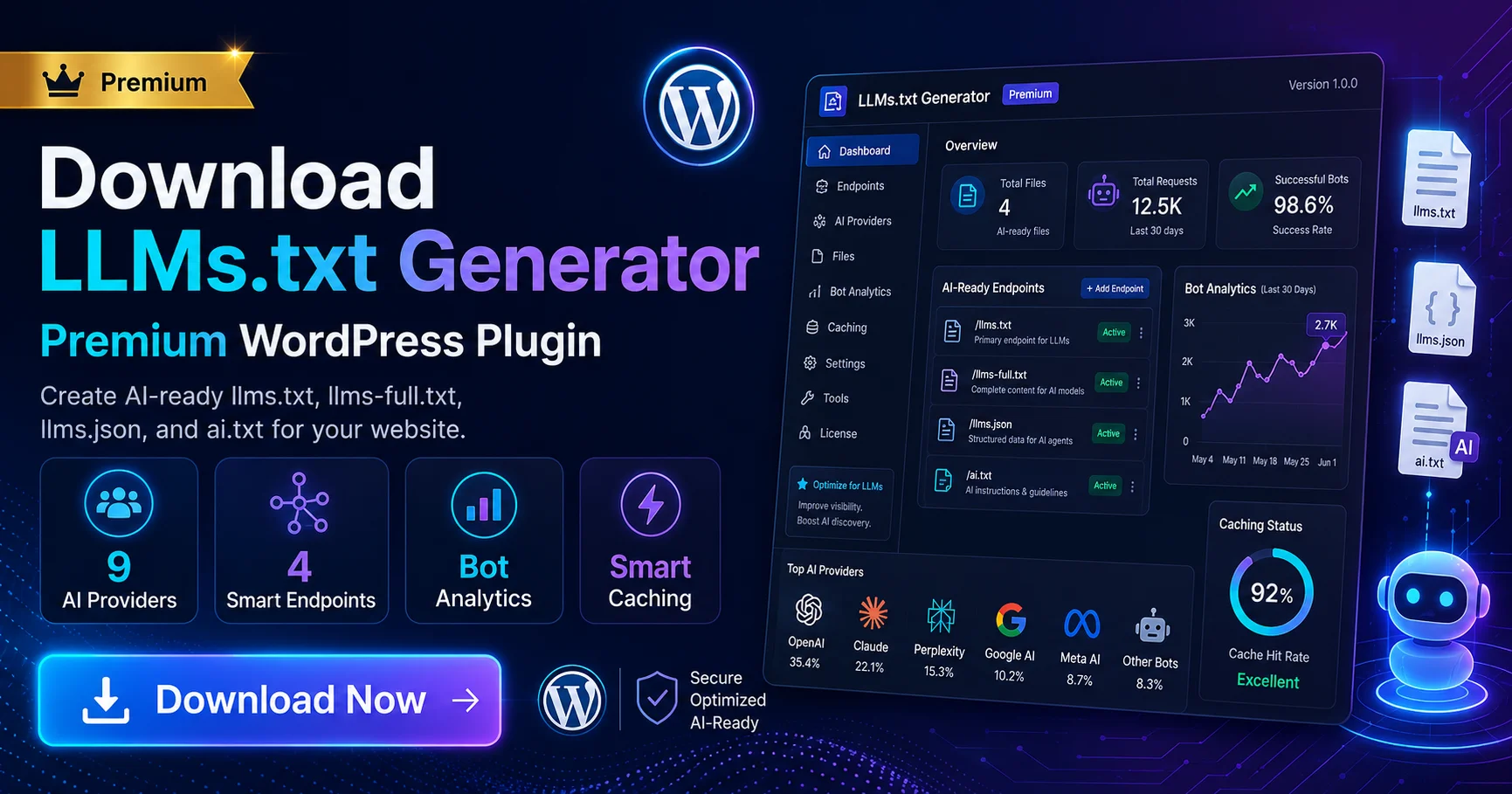
How to Secure Your WordPress Website: Login and Authentication Plugins

How To Secure Your Wordpress Website Login And Authentication Plugins

How to Secure Your WordPress Website: Login and Authentication Plugins

WordPress Two-Factor Authentication transforms your site’s security from vulnerable to virtually impenetrable. If you’re tired of worrying about hackers guessing weak passwords or brute-force attacks, implementing 2FA creates a powerful barrier that keeps unauthorized users out while keeping things simple for legitimate visitors.

Setting up Two-Factor Authentication (2FA) on your WordPress website is one of the most effective ways to protect against unauthorized login attempts. Traditional passwords, while necessary, are often vulnerable to hacking, especially if they are weak or reused across multiple platforms. 2FA adds an extra layer of security by requiring not only a password but also a secondary form of verification, such as a code generated by a mobile app or sent through email. This means that even if a hacker manages to obtain your password, they would still need access to your secondary authentication method, making it much more difficult for them to gain access. The added security reduces the risk of brute-force attacks and makes it harder for malicious actors to compromise your site.

Secure your Website With Comments Spam Protection

Secure your WordPress site from the constant threat of spam and comments loaded with malicious links. Our plugin provides a powerful shield, instantly blocking all unwanted and potentially harmful content to keep your website clean and your visitors safe. Download this premium tool for free and eliminate comment spam for good.

download

What is Two-Factor Authentication?

Two-Factor Authentication requires users to verify their identity using two separate factors:

  1. A password – The first factor, which everyone is familiar with.
  2. A second authentication method – Typically, a smartphone app or an email verification, adding an extra layer of security.

For those without a smartphone, email-based verification can serve as an alternative.

Recommended Plugins for Two-Factor Authentication

The Clef plugin has been discontinued, and the Google Authenticator plugin isn’t regularly updated, so I recommend the following alternatives to secure your WordPress login:

  1. Keyy Two Factor Authentication:
    Keyy Plugin
  2. Two Factor Authentication:
    Two Factor Authentication Plugin
  3. Defender Security, Monitoring, and Hack Protection:
    Defender Security Plugin

All of these plugins can be easily installed and configured via your WordPress Dashboard, providing Two-Factor Authentication for free.

When implementing 2FA on WordPress, you have several reliable plugins to choose from. The Keyy Two Factor Authentication plugin, for example, provides a seamless experience by enabling passwordless login via a mobile app. Once set up, users can log in to their WordPress site by scanning a QR code with the app, effectively eliminating the need to remember complex passwords. This method not only improves security but also enhances convenience. Another great option is the Two Factor Authentication plugin, which offers a more traditional approach by integrating with email or app-based systems like Google Authenticator. Additionally, the Defender Security Plugin is an all-in-one security suite that not only enables 2FA but also includes features like firewall protection, malware scanning, and IP blocking. These plugins can be easily installed through the WordPress dashboard, making it simple for both beginners and advanced users to enhance their site’s security.

While setting up 2FA is a crucial step, it is important to remember that it should be part of a broader security strategy. Regularly updating your WordPress core, themes, and plugins ensures that known vulnerabilities are patched. Additionally, using strong, unique passwords for every account associated with your site is essential. Tools like password managers can help you create and store complex passwords securely. You should also consider implementing other security measures such as regular backups, limiting login attempts, and monitoring login activity for suspicious behavior. By combining 2FA with these additional precautions, you will significantly reduce the chances of a security breach and keep your WordPress website protected against hackers.

how-to-Disable Windows 11 Updates with Command Prompt

Disable Windows 11 Updates with Command Prompt
Pause And Resume Updates For Windows

Disable Windows 11 Updates via Command Prompt: A Step-by-Step Guide

A Step-by-Step Guide Disable Windows 11 Updates with Command Prompt. Best way to stop the Windows Update service and prevent automatic updates from being installed on your system. Follow the step-by-step commands to ensure you take control of your Windows update settings without needing third-party tools.

Disable Windows 11 updates via Command Prompt when you need to take back control of your system’s update schedule. Whether you’re tired of unexpected restarts or want to conserve resources on older hardware, this straightforward method gives you the power to decide when updates happen—no third-party tools required.

Windows 11, the latest version of Microsoft’s operating system, brings many features designed to enhance the user experience, including an improved interface, better performance, and regular updates. While these updates are essential for maintaining system security and performance, they can also be disruptive or unnecessary for certain users. If you’re someone who prefers to have more control over your system, disabling Windows 11 updates via Command Prompt is an effective solution.

In this article, we will walk you through the steps to disable Windows 11 updates using Command Prompt, offering you full control over when and how updates are applied to your system.

Why Disable Windows 11 Updates?

Before diving into the process, it’s important to understand why you may want to disable Windows 11 updates:

  • Preventing Automatic Restarts: Updates often require a system restart, which may disrupt your workflow.
  • Conserving System Resources: Updates can consume bandwidth and processing power, especially on older systems.
  • Avoiding Unwanted Changes: Some updates may introduce new features or system changes that you do not want.
  • Controlling Update Timing: Disabling updates gives you the flexibility to manually control when updates are installed, minimizing interruptions.

Though keeping your system updated is essential for security, temporarily disabling updates can be a practical solution for users who prefer more control over their system’s update schedule.

How to Disable Windows 11 Updates via Command Prompt

Disabling updates requires administrative access to the Command Prompt. Here’s a step-by-step guide on how to do it:

Step 1: Open Command Prompt as Administrator

To begin, you’ll need to open Command Prompt with administrative privileges. This will allow you to execute commands that modify system settings.

  1. Open the Start Menu and type cmd in the search bar.
  2. Right-click on Command Prompt in the search results and select Run as administrator.
  3. If prompted by the User Account Control (UAC), click Yes to grant administrative access.

Step 2: Stop the Windows Update Service

Windows Update runs as a service that continuously checks for and installs updates. To disable updates, the first step is to stop this service.

net stop wuauserv

This command will immediately stop the Windows Update service, halting any ongoing download or installation of updates.

If the command is successful, you will see a message confirming that the Windows Update service has been stopped.

Step 3: Disable the Windows Update Service Permanently

Stopping the update service will only be temporary. To ensure the service doesn’t restart on its own after a reboot, you’ll need to disable it permanently.

sc config wuauserv start= disabled

After running this command, you should see a confirmation message: ChangeServiceConfig SUCCESS.

Step 4: Confirm the Update Service is Disabled

To verify that the Windows Update service is fully disabled, you can run a check on its configuration.

sc qc wuauserv

The result will display the configuration of the service. Under START_TYPE, it should say DISABLED.

Step 5: Prevent Updates from Re-enabling Automatically

Windows has a tendency to automatically re-enable services after updates or reboots. To prevent this from happening, use the following registry tweak.

reg add "HKEY_LOCAL_MACHINESOFTWAREPoliciesMicrosoftWindowsWindowsUpdate" /v AUOptions /t REG_DWORD /d 2 /f

This command adds a registry key that stops Windows from re-enabling automatic updates.

You should see a message confirming the command was successful.

Step 6: Restart Your Computer

Once the update service has been disabled, restart your computer to ensure the changes take effect. This step will apply the settings and prevent any automatic updates from downloading and installing.

Step 7: Re-enable Windows Updates (If Necessary)

If you decide to allow Windows updates again, it’s easy to re-enable them by following these steps:

    1. Open Command Prompt as administrator.
    2. To enable the Windows Update service, type the following command and press Enter:
sc config wuauserv start= demand
    1. Start the service again by typing:
net start wuauserv
    1. Finally, remove the registry key that was added earlier by typing:
reg delete "HKEY_LOCAL_MACHINESOFTWAREPoliciesMicrosoftWindowsWindowsUpdate" /v AUOptions /f

After completing these steps, Windows Update will be enabled, and updates will begin downloading again.

Important Considerations

While disabling Windows 11 updates provides greater control, there are some risks and downsides to be aware of:

  • Security Vulnerabilities: Updates often include important security patches. Disabling updates for an extended period may leave your system vulnerable to threats.
  • System Instability: Some updates address critical bugs or system performance issues. Not updating your system could lead to decreased stability.
  • Missing Features: Windows 11 updates frequently bring new features and improvements. By disabling updates, you may miss out on the latest enhancements.

Alternatives to Completely Disabling Updates

If you’re not comfortable completely disabling Windows updates, there are several alternatives that provide more control over how updates are applied:

  • Pause Updates Temporarily: You can pause updates for up to 35 days by going to Settings > Update & Security > Windows Update and selecting Pause updates.
  • Defer Feature Updates: If you want to delay new features but still receive security updates, you can configure settings to delay feature updates in Settings > Update & Security > Windows Update > Advanced options.
  • Group Policy Editor (Windows 11 Pro/Enterprise): For more granular control, Windows 11 Pro and Enterprise users can configure Group Policy settings to control update behavior.

Conclusion

Disabling Windows 11 updates through Command Prompt gives you full control over when and how updates are applied. While this method can be beneficial for users who want to avoid interruptions or have specific update preferences, it’s important to remember that updates often contain essential security patches and performance improvements. For most users, it’s recommended to use more flexible options for managing updates while still ensuring the system remains secure and stable.

By following the steps outlined in this guide, you can disable or re-enable updates on your Windows 11 machine, depending on your preferences. Remember, keeping your system up-to-date is crucial for security and performance, so always weigh the pros and cons before deciding to disable updates.

For further information on managing Windows updates, you can refer to trusted sources such as Microsoft’s official support page or Windows Central.

20 Top Powerful AI Websites of 2026

Top Powerful Ai Websites Of Innovation In Technology And Industry

20 Top Powerful AI Websites of 2026

AI websites are completely reshaping how we tackle daily tasks in 2026, making everything from creative projects to complex problem-solving more intuitive. If you’ve ever wondered which platforms are truly changing the game and how they can simplify your workflow, you’re about to discover tools that feel less like technology and more like creative partners. The company’s innovative tools such as DALL·E, an image generation model, and Codex, a code-generating model, are transforming industries. OpenAI’s research in deep learning and reinforcement learning is particularly notable, with their models being used in everything from automated content generation to virtual assistants.

2. Google AI: Pioneering AI Applications

Google AI, a key division of Google, is one of the most influential players in the AI industry. From developing Google Assistant and Google Translate to pushing forward Google Cloud AI, Google’s work in AI has had a profound impact on everyday life. Their TensorFlow library has become a staple for developers building machine learning models, and Google AI Hub offers valuable resources for researchers and developers.

Google’s focus on AI ethics and responsible AI is another key aspect of their contribution, ensuring that AI technologies are developed in a way that benefits society and mitigates risks.

3. IBM Watson: Transforming Businesses with AI

IBM Watson has become synonymous with AI in the business world. Their AI-powered solutions, like Watson Assistant (for creating chatbots) and Watson Discovery (for data analysis), have transformed industries such as healthcare, finance, and customer service. IBM Watson’s AI for Business solutions enable organizations to leverage AI to improve decision-making, automate workflows, and derive actionable insights from data.

Watson’s natural language processing (NLP) capabilities are particularly noteworthy, allowing businesses to interact with and analyze large volumes of text data efficiently. Moreover, Watson has been instrumental in healthcare, assisting with diagnostics, personalized treatment plans, and drug discovery.

4. NVIDIA AI: Powering the Future of Computing

NVIDIA is widely recognized as the leader in GPU (graphics processing unit)-accelerated computing, which is critical for AI research and development. Their NVIDIA Deep Learning AI platform is used across industries to develop deep learning models, including autonomous driving, healthcare, and robotics. With technologies such as CUDA (a parallel computing platform) and TensorRT (for optimizing machine learning models), NVIDIA enables developers to create high-performance AI applications.

NVIDIA’s AI research has transformed the landscape of autonomous systems, particularly self-driving cars. The NVIDIA Drive platform powers AI-driven vehicles, enabling them to navigate and make real-time decisions on the road.

5. DeepMind: Pushing the Boundaries of AI

Acquired by Google in 2014, DeepMind is best known for its breakthroughs in reinforcement learning and deep learning. Their landmark achievement, AlphaGo, defeated human champions in the game of Go, showcasing the power of AI in mastering complex tasks. DeepMind’s research in protein folding through AlphaFold has revolutionized biology and medicine, providing deep insights into how proteins fold and interact, a challenge that has stumped scientists for decades.

DeepMind’s work goes beyond games, focusing on solving real-world problems in energy efficiency, healthcare, and scientific research. Their contributions are reshaping the landscape of AI for good, and their commitment to ethical AI research continues to influence the global AI community.

6. Amazon AI: AI Solutions for Every Business

Amazon Web Services (AWS) is a dominant force in AI, offering a comprehensive suite of tools through Amazon AI. From SageMaker, which allows developers to build and deploy machine learning models, to Amazon Rekognition, which provides image and video analysis, Amazon’s AI solutions are empowering businesses of all sizes to integrate machine learning into their operations. Additionally, Alexa, Amazon’s voice assistant, has transformed how people interact with AI daily.

Amazon AI is also at the forefront of AI-driven automation in industries like logistics, where its AI tools help optimize supply chain management, predict demand, and improve delivery accuracy. The scalability and flexibility of AWS’s AI offerings make them accessible to businesses globally, from startups to large enterprises.

7. Hugging Face: Empowering AI Collaboration

Hugging Face is revolutionizing the world of natural language processing (NLP) with its open-source Transformers library. This library has become the gold standard for NLP tasks such as text generation, sentiment analysis, and translation. Hugging Face’s model hub allows developers to share and deploy pre-trained models, making AI more accessible to a broader audience.

Hugging Face is committed to democratizing AI and fostering collaboration within the research community. By providing easy access to state-of-the-art NLP models, Hugging Face has enabled rapid advancements in AI and supported the development of ethical AI practices.

8. Baidu AI: AI Innovations from China

Baidu is China’s leading AI company, offering a broad range of AI technologies from natural language processing and speech recognition to autonomous driving and AI-powered healthcare. Baidu’s DuerOS is a popular AI-powered voice assistant, while their Apollo self-driving platform is shaping the future of autonomous vehicles in China.

Baidu’s AI contributions are significant in the Chinese market, but their advancements in AI-powered medical diagnostics, where they use AI for early detection of diseases such as lung cancer, are pushing the boundaries of what’s possible globally.

9. Microsoft AI: Bringing AI to the Enterprise

Microsoft AI integrates artificial intelligence with Microsoft’s broad range of enterprise solutions, including Azure AI, Cognitive Services, and Power BI. Their AI offerings span natural language processing, computer vision, and machine learning. The Azure AI platform provides scalable and customizable AI tools for developers and businesses to create and deploy intelligent applications.

Microsoft’s partnership with OpenAI has also led to the development of products like Copilot and Azure OpenAI, which bring advanced language models to enterprise customers for various use cases, from coding assistance to customer support automation.

10. GitHub Copilot by OpenAI

GitHub Copilot, powered by OpenAI’s Codex, is a revolutionary tool for developers, providing intelligent code suggestions and completions. By leveraging machine learning, Copilot predicts what code a developer might write next, helping to accelerate the coding process and reduce errors. It’s a powerful assistant for developers, offering support in numerous programming languages and allowing them to focus more on solving problems rather than writing boilerplate code.

GitHub Copilot represents a significant leap forward in the integration of AI into software development, making coding more accessible, efficient, and scalable.

11. AI Dungeon: Exploring AI-Powered Interactive Storytelling

AI Dungeon is an innovative platform that uses GPT-3 and GPT-4 models to create interactive, AI-driven storytelling experiences. Users can engage with the AI to generate dynamic narratives in real-time, with limitless possibilities based on their choices. This platform is an excellent example of how generative AI is reshaping the entertainment and creative industries by enabling immersive, personalized experiences.

AI Dungeon’s use of natural language processing (NLP) allows users to explore vast, procedurally generated worlds. The platform can also serve as a unique tool for writers and creators, offering inspiration, story prompts, or even fully generated narratives for development.

12. Clarifai: Visual AI for the Future

Clarifai specializes in AI-driven image and video recognition, providing powerful visual recognition tools for developers and businesses. Their Clarifai AI Platform allows users to build and deploy custom models to analyze images, videos, and text in real-time. The platform is highly versatile, offering solutions for industries like e-commerce, healthcare, and security.

Clarifai’s deep learning models can identify objects, faces, and even emotions, making it an invaluable tool for applications ranging from content moderation to medical imaging analysis. Clarifai’s ability to extract valuable insights from visual data demonstrates the expanding role of AI in visual intelligence.

13. Cortexica: AI Solutions for Visual Data

Cortexica is an AI company that focuses on computer vision and image recognition, helping businesses transform visual data into actionable insights. The company provides a suite of AI solutions designed to solve real-world challenges, including visual search, inventory management, and retail analytics.

Cortexica’s AI-powered technology helps businesses automate processes and streamline operations by recognizing patterns in images and videos. For example, retail companies use Cortexica’s technology to offer visual search features, where customers can search for products by uploading an image. This service enhances the shopping experience, making it more efficient and customer-friendly.

14. Reonomy: AI-Powered Real Estate Insights

Reonomy is a leading AI platform for commercial real estate, providing data-driven insights for property professionals. By utilizing machine learning and advanced data analytics, Reonomy helps businesses discover opportunities, predict trends, and make smarter investment decisions in real estate.

The platform collects vast amounts of data, including property ownership, leasing information, market trends, and more. Reonomy’s AI algorithms analyze this data to deliver valuable insights, making it easier for real estate professionals to identify the best investment opportunities and optimize their portfolios.

15. C3.ai: Enterprise AI Solutions

C3.ai offers enterprise-grade AI solutions designed to streamline business processes, enhance efficiency, and improve decision-making across various industries. Their AI suite covers everything from predictive analytics and machine learning to real-time data processing and automation.

C3.ai’s solutions are used in industries like manufacturing, energy, healthcare, and financial services. For example, their AI-based predictive maintenance platform helps manufacturers reduce downtime by forecasting equipment failures before they occur, optimizing operations and saving costs.

16. Runway ML: Creative AI for Media and Design

Runway ML is revolutionizing the creative industry by providing AI-powered tools for artists, designers, and creators. The platform makes machine learning accessible to individuals without technical backgrounds, enabling them to generate and manipulate media content like videos, images, and music using AI.

Runway ML’s suite of creative tools includes generative image models, style transfer, and video editing AI, empowering creators to push the boundaries of traditional media production. It allows artists to explore new ways of working with digital media and provides the perfect blend of creative expression and advanced AI technology.

17. Lobe: Microsoft’s AI Tool for Easy Image Classification

Lobe, a Microsoft product, is an easy-to-use AI tool for image classification. It’s designed for non-technical users, allowing anyone to train their own machine learning models without writing a single line of code. The platform simplifies the machine learning process by enabling users to upload images and categorize them into custom labels.

Lobe’s intuitive interface allows creators, educators, and businesses to leverage AI for tasks such as object detection, facial recognition, and even health diagnostics. With Lobe, AI model creation is more accessible than ever, offering a practical solution for image classification across a variety of industries.

18. Vicarious: AI for Robotics and Automation

Vicarious is a robotics and AI company working on general artificial intelligence solutions, with a primary focus on robotics and automation. Vicarious’ Recursive Cortical Network (RCN) mimics the way the human brain processes visual information, allowing machines to understand and interact with the physical world.

Their AI solutions have been applied to warehouse automation, where robots use vision and AI to handle tasks like picking and sorting. Vicarious has the potential to redefine robotics, making machines smarter and more adaptive to complex environments.

19. Synthetaic: AI for Image Synthesis

Synthetaic is an AI company specializing in synthetic data generation and image synthesis. By using advanced deep learning models, Synthetaic creates synthetic images that replicate real-world environments and objects. These synthetic images are useful for training machine learning models when real-world data is scarce or difficult to obtain.

Synthetaic’s technology has applications in industries like autonomous driving, healthcare, and security, where large datasets of labeled images are essential for training AI models but difficult to gather due to privacy concerns or logistical challenges.

20. DataRobot: AI for Enterprise Automation

DataRobot provides a machine learning platform that enables enterprises to build and deploy AI models without needing extensive data science expertise. The platform automates the machine learning process, offering a range of solutions for predictive analytics, time-series forecasting, and anomaly detection.

DataRobot’s AI solutions are utilized in various sectors, including finance, healthcare, retail, and manufacturing. By automating the AI model development process, DataRobot helps businesses accelerate their AI initiatives, enabling them to unlock insights faster and improve operational efficiency.


The Future of AI in 2025

As we move into 2025, AI’s impact on technology and industry is set to expand even further. Major players like OpenAI and Google AI are pushing the boundaries of language models and deep learning, while companies such as Hugging Face and IBM Watson are making AI more accessible to businesses of all sizes. These advancements are not only transforming technology but also addressing real-world challenges, from healthcare and energy efficiency to autonomous driving and personalized customer service.

The AI platforms featured in this article represent the forefront of innovation. By leveraging their capabilities, businesses, developers, and researchers can unlock new opportunities and develop solutions to some of the world’s most pressing problems. Whether you’re a business owner integrating AI into your operations, a developer experimenting with machine learning models, or an AI enthusiast exploring its potential, these platforms are invaluable resources for shaping the future of technology.

AI is transforming industries by enhancing creativity, automating business processes, and solving complex problems. By utilizing these cutting-edge tools, individuals and organizations can streamline workflows, drive innovation, and stay ahead of the curve. The future of AI is filled with possibilities, and with the right tools, you can be at the forefront of this technological revolution.

Generative AI 2026 How It Works World AI Inovation

Generative AI 2025 How It Works - Key Technological Insights
Generative Ai How It Works Key Technological Insights

Generative AI 2026 is more than just a buzzword—it’s the creative engine poised to reshape how we work, create, and tackle challenges. If you’re curious about AI writing articles, designing images, or composing music from scratch, you’ve come to the right spot. Let’s dive into what makes this tech tick and why 2026 is set to be its breakthrough year.

What is Generative AI?

Generative AI refers to a class of artificial intelligence systems that generate original content by learning from existing data. Unlike traditional AI models that follow predefined rules to perform tasks, generative AI models are capable of producing unique outputs that mimic the patterns and structures they’ve been trained on.

Using deep learning and neural networks, these models simulate the process of data generation, allowing them to produce content that can often be indistinguishable from work created by humans. The applications of generative AI are broad, ranging from realistic image and art creation to generating human-like text and even deepfake videos.

By 2026, ChatGPT will have significantly evolved, offering a more sophisticated and intuitive experience. With advancements in multimodal capabilities, users will be able to interact with the AI using a combination of text, voice, images, and videos, making it a versatile tool for various industries. The system will also feature personalized interactions by retaining user preferences and previous conversations, ensuring more meaningful and tailored responses. As AI becomes more integrated into everyday tasks, ChatGPT will act as a seamless assistant across various platforms, providing smarter insights, enhanced reasoning, and creative outputs while ensuring greater user safety and privacy.

For example, generative models like GPT-5 (developed by OpenAI) are capable of composing articles, answering questions, and writing code from minimal prompts. Meanwhile, platforms like DALL·E 3 and MidJourney enable the creation of stunning visual content from text descriptions, revolutionizing creative fields by making high-quality content accessible with just a few words.

For deeper insights into generative AI, check out trusted sources like MIT Technology Review and IBM’s AI Hub, which regularly feature in-depth analysis of AI advancements.

How Does Generative AI Work?

Generative AI relies on several sophisticated technologies, with Generative Adversarial Networks (GANs) and Variational Autoencoders (VAEs) being among the most prominent. Here’s how they function:

1. Generative Adversarial Networks (GANs)

GANs consist of two neural networks – the generator and the discriminator. The generator creates new content (such as images or text), while the discriminator evaluates its authenticity by comparing the generated output to real-world data. The generator uses feedback from the discriminator to refine its creations, leading to continuous improvement in its ability to produce realistic, human-like outputs.

This adversarial training technique enables GANs to produce high-quality content, which is increasingly indistinguishable from human creations. GANs are widely used in fields such as image generation, video synthesis, and style transfer (e.g., converting photos into artistic paintings).

For a deeper understanding of GANs and their applications, explore resources like NVIDIA’s Deep Learning Blog, which highlights the practical uses of GAN technology across industries.

2. Variational Autoencoders (VAEs)

VAEs are another type of deep learning model used in generative AI. Unlike GANs, VAEs work by encoding input data into a compressed form and then decoding it back into its original shape. The model learns a probability distribution that allows it to generate new data that closely mirrors the training data.

VAEs are particularly valuable for tasks like image generation, anomaly detection, and data augmentation. In healthcare, for example, VAEs are used to generate synthetic medical images, which are then used to train diagnostic AI systems without compromising patient privacy.

To explore VAEs and their applications further, check out Stanford AI, a hub for cutting-edge AI research.

Key Technological Insights Driving Generative AI in 2026

Generative AI is rapidly advancing, and in 2026, several breakthroughs are expected to redefine its capabilities and applications. Here are some of the top technological trends to watch for:

1. Enhanced Creativity and Personalization

By 2026, generative AI will significantly enhance creativity and personalization. With advancements in deep learning and natural language processing (NLP), AI tools will be able to generate highly customized content that resonates with specific audiences. For businesses, this means the ability to automatically produce personalized marketing campaigns, blog posts, and ads that speak directly to the preferences of individual customers.

AI-powered personalization will be key to enhancing customer engagement and business outcomes, enabling more effective content strategies.

2. AI for Video and Audio Creation

Generative AI will no longer be limited to creating images and text. By 2026, AI will play a significant role in video and audio production. Advanced deepfake technologies, once associated with controversy, will be refined and repurposed for use in film production, game development, and content creation. AI will be capable of generating realistic voiceovers, synthetic actors, and even entire scenes, enabling creators to produce high-quality content with far fewer resources and technical expertise.

For the latest trends in video and audio AI technology, stay updated with Wired’s ongoing coverage of deepfake innovations and their creative uses.

3. Improved Data Synthesis and Simulation

Generative AI will become crucial for creating synthetic data to train machine learning models. By 2026, industries like healthcare, automotive, and finance will rely on AI to simulate vast amounts of data, helping to test new systems, develop autonomous technologies, and make better decisions. For example, AI can generate synthetic medical data to train diagnostic algorithms while maintaining privacy and compliance with ethical standards.

For further reading on synthetic data generation, visit Towards Data Science, a leading publication for AI and machine learning professionals.

4. Cross-Modal Generative AI

Cross-modal AI, which combines multiple types of data (such as text, images, and video), will be more advanced by 2026. This means AI systems will be able to create multi-sensory content, such as interactive stories with immersive visuals, sound effects, and even user-specific personalization. Imagine typing a short description into a generative AI, and it produces a fully animated film complete with intricate visuals and realistic sound design.

For insights into how AI is merging different media forms, check out VentureBeat, which regularly explores cross-modal AI applications in entertainment.

Top Generative AI Tools to Explore in 2026

With 2026 fast approaching, several generative AI tools are set to dominate the creative landscape. Here are some of the most powerful tools to explore:

1. OpenAI GPT-5

OpenAI’s GPT-5 is the latest iteration of its groundbreaking language model, capable of generating human-like text, answering complex questions, writing code, and engaging in natural conversation. This powerful tool is essential for content creators, marketers, and developers who seek to produce high-quality written content with minimal input.

Explore OpenAI GPT-5

2. DALL·E 3

DALL·E 3, the next iteration of OpenAI’s image generation tool, can create highly detailed and imaginative visuals from simple text descriptions. This tool is perfect for designers, digital artists, and marketers looking to generate unique images quickly and efficiently.

Explore DALL·E 3

3. RunwayML

RunwayML offers a comprehensive suite of generative tools for creators, including video editing, real-time video manipulation, and AI-powered content generation. It’s designed to democratize AI, providing accessible tools for everyone, from seasoned professionals to newcomers.

Explore RunwayML

4. Jasper AI

Jasper AI is a robust content generation tool used for writing blog posts, social media updates, and long-form articles. It’s widely used by content creators and marketers for its ability to generate high-quality text based on minimal input.

Explore Jasper AI

5. Artbreeder

Artbreeder utilizes GANs to allow users to create and manipulate images collaboratively. It’s an invaluable tool for digital artists and designers who want to experiment with facial features, landscapes, and abstract art.

Explore Artbreeder

6. Descript

Descript is an AI-powered transcription and video editing tool that allows users to edit audio and video by manipulating the text transcript. It can generate voiceovers, sound effects, and even simulate voices, making it ideal for content creators looking for a seamless editing experience.

Explore Descript

The Future of Generative AI

By 2026, generative AI will continue to transform industries and redefine creativity. Its ability to produce high-quality content, assist in decision-making, and enhance personalized experiences will empower professionals across various sectors, from healthcare to entertainment. As these AI systems become increasingly intuitive and accessible, expect more groundbreaking tools that push the limits of what’s possible in content creation, innovation, and beyond.

Stay informed about the latest developments in generative AI by following trusted platforms like AI Alignment Forum, TechCrunch, and The Verge, which offer in-depth coverage on the trends and innovations shaping the future of this revolutionary technology.

10 Best Graphics Design Tools and Softwares 2026

10 Best Graphic Design Tools for Beginners and Professionals in 2025
Best Graphic Design Tools For Beginners And Professionals In

10 Best Graphics Design Tools and Softwares 2026 for Professionals

Graphic design tools are your creative companions in 2026, blending AI smarts with cloud magic to transform how you bring ideas to life. Whether you’re sketching your first logo or polishing pro-level edits, the right software makes all the difference—let’s explore the top 10 options that’ll elevate your visual game. This article explores the 10 Best Graphics Design Tools and Softwares 2026 for Professionals, offering a deep dive into their features, strengths, and ideal use cases. We’ve curated a list that caters to different design needs, whether it’s creating logos, illustrations, photo editing, or collaborating with teams remotely.


1. Adobe Photoshop: The Industry Standard for Image Editing

Adobe Photoshop has long been considered the gold standard in graphic design. It remains an essential tool for both beginners and professionals due to its vast array of features and flexibility. Whether you’re editing photos, creating intricate graphics, or designing websites, Photoshop provides a rich set of tools that allow users to manipulate images at a pixel level.

Key Features:

  • Advanced photo manipulation tools, including retouching, cloning, and layer masks
  • Industry-leading color correction and editing features
  • Compatibility with a wide range of plugins and extensions

While Photoshop’s steep learning curve may be a challenge for beginners, its power and versatility make it an essential tool for any serious designer. Additionally, Adobe offers a free trial to help users explore its features before committing to a subscription.

2. Adobe Illustrator: Vector Graphics for Precision Design

Adobe Illustrator is a vector-based design tool that excels at creating scalable designs such as logos, icons, and illustrations. Unlike raster graphics (used in Photoshop), vector graphics maintain their quality at any size, making Illustrator the perfect tool for creating print-ready graphics.

Key Features:

  • Precise vector-based tools for drawing and manipulating shapes
  • Advanced typography features for custom fonts and type designs
  • Integration with other Adobe products for seamless workflows

Ideal for designers working on branding, logos, and illustrations, Illustrator is an essential tool for professionals. For beginners, Adobe offers tutorials and templates to speed up the learning process.

3. Canva: User-Friendly Design for Beginners and Non-Designers

Canva has revolutionized the graphic design space by offering an intuitive, drag-and-drop design platform accessible to non-designers. With its vast library of templates, fonts, and stock images, Canva enables users to create high-quality designs for social media, presentations, flyers, and more—without the steep learning curve associated with traditional design tools.

Key Features:

  • Pre-made templates for various types of design (social media posts, presentations, infographics, etc.)
  • Easy-to-use drag-and-drop interface
  • Collaboration features that allow teams to work together on designs in real-time

Canva is the go-to choice for beginners or small businesses with limited design expertise. While it’s not as powerful as tools like Illustrator or Photoshop, it remains a great option for creating professional-looking designs quickly and efficiently.

4. Figma: Collaborative Design Tool for Teams

Figma has become one of the most popular graphic design tools for web and UI/UX designers due to its cloud-based, real-time collaboration features. Whether you’re designing a website, mobile app, or user interface, Figma’s powerful vector editing tools allow for seamless teamwork, making it ideal for teams working remotely.

Key Features:

  • Real-time collaboration, allowing multiple users to design simultaneously
  • Cloud-based, ensuring your work is saved automatically
  • Plugin support for integrating with other design tools and apps

Figma is perfect for professionals working in design agencies or with clients, where collaboration and version control are key. Beginners will also benefit from Figma’s ease of use and community-driven resources.

5. Affinity Designer: Affordable Alternative to Illustrator

Affinity Designer is a powerful vector graphics editor that serves as a cost-effective alternative to Adobe Illustrator. With its one-time purchase model, Affinity Designer appeals to those who don’t want to commit to an expensive subscription service.

Key Features:

  • Advanced vector and raster editing tools
  • Smooth transition between vector and raster workflows
  • High-quality output for both print and digital media

Professionals and beginners alike can enjoy its robust feature set, and its affordability makes it an attractive option for those on a budget.

6. Procreate: Best for Digital Illustration and Painting

Procreate is an iPad-exclusive app that has gained widespread popularity for its powerful painting and illustration tools. While it’s tailored for digital artists, illustrators, and graphic designers, it’s intuitive enough for beginners to quickly dive in and create stunning artwork.

Key Features:

  • Advanced brush settings and texture controls
  • High-resolution canvases for detailed designs
  • Intuitive touch-based interface optimized for iPad Pro

Procreate is ideal for designers looking to create hand-drawn illustrations, digital paintings, and sketches. Its ease of use combined with professional-grade features makes it one of the best tools for creative work.

7. CorelDRAW: Comprehensive Design Suite for Print and Web

CorelDRAW is a well-established design tool known for its vector graphic design capabilities. It’s used by both beginners and professionals for creating logos, brochures, posters, and other print materials. With a robust suite of tools and customization options, CorelDRAW excels in both web and print design.

Key Features:

  • Vector illustration and page layout tools
  • Advanced typography tools for creating stunning text effects
  • Flexible and customizable workspace for different design projects

CorelDRAW is a reliable alternative to Adobe Illustrator and is often preferred by designers who work in print. It’s especially beneficial for users who require a full suite of tools at a competitive price.

8. Gravit Designer: Cloud-Based Vector Design Tool

Gravit Designer is a cloud-based vector design tool that provides both free and pro versions. It’s perfect for beginners and professionals who want to create vector illustrations, logos, and UI designs on any platform, including Windows, macOS, Linux, and Chrome OS.

Key Features:

  • Cross-platform compatibility with cloud storage
  • Powerful vector editing tools and typography features
  • Web-based design tool that requires no installation

Gravit Designer offers a great balance between functionality and ease of use. It’s especially appealing to beginners who want to learn the basics of vector graphics without the complexity of higher-end software.

9. Inkscape: Free Open-Source Vector Design Tool

Inkscape is a free and open-source vector graphics editor that is often seen as a competitor to Adobe Illustrator. Despite being free, Inkscape offers a wide range of features suitable for both beginners and professionals.

Key Features:

  • Advanced vector editing tools for illustrations, logos, and graphics
  • Cross-platform support, available on Windows, macOS, and Linux
  • Customizable interface for tailored workflows

Inkscape is the go-to option for graphic designers on a budget or anyone who prefers open-source software. It’s a great alternative to more expensive tools like Illustrator, especially for those just starting with vector graphics.

10. Vistacreate: Social Media Design Tool for Quick Templates

VistaCreate (formerly Crello) is a graphic design tool aimed at creating stunning visuals for social media and marketing campaigns. With a vast selection of templates, this tool is excellent for beginners who need to design high-quality graphics quickly.

Key Features:

  • Drag-and-drop interface with thousands of pre-made templates
  • Social media-friendly designs, ideal for Instagram, Facebook, and more
  • A wide range of stock images, videos, and animations

VistaCreate is perfect for small business owners, social media marketers, and bloggers who need to create attention-grabbing visuals with minimal effort.


Conclusion: Choosing the Right Graphic Design Tool for You

Whether you’re a beginner just starting your graphic design journey or a seasoned professional looking to enhance your workflow, choosing the right tool is essential. The tools listed above offer a variety of features and price points to meet the needs of different designers, from photo editing and vector illustration to web design and digital painting.

For beginners, tools like Canva and VistaCreate offer easy-to-use interfaces and pre-made templates to help you create professional designs quickly. For professionals, software like Adobe Photoshop, Illustrator, and Figma offers advanced features and deeper customization for more intricate design tasks.

As design trends evolve and new tools emerge, staying updated on the best design software for your needs will help you remain competitive in an ever-changing industry.

Explore Next-gen AI Tools and Solutions Industries and Shaping Future

Explore Next-gen AI Tools and Solutions Industries and Shaping Future
Explore Next Gen Ai Tools And Solutions Industries And Shaping Future

Next-gen AI tools are transforming how businesses operate across every sector imaginable. From healthcare diagnostics to financial modeling, these intelligent systems are helping companies optimize processes, innovate products, and create exceptional customer experiences that were once thought impossible.


1. Natural Language Processing (NLP) and Understanding

GPT-3 and Beyond

Natural Language Processing (NLP) is one of the most groundbreaking advancements in AI. Models like OpenAI’s GPT-3 (Generative Pre-trained Transformer 3) have demonstrated remarkable capabilities in understanding and generating human-like text. GPT-3, with 175 billion parameters, can create content, answer questions, and even write code with human-like fluency.

As we look towards the next iterations of language models, NLP is expected to become even more sophisticated. Enhanced multilingual NLP capabilities will allow AI tools to process and generate text in multiple languages with higher precision, facilitating seamless communication across global markets.

Explore More:
OpenAI GPT-3 Overview

Multilingual NLP

With the rise of global interconnectedness, the need for AI tools that can understand and generate content in various languages has never been greater. AI systems are evolving to break down language barriers, offering businesses the ability to reach customers worldwide in their native languages. This technology is advancing rapidly, enabling more accurate translations and real-time communication tools.


2. Computer Vision

Advanced Image Recognition

Computer Vision (CV) is one of the most exciting fields in AI, enabling machines to interpret and make decisions based on visual input. Next-gen image recognition tools can now identify and describe objects, emotions, and even scenes in images and videos with greater accuracy.

Applications of CV span several sectors, including healthcare (diagnostic imaging), security (surveillance), and retail (customer behavior tracking). As algorithms become more efficient, the range of capabilities for automated image interpretation will continue to grow.

Explore More:
AI and Computer Vision Applications

Object Detection and Tracking

The next frontier in CV is real-time object detection and tracking. This technology is pivotal in industries like autonomous driving, where vehicles must identify and track pedestrians, vehicles, and obstacles in real-time. It’s also critical in security applications, where monitoring surveillance footage for suspicious activity requires fast, accurate object tracking.


3. Reinforcement Learning: Self-improving Systems

Reinforcement learning (RL) is a subset of machine learning where an agent learns how to behave in an environment by performing actions and receiving feedback. Self-improving systems that leverage RL are increasingly being used to optimize decision-making processes, particularly in complex environments like robotics, gaming, and financial modeling.

By learning from feedback in real-time, AI agents powered by RL can adapt and evolve, making them particularly useful in scenarios where pre-programmed rules are insufficient. For example, RL is being used in autonomous systems, where robots and vehicles continuously learn to improve their performance over time.

Explore More:
Understanding Reinforcement Learning


4. Generative Adversarial Networks (GANs): Creative Content Generation

Generative Adversarial Networks (GANs) have revolutionized the way we approach creative tasks in AI. These systems consist of two neural networks—a generator and a discriminator—that work in tandem to create realistic images, audio, and video content. GANs have already made significant strides in content generation for art, video games, and entertainment, producing highly detailed and realistic media that is indistinguishable from human-created content.

Applications of GANs extend to fashion design, advertising, virtual reality, and even deepfake technology, raising ethical considerations about AI’s role in content creation.

Explore More:
Understanding GANs


5. AI in Healthcare: Revolutionizing Medical Diagnosis and Drug Discovery

Medical Diagnosis

AI is transforming the healthcare sector by providing advanced tools for medical diagnosis. Machine learning models are being used to detect conditions like cancer, heart disease, and neurological disorders with accuracy on par with or even surpassing human doctors. AI tools can analyze medical images (such as X-rays, MRIs, and CT scans), lab results, and patient data to assist in early disease detection and personalized treatment plans.

Drug Discovery

AI is also accelerating the process of drug discovery by analyzing biological data and predicting how new compounds will interact with the human body. AI-powered systems can process vast datasets much faster than traditional methods, reducing the time and cost involved in bringing new drugs to market. Companies like DeepMind are already exploring AI’s potential to revolutionize the pharmaceutical industry.

Explore More:
AI in Healthcare


6. AI in Finance: Risk Assessment and Fraud Detection

In the financial sector, AI tools are increasingly used for risk assessment and fraud detection. AI models can analyze financial data to detect unusual patterns that may indicate fraud or potential risks, such as market crashes or loan defaults. These systems improve decision-making, enhance security, and ensure financial institutions remain competitive in a rapidly evolving landscape.

By learning from historical data, AI can help banks and financial institutions predict trends and mitigate risks, enhancing overall financial stability.

Explore More:
AI in Finance


7. AI in Autonomous Vehicles

Self-driving technology is one of the most exciting applications of AI, with autonomous vehicles utilizing a range of AI algorithms, sensors, and machine learning models to navigate roads safely. By combining data from cameras, radar, lidar, and GPS, AI can create a real-time map of the environment, making decisions based on traffic conditions, road signs, and pedestrian activity.

As AI algorithms become more advanced, autonomous vehicles are expected to play a significant role in reducing accidents, optimizing traffic flow, and improving transportation efficiency.

Explore More:
AI in Autonomous Vehicles


8. AI in Manufacturing: Predictive Maintenance

Predictive maintenance is another game-changer in the industrial sector. By utilizing AI and machine learning algorithms to monitor equipment performance, manufacturers can anticipate when a machine is likely to fail, enabling them to take preventive action. This reduces downtime, lowers maintenance costs, and improves operational efficiency.

AI tools can also help streamline production processes, optimize supply chains, and improve overall product quality.

Explore More:
AI in Manufacturing


9. AI for Sustainability: Addressing Climate Change

AI is being harnessed to combat some of the most pressing environmental challenges. Through climate change solutions powered by AI, scientists and engineers can analyze vast datasets on climate patterns, predict environmental changes, and optimize renewable energy resources. These AI models can help manage resources more sustainably, supporting efforts to reduce carbon emissions and promote clean energy.

Explore More:
AI for Sustainability


Conclusion: The Future of AI Tools and Solutions

As AI technology continues to evolve, next-generation AI tools will become increasingly sophisticated, enabling businesses to unlock new levels of innovation, productivity, and creativity. Whether it’s transforming healthcare, enhancing customer experiences, or improving operational efficiency, AI is set to play a central role in shaping the future.

By leveraging AI in combination with machine learning and deep learning, businesses can create smarter systems, optimize processes, and stay ahead of the competition in an increasingly data-driven world.

Stay ahead of the curve and embrace the potential of next-gen AI tools to drive innovation in your business or industry.

Best SEO Tools for Aspiring Webmasters 2025

Essential Seo Tools For Aspiring Webmasters

Best SEO tools for aspiring webmasters can transform your website’s performance, making it easier to climb search rankings and attract more visitors. Whether you’re just starting out or refining your strategy, this guide highlights the must-have tools that deliver real results in your SEO journey.

In this article, we explore essential SEO tools that every aspiring webmaster should consider integrating into their SEO strategy. From keyword research and on-page optimization to site auditing and performance tracking, these tools will help ensure your website is optimized to meet the demands of search engines like Google.


1. Google Analytics: Understand Your Traffic and User Behavior

Google Analytics is the cornerstone of any webmaster’s SEO toolkit. This free tool provides valuable insights into your website’s traffic, user behavior, and engagement metrics. With Google Analytics, you can track key performance indicators (KPIs), such as page views, bounce rate, average session duration, and user demographics.

Key Features:

  • Traffic analysis to see where your visitors come from
  • Behavior flow that shows how users navigate your site
  • Integration with Google Ads and other Google tools for holistic analysis

Google Analytics is indispensable when analyzing your SEO efforts and adjusting strategies based on real-time data.

2. Google Search Console: Monitor and Optimize Site Performance

Google Search Console is another free tool provided by Google that focuses specifically on how your site performs in search results. It offers critical insights on indexing status, search queries, backlinks, and technical SEO issues.

Key Features:

  • Index Coverage reports to identify issues with your site’s indexing
  • Performance reports to track click-through rates (CTR) and ranking positions
  • Sitemap submission to ensure Google crawls all relevant pages

With Google Search Console, you can gain an overview of your site’s health and identify areas for improvement to boost rankings.

3. Yoast SEO: Optimize On-Page SEO for WordPress Users

For WordPress websites, Yoast SEO is a must-have plugin. This tool helps optimize on-page SEO elements such as meta titles, descriptions, keywords, and readability. Yoast SEO also provides actionable recommendations to improve your content’s SEO score.

Key Features:

  • On-page SEO analysis for title tags, meta descriptions, and content
  • Readability checker to ensure content is accessible to a wide audience
  • XML sitemap generation to help search engines crawl your site effectively

Yoast SEO is a powerful yet user-friendly tool that’s essential for anyone using WordPress to manage their site.

4. SEMrush: Comprehensive SEO Tool for Competitive Research

SEMrush is a comprehensive SEO platform that covers a wide array of tasks such as keyword research, backlink analysis, competitor research, and site audits. Although SEMrush is a paid tool, it offers a free trial, making it an excellent choice for webmasters looking for in-depth insights.

Key Features:

  • Keyword research with detailed metrics on search volume, competition, and trends
  • Backlink analysis to monitor link-building efforts and identify toxic links
  • Site audit tool for detailed SEO health reports

SEMrush is perfect for those looking to conduct thorough competitor analysis and identify growth opportunities.

5. Moz Pro: Advanced SEO Features and Analytics

Moz Pro is an established name in the SEO world, known for its powerful domain authority (DA) and page authority (PA) metrics. Moz Pro offers a suite of tools that focus on keyword research, link building, site auditing, and rank tracking.

Key Features:

  • Keyword Explorer to uncover high-traffic keywords and analyze competition
  • Link Explorer for backlink research and link-building opportunities
  • On-page optimization tools to identify and fix SEO errors

Moz Pro is ideal for those who want to dive deeper into their SEO efforts with advanced analysis and reporting.

6. Ahrefs: Backlink Analysis and Content Research

Ahrefs is another powerhouse in the SEO world, offering detailed insights into backlinks, keyword research, site health, and content gaps. Although it is a paid service, it’s widely regarded as one of the best tools for comprehensive SEO analysis.

Key Features:

  • Backlink analysis to monitor link quality and discover new opportunities
  • Keyword Explorer to uncover valuable keyword opportunities
  • Content Explorer to find top-performing content in your niche

Ahrefs is an invaluable tool for building a solid backlink profile and optimizing your content strategy.

7. Screaming Frog SEO Spider: Technical SEO Analysis Made Easy

Screaming Frog is a desktop-based SEO tool that helps you analyze your site’s technical SEO. It crawls your website like a search engine bot and generates reports on broken links, duplicate content, meta tags, and much more.

Key Features:

  • Site crawling to detect issues such as broken links, redirects, and missing tags
  • Duplicate content detection to avoid penalties from search engines
  • On-page analysis for technical SEO fixes like meta descriptions and heading tags

Screaming Frog is indispensable for webmasters looking to dive into technical SEO and identify problems that could affect search engine rankings.

8. Ubersuggest: Free Tool for Keyword Research and Site Audits

Ubersuggest, created by SEO expert Neil Patel, offers a suite of free and paid tools designed to help with keyword research, site audits, and backlink analysis. It’s a great tool for webmasters on a budget who want to start optimizing their site without spending money.

Key Features:

  • Keyword ideas based on user search volume and competition
  • Site audit to identify SEO issues and actionable recommendations
  • Backlink analysis to help you build a stronger link profile

Ubersuggest provides an easy-to-use interface with great free options for those just starting their SEO journey.

9. Google Keyword Planner: Free Keyword Research Tool

Google Keyword Planner is a free tool offered by Google for keyword research. It’s primarily designed for Google Ads, but webmasters can use it to identify high-traffic keywords, search volume, and competition data for SEO purposes.

Key Features:

  • Keyword suggestions based on your seed keywords
  • Search volume and competition data to help you target the right keywords
  • Integration with Google Ads for paid search campaigns

Google Keyword Planner is an essential tool for any webmaster looking to find relevant and effective keywords to target for SEO.

10. BuzzSumo: Content Discovery and Link Building Tool

BuzzSumo is an excellent tool for discovering popular content in your niche and identifying potential influencers for content promotion. It’s particularly useful for content marketing and link-building strategies.

Key Features:

  • Content research to find popular articles, videos, and social posts in your industry
  • Influencer discovery to connect with individuals who can amplify your content
  • Competitor research to understand what’s working in your niche

BuzzSumo is highly recommended for webmasters who want to enhance their content strategy and gain backlinks from authoritative websites.

11. Rank Math: SEO Optimization for WordPress

Rank Math is a powerful SEO plugin for WordPress that offers robust features for on-page SEO, such as XML sitemaps, automated Schema Markup, and content analysis.

Key Features:

  • On-page SEO optimization with real-time suggestions
  • XML sitemap generation for better search engine crawling
  • Rich snippets for enhanced visibility in search results

Rank Math is a strong alternative to Yoast SEO, especially for those who want a more advanced set of features.

12. Google PageSpeed Insights: Improve Site Performance

Site speed is a crucial factor for both user experience and SEO. Google PageSpeed Insights is a free tool that analyzes your website’s speed and provides actionable recommendations to improve load times.

Key Features:

  • Performance score to measure your site’s loading speed
  • Mobile optimization suggestions for improving mobile performance
  • Detailed recommendations on how to optimize images, scripts, and resources

Google PageSpeed Insights is a must-use tool to ensure your site loads quickly and efficiently, especially for mobile users.


Choosing the Right SEO Tools for Your Needs

For aspiring webmasters, the right set of SEO tools can make a world of difference. While some tools are free and others come with a premium price, the most important aspect is choosing the ones that align with your goals. From tracking performance with Google Analytics and Search Console to conducting technical SEO with tools like Screaming Frog, every webmaster can find the perfect mix of resources to optimize their website.

Ultimately, SEO is a continuous process, and having the right tools in your toolkit ensures you can adapt to changing algorithms, discover new opportunities, and refine your strategies. By incorporating these essential tools into your SEO workflow, you’ll be well-equipped to enhance your website’s search engine rankings and drive organic traffic for the long term.

30 Best Free Design Tools 2025 Creativity AI Innovation

Best Free Design Tools
#image_title

Free design tools 2025 are transforming creative workflows by making professional-grade design accessible to everyone. Whether you’re a solo creator or part of a team, these AI-enhanced platforms help you craft stunning visuals without spending a dime—let’s explore how they’re changing the game!

30 Best Free Design Tools 2025

Key Features:

  • AI-based design suggestions to enhance your layout choices
  • Magic Resize for resizing designs across multiple formats
  • Collaborative tools for team-based design creation

Best Free Design Tools for 2025

2. Figma: The Collaborative Design Platform

Figma is another design tool that’s setting trends in 2025, especially for UI/UX designers. Its real-time collaboration feature allows multiple users to work on the same project simultaneously, making it ideal for teams. Figma’s AI-driven plugins now provide automatic layout adjustments and asset management, further improving workflow and design efficiency.

Key Features:

  • Real-time collaboration for remote teams
  • AI-powered plugins for layout and component management
  • Cloud-based platform for seamless access

Figma best design and development onli ne software

3. Gravit Designer: Vector Design Made Easy

Gravit Designer is a powerful, browser-based vector design tool that’s free to use. It’s perfect for those who need high-quality, scalable graphics, and in 2025, Gravit Designer continues to improve with AI-driven features such as smart object scaling and color palette recommendations, streamlining the design process.

Key Features:

  • Vector-based design for scalable graphics
  • AI-enhanced color palette suggestions
  • Cross-platform support (web, desktop, and mobile)

4. Krita: AI-Assisted Digital Painting

Krita is the go-to tool for digital painters and illustrators. With its open-source roots and highly intuitive interface, Krita is gaining momentum in 2025. AI-powered brushes and filters help create realistic textures and strokes that mimic traditional media, making it easier than ever to create complex artwork.

Key Features:

  • AI-assisted brushes and textures for more natural strokes
  • Advanced painting tools for illustration and concept art
  • Open-source and free for personal and professional use

Krita AI graphics Design tool

5. Inkscape: Open-Source Vector Graphic Design

For those seeking a free alternative to Adobe Illustrator, Inkscape remains a staple in the vector graphic design space. With AI integration in 2025, Inkscape now offers smarter tools for path editing, node management, and design consistency, making it easier to create and edit scalable vector graphics (SVG).

Key Features:

  • AI-enhanced path and node editing
  • Advanced vector tools for detailed illustrations
  • Open-source with extensive community support

Placeit By Envato Create Mockups, Logos & Videos Inkscape is a powerful, free design tool

6. Crello (Now VistaCreate): Design with AI-Powered Templates

VistaCreate (formerly known as Crello) is a robust design tool that rivals Canva in many ways. It offers AI-driven templates and design assets that automatically adapt to your project’s needs. Whether you’re designing for social media or crafting promotional materials, VistaCreate’s AI algorithms help you choose the best layouts and formats, making it an ideal tool for busy content creators.

Key Features:

  • AI-based template customization
  • Design asset recommendations tailored to your project
  • Over 30,000+ templates for easy project initiation

Free Graphic Design Software Crello

7. Photopea: Free Photoshop Alternative

Photopea is an incredibly versatile online editor that functions as a free alternative to Adobe Photoshop. In 2025, Photopea has integrated AI-enhanced tools like automatic object removal, smart filters, and AI-powered image enhancement, helping users create high-quality edits without spending money on expensive software.

Key Features:

  • AI-powered object removal and enhancement
  • Full compatibility with PSD files
  • Extensive photo editing and retouching tools

Photopea Online Photo Editor (1)

8. Snappa: AI-Optimized Graphic Design for Marketing

Snappa is perfect for marketers and social media managers who need to create visuals quickly. With Snappa’s AI-powered background remover, smart resizing, and automatic layout optimization, creating eye-catching graphics has never been easier. The platform offers thousands of templates, allowing you to design promotional images and ads with minimal effort.

Key Features:

  • AI-powered background remover for clean visuals
  • Smart resizing for different platforms
  • Thousands of pre-designed templates for marketing

Snappa - Quick & Easy Graphic Design Software

9. Vexels: AI-Driven Vector Design Tool for Creatives

Vexels is a vector design tool that leverages AI to create customizable graphics. With Vexels, users can create logos, illustrations, and custom apparel designs. The AI integration allows for easy customization of design elements such as colors, shapes, and layouts, saving designers time while providing top-quality results.

Key Features:

  • AI-driven design customization for logos and vectors
  • Extensive vector and logo templates
  • Free for limited usage, with a premium option for full access

vexels Power Up Your Ideas with Pro Designs

10. Lumen5: AI-Powered Video Creation for Social Media

Lumen5 is an AI-powered video creation tool designed for marketers, bloggers, and content creators. With its intelligent algorithms, Lumen5 converts blog posts or articles into engaging videos by automatically selecting the best visuals, text, and audio. In 2025, Lumen5 continues to evolve with enhanced AI features, ensuring faster and more accurate video production.

Key Features:

  • AI-powered video creation from text-based content
  • Customizable templates for social media videos
  • Easy-to-use interface for beginners and professionals

Why AI-Driven Design Tools Are Revolutionizing the Industry

In 2025, AI-driven design tools are reshaping how we approach digital creativity. The integration of AI allows designers to:

  • Automate repetitive tasks such as resizing, object removal, and layout adjustments.
  • Receive real-time design suggestions, improving the quality and relevance of designs.
  • Optimize workflows with features like smart asset management and team collaboration tools.

AI’s ability to adapt to user behavior and preferences allows for a more intuitive, efficient, and personalized design process. These tools make high-quality design accessible to everyone, from beginners to seasoned professionals.

Lumen5 - Video Maker Create Videos Online in Minutes


11. Befunky: AI-Powered Photo Editing and Graphic Design

Befunky is an easy-to-use design platform that integrates AI-powered tools for automatic photo enhancement, touch-ups, and graphic design creation. Its intuitive interface makes it perfect for beginners, and it includes templates for marketing, social media, and personal use.

  • AI-enhanced photo editor for automatic corrections
  • Pre-designed templates for quick graphic creation
  • Free basic version with premium features available

befunk Photo Editing and Graphic Design Made for Everyone (1)

12. Blender: AI in 3D Design and Animation

Blender is a powerhouse in the 3D design and animation world. In 2025, it has introduced AI-based tools that assist with procedural animation, smart lighting, and real-time rendering. It’s ideal for professionals working on complex 3D models, animations, and visual effects.

  • AI-assisted rendering and lighting features
  • Comprehensive 3D modeling, sculpting, and animation
  • Open-source and completely free

Blender includes production ready camera and object tracking

13. Vyond: AI-Powered Video Animation Tool

Vyond allows users to create animated videos for business or personal use. With its AI-driven templates, Vyond simplifies the process of creating professional animations with automated character movements, background animations, and voice syncing.

  • AI-driven animation features for seamless character movement
  • Easy-to-use animation platform for beginners and professionals
  • Pre-made templates for business, marketing, and social media

Vyond is the only all-in-one, AI video creation platform

14. Pixlr: Advanced Photo Editing with AI Assistance

Pixlr is a free photo editing tool that uses AI-powered editing features like background removal, smart object selection, and color correction. Perfect for quick edits and more detailed designs, Pixlr helps you achieve professional-level results.

  • AI-based background removal tool for quick edits
  • Advanced filters and image enhancement options
  • Available in both browser and mobile versions

Pixlr is a free online photo editor similar to Photoshop

15. Designhill Logo Maker: AI-Powered Custom Logo Design

Designhill offers an AI-powered logo maker that allows you to create a custom logo quickly. By entering your business details and preferred styles, the tool generates a variety of logo options, saving you time on design and providing you with a logo that fits your brand.

  • AI-driven logo design tailored to your brand’s identity
  • Customizable logos with fonts, colors, and layouts
  • Free basic logo download with paid premium versions

Designhill Design Services & DIY Tools

16. Lumen5: AI-Powered Social Media Video Creation

Lumen5 is a video creation platform that converts articles and text into engaging videos. By using AI to analyze content, Lumen5 automatically selects the best visuals, audio, and video transitions to match your message.

  • AI-based video generation from text
  • Social media-ready video templates
  • Seamless integration with social platforms like Facebook and Instagram

lumen5 Video Editor

17. Placeit by Envato: AI-Driven Mockup Generator

Placeit is an online tool that allows you to create mockups for your designs. With its AI-powered smart object insertion and instant mockups, it helps designers present their graphics in real-life settings without the need for complex Photoshop skills.

  • AI-generated mockups for a variety of products
  • Thousands of templates for apparel, devices, and branding
  • Free limited access with premium options

Placeit By Envato Create Mockups, Logos & Videos

18. Lunacy: Free Graphic Design Software with AI Features

Lunacy by Icons8 is a free vector graphic design tool that features AI-assisted image upscaling, quick background removal, and AI-powered asset suggestions. It supports collaboration, allowing you to work with others in real-time.

  • AI-powered features for quick design refinement
  • Full vector editing support with layers and advanced tools
  • Free and lightweight, available for both Windows and macOS

Lunacy – Free Design Software for Win, Mac, Linux

19. Tinkercad: 3D Design and Printing with AI Support

Tinkercad is an online 3D design tool, perfect for beginners and educational use. Tinkercad’s AI-powered design suggestions help users easily create prototypes and models by providing recommendations based on your design’s parameters.

  • AI-driven design guidance for beginners
  • Supports 3D printing, electronics, and code
  • Simple interface with powerful 3D modeling tools

Tinkercad is a free web app for 3D design

20. Piktochart: AI-Optimized Infographic and Presentation Design

Piktochart allows users to create infographics, presentations, and reports. With AI-driven templates and content suggestions, Piktochart helps you make data visually appealing and easy to digest.

  • AI-powered design suggestions for infographics and presentations
  • Templates for reports, social media graphics, and posters
  • Free version with limited access to premium templates

Piktochart AI, you can create stunning infographics

21. Crello (VistaCreate): AI-Powered Creative Suite for Designers

VistaCreate (formerly Crello) is a graphic design tool that integrates AI to help users easily generate personalized designs. Whether you need to create ads, social media posts, or presentations, its AI-enhanced templates offer smart design recommendations.

  • AI-powered templates and design layouts
  • Automatic resizing for various formats and social media platforms
  • Pre-set designs for easy customization

Free Graphic Design Software Crello

22. Photopea: Advanced Photo Editing with AI-Powered Tools

Photopea is an advanced online photo editor that mirrors Adobe Photoshop’s capabilities. It features AI-assisted object removal, automated layer alignment, and advanced image manipulation, making it perfect for professionals.

  • AI-based object removal and automated corrections
  • Full compatibility with PSD and other file formats
  • No downloads or installations required

Photopea Online Photo Editor (1)

23. Renderforest: AI-Powered Video and Animation Tool

Renderforest is a versatile platform for creating high-quality videos, logos, and websites. The platform uses AI-powered algorithms to optimize video creation by auto-adjusting visuals, audio, and text based on the provided script or template.

  • AI-driven video editing and animation features
  • Thousands of templates for promotional videos, logos, and websites
  • Free access with paid upgrade options for premium features

Renderforest design tools

24. Artbreeder: AI-Powered Creative Image Generation and Best Free Design Tools 2025

Artbreeder is an AI-based image generator and editor, allowing users to mix and match photos to create entirely new artworks. The platform uses generative adversarial networks (GANs) to blend multiple images and produce creative results.

  • AI-driven image mixing for creative artwork
  • Customizable attributes for blending portraits, landscapes, and more
  • Free with a premium option for high-resolution downloads

Create an image out of simple shapes Artbreeder

25. DesignEvo: AI-Powered Online Logo Maker Best Free Design Tools 2025

DesignEvo is an easy-to-use logo maker tool that allows users to create professional logos using AI-powered design tools. The AI engine provides customizable logo templates, which users can personalize to fit their brand.

  • AI-assisted logo design for fast results
  • Hundreds of pre-made logo templates
  • Free download options with paid premium features

Create Custom Logos with DesignEvo Free Logo Maker

26. Chic Icon Maker: Create Custom Icons with AI Best Free Design Tools 2025

Chic Icon Maker uses AI technology to help users design custom icons quickly. This tool automates many design aspects, such as icon resizing and color matching, while maintaining the flexibility needed for high-quality designs.

  • AI-based icon creation with color and style suggestions
  • Extensive icon library for various industries
  • Free to use with limited premium features

Chic Logo Maker

27. Moovly: AI-Powered Video Editing Tool

Moovly is an online video creation platform that integrates AI technology for automatic scene transitions, text-to-speech integration, and auto-selection of relevant visuals. Ideal for marketers and content creators looking to streamline their video creation.

  • AI-based scene transitions and voiceover syncing
  • Templates for YouTube, Facebook, and other social platforms
  • Free and subscription-based plans

Moovly l Online Video Editor I Make Videos Online

28. Stencils: AI-Powered Graphic Design for Content Creators

Stencil is designed for content creators who need quick, beautiful graphics for social media, ads, and blogs. The platform’s AI-based smart resizing and layout options ensure that your designs look great across all platforms.

  • AI-driven resizing and layout adjustments
  • Access to thousands of stock photos and icons
  • Free version with limited features

get stencil Create beautiful social media graphics

29. Spline: AI-Powered 3D Design for the Web

Spline is a 3D design tool that leverages AI-assisted modeling to help users create interactive, 3D web content. Ideal for web designers who want to incorporate engaging 3D designs without coding.

  • AI-powered 3D object creation and modeling
  • Real-time collaborative features
  • Browser-based design interface for quick projects

Spline, a place to design and collaborate in 3D

30. Zoho Canvas: AI-Powered Email and Marketing Campaign Design

Zoho Canvas is a free platform that allows users to create custom email templates, landing pages, and marketing campaigns. Zoho’s AI engine recommends layout and design options based on the user’s preferences, ensuring effective email and marketing design.

  • AI-enhanced marketing templates
  • Customizable templates for email and landing pages
  • Free tier available with basic tools

Zoho Canvas


AI-driven Best Free Design Tools 2025

These tools are just a glimpse into the powerful world of AI-driven design tools that are shaping the future of creative industries. With AI now playing a key role in simplifying and automating design processes, these free platforms allow designers of all levels to create stunning, professional-quality designs without the need for expensive software.

By incorporating AI into every aspect of design—from graphics and animations to video and logo creation—these tools help unlock creativity while improving efficiency and productivity. Whether you’re a designer, content creator, or business owner, these tools will continue to evolve and remain indispensable for 2025 and beyond.

The best free Best Free Design Tools 2025 are not only accessible but also packed with AI-powered features that enable greater creativity and efficiency. Tools like Canva, Figma, and Gravit Designer are at the forefront of this revolution, offering scalable solutions for designers of all skill levels. As AI continues to evolve, these tools will only get smarter, making the design process faster, more intuitive, and more accessible than ever before. Whether you’re designing for personal projects, businesses, or social media, these AI-driven tools are equipped to meet your needs. Explore these tools and take your digital designs to the next level in 2025!

Top 20 Latest Graphics Tools for Designers – Latest Guide Updates

Graphics Tools for Designers
Graphics Tools For Designers

Graphic design tools are your creative arsenal for bringing stunning visuals to life. Whether you’re crafting digital masterpieces, print materials, or multimedia presentations, the right toolkit can completely transform your workflow. Let’s explore the 20 essential tools that will elevate your designs and make your creative process smoother than ever.

Graphic design plays a pivotal role in creating impactful visuals for digital, print, and multimedia projects. The right tools can significantly enhance your design process and outcomes. Here’s a streamlined guide to the essential tools every designer should know:

1. Adobe Creative Cloud Suite

A must-have for professionals, Adobe CC offers industry-leading tools:

  • Photoshop: Image editing and digital painting.
  • Illustrator: Scalable vector graphics for logos and illustrations.
  • InDesign: Page layouts for print and digital publications.
  • After Effects: Motion graphics and visual effects.

Seamless integration across apps makes it a versatile choice.


2. Sketch

Ideal for UI/UX design, Sketch’s intuitive interface supports wireframes, prototypes, and scalable designs, with robust plugin integration for enhanced functionality.


3. Figma

A collaborative, browser-based tool for real-time design. Perfect for remote teams working on web and mobile interfaces, from wireframes to high-fidelity designs.


4. CorelDRAW

An alternative to Illustrator, CorelDRAW offers advanced vector editing tools for logos, brochures, and print materials.


5. GIMP

A free, open-source alternative to Photoshop, GIMP provides robust features like layers, brushes, and filters for professional-quality image editing.


6. Inkscape

An open-source vector graphics editor specializing in scalable vector graphics (SVG), ideal for web and print designs.


7. Canva

A user-friendly platform with templates for social media, marketing, and presentations. Perfect for beginners and professionals alike.


8. Procreate

A powerful iPad app for illustrators, offering responsive drawing tools and an array of brushes for creating detailed digital artwork.


9. Affinity Designer

An affordable alternative to Illustrator, with advanced vector and raster design features, ideal for precision and high-performance design.


10. Adobe XD

Tailored for UX/UI designers, it enables seamless prototyping and collaboration, with integration across Adobe tools.


11. 3D Design Software

Tools like Blender, Autodesk Maya, and Cinema 4D are essential for 3D modeling, animation, and rendering complex visuals.


12. Typography Tools

  • Adobe Fonts and Google Fonts: Extensive font libraries for diverse design needs.

13. Color Tools

  • Adobe Color and Coolors: Create harmonious color palettes and experiment with color schemes.

14. Wacom Tablets

Industry-standard devices for digital drawing, offering precision and a natural feel for illustrators.


15. Stock Resources

  • Shutterstock, Adobe Stock, and Iconfinder: High-quality stock images and icons to save time and enhance designs.

16. Screen Capture Tools

  • Snagit and Camtasia: Create polished tutorials, design demos, and product walkthroughs.

17. Cloud Storage

  • Google Drive and Dropbox: Store, share, and access large design files securely.

18. Project Management Tools

  • Trello and Asana: Organize tasks, track progress, and collaborate effectively on design projects.

19. File Compression

  • WinRAR and 7-Zip: Compress large files for easy sharing and storage.

20. Mockup Tools

  • Placeit and Smartmockups: Generate realistic mockups for presentations and portfolios effortlessly.

Canva simplifies design for beginners and professionals alike with templates and drag-and-drop functionality, while Procreate on iPad is beloved for digital illustration. Affinity Designer rivals Adobe Illustrator with affordability and robust features for both vector and raster work. Adobe XD caters to UX/UI professionals with prototyping and collaborative tools, while 3D software like Blender, Autodesk Maya, and Cinema 4D supports intricate modeling and animation. Typography tools like Adobe Fonts and Google Fonts, alongside color tools like Adobe Color and Coolors, ensure designs are visually cohesive. Hardware like Wacom tablets enhances precision in digital art, while stock libraries such as Shutterstock and Adobe Stock provide high-quality visuals. Screen capture tools like Snagit and Camtasia assist in creating tutorials and presentations, while cloud storage solutions like Google Drive and Dropbox ensure secure access to design files. Project management platforms like Trello and Asana keep workflows organized, and file compression tools like WinRAR and 7-Zip streamline file sharing. Mockup tools like Placeit and Smartmockups generate realistic previews, making client presentations seamless. Together, these tools empower designers to unleash their creativity, streamline workflows, and produce exceptional visuals that stand out in a competitive digital landscape.

20 Best and Must-Have WordPress Plugins for Every Website

20 Best and Must-Have WordPress Plugins 3
Best And Must Have Wordpress Plugins

WordPress plugins are the game-changers that can transform your basic website into a powerful, high-performing platform. Whether you’re running a blog, online store, or business site, these essential tools help you work smarter—not harder—by boosting SEO, tightening security, and enhancing performance.

In this article, we’ll explore 20 must-have WordPress plugins that are essential for every website, from boosting SEO and enhancing security to improving performance and user engagement.

1. Yoast SEO

SEO (Search Engine Optimization) is crucial for driving organic traffic to your website, and Yoast SEO is one of the best plugins for optimizing your site for search engines. This plugin helps you fine-tune the technical aspects of SEO, such as meta descriptions, titles, breadcrumbs, and XML sitemaps. It also provides real-time feedback on your content’s SEO quality, helping you improve on-page factors like keyword usage and readability.

Learn More: Yoast SEO

2. WP Rocket

Page load speed plays a pivotal role in user experience and SEO. WP Rocket is a powerful caching plugin that optimizes your website’s speed. It offers features such as lazy loading, database optimization, and minification of CSS and JavaScript files, ensuring that your site loads quickly and efficiently.

Explore More: WP Rocket

3. Akismet Anti-Spam

Spam comments can clutter your website and harm its credibility. Akismet Anti-Spam is an essential plugin for filtering out spammy comments and form submissions. It automatically checks each comment against its global database to ensure that only legitimate comments make it through.

Learn More: Akismet Anti-Spam

4. Elementor

For users who want to create stunning page layouts without coding, Elementor is the go-to plugin. This drag-and-drop page builder makes it easy to create beautiful, custom pages using a visual editor. It offers a wide range of widgets, templates, and styling options, making it a must-have for anyone looking to design unique pages.

Explore More: Elementor

5. WooCommerce

If you plan to run an e-commerce website, WooCommerce is an absolute must. It’s the most popular e-commerce plugin for WordPress, allowing you to create an online store with products, payment gateways, inventory management, and more. Its flexibility and extensive integrations make it perfect for businesses of all sizes.

Learn More: WooCommerce

6. Wordfence Security

Security should always be a top priority for website owners. Wordfence Security provides comprehensive protection by scanning your site for malware, blocking brute-force attacks, and monitoring live traffic. With features like a firewall and login protection, Wordfence ensures that your website remains secure from threats.

Explore More: Wordfence Security

7. UpdraftPlus

Regular backups are essential to prevent data loss from accidental deletion, hacking, or server failures. UpdraftPlus allows you to schedule automatic backups of your WordPress site and store them remotely in cloud storage services like Google Drive, Dropbox, and Amazon S3.

Learn More: UpdraftPlus

8. Smush Image Compression and Optimization

Images are crucial for web design, but they can also slow down your website if not properly optimized. Smush compresses and optimizes your images without losing quality, ensuring faster load times. The plugin also features lazy loading and bulk image optimization, which can drastically improve site performance.

Explore More: Smush

9. Jetpack by WordPress.com

Jetpack is an all-in-one plugin that offers an extensive set of features, including site security, performance optimization, and content tools. It provides options like automated social media sharing, related posts, downtime monitoring, and more.

Learn More: Jetpack

10. Redirection

Broken links and 404 errors can harm user experience and SEO. The Redirection plugin helps you manage and monitor redirects, allowing you to quickly fix broken URLs and keep your site organized. It’s particularly useful for sites that are migrating or have undergone structural changes.

Explore More: Redirection

11. WPForms

For user engagement, WPForms is a powerful form-building plugin that allows you to create contact forms, surveys, and other types of custom forms without any coding. It offers an easy-to-use drag-and-drop builder, along with templates to help you get started quickly.

Learn More: WPForms

12. MonsterInsights

MonsterInsights is a Google Analytics plugin that allows you to view key data about your website’s traffic directly from your WordPress dashboard. It simplifies tracking important metrics such as user behavior, traffic sources, conversions, and more, helping you make informed decisions.

Explore More: MonsterInsights

13. iThemes Security

iThemes Security offers another layer of protection against online threats. The plugin protects your website from a variety of vulnerabilities, including brute force attacks, malware, and password leaks. It also includes features such as two-factor authentication and regular security audits.

Learn More: iThemes Security

14. All in One SEO Pack

While Yoast SEO is incredibly popular, All in One SEO Pack is another highly effective tool for optimizing your site for search engines. It offers features like XML sitemap generation, meta tag customization, and social media integration, making it an ideal SEO tool for users who prefer a simpler interface.

Explore More: All in One SEO Pack

15. WP Super Cache

Speed is critical for user experience, and WP Super Cache is a caching plugin that generates static HTML files from your dynamic WordPress content. This speeds up your website by serving cached files to visitors instead of having to regenerate pages with each visit.

Learn More: WP Super Cache

16. Thrive Architect

Similar to Elementor, Thrive Architect is another drag-and-drop page builder that’s focused on conversion optimization. It allows you to create high-converting landing pages, opt-in forms, and other marketing-focused elements without any coding knowledge.

Explore More: Thrive Architect

17. WPML

For multilingual websites, WPML is the go-to plugin. It allows you to easily translate your content into multiple languages, enabling you to reach a global audience. WPML integrates seamlessly with most themes and plugins, making it simple to manage content in different languages.

Learn More: WPML

18. OptinMonster

To grow your email list, OptinMonster is a must-have tool. This plugin allows you to create effective opt-in forms, pop-ups, and other lead generation tools. It offers advanced targeting features, such as exit-intent pop-ups and behavior-triggered campaigns, to help you convert visitors into subscribers.

Explore More: OptinMonster

19. Mailchimp for WordPress

Mailchimp is one of the most popular email marketing platforms, and its Mailchimp for WordPress plugin integrates seamlessly with your WordPress site. It enables you to easily add subscribers to your Mailchimp lists, create sign-up forms, and track email campaigns from your website.

Learn More: Mailchimp for WordPress

20. AffiliateWP

If you want to set up an affiliate marketing program on your website, AffiliateWP is a fantastic plugin. It allows you to easily manage affiliates, track commissions, and automate payments. It integrates smoothly with popular plugins like WooCommerce and Easy Digital Downloads.

Explore More: AffiliateWP


Whether you’re building a new website or looking to improve an existing one, these 20 must-have WordPress plugins are essential for achieving a high-performing, secure, and user-friendly site. From SEO optimization and security to page building and lead generation, these plugins offer a comprehensive toolkit for any website owner.

Take the time to explore and implement the plugins that align with your specific needs, and you’ll see a noticeable improvement in your website’s functionality and performance.

How to Migrate and Transfer Your Website Like a WordPress Expert Using cPanel

website migration and data transfer
Website Migration And Data Transfer

WordPress migration using cPanel can be surprisingly straightforward when you follow the right steps. I’ll guide you through the entire process from backing up your files to updating DNS settings, ensuring your site moves smoothly without losing any precious content or functionality. Let’s make this transition as stress-free as possible!

  1. WordPress Website Trasfer and migrate cpanel to cpanel

  2. Php website migrate and transfer online cpanel to cpanel

  3. Email Transfer from cpanel to cpanel from copy “Mail” and “ETC” folder

  4. Active SSL from Cpanel

1- WordPress Website Trasfer and migrate from Cpanel Step by Step.

Step 1: Backup Your Website Files

  1. Log into cPanel of the source hosting account.
  2. Navigate to File Manager.
  3. Open the folder where your WordPress site is installed (usually public_html).
  4. Select all files and compress them into a .zip archive:
    • Click on the Compress button.
    • Choose Zip Archive.
    • Name the archive and save it.
  5. Download the .zip file to your local computer.

Step 2: Export the Database

  1. In cPanel, go to phpMyAdmin.
  2. Select the WordPress database from the left panel.
  3. Click on the Export tab at the top.
  4. Choose Quick export and SQL format.
  5. Click Go to download the database to your local computer.

Step 3: Upload Files to the New Server

  1. Log into the destination cPanel.
  2. Navigate to File Manager.
  3. Go to the root directory where you want to install WordPress (usually public_html).
  4. Upload the .zip file you downloaded in Step 1.
  5. Extract the .zip file.

Step 4: Create a New Database

  1. In the destination cPanel, go to MySQL Databases.
  2. Create a new database:
    • Enter a name for the database and click Create Database.
  3. Create a new database user:
    • Scroll down to the MySQL Users section.
    • Enter a username and password, then click Create User.
  4. Assign the user to the database:
    • Scroll to Add User to Database.
    • Select the user and database, then click Add.
    • Grant All Privileges and save.

Step 5: Import the Database

  1. Go to phpMyAdmin on the new cPanel.
  2. Select the new database you created.
  3. Click on the Import tab.
  4. Upload the .sql file you exported in Step 2.
  5. Click Go to complete the import.

Step 6: Update wp-config.php

  1. In the new cPanel File Manager, locate the wp-config.php file in the root folder.
  2. Edit the file to update database details:
    • Replace DB_NAME with the name of the new database.
    • Replace DB_USER with the new database username.
    • Replace DB_PASSWORD with the new database password.
  3. Save changes.

Step 7: Update DNS Settings

  1. Go to your domain registrar (where your domain is registered).
  2. Update the nameservers to point to the new hosting provider.
    • Nameservers are provided by your new host.
  3. Wait for DNS propagation (can take up to 24-48 hours).

Step 8: Test Your Website

  1. Open your website in a browser to ensure everything is working correctly.
  2. Check all links, images, and functionality to verify the transfer was successful.

Optional: Update Permalinks

  1. Log in to the WordPress admin dashboard on the new server.
  2. Go to Settings >  .
  3. Click Save Changes (even without making changes) to refresh the permalink structure.

webiste transfer and website migration pakistan 1

2- Php website migrate and transfer online cpanel to cpanel

Migrating a PHP website from one cPanel to another involves transferring files, databases, and updating configurations. Here’s a step-by-step guide:

Step 1: Backup Website Files

  1. Log into the Source cPanel.
  2. Navigate to File Manager.
  3. Locate the folder containing your PHP website files (e.g., public_html or a subdirectory).
  4. Select all files and compress them into a .zip archive:
    • Click Compress.
    • Choose Zip Archive.
    • Save the archive in the root directory.
  5. Download the .zip file to your local computer.

Step 2: Export the Database

  1. In the source cPanel, go to phpMyAdmin.
  2. Select the database associated with your PHP website from the left panel.
  3. Click the Export tab.
  4. Use the Quick export option and choose SQL as the format.
  5. Click Go to download the .sql file to your computer.

Step 3: Upload Files to the Destination Server

  1. Log into the Destination cPanel.
  2. Navigate to File Manager.
  3. Open the folder where you want to migrate the website (e.g., public_html).
  4. Upload the .zip file you downloaded earlier.
  5. Extract the .zip file into the directory.

Step 4: Create a New Database

  1. In the destination cPanel, go to MySQL Databases.
  2. Create a new database:
    • Enter a name for the database and click Create Database.
  3. Create a new database user:
    • Enter a username and password, then click Create User.
  4. Assign the user to the database:
    • Scroll to Add User to Database.
    • Select the user and database, then click Add.
    • Grant All Privileges and save.

Step 5: Import the Database

  1. In the destination cPanel, go to phpMyAdmin.
  2. Select the new database from the left panel.
  3. Click the Import tab.
  4. Click Choose File, and upload the .sql file exported earlier.
  5. Click Go to complete the import.

Step 6: Update Configuration Files

  1. Locate the configuration file for your PHP application (e.g., config.php, database.php, or similar).
  2. Update the database details:
    • Database name.
    • Database username.
    • Database password.
    • Host (usually localhost).
  3. Save changes.

Step 7: Update DNS Settings

  1. Log in to your domain registrar (where the domain is registered).
  2. Update the nameservers to point to the destination hosting provider.
    • Obtain the nameservers from your new hosting provider.
  3. Wait for DNS propagation (typically 24-48 hours).

Step 8: Test the Website

  1. Open the website in a browser to confirm everything is functioning correctly.
  2. Check for missing files, database errors, or broken links.

Optional: Update File and Folder Permissions

  1. Ensure the correct permissions for critical folders:
    • Directories: 755.
    • Files: 644.
  2. Adjust permissions via File Manager or using an FTP client.

webiste transfer and website migration pakistan 1

3- Email Transfer from cpanel to cpanel from copy “Mail” and “ETC” folder

Transferring emails from one cPanel to another by copying the Mail and ETC folders is a straightforward process. Here’s how to do it step-by-step:


Step 1: Backup Mail and ETC Folders

  1. Log into Source cPanel.
  2. Navigate to File Manager.
  3. Locate the Mail and ETC folders in the root directory (outside public_html).
    • These folders store email data and configurations.
  4. Compress the Mail and ETC folders into a .zip file:
    • Select both folders.
    • Click Compress.
    • Choose Zip Archive and save the archive.
  5. Download the .zip file to your local computer.

Step 2: Create the Same Email Accounts on the Destination cPanel

  1. Log into the Destination cPanel.
  2. Go to Email Accounts under the “Email” section.
  3. Create the same email accounts as on the source server.
    • Use the same email addresses and passwords.
  4. These accounts will ensure the proper folder structure is created on the destination server.

Step 3: Upload the Mail and ETC Folders

  1. Log into Destination cPanel.
  2. Navigate to File Manager.
  3. Locate the root directory (outside public_html) where the Mail and ETC folders are located.
  4. Upload the .zip file you downloaded earlier.
  5. Extract the .zip file:
    • Ensure the extracted Mail and ETC folders replace the existing ones.

Step 4: Adjust Permissions

  1. Ensure that the ownership and permissions of the Mail folder are correct:
    • Folder permissions should generally be 755.
    • Files inside the folders should have 644 permissions.
  2. If needed, use an SSH connection to set ownership to the cPanel user:
    chown -R cpaneluser:cpaneluser /home/cpaneluser/mail
    

Step 5: Update DNS Settings

  1. Update the DNS settings for your domain to point to the new server.
    • Change the MX records to the new server’s details.
    • Ensure propagation (24-48 hours) before email functionality shifts entirely.

Step 6: Test Email Functionality

  1. Open your email clients or webmail on the new server.
  2. Check that all emails and accounts are working correctly.
  3. Verify email sending and receiving functionality.

Important Notes

  • This process assumes you have root-level access to the cPanel accounts.
  • Always create a full backup before proceeding in case something goes wrong.
  • If you have many email accounts or are uncomfortable with manual migration, consider using cPanel’s Email Account Migration Tool if supported by both hosts.

webiste transfer and website migration pakistan 1

4- How to Active SSL from Cpanel

Activating SSL from cPanel is a straightforward process. Follow these steps to enable SSL for your website:


Step 1: Log in to cPanel

  1. Access your hosting account’s cPanel.
  2. Use your login credentials provided by your hosting provider.

Step 2: Locate SSL/TLS or SSL/TLS Status

  1. Scroll down to the Security section.
  2. Look for options like SSL/TLS or SSL/TLS Status.

Step 3: AutoSSL (If Supported)

  1. If your hosting provider supports AutoSSL:
    • Navigate to SSL/TLS Status.
    • Check for the domain(s) you want to secure.
    • Click Run AutoSSL or Renew Certificate to automatically install a free SSL certificate (e.g., Let’s Encrypt or cPanel SSL).
  2. Wait for the process to complete. Once done, the status will show as secured.

Step 4: Manual SSL Installation (Optional)

If AutoSSL is unavailable or you have a custom SSL certificate:

  1. Go to SSL/TLS in cPanel.
  2. Choose Manage SSL sites or Install and Manage SSL for your site (HTTPS).
  3. Copy and paste the following:
    • Certificate (CRT): Provided by your SSL vendor or downloaded from the provider.
    • Private Key (KEY): Generated when creating the CSR (Certificate Signing Request).
    • Certificate Authority Bundle (CABUNDLE): Optional but recommended; usually provided by the SSL vendor.
  4. Click Install Certificate.

Step 5: Force HTTPS

  1. Go to File Manager in cPanel.
  2. Locate the .htaccess file in your website’s root directory (public_html).
  3. Edit the file and add the following lines to redirect HTTP to HTTPS:
    RewriteEngine On
    RewriteCond %{HTTPS} off
    RewriteRule ^(.*)$ https://%{HTTP_HOST}%{REQUEST_URI} [L,R=301]
    
  4. Save the changes.

Step 6: Test SSL Activation

  1. Visit your website using https://yourdomain.com.
  2. Use an online SSL checker (e.g., SSL Labs) to verify proper installation.

Additional Tips

  • Some cPanel hosts automatically provide free SSL certificates; check with your hosting provider.
  • If you encounter issues, ensure your domain’s DNS settings are correctly pointed to your hosting server.


The Essentials of WordPress and cPanel Migration

Migrating a website involves transferring all elements—themes, plugins, databases, and user content—to a new server or domain while maintaining functionality and security. The process requires precision and expertise to avoid downtime, broken links, or loss of data. Here’s a step-by-step breakdown of how a professional migration unfolds:

1. High-Speed 5G Data Transfers

Utilizing state-of-the-art 5G technology ensures ultra-fast and reliable data transfers. This minimizes downtime and disruptions, allowing businesses to maintain their online presence during the transition.

Key Benefits:

  • Rapid Migration: Reduced latency for faster data transfers.
  • Seamless Functionality: Ensures uninterrupted website operations.

2. Accurate WordPress and cPanel Migrations

Transferring WordPress and cPanel websites involves moving every element—themes, plugins, and databases—while preserving the site’s integrity. Professionals prioritize precision to deliver error-free results.

Our Promise:

  • Minimal downtime for visitors.
  • Secure transfer of all site elements.

3. Strategic Rebranding & Domain Shifts

Migrating to a new domain or rebranding your site? Experts ensure the transition is smooth, protecting your SEO rankings and user experience.

How It’s Done:

  • Implementing 301 redirects to maintain search engine rankings.
  • Accurate URL mapping to avoid 404 errors.

4. Secure Email Account Migration

Emails are an integral part of your website’s ecosystem. Professionals ensure all email accounts, contacts, and folders are securely transferred without disruption.

What You Gain:

  • No data loss during migration.
  • Advanced security protocols to protect your communications.

webiste transfer and website migration pakistan 1

Why Choose Professional Migration Services?

5. Scalable Solutions for All Website Sizes

From small blogs to enterprise-level platforms, tailored solutions cater to every website’s unique needs, handling data transfers up to 1 TB seamlessly.

6. Comprehensive Backup Services

Creating full backups before migration ensures a reliable fallback plan, protecting your data against unexpected challenges.

7. Up-to-Date Themes and Plugins

Updating outdated themes and plugins during migration enhances website security and performance, delivering a smoother user experience.

8. Expert DNS Configuration

DNS updates are crucial during migrations. Skilled configuration ensures zero downtime and accurate domain mapping.

Advantages:

  • Precise DNS propagation for uninterrupted site access.
  • Fast resolution of potential issues.

9. Post-Migration Support

After the migration, addressing bugs and glitches ensures your website operates optimally. Continuous monitoring provides long-term reliability.

Our Approach:

  • Quick resolution of technical issues.
  • Ongoing performance monitoring for peace of mind.

10. Secure Password Recovery

Lost access to your WordPress admin? Professionals offer secure password recovery services to regain control promptly.


Your Trusted Partner in Website Migration

Need to transfer your WordPress or PHP website between cPanel accounts seamlessly? Our professional services specialize in effortless cPanel-to-cPanel migrations, ensuring your website is securely transferred with zero downtime. Whether you need a detailed WordPress migration process or manual assistance for PHP website transfers, we’ve got you covered. From copying email-related files like the mail and etc folders to aligning databases, files, and configurations, we ensure a smooth and hassle-free transition. With our expertise and comprehensive cPanel email transfer guidance, you can trust us to deliver reliable results tailored to your specific requirements.

Boost your website’s security with our streamlined SSL activation services through cPanel. We make installing SSL certificates simple, whether you’re setting up free SSL via cPanel or implementing custom certificates. From enabling SSL for your website to configuring HTTPS enforcement, our team ensures your site is fully secured and meets modern security standards. Additionally, we offer step-by-step support for AutoSSL activation in cPanel, helping you protect sensitive data and build user trust. Let us take care of your website migration and security enhancements with professionalism and ease!

webiste transfer and website migration pakistan 1

Why You Must Need WordPress Premium Themes and Plugins

WordPress Premium Themes and Wp Plugins
Why You Must Need Wordpress Premium Themes And Wp Plugins

WordPress premium themes and plugins are more than just upgrades—they’re your secret weapon for building a standout website that actually works. If you’re tired of cookie-cutter designs and basic functionality, these tools transform your site with AI-powered features that boost performance, tighten security, and create experiences visitors love. Let’s explore why they’re worth every penny.

This blog dives into why investing in WordPress premium themes and plugins is essential, especially when paired with AI-driven functionalities. We’ll explore the potential benefits, popular tools like Woodmart and Yoast SEO Pro, and how they cater to modern website needs. Let’s unravel the synergy between premium WordPress solutions and AI innovations.

Understanding the Importance of Premium Themes and Plugins

Why You Must Need WordPress Premium Themes and Wp Plugins: Potential Benefits of eCommerce website with popular Wp Themes, Essential Premium WordPress Plugins.

What Are WordPress Premium Themes and Plugins?

Premium WordPress themes and plugins are advanced tools that offer features beyond what free versions provide. They come with robust designs, dedicated support, and exclusive functionalities tailored for specific niches. For example, themes like Flatsome are perfect for creating fast-loading eCommerce website Design, while plugins like Elementor Pro enable advanced page-building capabilities with ease.

These premium options often integrate AI-driven technologies, such as automated SEO suggestions or intelligent content recommendations, to enhance the overall user experience.

Benefits of Premium Themes and Plugins

  1. Customizability and Flexibility Premium themes like Soledad offer unmatched customizability, enabling users to tweak every aspect of their site without touching code. Similarly, plugins like Rankmath SEO Pro provide AI-powered SEO analysis to optimize website performance effectively.
  2. Enhanced Speed and Performance Speed is a critical ranking factor. Themes like Porto are optimized for performance, ensuring faster load times. Plugins like Hide My WP Ghost add an extra layer of security without compromising speed.
  3. Advanced Security Features Cybersecurity is a growing concern for website owners. Premium plugins like miniOrange 2 Factor Authentication protect your site from unauthorized access, leveraging advanced AI algorithms.
  4. Improved SEO and Analytics Plugins like Yoast SEO Pro and Site Kit by Google offer in-depth insights and AI-driven recommendations to boost your site’s visibility on search engines.

bundle offer WordPress themes and wp plugins

Popular WordPress Themes for Different Niches

1. Woodmart eCommerce WordPress Theme

A fast and responsive theme ideal for creating visually stunning eCommerce stores. It includes drag-and-drop builders, AJAX functionality, and multi-language support.

2. Flatsome eCommerce WordPress Theme (For online shopping website design)

Known for its flexibility and speed, Flatsome is perfect for crafting user-friendly online stores.

3. (For online shopping website design) Porto eCommerce WordPress Theme 

A performance-optimized theme offering extensive demos and compatibility with popular plugins.

4. Soledad WordPress Theme

This multipurpose theme is designed for blogs and news sites, providing over 6,000 demo layouts and excellent SEO features.

5. Echoo – News Magazine WordPress Theme

A modern theme for content-heavy websites, offering fast load times and customizable layouts.

Essential Premium WordPress Plugins

1. WooCommerce Wp Plugins (For online shopping website design)

A must-have for building online stores, providing tools to manage inventory, payment gateways, and shipping methods seamlessly.

2. Elementor Pro (Website builder and website page maker)

An advanced page builder that allows you to create dynamic, visually stunning designs with drag-and-drop functionality.

3. Yoast SEO Pro (For website google rank and marketing and seo)

Enhances on-page SEO with AI-driven keyword optimization and readability analysis.

4. Rankmath SEO Pro (For website google rank and marketing and seo)

A powerful SEO plugin offering real-time keyword suggestions and analytics to improve search engine rankings.

5. Hide My WP Ghost (For website security and url change for secure wp-admin Login)

Boosts website security by hiding vulnerabilities and protecting against attacks.

6. miniOrange 2 Factor Authentication (For webiste secure with OTP code free Recived at Email ID)

Adds an extra layer of login security with two-factor authentication, safeguarding your data.

7. Site Kit by Google (For Connectivity with google console, google webmaster, google analytic tool and moniter everything without login google consoles)

Connects your website to Google’s services, providing insights into traffic, performance, and user behavior.

8. WordPress Bulk Posts & Custom Posts Editing

Speeds up the process of managing and editing multiple posts with bulk editing features.

9. WooCommerce WhatsApp Order Plugin

Allows customers to place orders via WhatsApp, enhancing communication and user convenience.

Strategic Approach to SMM and Search Engine Optimization (SEO)

Strategic Approach to SMM and SEO 2025
Strategic Approach To Smm And Seo

SEO and SMM tools are your secret weapon for skyrocketing your business online. By combining these strategies, you’ll not only drive more traffic but also boost sales and stand out in today’s crowded digital landscape—let’s dive into the essentials!

Related Reading: Learn more about keyword research strategies from Moz’s Ultimate Guide to SEO Keyword Research.

2. On-Page SEO Optimization

Once you’ve identified the right keywords, the next step is to implement them within your website. On-page SEO involves optimizing various elements of your web pages to make them more search engine-friendly.

  • Title Tags: Ensure that your title tags are clear, concise, and contain your target keyword. This is one of the most important SEO ranking factors.
  • Meta Descriptions: Write compelling meta descriptions that summarize your page content while including relevant keywords.
  • Header Tags: Properly structure your content using header tags (H1, H2, H3) to enhance readability and SEO.
  • Content: Optimize your content for both readers and search engines. Ensure your content is relevant, informative, and includes keywords naturally.

Plugins like Yoast SEO and All in One SEO Pack are highly recommended for WordPress websites. They simplify the process of optimizing these on-page elements without requiring technical expertise.

Further Reading: Check out Yoast’s SEO Guide for best practices on optimizing on-page SEO.

3. Content Creation for SEO and SMM

Creating high-quality content is crucial for both SEO and SMM. Your content needs to provide value to your audience while also being optimized for search engines. Tools like Grammarly and Hemingway Editor are indispensable for refining content to ensure it is clear, grammatically correct, and easy to read. Additionally, using tools like Headline Analyzer helps you craft engaging headlines that capture attention and improve click-through rates.

  • Grammarly: This AI-powered tool checks your writing for spelling, grammar, and clarity issues.
  • Hemingway Editor: A great tool for improving the readability of your content, making it concise and engaging.
  • Headline Analyzer: Offers insights into your headline’s effectiveness, helping to optimize for both search engines and readers.

By using these tools, you can create content that resonates with your target audience, increases engagement, and ranks higher on search engine result pages (SERPs).

Explore More: Visit Grammarly and Hemingway for content writing enhancement tips.

4. Link Building for SEO

Building a robust network of backlinks is one of the most effective strategies for improving domain authority and search engine ranking. Link building helps search engines determine the credibility and trustworthiness of your website.

Tools like Outreach.io, BuzzStream, Sprout, and Pitchbox make it easier to streamline your link-building efforts. These tools help you find high-quality websites to reach out to for backlinks, manage outreach campaigns, and track progress.

  • Outreach.io: Automates email outreach campaigns for link building, allowing you to focus on relationship-building.
  • BuzzStream: A link-building tool that helps with outreach management and relationship tracking.
  • Pitchbox: Another outreach tool that allows you to scale link-building efforts with personalized emails.

Learn More: For additional tips on link building, read Ahrefs’ Guide to Link Building.

5. Social Media Management (SMM)

Social media plays a crucial role in modern digital marketing, and managing multiple social media platforms can be overwhelming without the right tools. Social media management (SMM) tools help you plan, schedule, and monitor posts across different platforms like Facebook, Twitter, and Instagram.

  • Hootsuite: One of the most popular social media management tools, Hootsuite allows businesses to schedule posts, engage with followers, and analyze performance.
  • Buffer: A user-friendly platform for scheduling, tracking engagement, and managing social media campaigns across platforms.
  • Sprout Social: This platform offers social media scheduling, engagement, and detailed analytics to improve your social media marketing efforts.

By using these tools, you can save time, improve social media engagement, and ensure that your content is being shared at the right time.

Read More: For best practices on social media management, visit Buffer’s Blog.

6. Social Media Scheduling (SMM)

Planning and scheduling social media content in advance is essential for maintaining a consistent online presence. Consistency is key when it comes to engaging with your audience and building your brand. Tools like Hootsuite, Buffer, and Sprout Social allow you to plan, schedule, and automate your posts, ensuring your business remains active on social media at all times.

Pro Tip: Consistency across social platforms helps establish your business as a reliable and trustworthy source.

7. Email Marketing for Engagement

Email marketing is a powerful tool for building and nurturing relationships with your audience. Platforms like Mailchimp and Constant Contact enable businesses to create and send targeted email campaigns, share valuable content, and drive engagement.

  • Mailchimp: A popular email marketing platform that offers segmentation, automation, and analytics.
  • Constant Contact: A great choice for small businesses looking to create professional email campaigns and track their effectiveness.

Explore More: Learn about email marketing strategies on Mailchimp’s Blog.

8. Social Media Analytics (SMM)

Analyzing your social media performance is crucial for understanding your audience’s preferences and improving future content. Native analytics tools like Facebook Insights, Twitter Analytics, and Instagram Insights provide valuable insights into engagement, reach, and follower demographics.

By analyzing these metrics, you can fine-tune your social media strategy and optimize future content for maximum impact.

Learn More: Explore the capabilities of Facebook Insights.

9. SEO Analytics

Monitoring your website’s SEO performance is critical for ongoing improvement. Google Analytics and Google Search Console are two of the most powerful tools for tracking website performance, user behavior, and search engine rankings.

  • Google Analytics: Provides comprehensive insights into website traffic, user behavior, and engagement.
  • Google Search Console: Offers data on website performance in search engines, including click-through rates, impressions, and keyword rankings.

These tools allow you to track the effectiveness of your SEO efforts and make data-driven decisions to further optimize your site.

Learn More: Read Google’s SEO Starter Guide.

10. Content Distribution (SMM)

Promoting your content on third-party websites can increase its reach and drive traffic back to your website. Content distribution platforms like Outbrain and Taboola allow you to amplify your content and reach new audiences by placing your articles, blog posts, or videos on relevant publisher sites.

These platforms help increase visibility, drive more traffic, and enhance your content’s authority.

Further Reading: Learn more about content distribution on Taboola’s Blog.

11. A/B Testing for SEO and SMM

Testing different content formats, headlines, and strategies is crucial for maximizing engagement and conversion rates. A/B testing helps you identify the most effective approaches by comparing two versions of content and measuring their performance.

  • Google Optimize: Google’s A/B testing tool allows you to run experiments to test different versions of your website or landing pages.

By continuously testing and optimizing your content, you can ensure that your strategies are aligned with your audience’s preferences and improve your overall marketing efforts.

Explore More: Learn about A/B testing from Google Optimize.


Conclusion: A Strategic Approach to SMM and SEO

Building and maintaining an online presence requires more than just using the right tools—it requires a strategic, long-term approach. By leveraging the

Why Elementor and WordPress Perfect for Business and Ecommerce

Elementor and WordPress Perfect for Business and Ecommerce
#image_title

Elementor and WordPress are your ultimate solution for building a professional business website that truly stands out. Whether you’re launching a startup or expanding your online store, this powerful combination makes it surprisingly simple to create a stunning, functional site without any coding expertise. Let’s explore why it’s the smart choice for businesses of all sizes.

In today’s fast-paced digital world, businesses and startups are constantly seeking ways to establish a strong online presence. With the rise of DIY website builders, WordPress combined with Elementor has emerged as one of the most powerful and versatile solutions for creating professional and user-friendly websites. Whether you’re a student, a small business, or a large enterprise, WordPress and Elementor offer a perfect blend of affordability, functionality, and customization.

If you’re planning to build a website for your business or ecommerce platform, let’s dive into why Elementor and WordPress are the ideal tools for you.

Elementor and WordPress Perfect for Business and Ecommerce
#image_title


1. The Biggest Sale for Students & Business Startups

In today’s competitive digital landscape, the cost of building a professional website can be daunting for students and startups. However, with WordPress hosting, businesses of all sizes can access top-tier website tools at an affordable rate. Many hosting providers, including Skill Surface, offer exciting promotions such as up to 50% off on WordPress hosting, free domain names, and SSL certificates, helping students and entrepreneurs kickstart their online journey without breaking the bank.

Additionally, businesses can take advantage of free website migration services to seamlessly transfer their existing website from other hosting platforms like GoDaddy, Bluehost, or HostGator. This means that the switch to WordPress is effortless and cost-effective.


2. Fast, Secure, and Affordable Hosting Solutions

One of the main reasons WordPress is the go-to platform for businesses is the speed, security, and affordability that it offers. Hosting is the backbone of any website, and it directly impacts user experience and search engine rankings. A fast website enhances user engagement, improves conversion rates, and provides a positive experience for your visitors.

With ultrafast WordPress hosting powered by NVMe SSD storage, businesses can boost their website speed by up to 20X. This is especially crucial for ecommerce websites where every second counts in maintaining customer satisfaction. Moreover, robust security protocols such as SSL certificates ensure that your website is safe from malicious threats and your customers’ data is protected.

At Skill Surface, WordPress hosting solutions are tailored for both small businesses and large enterprises, with an uptime guarantee of 99.9%. This ensures that your website remains accessible and functional at all times, providing you with the reliability needed to support your online operations.


3. Elementor: Simplifying Web Design for Everyone

One of the standout features of WordPress is its flexibility and ease of use. When combined with Elementor, a powerful drag-and-drop page builder, WordPress becomes even more user-friendly. Elementor allows users, even those with no coding experience, to create visually stunning websites that look professional and function flawlessly.

Why Choose Elementor?

  • Drag-and-Drop Interface: Elementor’s intuitive interface allows you to design your website by simply dragging elements onto the page. Whether it’s adding images, text, or buttons, Elementor makes web design easy and fun.
  • Pre-designed Templates: Elementor offers a wide variety of customizable templates, making it perfect for businesses that need to launch their website quickly without compromising on quality.
  • Full Customization: Elementor gives you complete control over every aspect of your website’s design, from typography to layout, ensuring your website looks exactly the way you want it.
  • Responsive Design: Elementor ensures that your website looks great on all devices, from desktops to smartphones, helping you deliver a consistent experience for your audience.

By integrating Elementor with WordPress, businesses can create a unique and engaging website that reflects their brand identity and appeals to their target audience.


4. WooCommerce Integration for Ecommerce Websites

For businesses aiming to establish an online store, WooCommerce is the go-to plugin for WordPress. WooCommerce seamlessly integrates with WordPress and provides all the necessary tools to build a full-fledged online store. Whether you’re selling physical products, digital downloads, or services, WooCommerce offers the functionality to cater to your specific needs.

Why WooCommerce is Ideal for Ecommerce Websites:

  • Comprehensive Product Management: WooCommerce allows you to manage inventory, add products, set prices, and offer discounts with ease.
  • Payment Gateway Integration: WooCommerce supports multiple payment gateways, including PayPal, Stripe, and more, ensuring secure transactions for your customers.
  • Extensive Add-Ons: With WooCommerce, you can extend the functionality of your store with a variety of add-ons such as subscription models, membership sites, and more. Plus, it integrates with powerful SEO plugins, making it easier to market your products online.
  • Mobile-Optimized: WooCommerce websites built with Elementor are fully responsive, ensuring that your online store looks great on any device, whether customers are browsing on their phones or desktops.

5. SEO Plugins for Increased Visibility

Having a website is only half the battle—ensuring that your target audience finds you is equally important. WordPress offers a wide range of SEO plugins to improve your website’s search engine rankings.

With plugins like Yoast SEO and RankMath, businesses can optimize their websites for search engines without needing in-depth knowledge of SEO practices. These plugins guide you in optimizing titles, descriptions, and keywords, helping your business rank higher on Google and attract organic traffic.


6. A Complete Solution: Free Domain Name, SSL Certificate, and 24/7 Support

One of the major advantages of choosing WordPress for your website is the free domain name and SSL certificate offered by many hosting providers, including Skill Surface. An SSL certificate is essential for securing your website and building trust with your visitors, while a custom domain name is crucial for establishing your brand identity.

Moreover, with 24/7 customer support available through online chat and WhatsApp, you can rest assured that your website will always have the assistance it needs, whether you encounter technical issues or need guidance with WordPress tools and plugins.


7. The Power of Hosting with WordPress Themes & Plugins

When you choose a premium WordPress hosting plan, you unlock access to a plethora of themes and plugins. Whether you’re building a blog, portfolio, business site, or online store, the right theme and plugin combination can elevate your website’s functionality and design.

  • Premium Themes: A good theme sets the tone for your website, and with WordPress, you have access to thousands of beautiful themes, many of which are responsive and SEO-friendly. Themes like Astra, Divi, and OceanWP are popular choices among business owners and developers.
  • Plugins for Extended Functionality: Plugins are the heart of WordPress websites. With Elementor, you can integrate plugins for everything from forms and pop-ups to advanced ecommerce features. The WooCommerce plugin is the most well-known for ecommerce stores, but there are plenty of other plugins to enhance your website’s functionality.

8. Free Website Transfer & Migration Services

Transferring your website from another hosting provider can be time-consuming and complicated. However, with free website migration services, including CPanel to CPanel transfers, the process becomes simple and hassle-free. Platforms like Skill Surface offer free migration services, ensuring that your website’s data remains secure during the transfer, and you don’t lose any important files.


Conclusion: The Future of Business and Ecommerce Websites

In conclusion, WordPress combined with Elementor and WooCommerce offers the ideal solution for businesses looking to create fast, secure, and visually appealing websites. Whether you’re a student launching your first website or a growing business in need of an online store, these tools provide all the flexibility and functionality you need to succeed.

With the added benefits of premium themes, plugins, 24/7 customer support, and affordable hosting plans, WordPress and Elementor provide an all-in-one solution that simplifies website creation and management for businesses of all sizes.

Start building your online presence today with WordPress and Elementor, and take advantage of the exceptional services offered by Skill Surface to elevate your website to the next level.

Education and Career – Interconnected Path to Professional Fulfillment

Education and Career
#image_title

Education and career aren’t just separate life milestones—they’re deeply connected threads that weave together to create your unique journey toward fulfillment. Whether you’re just starting out or looking to pivot, understanding how these two elements support each other can completely transform how you approach both learning and working. Let’s explore how to make them work together for you.

Education and career are two fundamental aspects that significantly shape an individual’s life journey. The relationship between the two is undeniable, as education forms the foundation for career growth, while a successful career enhances the value of education. Let’s delve deeper into how education and career are intertwined and explore the crucial role each plays in achieving personal fulfillment and professional success.


1. Education: The Foundation of Personal and Professional Growth

Education is the process of acquiring knowledge, skills, values, and attitudes through formal and informal methods. From early childhood to adulthood, it encompasses a lifelong journey aimed at personal development and preparing individuals for future roles in society. Education takes place in various settings, from traditional schools and universities to online courses and self-study.

Types of Education

  • Formal Education: Structured and systematic, formal education follows a specific curriculum designed to meet learning goals. It is typically divided into stages: primary, secondary, and higher education. Formal education often leads to certifications, diplomas, and degrees that open doors to career opportunities.
  • Informal Education: Learning outside traditional institutions occurs through life experiences, self-directed learning, and social interactions. Informal education is crucial for developing practical skills, cultural awareness, and emotional intelligence.

Key Purposes of Education

  • Cognitive Development: Education enhances critical thinking, problem-solving, and cognitive abilities, which are essential for both personal growth and professional success.
  • Ethical Values: A good education instills moral and ethical values, helping individuals navigate complex societal and workplace dynamics with integrity.
  • Career Preparation: Education provides the skills, qualifications, and knowledge necessary to pursue career goals and adapt to changing job markets.
  • Creativity and Innovation: It nurtures creativity and encourages innovative thinking, key attributes for driving progress in various fields.
  • Personal Growth: Beyond the workplace, education fosters lifelong learning, self-improvement, and personal fulfillment.

A well-rounded education not only equips individuals with the tools needed to excel in their careers but also empowers them to become informed, responsible, and engaged citizens. According to World Economic Forum, education directly correlates with the skills required in an evolving job market, highlighting the importance of continuous learning and adaptability.


2. Career: Building a Path to Professional Success and Fulfillment

A career is a chosen profession or occupation that an individual pursues over an extended period. Unlike a job, which may be short-term or transitional, a career represents a long-term commitment to growth, advancement, and contribution to society. Building a successful career requires a combination of education, experience, and personal growth.

Steps to Building a Successful Career

  • Self-Assessment: Identifying your interests, strengths, skills, and passions is the first step in choosing a career path. Tools like career assessments and mentorship programs can help in this discovery process.
  • Education and Training: Acquiring the necessary qualifications through formal education (such as degrees or certifications) and training programs is crucial. The National Association of Colleges and Employers (NACE) emphasizes the importance of education and internships in preparing students for the workforce.
  • Job Search and Networking: With the right education and skillset, individuals can seek job opportunities that align with their career aspirations. Networking and mentorship play vital roles in discovering opportunities and advancing in one’s career.
  • Continuous Learning: To stay competitive, individuals must continue to learn, evolve, and upgrade their skills, whether through formal courses, certifications, or on-the-job experience. The Harvard Business Review highlights that embracing lifelong learning is a key driver of career progression.
  • Setting Career Goals: Setting realistic career goals helps individuals stay focused and motivated. Goals can include achieving promotions, mastering new skills, or transitioning into different roles or industries.
  • Adapting to Market Changes: Career success involves staying flexible and adapting to industry trends, technological advancements, and shifts in the job market. Individuals who embrace change and innovation are more likely to thrive in their careers.

Defining Career Success

Career success isn’t just about climbing the corporate ladder. It also includes achieving job satisfaction, financial stability, work-life balance, and personal fulfillment. The definition of success is subjective and can differ from person to person. For some, success might mean becoming a leader in their field, while for others, it could be achieving a work-life balance or contributing to social causes.


3. The Symbiotic Relationship Between Education and Career

The connection between education and career is deeply intertwined. Education equips individuals with the knowledge and skills needed to excel in their careers, while a successful career reinforces the value of education by offering opportunities for practical application and further learning.

How Education Impacts Career Development

  • Skill Acquisition: Formal education imparts foundational knowledge that directly applies to career requirements. For example, a degree in computer science provides essential technical skills for a career in IT or software development.
  • Adaptability to Changing Industries: Education fosters the ability to adapt to new trends, technologies, and industry requirements. As industries evolve, individuals with a strong educational background can pivot to new roles or fields.
  • Increased Career Opportunities: A higher level of education opens doors to more career opportunities, often leading to better job prospects, higher salaries, and more job security. According to the U.S. Bureau of Labor Statistics, individuals with higher education levels tend to earn significantly more over their lifetime compared to those with only high school diplomas.

How Career Success Drives Education and Personal Growth

  • Practical Learning: The workplace provides valuable real-world experiences that complement formal education. Individuals can learn new technologies, techniques, and approaches that enhance their expertise and knowledge base.
  • Continual Learning: Career progression often involves additional education, certifications, or training. Professionals in fields like healthcare, technology, and law are required to pursue ongoing education to remain competitive and compliant with industry standards.
  • Networking and Mentorship: Career environments provide opportunities to meet mentors and peers who can offer valuable advice, resources, and learning experiences that contribute to personal and professional development.

In essence, education and career are not isolated aspects of life. They form a continuous loop: education lays the groundwork for career opportunities, while a fulfilling career motivates individuals to pursue lifelong learning and growth.


Conclusion: The Path to a Successful and Fulfilling Life

The interplay between education and career is essential for achieving long-term personal growth and professional success. Education provides the foundation on which individuals build their careers, and career success reinforces the importance of continuous learning. By investing in education and career development, individuals can create a fulfilling and prosperous future.

Whether you’re just starting your educational journey or looking to advance in your career, it’s clear that both education and career are integral parts of a well-rounded life. Embrace the lifelong learning process, adapt to changes, and leverage your education to fuel career success. As industries evolve and the job market continues to shift, those who prioritize education and growth will be best positioned for success in an ever-changing world.

For further insights on education, career development, and lifelong learning, check out these authoritative sources:

Dynamic Plugins to Power Your WordPress Sites

Dynamic Wordpress Plugins to Power Your WordPress
#image_title

Dynamic WordPress plugins are the game-changers you need to elevate your website beyond the ordinary. If you’re ready to ditch those bland, cookie-cutter sites and create something truly engaging, these powerful tools will transform your WordPress experience from basic to brilliant. Let’s explore how they add interactive features and keep visitors coming back for more.

Enhancing Functionality and User Experience with Dynamic WordPress Plugins to Power Your WordPress Websites. WordPress is a versatile platform, powering over 40% of websites worldwide. One of the key factors behind its success is the extensive ecosystem of plugins that allow users to enhance their sites with new features, functionalities, and improved user experiences. Dynamic plugins can transform your WordPress site, making it more interactive, engaging, and efficient. Whether you’re running a blog, an online store, or a business site, dynamic plugins can help take your website to the next level.

In this article, we’ll explore some of the most powerful and essential dynamic plugins you can use to optimize your WordPress site. From content creation tools to e-commerce and performance enhancements, we’ve compiled the best plugin recommendations to boost your site’s functionality.


1. Content Forms: Capture User Input Seamlessly

Plugins:

Overview:
Content forms are essential for capturing user data, managing customer inquiries, and facilitating engagement. Plugins like Contact Form 7 and WPForms provide drag-and-drop interfaces for easy customization of your forms. These plugins allow you to create interactive contact forms, registration forms, surveys, and feedback forms. With features such as email notifications and conditional logic, you can easily tailor the forms to your specific needs.

Key Benefits:

  • Simple and quick form creation
  • Customizable fields with drag-and-drop interfaces
  • Integration with email marketing and CRM tools
  • Advanced anti-spam features

2. Live Chat: Instant Communication with Visitors

Plugins:

Overview:
Live chat plugins are becoming indispensable for businesses that want to engage visitors in real-time. With plugins like LiveChat or Tawk.to, you can offer immediate assistance, improving customer support and potentially increasing conversion rates. These tools allow for seamless chat interactions, visitor tracking, and even offline message collection.

Key Benefits:

  • Real-time customer support
  • Increased lead generation and conversions
  • Visitor tracking and analytics
  • Easy integration with popular CRM tools

3. Social Sharing: Increase Engagement through Social Media

Plugins:

Overview:
Social sharing plugins make it easy for visitors to share your content on their social media platforms. Adding dynamic social sharing buttons with plugins like Social Warfare or ShareThis encourages visitors to share blog posts, articles, products, and other content with their networks. This can help increase your site’s reach, improve brand visibility, and drive more traffic.

Key Benefits:

  • Customizable sharing buttons
  • Mobile-friendly design
  • Analytics to track shares and performance
  • Integration with social media platforms like Facebook, Twitter, and LinkedIn

4. E-Commerce: Transform Your Site into an Online Store

Plugin:

Overview:
If you want to run an online store, WooCommerce is the ultimate dynamic plugin to turn your WordPress site into a fully functional e-commerce platform. WooCommerce provides powerful features such as product listings, shopping carts, checkout pages, payment processing, and inventory management. It also integrates with various payment gateways like PayPal, Stripe, and Authorize.Net.

Key Benefits:

  • Seamless integration with WordPress
  • Extensive customization options
  • Support for physical and digital products
  • Advanced reporting and analytics tools

5. Membership Sites: Control Access to Exclusive Content

Plugins:

Overview:
If you’re planning to create a membership-based website, plugins like MemberPress or Restrict Content Pro will enable you to control access to exclusive content. These plugins allow you to create subscription-based models, manage member registrations, and restrict access to pages or posts based on membership levels.

Key Benefits:

  • Simplified subscription and payment management
  • Restrict content based on user roles
  • Integrate with email marketing tools
  • Detailed reporting on membership statistics

6. Events Calendar: Manage and Display Events

Plugins:

Overview:
For websites that need to showcase and manage events, The Events Calendar and Event Espresso provide robust solutions. These plugins enable you to display events in a calendar format, manage registrations, and even accept payments for ticketed events. They’re perfect for businesses hosting webinars, conferences, classes, or other events.

Key Benefits:

  • Easy event creation and management
  • Event registration and ticket sales
  • Customizable event views
  • Integration with Google Calendar and other platforms

7. Page Builders: Customize Your Site Without Coding

Plugins:

Overview:
Page builders like Elementor and Beaver Builder provide dynamic, drag-and-drop interfaces to design your site visually without writing a single line of code. These plugins allow you to create custom page layouts, add widgets, and control design elements. They are particularly useful for non-technical users who want to build beautiful pages quickly.

Key Benefits:

  • Visual, drag-and-drop page editing
  • Pre-built templates and widgets
  • Responsive design controls
  • SEO and performance optimization features

8. Slider and Carousel: Showcase Visual Content Dynamically

Plugins:

Overview:
To create dynamic, interactive visual content, sliders and carousels are a must. Plugins like Smart Slider 3 and MetaSlider allow you to add image sliders, carousels, and video displays to your WordPress site. This can be a great way to showcase products, featured content, or portfolios, giving your visitors an engaging and visually rich experience.

Key Benefits:

  • Easy-to-use drag-and-drop builder
  • Support for images, videos, and HTML content
  • Multiple transition effects
  • Fully responsive design

9. Analytics Integrations: Track and Optimize Site Performance

Plugins:

Overview:
Analytics tools are essential for understanding your website’s traffic, visitor behavior, and performance. Plugins like MonsterInsights integrate Google Analytics directly into your WordPress dashboard, providing in-depth insights and reports on key metrics such as user demographics, bounce rates, and conversion paths.

Key Benefits:

  • Simple integration with Google Analytics
  • Real-time visitor tracking and reporting
  • In-depth eCommerce tracking
  • Advanced analytics and segmentation

10. SEO Optimization: Improve Search Engine Visibility

Plugins:

Overview:
To improve your site’s search engine rankings, you need a solid SEO strategy. Yoast SEO and All in One SEO are dynamic plugins that provide on-page SEO suggestions, content analysis, and optimization tools. They help you manage meta tags, sitemaps, breadcrumbs, and more to ensure your site is optimized for search engines.

Key Benefits:

  • SEO analysis and on-page optimization
  • XML sitemap generation
  • Social media integration
  • Advanced keyword optimization

11. Performance Optimization: Speed Up Your Site

Plugins:

Overview:
To improve your site’s speed and performance, caching plugins like WP Super Cache and W3 Total Cache are essential. These plugins store static versions of your site’s content, reducing load times and improving user experience, particularly for high-traffic websites.

Key Benefits:

  • Faster page loading times
  • Improved user experience
  • Better handling of traffic spikes
  • Easy integration with CDN services

12. Security: Safeguard Your Site from Threats

Plugins:

Overview:
Security plugins like Wordfence and Sucuri provide comprehensive protection against hacking attempts, malware, and other online threats. They offer features such as firewall protection, malware scanning, login attempts monitoring, and two-factor authentication.

Key Benefits:

  • Firewall and malware protection
  • Real-time security alerts
  • Secure login authentication
  • Detailed security reports

Conclusion: Choosing the Right Dynamic Plugins for Your WordPress Site

Using dynamic plugins on your WordPress site can significantly enhance functionality, improve user experience, and add powerful features. From contact forms and live chat to e-commerce and SEO tools, there’s a plugin for every need. Be sure to choose well-maintained, reliable plugins to ensure compatibility, security, and optimal performance. Always keep your plugins updated and consider using premium options for advanced features and support.

For more detailed information on these plugins, visit their official websites and explore the wide range of capabilities each offers to make your WordPress site dynamic, secure, and user-friendly.

Digital Backbone of the Internet – A Comprehensive Guide

Digital Backbone of the Internet. Exploring the Essential Digital Backbone of the Internet: A Comprehensive Guide
#image_title

The internet backbone is the digital highway that powers everything we do online, from streaming your favorite shows to sending important emails. Let’s explore this hidden framework that keeps our world connected and discover why understanding it matters for your daily digital experience.

In this comprehensive guide, we’ll delve deep into the components that make up the internet’s backbone, how they function, and why they are critical for the future of global connectivity. From fiber-optic cables to data centers, this article will cover everything you need to know about the backbone of the internet.


1. The Role of Fiber-Optic Cables in the Digital Backbone

One of the most critical elements of the internet’s infrastructure is fiber-optic cables. These high-speed cables form the foundation of global communication by transmitting large volumes of data across continents and oceans. Fiber-optic cables use light to transmit data at speeds that are orders of magnitude faster than traditional copper cables, which is why they are the backbone of most internet connections today.

Why Fiber-Optic Cables Are Crucial:

  • High Speed & Capacity: Fiber-optic cables support high bandwidth, making them ideal for transferring massive amounts of data at incredibly fast speeds.
  • Long Distance: Unlike copper cables, which experience signal loss over long distances, fiber-optics maintain data integrity over hundreds or even thousands of miles.
  • Reliability: Fiber-optic connections are more resistant to environmental factors like electromagnetic interference, making them more reliable than traditional cables.

For an example of how vast the fiber-optic network is, consider the undersea cables that link continents. The SEA-ME-WE 3 (Southeast Asia–Middle East–Western Europe) undersea cable system, for instance, spans 39,000 kilometers, making it a vital link between Asia, the Middle East, and Europe.

Click here to learn more about the global fiber-optic network from TeleGeography.


2. Data Centers: The Physical Heart of the Internet

While fiber-optic cables transport data, data centers serve as the physical repositories where vast amounts of data are stored, processed, and managed. These facilities house the servers, storage devices, and networking equipment that run websites, cloud services, and applications.

Key Features of Data Centers:

  • High Availability: Data centers are designed to provide 24/7 uptime and are equipped with redundant power supplies, cooling systems, and backup systems to ensure continuous operation.
  • Scalability: As the demand for data storage and computing power increases, data centers can scale their infrastructure to meet these growing needs.
  • Security: Data centers implement advanced physical and digital security measures to protect sensitive data, including biometric scanning, firewalls, and DDoS protection.

Amazon Web Services (AWS), Google Cloud, and Microsoft Azure are some of the biggest names in the cloud services market, and their data centers play a significant role in ensuring the stability and reliability of the internet.

Click here to explore the AWS data center locations.


3. Internet Exchange Points (IXPs): The Gateways to Global Connectivity

Another crucial component of the internet’s backbone is the Internet Exchange Points (IXPs). IXPs are physical locations where different internet service providers (ISPs) and networks interconnect and exchange data. By routing data through IXPs, traffic between networks can be transmitted more efficiently, reducing latency and improving overall speed.

Why IXPs Matter:

  • Improved Network Efficiency: IXPs help reduce the need for long-distance data routing, which can be slow and expensive.
  • Lower Latency: By connecting directly to an IXP, networks can reduce the amount of time it takes for data to travel, improving user experience, especially for real-time applications like video conferencing and gaming.
  • Cost-Effective: IXPs offer a cost-effective way for ISPs and network operators to exchange data without having to rely on expensive third-party transit providers.

The Amsterdam Internet Exchange (AMS-IX) is one of the largest and most well-known IXPs globally, serving as a key hub for internet traffic in Europe and beyond.

Click here to visit AMS-IX and explore their global network.


4. The Role of Cloud Computing in the Digital Backbone

Cloud computing has revolutionized the way data is stored, accessed, and managed. Cloud services like Infrastructure as a Service (IaaS) and Platform as a Service (PaaS) rely heavily on the digital backbone infrastructure to deliver high-performance, scalable, and secure services to businesses and consumers.

How Cloud Computing Relies on the Backbone:

  • Data Transfer: The internet backbone is essential for transferring data to and from cloud storage, whether it’s a personal file or an enterprise-level application.
  • Global Distribution: Cloud providers often use multiple data centers located around the world to ensure low latency and redundancy. This global reach is made possible through the digital backbone infrastructure.

Some of the most prominent cloud services, such as Google Cloud, Amazon Web Services (AWS), and Microsoft Azure, utilize the internet’s backbone to deliver services that power everything from personal applications to global enterprise solutions.

Click here to read about the future of cloud computing.


5. Content Delivery Networks (CDNs): Optimizing the Digital Backbone

A Content Delivery Network (CDN) is another integral part of the internet’s backbone, improving the speed and efficiency of data delivery to users across the globe. CDNs cache and store copies of your website or application’s static content in multiple locations, allowing users to access the data from the nearest server, reducing latency.

How CDNs Enhance the Backbone:

  • Reduced Latency: By storing content closer to end-users, CDNs reduce the time it takes to load websites or stream videos.
  • Scalability: CDNs can handle large traffic spikes, such as during product launches or viral events, by distributing the load across multiple servers.
  • Better Performance: CDNs provide optimized routes for data delivery, bypassing slower or congested networks.

Cloudflare and Akamai are two major players in the CDN market, helping to optimize internet traffic across the globe.

Click here to learn more about how CDNs work with Cloudflare.


6. The Importance of Network Protocols in the Internet Backbone

At the heart of the digital backbone are the network protocols that dictate how data is transmitted across the internet. The Transmission Control Protocol (TCP) and Internet Protocol (IP) are the two most important protocols that govern internet traffic.

  • TCP/IP: These protocols work together to ensure that data packets are transferred reliably between devices, from a user’s computer to a web server. The TCP protocol ensures that packets are received in the correct order, while IP is responsible for routing data across the network.

Advanced protocols such as Multiprotocol Label Switching (MPLS) and Software-Defined Networking (SDN) further optimize the performance, efficiency, and flexibility of the internet’s backbone.

Click here to explore a comprehensive overview of TCP/IP.


Conclusion

The digital backbone of the internet is a complex, yet highly organized system of technologies that work in tandem to deliver seamless connectivity and data flow. From fiber-optic cables and data centers to IXPs, cloud computing, and CDNs, every component plays a crucial role in ensuring the efficiency, speed, and reliability of the global internet infrastructure.

As technology evolves, so too will the digital backbone, with innovations like 5G networks, edge computing, and quantum networking set to shape the future of internet connectivity. Understanding how these systems interconnect and function is crucial for anyone involved in web development, network engineering, or technology-driven businesses. By staying informed and adopting the best practices outlined in this guide, you can better navigate the complexities of the digital world and harness the power of the internet’s backbone to propel your digital initiatives forward.


Demystifying Server Types: Which Is Right for You?

Demystifying Server Types: Which Is Right for You
#image_title

Server types can seem complex, but understanding them is key to building an effective IT setup. Whether you’re launching a website, managing data, or enabling team collaboration, choosing the right server doesn’t have to be overwhelming. Let’s explore the most common options in simple terms.

Choosing the right server type for your needs is a crucial decision in building and managing an IT infrastructure. Servers are the backbone of modern digital communication, supporting applications, managing data, and facilitating network communication. However, with so many server options available, it can be challenging to understand the differences between them and select the best one for your specific requirements. In this guide, we’ll break down the most common types of servers and provide key insights to help you make an informed decision.


1. Web Servers: Delivering Content to the World

Purpose:
Web servers are responsible for delivering web content to users by handling requests and serving web pages. Every time someone accesses a website, it’s the web server that responds with the requested content.

Examples:

  • Apache
  • Nginx
  • Microsoft IIS

Considerations:
When selecting a web server, focus on factors like performance, scalability, and compatibility with your technology stack. Apache and Nginx are known for their strong community support, while IIS is often preferred in environments heavily integrated with Microsoft technologies. For high-traffic websites, you may want a server that can handle load balancing and caching effectively. Additionally, security considerations—such as SSL/TLS support—are essential for protecting user data.


2. Database Servers: Storing and Managing Data: Demystifying Server Types: Which Is Right for You

Purpose:
Database servers are designed to store, manage, and provide access to databases. They are vital for websites and applications that rely on structured data, like e-commerce platforms, content management systems, and enterprise software.

Examples:

  • MySQL
  • PostgreSQL
  • Microsoft SQL Server
  • Oracle Database
  • MongoDB

Considerations:
When choosing a database server, consider factors such as data integrity, performance, scalability, and security. MySQL and PostgreSQL are widely used open-source databases, with PostgreSQL being favored for complex queries and data integrity. Oracle and Microsoft SQL Server are more suitable for large-scale enterprise applications requiring advanced features and high availability. If your application uses non-relational data, MongoDB is a strong choice due to its flexibility and scalability.


3. File Servers: Centralizing File Storage and Collaboration

Purpose:
File servers are dedicated to storing and managing files, enabling users on a network to access and share them. They are commonly used by businesses to centralize file storage and facilitate collaboration.

Examples:

  • Windows Server
  • Samba
  • Linux-based File Server
  • FreeNAS
  • Synology DiskStation

Considerations:
For effective file sharing, you need a file server that supports robust security features, efficient access controls, and scalable storage. Windows Server and Linux-based file servers are popular choices, depending on the operating system you are most comfortable with. When selecting a server, ensure it can scale to meet your growing storage needs and offers seamless file access protocols, like SMB or NFS, for easy integration into your network.


4. Application Servers: Running and Managing Applications

Purpose:
Application servers are dedicated to running and managing specific applications, providing an environment where software can execute business logic and deliver content to users.

Examples:

  • Tomcat
  • JBoss
  • Microsoft .NET

Considerations:
Application servers often focus on delivering the necessary runtime environment for web applications. For example, Tomcat is great for running Java applications, while JBoss supports Java EE (Enterprise Edition) standards. Microsoft .NET is the go-to for applications developed on Microsoft’s ecosystem. Be sure to choose an application server that aligns with the software you plan to run.


5. Proxy Servers: Acting as an Intermediary

Purpose:
Proxy servers act as intermediaries between users and the internet. They serve as a gateway, filtering requests, managing load balancing, and enhancing security by masking client IP addresses.

Examples:

  • Squid
  • Nginx

Considerations:
When choosing a proxy server, prioritize features like caching capabilities to speed up access to frequently requested resources and load balancing to distribute traffic effectively. Additionally, security features, such as SSL encryption and protection against DDoS attacks, are important for safeguarding your network.


6. Mail Servers: Facilitating Email Communication

Purpose:
Mail servers are responsible for handling email communication, allowing users to send, receive, and store messages across networks.

Examples:

  • Microsoft Exchange
  • Postfix
  • Sendmail

Considerations:
When selecting a mail server, consider scalability, integration with other collaboration tools, and security features. Microsoft Exchange is a robust enterprise solution with powerful collaboration tools, while Postfix and Sendmail are lightweight open-source alternatives. It’s important to ensure your mail server supports modern security protocols like SPF, DKIM, and DMARC to prevent spam and phishing attacks.


7. Virtual Servers: Running Multiple Instances

Purpose:
Virtual servers allow you to run multiple virtual instances on a single physical server, maximizing resource usage and providing isolation between different virtual environments.

Examples:

  • VMware
  • Hyper-V
  • KVM

Considerations:
When selecting a virtual server, evaluate its resource allocation, management features, and scalability. VMware and Hyper-V are popular in enterprise environments for their advanced features and robust management tools. KVM is a solid open-source option for Linux-based environments, offering flexibility and performance.


8. Cloud Servers: On-Demand Computing Resources

Purpose:
Cloud servers provide on-demand computing resources over the internet, offering flexibility, scalability, and cost-effectiveness.

Examples:

  • Amazon Web Services (AWS)
  • Microsoft Azure
  • Google Cloud

Considerations:
Cloud servers are ideal for businesses looking to scale rapidly or minimize upfront costs. They provide flexibility in terms of resource allocation, allowing you to scale up or down based on demand. AWS, Azure, and Google Cloud offer advanced features like automated scaling, serverless computing, and global distribution, making them suitable for everything from startups to large enterprises.


9. FTP Servers: Facilitating File Transfers

Purpose:
FTP servers are used to facilitate file transfers over a network, enabling users to upload and download files remotely.

Examples:

  • vsftpd
  • FileZilla Server

Considerations:
When selecting an FTP server, prioritize security features like SSL/TLS encryption to protect data in transit. Additionally, consider user management capabilities for controlling access to files and directories. FTP servers are often used for website maintenance, large file transfers, and remote backups.


10. DNS Servers: Resolving Domain Names

Purpose:
DNS servers are responsible for translating human-readable domain names (e.g., www.example.com) into IP addresses that computers can use to locate each other on a network.

Examples:

  • BIND
  • Microsoft DNS

Considerations:
When choosing a DNS server, evaluate its performance, reliability, and support for advanced features like DNSSEC (Domain Name System Security Extensions). DNS servers must be fast and resilient to ensure that websites are reachable without delay.


Conclusion: How to Choose the Right Server for Your Needs

Selecting the right server depends on various factors, such as the type of applications you run, your storage and security requirements, and your budget. Here’s a quick guide to help you decide:

  • For website hosting: Choose a Web Server (e.g., Apache or Nginx).
  • For data storage and management: Opt for a Database Server (e.g., MySQL or PostgreSQL).
  • For file sharing: Use a File Server (e.g., Windows Server or Samba).
  • For running applications: Consider an Application Server (e.g., Tomcat or JBoss).
  • For email management: Use a Mail Server (e.g., Microsoft Exchange or Postfix).
  • For scalability: Cloud servers (e.g., AWS, Azure) offer on-demand resources for growing businesses.

Take time to evaluate your needs, consult IT professionals, and consider the long-term scalability and security of your server infrastructure. By carefully selecting the right server, you’ll ensure that your digital operations are efficient, secure, and capable of meeting future demands.

For more in-depth comparisons and to explore authoritative sources, visit Amazon Web Services (AWS), Microsoft Azure, or Google Cloud.

Deciphering the Secrets of cPanel Advanced Features for Website Management

Secrets of cPanel Advanced Features

Deciphering the Secrets of cPanel: Unlocking Advanced Features for Website Management

Deciphering the Secrets of cPanel Advanced Features for Website Management. In the world of web hosting, cPanel stands out as one of the most powerful and user-friendly control panels available. In the world of web hosting, cPanel stands out as one of the most powerful and user-friendly control panels available. With its graphical user interface (GUI) and automation tools, it simplifies complex hosting and server management tasks, making it accessible to website owners, administrators, and hosting providers alike. While cPanel is known for its ease of use, it also harbors several advanced features that can significantly improve your website management experience. In this article, we will delve deep into these “secrets” and show you how to use them effectively.

1. File Manager: The Heart of Website File Management

The File Manager in cPanel is an essential tool for managing all your website’s files and directories. It provides an easy-to-use interface for uploading, downloading, editing, and deleting files without the need for FTP software. Here are some lesser-known features of the File Manager:

  • Code Editor: You can edit files directly in the File Manager using its built-in code editor, which supports syntax highlighting for common languages such as HTML, CSS, and PHP.
  • File Compression: You can zip and unzip files directly from the File Manager, making it easier to transfer large amounts of data or backup your website files.
  • File Permissions: Manage file and folder permissions from within the File Manager to ensure your website’s security is properly maintained.

By mastering the File Manager, you gain complete control over your website’s content, streamlining file management tasks and improving your workflow.

2. Backup and Restore: Safeguard Your Website

One of the most crucial tasks for any website owner is ensuring that regular backups are created. cPanel Backup features allow you to easily create backups of your entire website, including databases, configuration files, and email settings. You can choose to back up your site manually or schedule regular backups through the cPanel interface.

cPanel advanced features are the hidden gems that can transform how you manage your website, making complex tasks surprisingly simple. Let’s dive into these powerful tools to help you streamline everything from file handling to security, all within your control panel.

Key benefits include:

  • Full or Partial Backups: You can create full backups (including your files, databases, and email forwarders) or partial backups, which allow you to back up only specific parts of your website.
  • Restore Points: In the event of data loss or corruption, you can restore your website to a previous state with just a few clicks.

Regular backups ensure that your website can be quickly restored in case of a disaster, minimizing downtime and potential data loss.

3. Email Accounts: Create Custom Domains and Manage Emails

With cPanel’s Email Accounts feature, you can create custom email addresses using your domain (e.g., yourname@yourdomain.com), providing a professional appearance for your website and business. Beyond basic email creation, cPanel offers powerful tools for managing emails effectively.

  • Email Forwarders: Automatically forward incoming emails from one address to another. For instance, you can forward emails from a specific inbox to your personal email.
  • Autoresponders: Set up automated responses for incoming emails, useful for managing customer inquiries or out-of-office replies.
  • Email Filters: Organize your inbox by creating custom filters to sort incoming emails based on specific criteria (e.g., sender, subject, or keywords).

These tools help streamline your communication and make your email management more efficient.

4. Security Features: Protect Your Website and Server

Security is a top priority for website owners, and cPanel’s security features offer several tools to help safeguard your site from malicious activity and unauthorized access. Some key features include:

  • SSL/TLS Management: Secure your website by installing SSL certificates directly from cPanel. This ensures encrypted communication between your website and its visitors, improving both security and SEO.
  • IP Blocker: Block specific IP addresses or entire ranges of IPs to prevent access to your server or website from malicious sources.
  • Hotlink Protection: Prevent other websites from stealing your images or files by preventing them from linking directly to your website’s content.

By taking full advantage of cPanel’s security features, you can significantly reduce the risk of cyberattacks and keep your website secure.

5. Database Management: Streamlined Control with phpMyAdmin

For websites relying on databases (such as those powered by WordPress, Joomla, or Drupal), managing databases is a key task. phpMyAdmin in cPanel makes database management straightforward, even for beginners.

  • Create and Modify Databases: You can create new databases and assign users and privileges, as well as modify existing databases with just a few clicks.
  • Backup and Restore Databases: Easily back up your databases and restore them when needed, ensuring your website’s data remains intact.
  • Database Optimization: Use phpMyAdmin to run optimization queries that improve your database’s performance, reducing load times and enhancing site efficiency.

Effective database management is critical for websites with dynamic content or complex data structures, and phpMyAdmin helps simplify this process.

6. Add-On Domains and Subdomains: Manage Multiple Websites

cPanel allows you to host multiple websites within a single account using Add-On Domains and Subdomains.

  • Add-On Domains: Add-on domains allow you to host additional websites on your account, each with its own content, email addresses, and FTP settings. This is a cost-effective way to manage multiple websites from a single hosting plan.
  • Subdomains: A subdomain is an extension of your main domain (e.g., blog.yourdomain.com). Subdomains can be used to organize your website’s content into distinct sections, improving both SEO and user experience.

By effectively using these features, you can manage several websites without needing multiple hosting plans.

7. One-Click Installers: Simplifying Website Setup

cPanel comes with one-click installers for popular content management systems (CMS) such as WordPress, Joomla, and Drupal. These installers automate the process of setting up your website, saving you time and effort.

  • Install CMSs with Ease: No need for manual configuration; simply choose the CMS you want to install, and cPanel handles the rest.
  • Automatic Updates: Some installers include automatic updates, ensuring your website stays up to date with the latest CMS features and security patches.

One-click installers are perfect for beginners who need to set up a website quickly and without hassle.

8. Advanced Features: Unlock the Power of SSH, Cron Jobs, and Custom Error Pages

For advanced users, cPanel offers a variety of features that provide deeper control over your website and server.

  • SSH Access: Secure Shell (SSH) access allows you to connect to your server remotely for advanced management tasks. It’s a powerful tool for developers and system administrators.
  • Cron Jobs: Automate repetitive tasks by setting up cron jobs to run scripts at specified times, such as backing up databases or sending periodic reports.
  • Custom Error Pages: Customize the error pages (e.g., 404 or 500 errors) to create a more user-friendly experience for visitors who encounter issues.

These advanced features are perfect for developers and technical users who need more flexibility and control over their hosting environment.

9. Two-Factor Authentication (2FA): Strengthening Security

To add an extra layer of security to your cPanel account, enable Two-Factor Authentication (2FA). With 2FA, you’ll need to provide a second verification code (usually sent via SMS or an authenticator app) in addition to your password.

This ensures that even if your password is compromised, unauthorized users won’t be able to access your cPanel account without the second factor.

Conclusion: Maximizing the Potential of cPanel

cPanel is an incredibly powerful and versatile tool for managing websites and hosting accounts. By taking advantage of its advanced features, you can streamline your website management, enhance security, and optimize your server performance. Whether you’re a beginner or an experienced user, cPanel offers the tools you need to effectively manage your website and hosting environment.

For more information on cPanel features and tutorials, explore the official cPanel Documentation and the cPanel Community Forums, where you can find expert advice and connect with other users.

By unlocking the hidden features and mastering the tools within cPanel, you’ll be able to take your website management to the next level.

Guide for Designers Cutting-Edge Graphics and Photos 2026

Cutting Edge Graphics And Photos Guide For Designers And Creatives
#image_title

Guide for Designers Cutting-Edge Graphics and Photos 2026

In today’s fast-paced digital world, the demand for high-quality graphics and photos has never been greater. Whether you’re a graphic designer, photographer, or content creator, having access to cutting-edge resources can significantly enhance your work and give you the edge in the competitive landscape. From powerful design tools to vast photo libraries, there are numerous platforms that cater to all your creative needs Cutting-Edge Graphics and Photos – Guide for Designers and Creatives. Cutting-edge graphics and photos are essential tools for today’s designers and creatives looking to stand out. Whether you’re crafting stunning visuals or searching for the perfect image, having the right resources can transform your creative workflow and elevate your projects to professional levels. This article highlights some of the most advanced and reliable resources for graphics and photos, offering everything from design software to stock imagery and cutting-edge 3D tools. Let’s dive into the world of graphics and photography and explore the best resources available today.

1. Adobe Creative Cloud: The Industry Standard for Professionals

Adobe Creative Cloud remains the cornerstone of graphic design and photo editing for professionals around the world. Offering a suite of powerful applications such as Photoshop, Illustrator, and InDesign, Creative Cloud is an essential toolkit for creatives. Whether you’re working on image manipulation, vector graphics, or page layouts, Adobe’s software provides everything you need to create stunning visuals.

  • Photoshop is the gold standard for photo editing, offering advanced features like AI-powered editing, neural filters, and detailed retouching tools.
  • Illustrator is unparalleled when it comes to vector design, allowing you to craft logos, icons, and intricate illustrations.
  • InDesign is perfect for print and digital layout design, particularly for magazines, brochures, and multi-page documents.

2. Canva: The User-Friendly Design Tool

For those who need quick, high-quality designs without the steep learning curve, Canva is the go-to platform. It offers a user-friendly interface with pre-made templates for everything from social media posts to presentations.

Canva has evolved into a powerhouse, providing access to an extensive library of photos, illustrations, icons, and fonts. In addition to its free tier, it also offers Canva Pro, which unlocks additional features such as brand kits, team collaboration, and premium assets.

If you’re a small business owner or a freelancer, Canva’s drag-and-drop editor makes it easy to design professional-grade graphics without requiring advanced design skills.

3. Unsplash: High-Quality, Royalty-Free Stock Photography

Unsplash is one of the leading sources of free, high-resolution stock images. With a vast library of over 2 million photos, Unsplash offers an impressive range of royalty-free images that you can use for personal or commercial projects. The platform is a favorite for content creators, designers, and marketers looking for high-quality visuals to enhance their websites, blogs, or social media campaigns.

Each image is carefully curated by a community of photographers and contributors, ensuring only the best content is available for download. Whether you’re looking for landscape shots, urban photography, or business imagery, Unsplash has you covered.

4. Pexels: Free Photos and Videos for Every Project

Another excellent resource for free stock imagery is Pexels. Like Unsplash, Pexels offers a wide range of high-quality photos and videos that are free to use in any project. The platform is regularly updated with new content, and its search functionality makes it easy to find images or footage that fits your specific needs.

Pexels also offers a curated selection of videos that can be used for both commercial and non-commercial purposes, making it a great resource for designers working on video projects.

5. Shutterstock: Premium Stock Content for High-End Projects

For those who require premium stock images, videos, and music, Shutterstock is a top-tier platform. Known for its massive library of over 350 million assets, Shutterstock offers high-quality resources across a wide range of categories, including lifestyle, business, and creative visuals.

Unlike free stock image websites, Shutterstock operates on a subscription-based model, giving you access to premium content that’s often more unique and tailored to specific industries or projects. With Shutterstock, you can also license images for larger-scale commercial use without worrying about copyright issues.

6. Figma: The Collaborative Design Tool

For modern digital product design, Figma is a leading tool that combines design, prototyping, and collaboration in a cloud-based environment. Unlike traditional design software like Photoshop or Illustrator, Figma allows multiple team members to work on a project simultaneously, making it ideal for collaborative web and UI/UX design.

Figma supports vector graphics, interactive prototypes, and real-time feedback, making it an indispensable tool for designers working on modern digital interfaces. With its extensive plugin library and ability to integrate with tools like Slack and Zeplin, Figma is perfect for design teams aiming to streamline their workflow.

7. Blender: The Future of 3D Design and Animation

For those venturing into the world of 3D graphics and animation, Blender is a powerful, open-source 3D creation suite. Whether you’re working on 3D modeling, animation, rigging, rendering, or game development, Blender offers a robust set of features that can rival industry-standard software like Autodesk Maya or Cinema 4D.

Blender is widely used by 3D artists and game developers for creating stunning visuals and animations. Its vast community and a wide range of plugins make it an excellent resource for both beginners and professionals in the world of 3D art.

8. Substance Painter: Texturing and Material Creation

Substance Painter by Adobe is one of the best tools for 3D texture painting and material creation. Widely used in the video game, film, and VR industries, Substance Painter allows artists to paint complex textures directly onto 3D models, making it perfect for creating realistic and high-quality textures.

Substance Painter integrates seamlessly with other 3D software and provides artists with a vast array of brushes, materials, and effects to work with, enabling them to create lifelike textures for environments, characters, and assets.

9. ArtStation: Showcase Your Portfolio and Find Inspiration

ArtStation is one of the largest online platforms for showcasing and discovering creative work. Whether you’re a digital painter, 3D artist, or concept designer, ArtStation allows you to create a professional portfolio to share your work with potential clients and collaborators.

In addition to portfolio features, ArtStation offers resources such as tutorials, tools, and even a marketplace for selling digital art and assets. Many industry-leading artists and designers use ArtStation to gain exposure and connect with clients or recruiters.

10. Gravit Designer: Free and Versatile Vector Design Tool

For vector design enthusiasts, Gravit Designer offers an intuitive, web-based design tool that’s suitable for all types of vector-based projects. Whether you’re creating logos, illustrations, or user interfaces, Gravit Designer provides a wide range of tools and features, including advanced vector editing capabilities.

Gravit Designer is free to use, and it also offers a paid version with additional features such as offline access and advanced export options, making it a great choice for anyone looking for a simple yet powerful alternative to Adobe Illustrator.

11. Giphy: Create and Find GIFs for Web Design and Social Media

Giphy is the go-to resource for finding and creating animated GIFs, which are widely used in web design and social media marketing. Giphy has a vast library of animated content, from fun memes to professional animations, all of which can be embedded into websites, emails, or social media posts.

You can also use Giphy’s creation tool to design your own GIFs, making it easy to create engaging, dynamic content for your website or marketing campaigns.

Conclusion

The world of graphics and photo resources is vast and ever-evolving. With the right tools and platforms at your disposal, you can create everything from stunning visual designs to immersive 3D animations and high-quality photography. Whether you’re a professional designer or a hobbyist, the resources listed here offer cutting-edge technology and creative assets to help you bring your projects to life.

By incorporating these tools into your workflow, you can unlock new levels of creativity and efficiency, ensuring that your designs and visuals stand out in today’s competitive digital landscape.

For more insights and updates on the best graphic design tools and resources, stay tuned to trusted creative communities like Behance and Dribbble, where you can find the latest trends and collaborate with other creatives worldwide.