Home Blog Page 3

How to Fix WordPress Memory Exhausted Error Solution

How To Fix Wordpress Memory Exhausted Error Beginners Guide Advanced Level Solution

How to Fix WordPress Memory Exhausted Error Solution

WordPress Memory Exhausted Error and Fatal error. Allowed memory size exhausted” message? Fix the WordPress memory limit wp-config, htaccess, php.ini. It’s one of the most common and jarring errors a WordPress user can face: “Fatal error: Allowed memory size of X bytes exhausted…” This message stops your site in its tracks, often locking you out of both the front end and your admin dashboard. This error doesn’t mean your website is broken forever. It’s simply WordPress’s way of saying it ran out of its allocated RAM (memory) while trying to perform a task. This is often caused by a resource-heavy plugin (like a complex page builder or e-commerce tool), a custom function, or a high-traffic surge. This guide will walk you through every solution, from the simplest beginner-level fix to the most advanced server-side solution, to get your site back online.

The Standard WordPress Memory Fix (wp-config.php)

This is the most common, safest, and preferred method for increasing your WordPress memory. It involves adding one line of code to a core WordPress file. You will need to access your site’s files via an FTP client (like FileZilla) or the File Manager in your web hosting control panel (like cPanel).

  1. Log in to your server and navigate to the root folder of your WordPress installation (this is the same folder that contains wp-admin, wp-content, etc.).
  2. Find the file named wp-config.php.
  3. Important: Download a backup copy of this file to your computer before making any edits.
  4. Open the wp-config.php file to edit it.
  5. Scroll to the bottom, just before the line that says /* That's all, stop editing! Happy publishing. */.
  6. Paste the following line of code right above it:
    PHP
    define( 'WP_MEMORY_LIMIT', '256M' );
    

This code tells WordPress to set its memory limit to 256 megabytes. If 256M doesn’t solve the issue (especially for large e-commerce sites), you can try 512M, but 256M is sufficient for most modern websites.

  1. Save the file and upload it back to your server, overwriting the original.
  2. Try accessing your website again. In most cases, the error will be gone.

If you have edited your wp-config.php file and the memory exhausted error persists, you are likely facing a different, more stubborn problem. This scenario almost always means that your web server’s global settings are overriding your WordPress settings. The server itself has a master limit (often defined in a file called php.ini), and that limit is set lower than the 256M you just requested. WordPress cannot use more memory than the server’s master configuration is willing to provide. To fix this, we must now move beyond WordPress-level files and edit the server’s configuration directly. The following advanced steps will show you how to change these server-level limits.

Advanced Server-Level Solutions

If wp-config.php didn’t work, try one of these methods. Note: These methods may not work on all hosting plans, especially basic shared hosting.

Method 1: Edit Your .htaccess File

This file is a powerful server configuration file also located in your WordPress root directory.

  1. Find the .htaccess file in your root folder (you may need to “Show Hidden Files” in your File Manager).
  2. Download a backup copy.
  3. Open the file and add the following line, usually at the bottom:
    php_value memory_limit 256M
    
  4. Save and re-upload the file. Check your site. If this crashes your site (e.g., causes a “500 Internal Server Error”), your server is not configured to allow this. Delete the line from your .htaccess file and try the next method.

Use Your Host’s cPanel (MultiPHP INI Editor)

This is the modern, user-friendly way to change your PHP limits.

  1. Log in to your web hosting cPanel.
  2. Look for an icon named “MultiPHP INI Editor” or “PHP INI Editor” (it might also be under “PHP Configuration”).
  3. Select your domain from the dropdown menu.
  4. Look for the directive named memory_limit.
  5. Change the value in the box to 256M and click “Apply” or “Save”.
  6. This change is instant and is the safest way to edit server-side settings.

Method 3: Edit the php.ini File

This is the master configuration file for PHP. Access to this is often restricted on shared hosting.

  1. Check your root folder for a file named php.ini or user.ini. If it exists, open it.
  2. If it doesn’t, you may need to create a new blank file named php.ini and upload it to your root directory.
  3. Add the following line to the file:
    memory_limit = 256M
    
  4. Save and upload the file. This change may take a few minutes to take effect.

What If the Error Still Persists?

If you’ve increased your memory to 256M or even 512M and the error still occurs, you don’t just have a memory issue—you have a memory leak. This means a poorly coded plugin or theme is consuming all your memory in an endless loop.

  • Solution: The only way to find the culprit is to deactivate all your plugins.
  • How: If you can’t access your admin area, use FTP/File Manager to go to wp-content and rename the plugins folder to plugins_old.
  • If this fixes the site, you know it’s a plugin. Rename the folder back to plugins, then go to your WordPress admin and reactivate them one by one until the error returns. The last plugin you activated is the one causing the problem.

Beyond the Quick Fix

Resolving the WordPress “memory exhausted” error is a critical skill for any site owner. It’s a clear signal that your website is either growing or being weighed down by a specific piece of code. By following these steps—starting with the WordPress-level wp-config.php fix, moving to server-level changes via .htaccess or your cPanel, and finally diagnosing a faulty plugin—you can systematically eliminate the problem. Remember, while increasing the memory limit is a good solution, it can sometimes just be a temporary patch. The long-term goal should always be to identify why so much memory is needed and ensure your site is running efficiently with well-coded themes and plugins.

WordPress memory exhausted error can stop your site dead in its tracks, but don’t panic—it’s a common issue with straightforward fixes. Whether you’re dealing with a resource-heavy plugin or a traffic spike, this guide walks you through step-by-step solutions to reclaim your site’s functionality and keep it running smoothly.

Fix White Text & Missing Buttons in WordPress Visual Editor

White Text And Missing Buttons In Wordpress Visual Editor Comprehensive Solution

Fix White Text & Missing Buttons in WordPress Visual Editor

Staring at a blank white text area where your WordPress editor should be White Text & Missing Buttons in WordPress Visual Editor. Or perhaps all the familiar formatting buttons for bold, italics, and lists have completely vanished? This frustrating glitch, whether it’s happening in the modern Block Editor (Gutenberg) or with the Classic Editor plugin, can bring your content creation to a grinding halt. It’s a common problem that leaves you unable to write, edit, or publish posts. But don’t worry—this issue is almost always fixable.

WordPress visual editor white text and missing buttons can turn your content workflow into a nightmare. Whether you’re facing a completely blank editing area or your formatting tools have vanished, this frustrating issue stops your publishing dead in its tracks. Let’s walk through the proven solutions to restore your editor’s functionality quickly.

Main Paragraph 1: The Core of the Problem In 2026, the WordPress editor is a sophisticated application built on JavaScript. When it breaks, it’s typically not a random bug but a specific conflict. The most common culprits are a plugin conflict (one plugin’s code is interfering with the editor’s), a theme conflict (your theme’s custom styling is breaking the editor’s layout), or a browser cache issue (your browser is holding onto old, broken files). This comprehensive guide will walk you through the troubleshooting steps, from the simplest fixes to the more advanced, to get your editor back online.

The Universal First Step: Clear Your Caches

Before you start deactivating plugins, get the simplest solution out of the way. A “hard” cache refresh can often solve this in seconds.

  1. Browser Cache: First, log out of WordPress. Then, clear your web browser’s cache and cookies. This forces it to download the newest versions of all files from your site. Log back in and check the editor.
  2. Plugin/Server Cache: If you use a caching plugin (like WP Rocket, W3 Total Cache, or SiteGround Optimizer), purge or empty all caches from that plugin’s settings.

If the editor is still broken, it’s time to find the conflict.

The “Safe Mode” Test: Finding the Culprit

The old advice was to “deactivate all your plugins,” but this can break your live site. The modern, safe way to do this is with the Health Check & Troubleshooting plugin (a free, official WordPress tool).

  1. Install and activate “Health Check & Troubleshooting” from your plugin repository.
  2. Navigate to Tools > Site Health > Troubleshooting.
  3. Click “Enable Troubleshooting Mode.”

This will automatically disable all plugins and switch to a default theme, but only for you (your logged-in user). Your site visitors will see the normal, active site.

Now, check your editor. If it works, you know you have a conflict.


Main Paragraph 2: Systematically Finding the Conflict With Troubleshooting Mode active, your editor is likely working. Now, you must systematically pinpoint the exact cause. Go to your Plugins page (while still in troubleshooting mode) and re-activate your plugins one by one. After activating each plugin, go back and reload the post editor. The moment the editor breaks again, you have found your culprit. It’s the last plugin you activated. You can then deactivate that plugin (and exit troubleshooting mode) and either find a replacement or contact that plugin’s developer for a patch. If no plugin is at fault, the next logical step is a theme conflict.

What If It’s Not a Plugin?

If the plugin test doesn’t solve it, the issue may be your theme or a corrupted file.

Check for a Theme Conflict

While still in Troubleshooting Mode, you can test your theme. It will already be set to a default (like “Twenty Twenty-Six”). If the editor works with the default theme, you know your active theme is the problem. You may need to check for theme updates or look in its custom CSS settings for any styles that might be hiding the editor or turning text white.

The “Classic Editor” Fix

Are you using the Classic Editor plugin? This specific issue was common with it.

  • Check Your Profile: Go to Users > Your Profile. Make sure the box for “Disable the visual editor when writing” is NOT checked.
  • Fix wp-config.php: This is a more advanced fix. Use an FTP client or file manager to edit your wp-config.php file. Add the following line of code just before the /* That's all, stop editing! */ line: define('CONCATENATE_SCRIPTS', false); This can resolve script-loading conflicts that plague the Classic Editor.

Re-Install WordPress Core Files

If nothing else works, your WordPress files may be corrupted. This sounds scary, but it’s safe and easy. It does not touch your content, posts, or plugins.

  1. Go to your WordPress Dashboard > Updates.
  2. Even if it says you have the latest version, you will see a button that says “Re-install version X.X.X.”
  3. Click this button. WordPress will automatically download and reinstall a fresh set of its core files, fixing any corruption.

Main Paragraph 3: Your Path Back to Publishing A broken WordPress editor, whether it’s the white text of doom or a case of missing buttons, is a roadblock, not a dead end. By following this troubleshooting guide, you can methodically restore your workflow. Remember to always start with the simplest fix: clearing your caches. From there, use the safe and modern Troubleshooting Mode to identify plugin or theme conflicts without harming your live site. In nearly every case, one of these steps will resolve the issue, allowing you to get back to what you do best—creating and publishing great content for your audience.

Whats solution Sidebar Below Content Error in WordPres

Sidebar Below Content Error In Wordpres

Whats solution Sidebar Below Content Error in WordPres

The Sidebar Below Content Error in WordPress is a common issue that can occur when the sidebar of your website moves below the content area, causing a break in the layout. This error can be caused by a variety of issues, such as conflicting CSS styles, plugin conflicts, or incorrect HTML coding. In this article, we’ll provide you with a step-by-step guide on how to fix the Sidebar Below Content Error in WordPress.

Sidebar Below Content Error in WordPress can really throw off your website’s layout, making your sidebar appear below your main content instead of beside it. Don’t worry though – this common issue usually has straightforward solutions that we’ll walk you through step by step.

Step 1: Check Your Theme Settings The first step in fixing this error is to check your theme settings. Navigate to the Appearance > Customize > Layout section of your WordPress dashboard and check that the “Sidebar” option is selected as “Right” or “Left.”

Step 2: Disable All Plugins If the issue persists, the next step is to disable all plugins. Navigate to the Plugins section of your WordPress dashboard and select all plugins. Click on the “Deactivate” option to disable all plugins.

Step 3: Check Your HTML Coding If disabling plugins doesn’t work, the issue may be due to incorrect HTML coding. Open your website’s index.php file in a code editor and ensure that the HTML structure is correct. Check that the “sidebar” code appears before the “content” code.

Step 4: Check CSS Styles If the HTML coding is correct, the issue may be due to conflicting CSS styles. Open your website’s style.css file in a code editor and check for conflicting styles between the sidebar and content sections. You may need to remove or modify certain styles to fix the error.

Step 5: Contact Your Theme Developer If the issue persists, you may need to contact your theme developer for support. They may be able to provide you with specific instructions on how to fix the Sidebar Below Content Error in WordPress for your particular theme.

Sidebar Below Content Error in WordPress can be frustrating, but it’s usually easy to fix. By checking your theme settings, disabling plugins, checking your HTML coding, checking CSS styles, and contacting your theme developer, you can quickly and easily resolve this error and get your website’s layout looking correct again. Remember to always back up your website before making any changes to ensure that you don’t lose any data.

Solutions to Fix WordPress Posts Returning 404 Error

Fix Wordpress Posts Returning Error

Fix WordPress Posts Returning 404 Error and WordPress 404 Error

Are your WordPress posts suddenly showing a 404 error? It’s a common issue that can leave your audience frustrated, affecting user experience and search rankings. Fortunately, the “WordPress posts returning 404 error” or WordPress 404 Error is usually fixable with a few quick steps. We are fix your WordPress Posts Returning 404 Error, WordPress 404 Error. It’s a common issue that can leave your audience, affecting search rankings. 

WordPress posts returning 404 error can be incredibly frustrating when your content suddenly disappears for visitors. Don’t panic—this common issue usually stems from simple configuration problems that are surprisingly easy to fix. Let’s walk through the most effective solutions to get your posts back online quickly.

Why Does the WordPress 404 Error Occur?

A WordPress 404 error happens when a post or page is requested but cannot be found on your server. There are several potential causes for this, such as:

  • Incorrect Permalinks: The structure of the URL might not align with your site’s settings.
  • Corrupted .htaccess File: A common issue that can break post links.
  • Plugin Conflicts: Some plugins can interfere with your website’s URL structure, resulting in 404 errors.
  • Server Issues: Server misconfigurations or database issues could also trigger this error.

Step-by-Step Guide to Fix WordPress Posts Returning 404 Error

Here are some simple, effective fixes for resolving WordPress 404 errors in 2025 and 2026.

Step 1: Check Permalink Settings

First, check your website’s permalink structure. An incorrect permalink setup is one of the most common causes of 404 errors. Follow these steps:

  • Log into your WordPress dashboard.
  • Navigate to Settings > Permalinks.
  • Review the current permalink structure and ensure it matches the URL of the post that’s causing the error.

If your permalinks are set incorrectly, make adjustments to match your desired structure.

Step 2: Reset Permalinks for WordPress 404 Error

If the permalink settings appear fine, try resetting them. This can refresh your website’s URL structure.

Here’s how to reset:

  • Go to Settings > Permalinks.
  • Click the Save Changes button without making any changes. This action will flush your permalink settings and often resolve issues.

Step 3: Check the .htaccess File for WordPress 404 Error

A corrupted .htaccess file can cause WordPress to display a 404 error. To fix it:

  • Access your website’s file manager via your hosting provider’s cPanel or an FTP client.
  • Locate the .htaccess file in your website’s root directory.
  • Rename it to .htaccess-old to disable it temporarily.
  • Return to your WordPress dashboard and go to Settings > Permalinks, then click Save Changes again. This creates a new .htaccess file.

Step 4: Disable All Plugins for Wordpress 404 Error

If the error persists, it could be caused by a plugin conflict. To test this:

  • Access your wp-content folder through your file manager or FTP client.
  • Rename the plugins folder to plugins-old to deactivate all plugins at once.
  • Check if the 404 error is resolved. If so, you can reactivate plugins one by one to identify the culprit.

Step 5: Contact Your Hosting Provider

If none of the previous steps work, there may be server-side issues affecting your website. Contact your hosting provider to investigate and resolve any server-related problems.

Bonus Tip: Backup Before Changes

Before making any major changes to your website, always back up your data. This ensures you can revert to the previous version if anything goes wrong.

Fixing WordPress posts returning a 404 error is easier than you might think. With these simple, actionable steps, you can resolve the issue and prevent it from recurring. Stay proactive by regularly checking your permalink settings and updating plugins to keep your website running smoothly.

Best Solution to Fix WordPress White Screen of Death

How To Fix Wordpress White Screen Of Death In Minutes

Best Solution to Fix WordPress White Screen of Death

If you’re facing the dreaded WordPress White Screen of Death (WSOD), you’re not alone. This frustrating issue can cause your website to show a blank white screen, rendering it inaccessible to users. The good news? It’s usually easy to fix. This comprehensive guide provides you with the latest, advanced steps to troubleshoot and resolve the WSOD.

WordPress White Screen of Death can stop your website dead in its tracks, leaving visitors staring at a blank page instead of your content. But don’t worry—this frustrating issue is usually easier to fix than you might think. Let’s walk through the most effective solutions together.

What is the WordPress White Screen of Death?

The White Screen of Death (WSOD) is a blank white page that appears when something goes wrong on your WordPress website. Unlike other errors that may display messages or warnings, this error leaves you in the dark, which can make troubleshooting difficult.

Common causes include:

  • Plugin conflicts
  • Theme errors
  • PHP memory limit issues
  • Server-side problems

But don’t panic – with the right steps, you can get your site back online in no time.

Step-by-Step Guide to Fix the WordPress White Screen of Death

Step 1: Enable WordPress Debug Mode

The first thing you need to do when encountering the WSOD is to identify the cause of the issue. WordPress has a debug mode that can help by displaying error messages directly on the page. To activate it:

  • Access your wp-config.php file via your hosting provider’s file manager or an FTP client.
  • Add the following line of code just before the line that says: *“/ That’s all, stop editing! Happy publishing. */”**:
define( 'WP_DEBUG', true );

Once enabled, WordPress will show error messages on your website, which will provide clues on whether plugins, themes, or other factors are causing the issue.

Step 2: Disable All Plugins for Fix WordPress White Screen of Death

If a plugin is causing the White Screen of Death, you can disable them all temporarily to see if the issue resolves. Here’s how:

  1. Navigate to the wp-content folder using your file manager or FTP.

  2. Find the plugins folder and rename it to plugins-old. This action will deactivate all plugins on your site.

  3. Check your website to see if it loads properly. If it does, then the issue was likely caused by a plugin conflict.

Step 3: Switch to a Default Theme Fix WordPress White Screen of Death

If disabling plugins doesn’t solve the problem, the issue might lie with your theme. To fix this:

  1. In your file manager, go to wp-content/themes.
  2. Find the folder of the theme you’re currently using and rename it to something like theme-old.
  3. WordPress will automatically revert to a default theme like Twenty Twenty-One.

Check if your site loads correctly after switching themes. If it does, you may need to fix or update your theme.

Step 4: Increase PHP Memory Limit

Another common cause of the WordPress White Screen of Death is insufficient PHP memory. This is especially true if your website uses resource-heavy plugins or themes. To increase the memory limit:

  1. Open your wp-config.php file.
  2. Add the following code just before the line: *“/ That’s all, stop editing! Happy publishing. */”**:
define( 'WP_MEMORY_LIMIT', '256M' );

This will allocate more memory to your website, which can help resolve memory-related issues.

Step 5: Contact Your Hosting Provider

If you’ve tried all the above steps and the White Screen of Death is still haunting you, there may be server-side issues causing the problem. In this case, reach out to your hosting provider’s support team. They can check for server misconfigurations or resource limits that might be affecting your website’s performance.

Pro Tip: Always Backup Your Site

Before making any changes to your website, it’s crucial to back up your data. This ensures that you can restore your site in case anything goes wrong during the troubleshooting process. Backup plugins like UpdraftPlus or VaultPress can simplify this task.

Fixing the White Screen of Death in Minutes

While the WordPress White Screen of Death can be alarming, it’s typically easy to resolve by following these quick steps. By enabling debug mode, disabling plugins, switching to a default theme, increasing the PHP memory limit, or contacting your hosting provider, you can troubleshoot and fix the issue in minutes.

Establishing Database Connection in WordPress – WordPress Database Error

Ultimate Guide To Fixing The Error Establishing Database Connection In Wordpress

Establishing Database Connection in WordPress – Fix issue WordPress Database Error

Don’t panic! Fix the “Error Establishing a Database Connection” in WordPress with our easy guide. Troubleshoot credentials, repair your WordPress Database Error, and get back online fast. It’s a heart-stopping moment for any website owner. You go to check your WordPress site, and instead of your beautiful homepage, you’re greeted with a stark, terrifying message: “Error Establishing a Database Connection.”

This is one of the most common—and most panic-inducing—errors in the WordPress ecosystem. It’s the digital equivalent of your website’s brain (the database) being unable to talk to its body (the WordPress files). This critical error makes your entire website inaccessible to visitors, which can impact your reputation and revenue.

But don’t worry. While it looks disastrous, this problem is almost always fixable. This guide will walk you through the most common causes and provide advanced, step-by-step solutions to get your site back online.

WordPress database connection error can stop your site dead in its tracks, but don’t panic—this common issue is almost always fixable. That terrifying ‘Error Establishing a Database Connection’ message means your site’s brain and body aren’t communicating, but with our straightforward guide, you’ll have everything talking again in no time.

Step 1: Check Your wp-config.php Credentials (The Usual Suspect)

Your wp-config.php file is the central configuration file for WordPress. It’s the primary file that tells WordPress how to connect to your database. The slightest typo here will break your entire site.

This is the number one reason for the database connection error, especially after migrating a site or changing hosting providers.

  • Access Your Files: Log in to your site using an FTP client (like FileZilla) or the File Manager in your hosting cPanel.
  • Locate the File: The wp-config.php file is in the root directory of your WordPress installation.
  • Check These Four Lines: Open the file and look for these specific lines of code:
PHP Source Code
// ** MySQL settings - You can get this info from your web host ** //
/** The name of the database for WordPress */
define( 'DB_NAME', 'your_database_name' );

/** MySQL database username */
define( 'DB_USER', 'your_database_username' );

/** MySQL database password */
define( 'DB_PASSWORD', 'your_database_password' );

/** MySQL hostname */
define( 'DB_HOST', 'localhost' );
  • Verify Everything:

    • Cross-reference the DB_NAME, DB_USER, and DB_PASSWORD with the exact credentials in your hosting account’s “MySQL Databases” section.

    • Advanced Tip: Pay special attention to DB_HOST. While “localhost” is the default for 99% of hosts, some managed hosting providers (like WP Engine, Kinsta, or GoDaddy) use a specific server address or IP. Verify this value with your host’s documentation.

If you find a mistake, correct it, save the file, and reload your website. If the error is gone, you’ve found the culprit!

Step 2: Use the Built-in WordPress Database Repair Tool

If your credentials are correct, your database itself might be corrupted. This can happen from a failed plugin update, a theme installation gone wrong, or just random bad luck.

WordPress has a built-in, but hidden, repair function you can activate.

  1. Edit wp-config.php: Open your wp-config.php file again.

  2. Add the Code: Just before the line that says /* That's all, stop editing! Happy publishing. */, add the following single line of code:

    PHP Source Code
    define( 'WP_ALLOW_REPAIR', true );
    
  3. Save and Visit: Save the file. Now, open your web browser and go to this specific URL: https://yourwebsite.com/wp-admin/maint/repair.php

  4. Run the Repair: You will see a simple screen with two options. Click the “Repair Database” button. (The “Repair and Optimize” button is also fine, but a simple repair is all that’s needed now).

WordPress will run its script and fix any corrupted tables. Once it’s done, reload your website. If it’s working, you’re all set!

IMPORTANT: Once your site is working, you must go back into your wp-config.php file and remove the define( 'WP_ALLOW_REPAIR', true ); line. Leaving this active is a massive security risk, as anyone can access that repair page without being logged in.

Step 3: Check if Your Database Server is Down

Sometimes, the problem isn’t your website—it’s the server it lives on. Your MySQL server (the software that manages your database) can crash or become unresponsive, especially on shared hosting plans where resources are tight.

Here’s how to check:

  • Check Other Sites: Do you have other websites on the same hosting account? Are they also showing a database error? If so, the server is almost certainly the problem.

  • Try Accessing phpMyAdmin: In your cPanel or hosting dashboard, try to open phpMyAdmin (the database management tool). If you can’t connect to the database via your hosting panel, WordPress can’t either. You’ll likely see a different connection error here.

If you suspect the server is down, there is no “fix” you can perform. You must contact your hosting provider’s technical support immediately. Tell them, “I believe my MySQL server is unresponsive,” which will help them pinpoint the issue faster than a generic “my website is down” ticket.

A Note on Bad Advice: The Memory Limit Myth

You may find other guides telling you to increase your PHP memory limit by adding define( 'WP_MEMORY_LIMIT', '256M' ); to your wp-config.php file.

While increasing the memory limit is a valid solution for the “white screen of death” or errors related to image processing, it will rarely, if ever, fix an “Error Establishing a Database Connection.” These are two completely different problems. Stick to the steps above for a relevant and effective solution.

Breathe Easy and Be Prepared

Seeing the “Error Establishing a Database Connection” is a frightening experience, but it’s rarely a permanent disaster. By methodically checking your wp-config.php credentials, running the WordPress database repair tool, or contacting your host about a down server, you can almost always resolve the issue.

Durood Ibrahimi Islamic Calligraphy Salawaat Vector Graphics

Durood E Ibrahimi Arabic Calligraphy Vector

Durood Ibrahimi Islamic Calligraphy Salawaat Vector Graphics

Arabic Islamic calligraphy Durood Ibrahimi and durood salawaat Vector Graphics arabic Art, written in Sulus font free download cdr, eps, png transparent images. This image can be downloaded for free, with a fast and direct download process available for both vector and PNG formats. Additionally, the image is easily editable in Illustrator, providing users with the ability to customize the design to their specific needs. The transparent background of the image ensures that it can be incorporated into a variety of design projects with ease.

Durood Ibrahimi Islamic calligraphy brings spiritual beauty to your digital projects with our free vector and PNG downloads. Perfect for designers seeking authentic Arabic art, these editable files feature transparent backgrounds and come in multiple formats like CDR and EPS. Let this sacred supplication enhance your creative work effortlessly.

Durood Ibrahimi, also known as Salatul-Ibrahimiyah, is a supplication for blessings upon the final prophet, Hazrat Muhammad (peace be upon him) and his family, as well as specifically for blessings upon Hazrat Ibrahim (peace be upon him) and his family. Muslims all over the world recite it extensively in their prayers and supplications, and it is especially recited after the tashahhud in their daily prayers.

Durood Ibrahimi calligraphy-sulus-font
Durood-e-ibrahimi-calligraphy-sulus-font

Durood Ibrahimi Transparent

Durood Ibrahimi

Durood Ibrahimi Graphics Design

Durood Ibrahimi islamic calligraphy
Durood-e-ibrahimi-calligraphy

100% Free and Fast Direct Download Darood Ibrahimi Islamic Calligraphy in Vector Corel Draw and AI

cdr

AI
Durood Ibrahimi fast and direct free download

Visitors should be aware that the Durood-i-Ibrahimi contains the most excellent words compared to other Duroods and its expressions are considered to be superior. The Prophet Muhammad ﷺ chose this Durood for his prayers, making it a commonly recited prayer both during and outside of prayer times.

Free Download Quran Kareem Logo Islamic calligraphy art vector graphics

Alquran Kareem Word Islamic Calligraphy

Free Download Quran Kareem Logo Islamic calligraphy art vector graphics

Download Quran Kareem Logo Islamic Calligraphy Art Vector graphics design hold a special place in the hearts of Muslims all over the world. They serve as a reminder of the beauty and elegance of the Islamic faith and are a source of inspiration and comfort for many. If you are looking to bring a touch of Islamic beauty into your home, there are many wonderful options available online for free download.

Quran Kareem logo Islamic calligraphy art offers a beautiful way to honor your faith while adding elegance to any space. These stunning vector designs capture the sacred beauty of Arabic script, allowing you to bring meaningful Islamic art into your home or digital projects with just a click.

One of the most popular forms of Islamic art is calligraphy. This art form involves the creation of beautiful and intricate designs using the Arabic script. Calligraphy is often used to write the words of the Holy Quran, and the Word “QURAN Kareem” is one of the most commonly used phrases in this type of art.

Alquran-Kareem-word-islamic-calligraphy png

Download in png

Fast and Direct 100% Free Download in corel draw and Adobe illustrator vector Quran Kareem Word.

cdr

AI

The Word QURAN Kareem is a beautiful and meaningful phrase that serves as a reminder of the importance and sanctity of the Holy Quran. It is also a powerful symbol of the Muslim faith, and its use in Islamic art and calligraphy has been a tradition for centuries.

In this article, you can find a free download of the Word “QURAN Kareem” in a beautiful art form. The file is available in both vector and png formats, which means that you can easily scale the design to fit any size you need. This makes it a great option for use in a wide range of projects, from home decor to digital graphics.

Whether you are looking to decorate your home, create a unique piece of Islamic art, or just want to show your love and respect for the Holy Quran, the Word “QURAN Kareem” is a great choice. So, why wait? Download this beautiful piece of Islamic art today and bring a touch of the divine into your life!

Surah Al-Fatiha Quran Calligraphy with beautiful background

Surah Fatiha Islamic Quran Calligraphy

Surah Al-Fatiha Arabic Islamic calligraphy

Surah Al-Fatiha Arabic Islamic calligraphy handmade paintings with beautiful Islamic backgrounds and decorative lanterns hanging on golden chains are a perfect way to bring the beauty of the Holy Quran into your home. Whether you are looking for a piece of art to display in your home or to give as a gift, these paintings are sure to bring joy and inspiration to anyone who sees them. So, if you are interested in downloading one of these stunning works of art, be sure to search online for free downloads of Surah Al-Fatiha Arabic calligraphy paintings today!

Surah Al-Fatiha Arabic calligraphy brings the sacred beauty of the Quran’s opening chapter into your living space through stunning artistic expression. Imagine intricate handwritten verses paired with elegant Islamic motifs—these aren’t just decorations, but meaningful pieces that inspire daily reflection and spiritual connection.

Surah-Fatiha-Quran-latest-Calligraphy

Surah Al-Fatiha Free Download in Galaxy background and white color Calligraphy

download button

Surah Al-Fatiha Free Download in Galaxy background and golden color Calligraphy

Surah Fatiha Calligraphy 2023

download button

In vector available in 3 USD @Paypal

Nowadays, there are many stunning examples of Surah Al-Fatiha Arabic calligraphy that are available for free download online. These calligraphy paintings are not only beautiful, but they also serve as a reminder of the importance of the words that are written in them. Additionally, many of these calligraphies come with beautiful Islamic backgrounds and decorative lanterns hanging on golden chains, which further enhance their beauty and elegance.


Surah Al-Fatiha, also known as the “Opening Chapter,” is one of the most important chapters in the Holy Quran. It holds great significance for Muslims all over the world and is recited in every unit of prayer (rakah). Arabic calligraphy, on the other hand, is a beautiful and intricate form of Islamic art that has been used for centuries to beautify the written word.

The process of creating an Arabic calligraphy painting is both art and science. It requires a great deal of skill, patience, and attention to detail. The calligrapher must have a deep understanding of the Arabic language and the meaning of the words that are being written. They must also have a strong sense of design and be able to create compositions that are visually appealing and aesthetically pleasing.


One of the most important aspects of Arabic calligraphy is the use of gold in the paintings. Gold is a symbol of purity and is considered to be one of the most precious metals in the world. In Arabic calligraphy, gold is often used to create highlights and to add a touch of elegance to the composition. In this case, the decorative lanterns hanging on golden chains further accentuate the beauty of the calligraphy painting.

Lanterns have been used for centuries as a source of light and to create a warm and cozy atmosphere. In this context, the lanterns hanging from golden chains not only add to the beauty of the painting but also symbolize the light of guidance that is offered by the Holy Quran.

disclaim

Download name of ALLAH, Al Rahman, Al Rahim Islamic Calligraphy

Download Allah Al Rahman And Al Rahim Islamic Calligraphy2

Download name of ALLAH, Al Rahman, Al Rahim Islamic Calligraphy

Free download name of ALLAH, Al Rahman and Al Rahim Islamic Calligraphy. Download the finest Quran calligraphy, Arabic calligraphy, and vector graphics art. Islamic calligraphy is a revered form of artistic expression that showcases the intricate and elegant writing of the Arabic script. This form of calligraphy holds a deep significance in Islamic culture and history, often used to adorn religious texts, buildings, and various items. Among the most frequently used phrases in Quran calligraphy, Arabic calligraphy are the name of Allah, “Al-Rahman” and “Al-Rahim,” which translate to “The Most Gracious, The Most Merciful.”

Allah Al Rahman Al Rahim Islamic calligraphy offers a beautiful way to connect with divine grace through art. These exquisite Arabic designs capture the essence of ‘The Most Gracious, The Most Merciful’ in stunning visual form, perfect for enhancing your spiritual projects or cultural expressions.

Discover the beauty of Islamic art with our free download of Arabic calligraphy featuring the beautiful name of Allah “AL RAHMAN AND AL RAHIM.” As a symbol of grace and mercy, this phrase is widely used in Islamic culture and is a powerful reminder of the divine presence in our lives.

name of ALLAH

name of ALLAH

Download Free High Resolution PNG (5.44 MB) Images

download button

This phrase is often used as a reminder of the compassion and mercy of Allah, and it is a central theme in Islamic beliefs and practices. It is also a common phrase used in Islamic greetings, such as during Ramadan Kareem.

Download name of ALLAH Black Color

ALLAH Word in PNG

name of ALLAH

Download name of ALLAH Gold Design

name of ALLAH Islamic calligraphy

Download name of ALLAH Al Rahman and Al Rahim Gold Design


name of ALLAH Al Rahman and Al Rahim Islamic calligraphy Islamic calligraphy

Download free islamic graphics design, Islamic and Ramadan Kareem greetings, Quran, and Islamic Arabic calligraphy can be a great way to incorporate the beauty and rich cultural heritage of Islam into your websites, social media, brochures, ads, and other marketing materials. It is a way to show respect for the culture and to connect with the Muslim community.

We provide premium free islamic graphics design vector downloads of Islamic and Ramadan Kareem greetings, Quran, and Islamic Arabic calligraphy, perfect for websites, social media, brochures, and other marketing materials. Our designs come in high-quality .CDR, PNG, and AI formats, so you can easily incorporate them into your projects.

Download CDR (Corel Draw)

cdr

Download AI (Adobe Illustrator)

AI

So why wait? Download our beautiful Arabic calligraphy designs today and bring the power and beauty of Islamic art to your next project. With our premium graphics, you’ll have the perfect representation of the divine in your work, reminding you and your audience of the grace and mercy of Allah. Whether you’re creating an Islamic-themed website or looking to add some cultural flair to your brochures, our free downloads islamic graphics design are the perfect way to incorporate Islamic art into your work. Our designs are eye-catching, unique, and sure to make a lasting impression on your audience.

Download Ramadan Kareem Greetings Vector Graphics Design

Ramadan Kareem
Ramadan Kareem

Download Ramadan Kareem Greetings Vector Graphics Design Art

Download now best and beautiful Ramadan Kareem Greetings, Ramadan Kareem graphics design art Islamic calligraphy banner design template. Blessed time for Muslims around the world, and Islamic and Ramadan Kareem greeting and Islamic calligraphy and Arabic Calligraphy art can help you capture the essence of this special month. Whether you’re looking to create beautiful marketing materials or simply want to spread the message of Ramadan, these designs are a great way to start. So why not take advantage of the free downloads available today and start spreading the blessings of Ramadan Kareem to your audience.

Ramadan Kareem greetings vector graphics offer the perfect way to celebrate this sacred month with beautiful Islamic calligraphy and design. Whether you’re creating social media posts, marketing materials, or personal messages, these high-quality designs capture the spiritual essence of Ramadan while helping you share blessings with your community.

Ramadan is a special month for Muslims all around the world. During this month, Muslims fast from sunrise to sunset and engage in acts of worship and charity. Ramadan is a time for reflection, spiritual growth, and coming closer to ALLAH. It is considered one of the five pillars of Islam and is observed by millions of people annually.

Ramadan Kareem Greetings

Download High Res Graphics of Ramadan Kareem

download button


Ramadan Kareem Graphics Design

Download High Res PNG of Ramadan Kareem

download button

During Ramadan, Muslims abstain from food, drink, and other physical needs during daylight hours. This act of self-discipline and sacrifice is meant to bring them closer to ALLAH and to help them develop empathy for those who are less fortunate. The fast is broken each evening with a meal called iftar, which is shared with family and friends.

Ramadan is also a time of increased prayer and devotion. Muslims attend special evening prayers called taraweeh, in which the entire Quran is recited over the course of the month. They also perform additional prayers and engage in acts of charity, such as giving to those in need and supporting local organizations.

For those looking to make the most of this special time, free download Islamic and Ramadan Kareem greeting and Quran calligraphy are available for a wide range of purposes. Whether you’re looking to create beautiful social media posts, festive brochures, or eye-catching ads, these designs will help you capture the spirit of Ramadan and convey its blessings to your audience.

In addition to their visual appeal, these designs are also available in high-quality formats, including CDR, EPS, and high-res JPEG. This means that you can use them in a variety of different contexts, including print and digital media, without sacrificing quality or clarity.

Free Premium Fast Direct Download CDR and AI

cdr

AI


Download Ayatul Kursi calligraphy, Quran Calligraphy Vector

Islamic Calligraphy Ayatul Kursi

Download Ayatul Kursi calligraphy, Quran Calligraphy Vector

Download Ayatul Kursi calligraphy Graphics design Vector, Stock Photos in PSD, PNG, CDR, AI, EPS High Quality Images Islamic Calligraphy and Quran Calligraphy. This free download of beautiful Islamic handwritten calligraphy of Ayatul Kursi from Surah Al-Baqarah in the Quran Kareem is a perfect way to add a touch of elegance and spirituality to your home or office. The calligraphy is created by a skilled artist and is available in high resolution for easy printing. It serves as a daily reminder of the power and majesty of Allah and brings peace, protection and blessings to those who keep it in their space.

Ayatul Kursi calligraphy offers a beautiful way to bring spiritual elegance into your space. Imagine having this powerful Quranic verse from Surah Al-Baqarah beautifully rendered by skilled artists, ready to download in high-quality vector formats that you can print, frame, or use digitally.

Best islamic graphics design is available in high resolution and can be printed in various sizes to fit any space. It can also be framed or used as a background for a digital device. This calligraphy is perfect for those who are looking to add a touch of elegance and spirituality to their home or office.

Download Ayatul Kursi calligraphy, Quran Calligraphy Vector

Ayatul Kursi is one of the most well-known verses in the Quran Kareem. It is found in Sura Al-Baqarah, chapter 2, and is numbered as verse 255. This verse is highly regarded by Muslims and is often recited for protection and guidance. Many Muslims recite Ayatul Kursi after each of the five daily prayers and whenever they seek Allah’s protection and guidance.

Download Ayatul Kursi calligraphy Graphics design Vector

Ayatul Kursi calligraphy

This verse is known for its powerful message and is believed to bring peace, protection, and blessings to those who recite it. It is a reminder of the power and majesty of Allah and serves as a daily reminder of His presence in our lives.

The verse is also popularly used in Islamic calligraphy and art, adding a touch of elegance and spirituality to any home or office. This calligraphy is often framed and hanged on the wall as a daily reminder of the verse’s message and to bring a sense of calm and tranquility to the space.

Download Ayatul Kursi calligraphy Graphics design Vector

unnamed file.PSD

EPS

cdr

AI

Ayatul Kursi Graphcis Design is a powerful and well-known verse in the Quran Kareem, often recited by Muslims for protection and guidance. This verse serves as a reminder of the power and majesty of Allah and is a popular subject in Islamic calligraphy and art. Keeping this verse in mind and reciting it daily can bring peace, protection, and blessings to those who seek Allah’s guidance.

disclaim

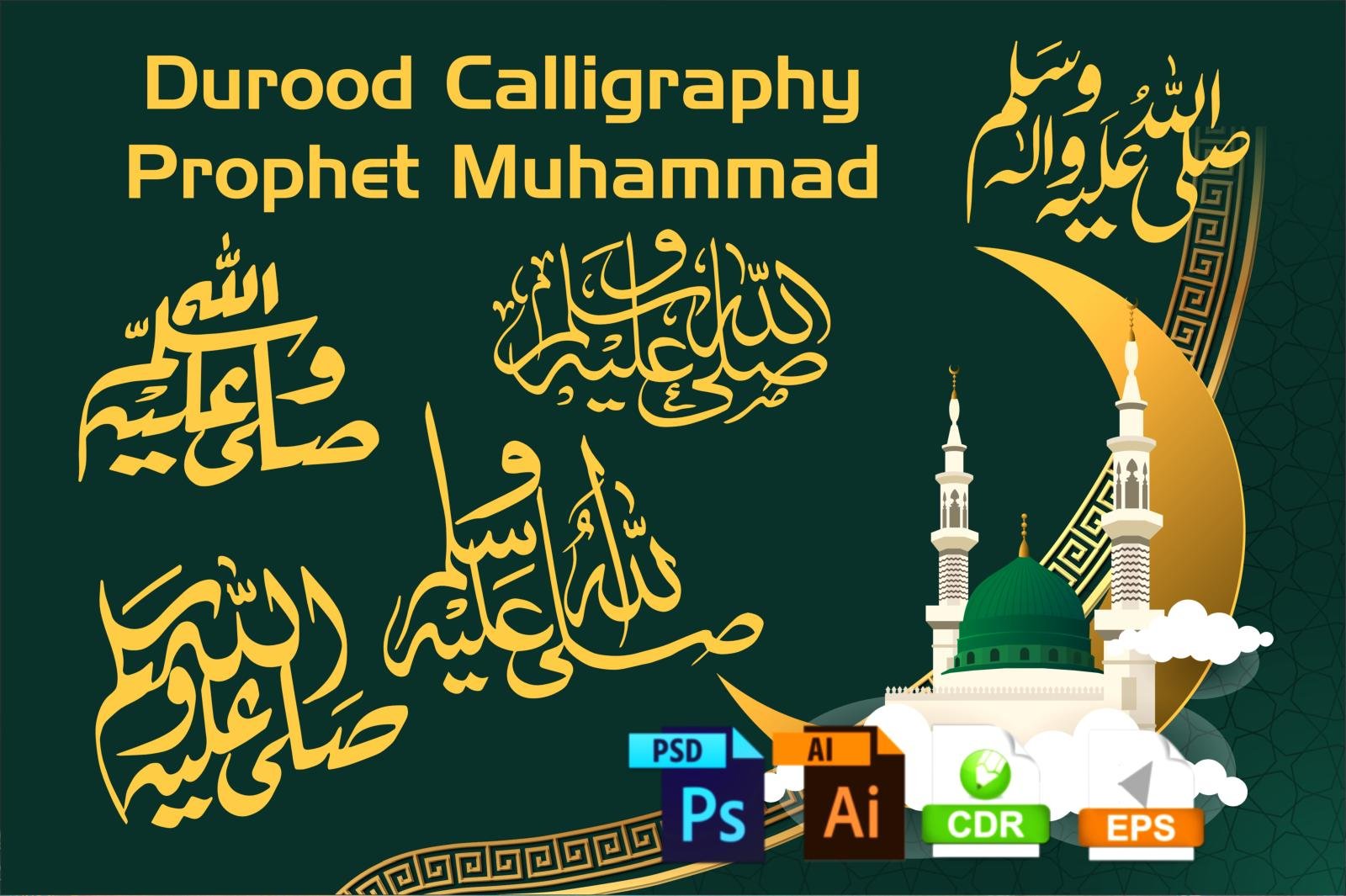
Download Durood o Salam Sallallahu Alaihi Wasallam Arabic Calligraphy

Handwritten Calligraphy Of Durood

Download Durood o Salam Sallallahu Alaihi Wasallam Arabic Calligraphy

Download Durood o Salam calligraphy, islamic calligraphy use with Muhammad Sallallahu Alaihi Wasallam (صلی اللہ علیہ وسلم) Arabic Calligraphy Graphics Design vector template of “May Allah bless him and grant him peace”(ﷺ). This is most beautiful and popular styles of durood shareef calligraphy is handwritting for use with last Prophet Muhammad ﷺ name for making or creating social media banner and islamic graphics design.
Skill Surface provide free and premium Graphics Stock, free vectors, images, quran calligraphy templates, and flyer templates—perfect for enhancing your graphics designs. Download free vectors, stock photos, and videos from our platform, which serves as your ultimate resource for all graphic needs. Access high-quality stock photos, PSD files, illustrations, vector graphics, clipart, web templates, and logos.

Sallallahu Alaihi Wasallam Arabic Calligraphy

Durood o Salam Sallallahu Alaihi Wasallam

Durood o Salam calligraphy brings timeless beauty to your Islamic designs with this exquisite Arabic calligraphy honoring Prophet Muhammad (ﷺ). Perfect for social media banners, invitations, or decor, our free vector download offers professional-quality templates that blend traditional artistry with modern graphic needs.


We also happy to offer a free download of beautiful Islamic handwritten calligraphy of Darood Shareef, a prayer that is recited in honor of the final Prophet, Mohammad (Peace be upon him). This calligraphy is available for makes it perfect for use in digital designs and professional print projects.

Sallallahu Alaihi Wasallam Islamic Calligraphy

Durood o Salam

Sallallahu Alaihi Wasallam Calligraphy Graphics Design

 Sallallahu Alaihi Wasallam

Durood o Salam Sallallahu Alaihi Wasallam Calligraphy Vector Art

 Sallallahu Alaihi Wasallam islamic calligraphy

 Sallallahu Alaihi Wasallam Graphics Design

Whether you are a professional calligrapher or an amateur artist, these Darood Shareef vector shapes are a great addition to your collection of calligraphy resources. They are versatile and easy to use, making them a great choice for any project.

Download these beautiful Darood Shareef vector calligraphy today and start creating stunning Islamic calligraphy and art work! This calligraphy can be used to design Islamic posters, invitations, book covers, and more. It is also a great addition to any Islamic themed decor or can be used as a beautiful Islamic background for any project.

Handwritten calligraphy is a traditional method of creating beautiful calligraphy that is often used in Islamic art and calligraphy, and with this free download, you can create your own beautiful calligraphy for your projects. Vector and EPS file available on demand.

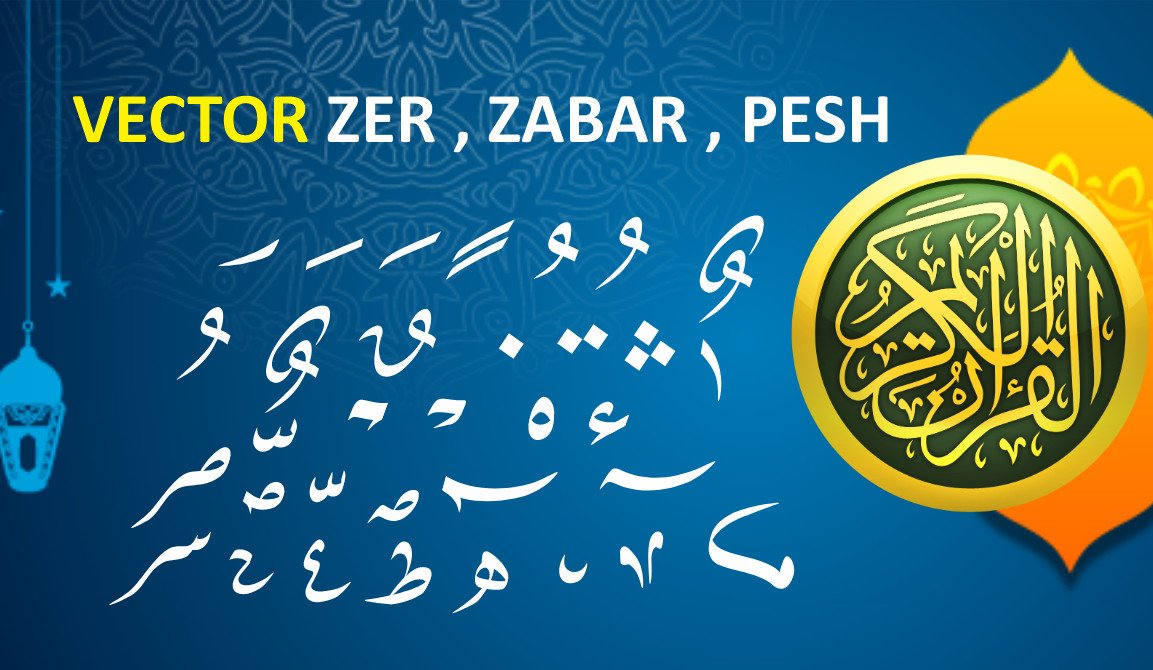
Download islamic calligraphy Zer Zabar in vector sahpes

Vector Shapes Zer Zabar And Pesh

Download islamic calligraphy Zer Zabar in Islamic vector and Islamic graphics Design

Download collection of Quran Zer Zabar Islamic vectors and graphics design. Perfect for creating meaningful Islamic art and islamic calligraphy and Arabic Art. If you are an Islamic art enthusiast or a graphic designer looking to add authentic elements to your creative projects, the Quran Zer Zabar Islamic vector is an essential tool. In Arabic, Zer Zabar is referred to as “زائر زبار,” which is integral to the understanding and reading of the Quran. It is a crucial part of the Arabic script used in Islamic calligraphy, particularly when writing Quranic verses.

Quran Zer Zabar Islamic vectors offer authentic Arabic calligraphy elements that bring traditional beauty to your creative projects. Whether you’re designing meaningful Islamic art or enhancing graphic work, these essential tools provide the precision and authenticity needed for Quranic transcription and artistic expression.

The use of Zer Zabar is important in Arabic because it can change the meaning of a word. For example, the word for “pen” in Arabic is “qalam” (قلم), but if the Zer Zabar is added to the letter “l”, the word becomes “qallam” (قلّم) which means “he spoke.” The Zer Zabar can also indicate a grammatical change in a word. It can be used to indicate that a verb is in the past tense, or that a noun is in the definite form.

What is Quran Zer Zabar?

Zer Zabar, also known as Shaddah (شدّة), is an important part of the Arabic script and Quranic text. It is used to denote a doubled consonant in Arabic, which can completely change the meaning of a word. This makes it a vital aspect of Quranic recitation and understanding.

The Zer Zabar system includes three main marks:

  • Zer (زير): Placed below a letter to indicate a short vowel “fatha” (ـَ).

  • Zabar (زبار): Placed above a letter to indicate a long vowel “damma” (ـُ).

  • Shaddah (شدة): Indicates the doubling of a consonant.

For Islamic graphic designers, these elements can add intricate beauty to calligraphy and Quranic art. The correct use of Zer Zabar ensures the integrity and accuracy of Quranic transcription, making it indispensable for those who seek authenticity in Islamic designs.

Where to Download Islamic Vectors and Designs Quran Zer Zabar

For those working on Islamic art projects, downloading high-quality, ready-to-use Quran Zer Zabar vectors and Islamic graphics design is essential. These vectors can be used for a range of creative purposes:

  • Quranic Calligraphy
  • Islamic Posters
  • Web Design
  • Islamic Event Invitations

By downloading the right vector files, you can incorporate these traditional Arabic marks into your digital designs with ease and precision.

Download Quran Zer Zabar PNG

Quran Zer Zabar

Download Quran Zer Zabar .CDR

download cdr

Islamic calligraphy is a beautiful art form that has been cherished for centuries. One of the most popular styles of calligraphy is Zer Zabar, which is known for its elegant and flowing lines. Zer Zabar is a style of Arabic calligraphy that is often used in Islamic art and calligraphy. We are happy to offer a free download of beautiful Zer Zabar in vector shapes in both PNG and Corel Draw file formats. These vector shapes are perfect for use in Islamic calligraphy and Islamic art work. The PNG format is ideal for use in digital designs, while the Corel Draw file format is perfect for use in professional print projects. The Zer Zabar vector shapes are fully editable, so you can adjust the size, color, and other properties of the design to suit your project. They are also scalable, so you can use them for both small and large projects.

Why Use Quran Zer Zabar Islamic Vectors?

Using vector graphics for your Quranic and Islamic design projects ensures scalability and clarity. These vectors can be resized without losing quality, making them perfect for print materials like posters, flyers, and banners, as well as digital use on websites or social media. Moreover, Islamic calligraphy with Zer Zabar enhances the visual appeal of religious content, helping convey a deeper spiritual message.

Quran Zer Zabar Best for Islamic Designer

For every designer or Islamic art lover, downloading high-quality Quran Zer Zabar Islamic vectors is a must. It allows for the preservation of traditional Islamic writing while embracing modern design techniques. Whether you’re creating calligraphy, posters, or web content, these resources will help you craft visually stunning, authentic designs that honor the beauty of the Quranic script.

Lailaha illallah Muhammadur Rasulullah Islamic Calligraphy Vector Islamic Calligraphy Vector

Lailaha Illallah Muhammadur Rasulullah

Lailaha illallah Muhammadur Rasulullah Islamic Calligraphy Vector Islamic Calligraphy Vector

Download Islamic calligraphy of “La Ilaha Illallah Muhammadur Rasulullah” Arabic Calligraphy Vector Graphics Design for home decor, and Ramadan Kareem Calender and Islamic events. Islamic calligraphy is a timeless art form, revered for its intricate designs and profound spiritual significance. The script, which has evolved over centuries, represents the devotion, beauty, and depth of faith within Islamic culture. One of the most iconic phrases in this tradition is “Lailaha Illallah Muhammadur Rasulullah” (لَا إِلَٰهَ إِلَّا ٱللَّٰهُ مُحَمَّدٌ رَسُولُ ٱللَّٰهِ‎). This phrase translates to “There is no god but Allah, and Muhammad is the Messenger of Allah,” and it is central to the Islamic declaration of faith, the Shahada.

As one of the most revered phrases in Islam, it holds great significance for Muslims worldwide. When written in calligraphy, it becomes more than just a phrase—it’s an embodiment of faith, devotion, and spiritual beauty.

Lailaha Illallah Muhammadur Rasulullah Islamic calligraphy transforms this profound declaration of faith into breathtaking visual art. Discover how these intricate vector designs capture the spiritual essence of the Shahada, perfect for enhancing your home decor or celebrating Islamic traditions with timeless beauty.

Download Png First Kalma Lailaha illallah Muhammadur Rasulullah

Lailaha illallah Muhammadur Rasulullah

Why “La Ilaha Illallah” Calligraphy is So Special

The phrase “La Ilaha Illallah” is the foundation of the Islamic belief system. It signifies the absolute oneness of Allah and the finality of Muhammad as the Messenger. In the art of Islamic calligraphy, this phrase is depicted with various stylistic interpretations, ranging from simple, elegant script to more elaborate and ornate forms.

These calligraphy designs not only celebrate the power of this phrase but also serve as a visual reminder of the core tenets of Islam. Whether adorning the walls of a mosque, home, or office, these designs carry the essence of the faith and its profound teachings.

High-Quality Islamic Calligraphy Art Designs

At Skill Surface, we understand the importance of preserving and sharing the beauty of Islamic calligraphy. Our collection of “La Ilaha Illallah Muhammadur Rasulullah” vector art includes both free and premium designs, each crafted with the utmost attention to detail. These designs are perfect for various uses, from home décor to posters, Islamic calendars, or even as part of marketing materials for Islamic events and also download free Quran Kareem graphics design.

Our calligraphy is available in high-quality vector format, ensuring that each design retains its clarity and precision regardless of the size it’s printed. This makes our artwork ideal for everything from small wall prints to large banners for Islamic events.

Uses of Islamic Calligraphy Art

Islamic calligraphy has long been used for a variety of purposes, all reflecting the beauty and message of Islam. Here are some creative ways to incorporate “La Ilaha Illallah Muhammadur Rasulullah” calligraphy into your life:

  • Islamic Wallpapers: Add a spiritual touch to your home by using Islamic calligraphy as wallpaper for your living room, bedroom, or prayer space.

  • Home Décor: Beautifully crafted calligraphy art can enhance the aesthetic of your home. Place it on walls or as part of a decorative centerpiece.

  • Posters & Banners: Perfect for Islamic events, calligraphy posters and banners featuring “La Ilaha Illallah” will bring elegance and meaning to any gathering.

  • Calendars: Make your year more meaningful by incorporating calligraphy into your Islamic calendar. Each month can showcase a different design of this profound phrase.

Free and Premium Downloads Available

At Skill Surface, we provide both free and premium Islamic calligraphy art designs. Our free designs offer a wide variety of styles and are perfect for personal use, while our premium options feature high-resolution, exclusive designs ideal for large-scale printing, commercial use, and more.

Whether you’re looking to beautify your home, promote an Islamic event, or simply admire the art of calligraphy, our collection has something for everyone.

Why Choose Skill Surface?

  • High-Quality Designs: We offer meticulously crafted Islamic calligraphy artwork that preserves the beauty and integrity of the original script.

  • Free and Premium Options: Get access to a wide range of calligraphy styles, from free designs to premium, high-quality vectors.

  • Versatile Uses: Whether for home décor, event marketing, or personal projects, our calligraphy is perfect for various applications.

  • Easy Downloads: With our user-friendly platform, you can easily download your preferred designs in vector formats, ready to be used for printing or digital applications.

Islamic calligraphy is more than just an art form; it’s a way to express devotion, spirituality, and beauty through words. “La Ilaha Illallah Muhammadur Rasulullah” is one of the most profound phrases in Islam, and by incorporating it into your life through calligraphy, you can carry the message of faith with you every day. Whether you choose free or premium designs, Skill Surface offers an incredible selection to meet your needs. Download today and bring the timeless beauty of Islamic calligraphy into your space!

Kullu man alaiha faan Quran Calligraphy, Islamic Calligraphy

Islamic Calligraphy Kullu Man Aalayhea Fean

Kullu man alaiha faan Quran Calligraphy, Islamic Calligraphy

Download Kullu man alaiha faan Arabic Quran Calligraphy and Islamic calligraphy of Surah Al-Rahman verse 26, “كُلُّ مَنْ عَلَیْهَا فَانٍ”, best for home decor and also prfect arabic calligraphy for Ramadan Kareem Calenders. The Quran Kareem, the holy book of Islam, is not only a source of divine guidance but also a profound treasure of beauty and wisdom. Every verse carries a deep message, and the art of Islamic calligraphy has played an essential role in preserving and sharing these messages across generations. One of the most beautiful verses in the Quran is from Surah Al-Rahman, verse 26, which states:

“كُلُّ مَنْ عَلَیْهَا فَانٍ”
Translation: “Everything on the earth is to perish.” (Surah Al-Rahman, 55:26)

This verse serves as a powerful reminder of the impermanence of life, urging us to reflect on the transient nature of this world. Surah Al-Rahman, often referred to as the “most merciful” surah, is known for its poetic beauty and spiritual depth. This particular verse teaches us humility and the importance of appreciating the time we have on earth.

Kullu Man Alaiha Faan Quran calligraphy captures one of the Quran’s most profound verses in stunning artistic form. This beautiful Arabic script from Surah Al-Rahman reminds us of life’s impermanence while serving as exquisite Islamic art perfect for your home or spiritual space during Ramadan and beyond.

Download PNG Surah Al-Rahman is verse 26

Kullu man alaiha faan

If you need a high-quality vector of this Islamic calligraphy “Kullu man alaiha faan” you can download it from Shutterstock by clicking the image.

The Power of Surah Al-Rahman Verse 26 in Islamic Calligraphy

The verse “كُلُّ مَنْ عَلَیْهَا فَانٍ” encapsulates the essence of life’s fleeting nature. When written in the beautiful script of Islamic calligraphy, this verse becomes not only a reminder but a stunning visual work of art. The intricate design and profound meaning make it perfect for various purposes, such as home decoration, Islamic event banners, or Islamic wallpapers.

Downloads of “KULLU MAN ALAIHA FAAN” calligraphy. This collection includes a variety of designs and styles, making it perfect for use as Islamic wallpapers, home decorations, posters, and calendars.

We also offer high-resolution graphics in Corel Draw, Photoshop, and Illustrator formats. These graphics are perfect for use in print materials, digital graphics, and web design. The high resolution of the graphics ensures that the designs will look crisp and clear, no matter how large or small they are printed.


Sallallahu alaihe wasallam Islamic Calligraphy Graphics Design

Free Download Beautiful Islamic Calligraphy Of Doord Shareef

Sallallahu alaihe wasallam Islamic Calligraphy Graphics Design with Quran Calligraphy

Download Sallallahu alaihe wasallam Islamic Calligraphy Graphics Design with Quran verse of blessings (Durood o Salam) in honor of Last Prophet, Muhammad ﷺ (Sallallahou Alayhe Wasallam). Free Download Islamic graphic designs, including vector artwork and high-quality stock images of Quran calligraphy. Explore our beautiful Durood o Salam Salawat graphics templates, perfect for use in Ramadan Kareem calendar titles and posts. We provide a wide range of exquisite Islamic calligraphy designs, including Doord Shareef, available for free download. These are ideal for Islamic posts, calendars, Arabic calligraphy, graphic design, artwork, and Islamic wallpapers.

Sallallahu Alaihe Wasallam Islamic calligraphy graphics beautifully capture the profound blessings and peace we send upon Prophet Muhammad ﷺ. These exquisite designs, featuring the beloved Durood o Salam prayer alongside Quranic verses, offer a meaningful way to express devotion in your Islamic projects, social media posts, and Ramadan preparations.

Sallallahu alaihe wasallam

Free Download Ultra HD (High Resolution)

download button

Download .CDR

download cdr

Download Beautiful Sallallahu Alaihe Wasallam Islamic Calligraphy Graphics

Islamic calligraphy is a powerful form of art that conveys messages of faith, devotion, and love for Allah and His Messenger. Among the most beloved phrases in Islam is the Durood o Salam, a prayer for blessings upon the Prophet Muhammad (Sallallahu Alaihe Wasallam), the final Messenger of Allah. This expression of peace and blessings, “Sallallahu Alaihe Wasallam” (Peace be upon him), is a frequent invocation by Muslims around the world, embodying deep respect and love for the Prophet. Skill Surface, we are proud to offer high-quality, free-to-download Islamic calligraphy graphics featuring the Durood o Salam along with Quranic verses. These beautifully designed graphics are perfect for a wide range of uses, including Islamic posts, Islamic calendars, and Ramadan Kareem templates.

The Significance of Durood o Salam Sallallahu alaihe wasallam

Durood o Salam is a prayer for peace and blessings upon the Prophet Muhammad (Sallallahu Alaihe Wasallam). Muslims recite it to show their love and respect for the Prophet, and to seek intercession on the Day of Judgment. The phrase itself, “Sallallahu Alaihe Wasallam,” translates to “May the peace and blessings of Allah be upon him.”

This beautiful prayer is found throughout Islamic texts, often integrated into daily prayers (Salah) and various forms of worship. It holds a significant place in the hearts of Muslims, and its calligraphy has been elegantly rendered by many artists throughout Islamic history. Its profound spiritual meaning makes it a favored design for calligraphy, especially in Islamic art and graphic designs.

Free Download Durood o Salam Sallallahu alaihe wasallam Graphics Designs

At Skill Surface, we offer a collection of Sallallahu Alaihe Wasallam Islamic calligraphy graphics, perfect for Islamic posts, personal projects, and event promotions. Whether you’re preparing a Ramadan Kareem calendar, a poster for an Islamic event, or simply want to add a spiritual touch to your social media content, our high-resolution calligraphy designs have you covered.

Our Durood o Salam designs are available in multiple formats, ensuring that they are suitable for both digital and print use. We offer:

  • Premium Durood o Salam Calligraphy Graphics
  • Islamic Calendar Title Templates for Ramadan Kareem
  • Quranic Calligraphy Verse Designs
  • Vector Graphics and Islamic Photo Stock

Versatile Uses for Durood o Salam Calligraphy

These beautifully crafted calligraphy designs can be used for a variety of purposes, including:

  • Islamic Posts and Social Media Graphics: Add an elegant and meaningful touch to your posts with Durood o Salam calligraphy.
  • Islamic Calendars: Perfect for your Islamic calendar, especially during Ramadan. The blessing of the Prophet adds spiritual value to your calendar designs.
  • Ramadan Kareem Templates: Celebrate Ramadan with beautiful, spiritually enriching designs that convey blessings and peace.
  • Home Décor and Event Materials: Use these calligraphy designs for posters, banners, and decorations during Islamic events, lectures, and gatherings.

High-Resolution Graphics for Various Formats

Our Sallallahu Alaihe Wasallam calligraphy graphics come in high-resolution formats, ensuring that your designs look sharp and clear in any size. Whether you are printing large banners or creating digital graphics, these calligraphy designs maintain their clarity and vibrancy.

Available file formats include:

  • PNG for quick and easy use in digital content.
  • Corel Draw, Photoshop, and Illustrator Files for professional designers.
  • High-Quality Vector Art for printing and web design.

Why Choose Skill Surface for Your Islamic Calligraphy Needs?

  • Free Downloads: Access high-quality Islamic calligraphy graphics for free.

  • Wide Range of Designs: We offer a vast collection of Durood o Salam and other Quranic calligraphy art, including unique styles and templates.

  • High-Resolution and Vector Formats: Perfect for both digital use and print materials.

  • Easy to Use: Simple and efficient download process with ready-to-use files in various formats.

  • Perfect for Islamic Events and Worship: Add beauty and spiritual depth to your Islamic events, posts, and personal projects.

The invocation of blessings upon the Prophet Muhammad (Sallallahu Alaihe Wasallam) through the Durood o Salam is a cherished practice among Muslims. Through the elegant art of Islamic calligraphy, this phrase takes on a visual beauty that adds meaning to any space or project. Download Sallallahu Alaihe Wasallam calligraphy graphics from Skill Surface today and enhance your Islamic posts, calendars, and Ramadan Kareem designs. These high-quality, free downloads are perfect for spreading peace and blessings in every corner of the Muslim world.


Web Design vs Development: What’s the Real Difference?

What Is The Difference Between Web Design And Development

What is The Difference Between Web Design and Development

Confused about web design vs. development? We break down the roles (design, front-end, back-end) and show why you need both for a site that wows. Ever heard someone use “web designer” and “web developer” interchangeably? It’s a common mix-up, but it’s like confusing an architect with a construction engineer.

Both are absolutely essential to building a functional, beautiful structure, but they play two very different, very specific roles. One designs the blueprint, the look, and the feel of the building; the other takes that blueprint and physically builds the foundation, walls, and electrical systems.

If you’ve ever landed on a website that was beautiful but impossible to use, or one that was fast but looked like it was made in 1995, you’ve experienced what happens when one side of this equation fails.

So, let’s settle the web design vs. development debate for good.

Web design vs development is a fundamental distinction that shapes every successful website you encounter. While they’re often confused, understanding this difference is key to creating digital experiences that are both beautiful and functional. Let’s explore what truly separates these essential roles.

What is Web Design? The Architect & Visual Storyteller

Web design is the “look and feel” part of the equation. It’s the visual, aesthetic, and interactive experience of the website. A web designer is focused on one primary question: “How does this website feel to a human user?”

This process goes far deeper than just picking pretty colors. It’s split into two main fields:

  1. User Experience (UX) Design: This is the invisible, emotional side of the design. A UX designer is obsessed with creating a “path” for the user that is logical, intuitive, and frustration-free. They create wireframes (which are like the basic, colorless blueprints of a house) and map out the user’s journey. They ask questions like, “Is the ‘buy’ button easy to find?” and “Does this checkout process make sense?”

  2. User Interface (UI) Design: This is the visual side that most people think of. A UI designer takes the UX wireframes and brings them to life. They are the graphic designer of the web, responsible for:

  • Color palettes that evoke a specific brand emotion.
  • Typography (fonts) that is both beautiful and easy to read.
  • Imagery and iconography that guide the user’s eye.
  • Layout and spacing that make the site feel balanced and uncluttered.

A web designer’s final product isn’t a website; it’s a prototype or a static design file. They use tools like Figma, Sketch, and Adobe XD to create a perfect-looking (but non-functional) model of the site.

What is Web Development? The Engineer & Builder

A web developer takes the beautiful design prototype and turns it into a living, functional website that you can interact with in a browser. They are the builders who handle the code, logic, and infrastructure.

This role is so complex that it’s also split into two (or three) main fields:

  1. Front-End Development (Client-Side): This is the part of the website you see and interact with. The front-end developer’s job is to translate the static design from the UI designer into actual code. They use three core languages:

    • HTML (Hypertext Markup Language): The skeleton of the site. It creates the structure—the headings, paragraphs, and image placeholders.

    • CSS (Cascading Style Sheets): The skin and clothes. This is the code that adds all the colors, fonts, and layouts from the design.

    • JavaScript (JS): The “interactivity” and “magic.” When you click a menu and it opens, see an image slider, or submit a form without the page reloading, that’s JavaScript at work.

  2. Back-End Development (Server-Side): This is the “brain” of the website that you don’t see. The back-end handles everything that happens “behind the curtain.” When you log into an account, submit a contact form, or make a purchase, the back-end developer’s code is what processes that information, communicates with a database, and makes sure the right thing happens. They use languages like PHP, Python, Ruby, or Node.js and work with databases like MySQL or MongoDB.

  3. Content Management Systems (CMS): Often, developers will use a CMS like WordPress or Joomla to streamline the process. A CMS is a pre-built foundation that handles a lot of the back-end functionality (like user logins and a blogging system), allowing the developer to focus on building a custom front-end that matches the designer’s vision.

The Verdict: Design and Development are a Partnership, Not a Competition

So, what’s the difference between web design and development?

Web Design is what creates the visual experience and emotional connection. Web Development is what takes that vision and makes it functional and interactive.

You simply cannot have a successful modern website without both.

  • A beautiful design without solid development is a failed website. It may look pretty, but it will be slow, buggy, or simply not work.

  • Solid development without good design is a failed user experience. It may be fast and functional, but it will be ugly, confusing, and untrustworthy.

The best websites in the world are the product of a deep, collaborative partnership between designers and developers who respect each other’s craft.

Free Tools to Start Your Journey

Whether you’re drawn to the art of design or the logic of development, you can start learning for free.

  • For Aspiring Designers:

  • Wix/Weebly: These website builders are fantastic for learning layout, spacing, and user flow without touching code.
  • Figma: The industry-standard tool for UI/UX design. Their free plan is incredibly generous.
  • For Aspiring Developers:

  • GitHub: The essential platform for storing your code, tracking changes, and collaborating with others.
  • CodePen & JSFiddle: These are online “playgrounds” that let you write and test HTML, CSS, and JavaScript directly in your browser.
  • CodeSandbox: A more powerful online environment where you can build entire web applications.

How To Put Your Site Together By Using A Meta Tag Generator

Meta Tag Generator
Meta Tag Generator

How To Put Your Site Together By Using A Meta Tag Generator

Meta Tag Generator that time of year again, when everyone is looking to the heavens for some miracle SEO tip to get their site up on the search engine results page (SER#) in no time. After all, this is the season of fast and furious! Search engine optimization (SEO) is all about getting your website or blog link ({user-friendly} document, article, or piece of software into as many relevant online destinations as possible). If you’ve been following along at home, you’re probably feeling ready to take on the world. However, what we usually don’t want is to be thought of as a complete newbie when it comes to SEO. In fact, most people who try to learn SEO aren’t even aware they are doing it! Even if you feel like you have everything under control right now — and maybe even if you already know what works — chances are you don’t have a grammar guide with which to implement a semantic approach. So how do you put your SEO plan into action and succeed where so many others have failed? Let’s see!

Meta tag generator tools are your secret weapon for building SEO-friendly websites without the technical headaches. If you’ve ever felt overwhelmed by HTML code or confused about proper meta tag implementation, these generators simplify everything. Let me show you how they work and why they’re essential for modern SEO success.

Meta tags are HTML tags that provide metadata about a web page. They are used by search engines and browsers to understand the content of a page, and are placed in the head section of the HTML code. Meta tags can provide information about the page’s author, keywords, description, and other relevant information. There are several different types of meta tags, but the most commonly used ones are the title tag, description tag, and keyword tag.

  1. Yoast SEO: Yoast SEO is a popular plugin for WordPress that allows you to easily add and optimize meta tags on your website.
  2. All in One SEO Pack: Another popular plugin for WordPress, All in One SEO Pack provides a variety of options for optimizing your meta tags.
  3. SEMrush: SEMrush is a comprehensive SEO tool that allows you to analyze your meta tags, as well as those of your competitors.
  4. Google Search Console: Google Search Console provides a wealth of data about your website’s performance, including information about your meta tags.
  5. Moz: Moz offers a suite of SEO tools, including a meta tag analyzer.
  6. Ahrefs: Ahrefs is a powerful SEO tool that can help you improve your meta tags, as well as track your website’s performance.
  7. Open Graph: Open Graph is a set of meta tags that help control how your pages are represented when shared on social media platforms.
  8. Twitter Cards: Twitter Cards are a set of meta tags that allow you to control how your pages are represented when shared on Twitter.
  9. Schema.org: Schema.org is a collection of meta tags that can be used to provide additional information about your pages to search engines.
  10. Google Tag Manager: Google Tag Manager is a tool that allows you to add and manage meta tags on your website without having to edit the HTML code.

What is SEO?

SEO is the act of linking your website or blog with other sites with similar content, in order to gain a better placement on the page. You can think of it as the process of linking identical pages in different places on the internet. For example, if you want to promote your blog on a website with content related to health and fitness, you’ll want to create a link to that blog in your site’s text. You can also search for topics that have a similar topic and see what comes up.

How to set up a site for SEO

Most people start their SEO journey by creating a site for it. While this may feel more like an adventure than exploring a new planet or two, it is a necessary step. If you’re still struggling to get your site up on the first page of your niche’s most popular search engine, it might be worth making a small contribution to your cause by starting a site for your niche. While it’s important to have a site you’re confident will work, you don’t have to be the “C.I.” or “Deets” on every page. There are many ways to go about this. You can start with a basic site with just a few photos or a detailed description of your product or service. Or you can try a more creative approach and upcycle old photos, forms, or other content to make your page a little more in-your-ulnerabilities. Whatever approach you choose, know that it requires a little work and a bit of dedication.

The 5 SEO Principles

To get your own SEO spot, you need to work on three main SEO principles: rank, authority, and relevance. Rank is how high your site is in the SERPs. It can be a number such as first, second, or third; it can also be a keyword such as bestseller, bestseller in america, bestselling books, and so on. Authority is the level of confidence your site has in the search engine engine algorithms. If people are seeing your site high in the SERPs, they’ll probably trust and trustful will be if they’re seeing it too. Relevancy is the overall nature of your page. If people are seeing your page as relevant, they might go back to your site and search for information about the products or services you’re selling.

Duplicate content no more

Duplicate content is when you include two or more different pieces of content within a single page. As soon as people see one instance of your content in both pages, they’ll assume the other is unrelated. This Flying©1 mistake has been made by many new websites, and it’s time to clean up your act. Duplicate content doesn’t have to be entire pages, either. It could be a section of text, a section of images, or even a general introduction to your product or services. In fact, a great rule of thumb is to include at least one completely unrelated page in your first few pages. You’ll want your visitors to be able to skip to the actual content if they see fit, but they should also have a sense of place and direction without having to go back and read pages one and two.

Don’tcopyandpasting

This tip is for those who try to link many pages at once. You’ll often see people try to link two or more pages in one go, only to have the scrollbar get stuck when the first page loads. When this happens, you’ll often see the person trying to link pages one and two spambots, causing them to link pages three and four instead. Prepare your spambots with sticky texts and links so that anyone can be reposted just as easily as they were written. A sticky text is one that people will easily recognize as belonging to either you or your site. You can add text such as “This is for your reference,” “This is not a commercial page,” and so on. This text is visible only to other users and won’t be removed once the page has been linked. The downside is that spambots no longer have a place for linking pages. To avoid this, try to keep your spambots under 200 characters. When linking multiple pages, try to keep the spambot length low so that it doesn’t get in the way of other people’s content being shown.

Use your internal reviews and findings

Internal reviews and findings are the behind-the-scenes workings of your website. You can use these reviews to determine if a certain section of your site is inappropriate or out of date. For example, if you’ve been writing SEO content for a while and have a few dozen reviews, you’re probably going to be able to spot some of these reviews that are simply irrelevant. To combat this, you can use your internal reviews and findings to spot where mergers and acquisitions are happening in your niche, what trends are emerging, and what problems your site is solving. You can also use these reviews to remove duplicate content (i.e. two or more pages sharing the same topic).

Your website or blog is the backbone of your business. If it doesn’t work, then your customers won’t come back. It’s very important to get your site up on the first page of your most popular search engine. There are numerous ways to go about this. For the most accurate and up-to-date SEO strategy, it’s important to understand what’s working and what’s not. Doing so, however, will help you to make an informed decision on which SEO practices to adopt next. SEO is an ever-changing field with new techniques and tools emerging each year. It can be hard to know which SEO practices to make the most of in your industry. Keep at it and you’ll be fine! — Website owner Thinking of accepting an SEO opportunity? Well, apply now! For only $40, you can learn how to exchange links and texts in your favor with incredible search engine optimization results. Withgear, Inc. is a U.S.-based website hosting company specializing in behalf of the online retail industry. Your links will be exchanged for links from other sites in your area. The only condition is that you maintain the same link structure and title content. To access the extra benefits of the offer, click here.

How to Start Your Own Software Development Business

How To Start Your Own Software Development Business

How to Start Your Own Software Development Business

As the old saying goes, you get what you pay for. In other words, you need to have your own startup business if you’re going to make a go of it as a software developer. However, starting your own company isn’t as difficult as you might think. You can start with any of the listed methods and gather support from your friends and family to develop your business idea. After all, what’s the harm in learning how to code yourself? Even if you don’t want to start developing apps yourself, having an online presence is one of the best ways to reach out and recruit others who share your vision. Internet marketing is an effective way to gain support from multiple sources for your startup business idea. Read on for more information about how and when to organize a hardware and software manufacturing company.

What you’ll need to start with:

Books on software development: This is the foundation for any software development organization. If you’re just getting started, you should read Code Explained: The Beginner’s Guide to Object-Oriented programming by Kiran Deb and Dr. Paul Slick. Once you’ve read that, there are a few books that will help you get started writing your code: OO Design Principles: A Beginner’s Guide to the Theory and Practice of Oriented programming by Kiran Deb and Michael Neal. And finally, there are the booklets and online resources that range from basic information on object-oriented programming to advanced topics like imperative programming. Create a blog: Blogs are a great way to bring your startup company’s vision to life. If you’re in the early stages of building your own business, you can use a blog to give your ideas a presence online. Blogs can be a great way to link your startup company and your name, as well as to promote your products and services.

How to start a software company:

The next step is to find a business model that works for your company and your customers. Here’s a great one from marketing and business insider Tim O’Neil: “Most software is marketing software.”

Tools of the trade:

There are many different types of tools that can help you develop applications. There’s no one-size-fits-all approach to programming, and there’s no one-fits-all solution for marketing and sales problems. The best tools help you scale your business, while helping you get your message out to the right audience. Here are a few tips to get you started.

Marketing and advertising:

Advertising is a big part of any business, and it’s critical to get your message out to a large enough audience to be successful. The best advertising tools help you create engaging and compelling campaigns. In many ways, this can be easier with online marketing tools like Pinterest or Instagram. You can also use these platforms to create ads that have a compelling and useful story behind them.

The “ideal” business model:

This is perhaps the most important tool in the business development phase of your startup. After you’ve gathered support from your friends and family, you’ll want to begin to create a business model for your new company.

Starting your own software development business might seem daunting, but it’s more achievable than you think! Whether you’re a seasoned developer or just learning to code, launching your company begins with a solid foundation and the right approach. Let’s explore how to turn your technical skills into a thriving business venture.

Starting your own software development business can be a challenging but rewarding endeavor. Here are some steps to help you get started:

  1. Develop a business plan: This should include your business goals, target market, pricing strategy, and projected revenue.
  2. Identify your target market: Determine who your customers will be and what specific problems they need your software to solve.
  3. Build a team: Assemble a team of skilled software developers, designers, and project managers who can help you bring your ideas to life.
  4. Get funding: Depending on the size of your business, you may need to seek out funding from investors or a business loan.
  5. Create a strong online presence: Build a website and establish a strong presence on social media to attract customers and showcase your work.

Once your business is up and running, there are several ways to earn money through software development:

  1. Custom software development: Develop custom software for individual clients or businesses.
  2. SaaS (Software as a Service): Create a subscription-based software service that customers can access online.
  3. Mobile apps: Develop apps for iOS or Android platforms and sell them through app stores.
  4. Consultancy: Offer consulting services to businesses looking to improve their software development processes.
  5. Open-source software: Release your software as open-source and earn money through donations or by offering paid support services.
  6. Advertising: Insert advertisements in your software, like in mobile apps
  7. In-app purchase: Offer a free version of your software with in-app purchase options to unlock additional features
  8. Affiliate marketing: Partner with other companies or individuals to promote their products or services through your software.
  9. Sponsorship: Partner with companies to sponsor your software development projects
  10. Crowdfunding: Raise money for your software development projects by soliciting small contributions from a large number of people.

Starting a software development business takes hard work, determination, and a solid business plan, but with the right approach, it can be a successful and rewarding endeavor.

Making money through software development can be a highly profitable venture, but it’s important to choose the right type of software to develop. Here are five of the best software development options for making a lot of money:

  1. Mobile apps: The mobile app market is huge and continues to grow, making it a great opportunity for software developers to earn money. With more and more people using smartphones and tablets, the demand for mobile apps is only going to increase.
  2. SaaS (Software as a Service): SaaS is a business model where software is provided on a subscription basis, typically over the internet. This model has proven to be very successful, as businesses and individuals are willing to pay for software on a regular basis.
  3. E-commerce platforms: Online shopping is becoming increasingly popular, and businesses need to have a robust e-commerce platform to keep up. Developing a flexible and user-friendly e-commerce platform can be a great way to earn money.
  4. Social media platforms: Social media platforms have become an essential part of our lives, and creating a new one can be a great way to earn money. Platforms like TikTok, Instagram and Facebook have shown that social media platforms can be extremely profitable.
  5. Business management software: Many small and large businesses are looking for ways to automate their operations, and developing software to help them do that can be a great way to earn money. Software for accounting, inventory management, and customer relationship management are in high demand.

It’s worth noting that, regardless of which software development project you choose, it’s important to conduct thorough research and develop a solid business plan to ensure the success of your venture. Additionally, with the current market trends, it’s important to keep in mind the importance of having a mobile-first approach and the integration with other services such as cloud services, AI, and analytics.

Why Business Need Website Analytics, Best Analytics Tools

What Is Web Analytics And Top Analytics Tools Understanding And Utilizing

Why Business Need Website Analytics, 5 Best Analytics Tools

You’ve poured your heart, time, and money into a beautiful design and Website Analytics, compelling content, and smart marketing. Best Analytics Tools tools for your website boosting in google rank. But when it comes to knowing what actually happens when someone lands on your site, it’s a total black box.

Website analytics is your secret weapon for turning website visitors into loyal customers. By understanding how people interact with your site, you can make smarter decisions that boost engagement and drive sales—let’s explore why it’s a must-have and the top tools to get started.

  • Are people really reading your blog?
  • Where are they clicking?
  • Why are they leaving without buying?

This is the frustrating void that web analytics was born to fill. It’s the process of turning that black box into a crystal-clear dashboard.

What is Web Analytics, Really?

Let’s cut through the jargon. At its core, web analytics is the practice of translating raw website clicks into human stories.

It’s not just about charts and numbers. It’s about collecting, analyzing, and reporting data to understand how real people interact with your digital “storefront.” It answers the critical questions:

  • Who is visiting? (Location, device, demographics)
  • How did they find you? (Google, social media, an email)
  • What did they do? (Which pages did they visit? Where did they get stuck?)
  • Did it work? (Did they sign up, buy, or convert?)

This data is the only way to stop making decisions based on “gut feelings” and start making them based on evidence.

Why You Can’t Afford to Ignore Analytics

Running a website without analytics is like trying to fill a leaky bucket without knowing where the holes are. A good analytics system gives you the power to:

  • Understand User Behavior: Finally, see your site through your customers’ eyes. Discover your most popular pages, how long people stay, and the exact path they take.

  • Find (and Fix) the Leaks: Identify pages with high “bounce rates” (where users leave instantly) or find the exact step in your checkout process that causes people to give up.

  • Measure Your Marketing ROI: Stop wasting money. Analytics shows you exactly which marketing campaigns (email, social, ads) are driving traffic and, more importantly, conversions.

  • Optimize for Your Audience: By understanding your visitors’ location, interests, and even the devices they use, you can tailor your content and design directly to them, leading to higher engagement.

  • Improve Website Performance: Analytics tools can even help you spot technical problems, like slow-loading pages or mobile-unfriendly design, that are costing you customers.

The 5-Step Analytics Loop: From Data to Decisions

Analytics isn’t a “set it and forget it” task. It’s a continuous loop of improvement.

  1. Collection: This is the first step. You use a tool (like one below) to place a small piece of code on your site to start gathering the raw data.

  2. Analysis: The data is collected and organized into reports and dashboards. This is where you connect the dots and spot trends. (e.g., “Our traffic from Instagram is up, but our conversion rate from that traffic is low.”)

  3. Interpretation: This is the human part. You look at the report and ask, “Why?” (e.g., “The link we used on Instagram promised a 20% discount, but the landing page doesn’t mention it. Users are confused and leaving.”)

  4. Action & Optimization: You take action based on your insight. (e.g., “Let’s update the landing page to clearly show the 20% discount code.”)

  5. Monitoring: You measure the results of your change. (e.g., “One week later, the conversion rate from Instagram has tripled.”) Then, the loop starts over.

The Best Web Analytics Tools in the World (A Modern Guide)

The analytics world is much bigger than just one tool. The “best” tool for you depends on your goals, budget, and concern for user privacy. Here are the top tools shaping the industry today.

1. The All-in-One Giants of Best Analytics Tools

  • Google Analytics (GA4): The 800-pound gorilla. It’s free, incredibly powerful, and the industry standard. It’s event-based, giving you deep insights into user journeys. The tradeoff? It can have a steep learning curve and is at the center of many user privacy debates.

  • Adobe Analytics: This is the enterprise-level powerhouse (formerly Omniture). It’s built for massive corporations that need to blend web data with dozens of other data streams. It’s incredibly powerful and has a price tag to match.

2. The Privacy-First Challengers

This is the fastest-growing category. These tools are built for a cookie-less world, respecting user privacy while still giving you the data you need.

  • Matomo (Formerly Piwik): The leading open-source alternative. You can host it on your own servers, meaning you own 100% of the data. It’s powerful, customizable, and a fantastic choice for the privacy-conscious.

  • Fathom / Plausible: These two are the leaders of the “simple analytics” movement. They offer beautiful, one-page dashboards, are super lightweight (so they don’t slow your site), and are 100% cookie-free and GDPR/CCPA compliant out of the box.

3. The Behavioral Specialists (See Why They Click)

These tools go beyond numbers to show you the visual story of a user’s session.

  • Hotjar / Crazy Egg: These are the kings of heatmaps, session recordings, and scroll maps. Instead of just seeing that 70% of users left a page, you can literally watch recordings of their mouse movements to see why they got frustrated and left.

  • Mixpanel: This is an event-based tool loved by SaaS (Software as a Service) and app developers. It’s less about pageviews and more about tracking actions (e.g., “How many users signed up, completed the tutorial, and then invited a friend?”).

  • Clicky: A long-time favorite for one reason: real-time data. It offers a simple dashboard that shows you who is on your site right now, which is incredibly valuable for tracking live events or new launches.

5 Best Website Analytics Tools show in Google Firast Page Rank

When it comes to improving website performance and achieving high Google rankings, using the right analytics tools is crucial. Five of the best website analytics tools include Google Analytics 4 (GA4), which offers in-depth insights into user behavior and website traffic; Google Search Console, ideal for monitoring SEO performance and addressing indexing issues; Matomo, an open-source alternative that emphasizes data privacy and full ownership; Mixpanel, known for its user-centric event tracking and conversion analysis; and Adobe Analytics, a powerful solution for enterprise-level analytics with advanced segmentation and custom reporting. These tools provide invaluable data that can optimize your site’s user experience and search engine ranking.

1- GOOGLE ANALYTICS 4: Google Analytics is the preferred platform for millions of app owners and looking to gain valuable insights into their site and app performance.

2- SEMRUSH: Check your Website Traffic and provide you Traffic Analytics for grow your business

3- AHREFS: This is one of the biggest tools for analyzing websites, used by popular companies such as Adobe, Dell, Shopify, Alibaba, IBM, LinkedIn, HubSpot, Expedia, Adidas, Uber, eBay, Zoom, Pinterest, and PlayStation. Ahrefs helps marketers enhance visibility across AI search, SEO, content, and social media. Currently, Ahrefs is the #1 SEO crawler, utilizing 34 supercomputers for fast website performance, and has filtered 28.7 billion keywords from a pool of 110 billion.

4- NEILPATEL: This tool is used worldwide by award-winning global marketing agencies as a comprehensive analytics provider. It is trusted by some of the most popular companies, including HP, Mitsubishi Motors, CNN, Adobe, and Western Union.

5- MATOMO: Matomo SEO and analytics provide the best accuracy for web and app analytics. While others offer estimates, Matomo delivers precise answers. Track 100% of your website traffic with complete confidence and Trail Tools working without Credit Card.

Analytics + SEO = The Ultimate Growth Engine

You can’t have one without the other.

  • SEO (Search Engine Optimization) is the process of getting people to your website from Google.

  • Web Analytics is the process of understanding what those people do once they arrive.

Your analytics data is what tells you if your SEO strategy is actually working. It answers questions like:

  • “Did the keyword I ranked for bring in relevant visitors, or did they all bounce?”
  • “Which blog post is not only getting traffic but also leading to newsletter signups?”
  • “Are my ‘high-ranking’ pages a good user experience, or is Google about to de-rank them?”

Without analytics, your SEO efforts are just a shot in the dark. With analytics, they become a high-precision, data-driven strategy.

7 Telecom Companies and Maintenance & Implement Saudi Arabia

Telecom Companies And Maintenance Implementation Vendors Saudi Arabia

7 Telecom Companies in Saudi Arabia, Maintenance & Implement

Most Popular Telecom Companies in Saudi Arabia and Maintenance & Implement service provider in Saudi Arabia. Saudi Arabia is home to rapidly developing telecom industry.Here are some of the key features of the telecom industry in Saudi Arabia:

  • Advanced mobile networks: Saudi Arabia has one of the most advanced mobile networks in the Middle East, offering high-speed 4G and 5G services.
  • High penetration of smartphones: A large percentage of the population in Saudi Arabia owns a smartphone, which enables them to access the internet and various services on the go.
  • High-speed internet: Saudi Arabia has a high penetration of high-speed internet, which allows citizens to access online services and resources quickly and easily.
  • Broadband services: Saudi Arabia has a wide range of broadband services, including DSL, fiber, and wireless, which enables citizens to access the internet at high speeds.
  • Cloud services: Saudi Arabia has a growing market for cloud services, which enables businesses to store and access data on remote servers, making it more accessible and cost-effective.
  • Smart city initiatives: Saudi Arabia has a number of smart city initiatives in place, which aim to make cities more efficient, sustainable, and livable.
  • Digital services: Saudi Arabia is investing heavily in digital services, such as e-commerce and online banking, which are driving economic growth and creating new job opportunities.
  • IoT and 5G: Saudi Arabia is investing in the Internet of Things (IoT) and 5G technology, which will enable the country to create new business opportunities and improve the overall quality of life.
  • National fiber-optic network: Saudi Arabia has a national fiber-optic network that connects the entire country, providing high-speed internet and other services to businesses and citizens.

Saudi Arabia is home to many telecommunications companies that offer a wide range of services, including maintenance and implementation. Here are the top 7 telecom companies in Saudi Arabia for telecom maintenance and implementation:

  1. Saudi Telecom Company (STC): STC is the largest telecommunications company in Saudi Arabia and the Middle East. It offers a wide range of services, including mobile, fixed-line, and internet services, as well as a range of business solutions.
  2. Zain KSA: Zain KSA is a leading telecommunications company in Saudi Arabia that offers mobile, broadband, and fixed-line services. It also provides a range of business solutions, including cloud services and enterprise solutions.
  3. Mobily: Mobily is a leading telecommunications company in Saudi Arabia that offers mobile, broadband, and fixed-line services. It also provides a range of business solutions, including cloud services and enterprise solutions.
  4. Etihad Etisalat (Mobily): Etihad Etisalat (Mobily) is a leading telecommunications company in Saudi Arabia that offers mobile, broadband, and fixed-line services. It also provides a range of business solutions, including cloud services and enterprise solutions.
  5. Integrated Telecom Company (ITC): ITC is a leading telecommunications company in Saudi Arabia that offers a wide range of services, including fixed-line, internet, and data center services.
  6. Bayanat Al-Oula: Bayanat Al-Oula is a leading telecommunications company in Saudi Arabia that offers a wide range of services, including fixed-line, internet, and data center services.
  7. Saudi Networkers Services (SNS): SNS is a leading telecommunications company in Saudi Arabia that provides a range of services, including network design, implementation, and maintenance.

Telecom maintenance and implementation vendors play a crucial role in ensuring the smooth operation of telecommunications networks in Saudi Arabia. Here are the top rank telecom maintenance and implementation vendors in Saudi Arabia:

  1. Ericsson: Ericsson is a leading global provider of telecoms equipment, software and services. It offers a wide range of solutions for network implementation and maintenance in Saudi Arabia.
  2. Huawei: Huawei is a leading global provider of telecoms equipment, software and services. It offers a wide range of solutions for network implementation and maintenance in Saudi Arabia.
  3. Nokia: Nokia is a leading global provider of telecoms equipment, software and services. It offers a wide range of solutions for network implementation and maintenance in Saudi Arabia.
  4. ZTE: ZTE is a leading global provider of telecoms equipment, software and services. It offers a wide range of solutions for network implementation and maintenance in Saudi Arabia.
  5. Cisco: Cisco is a leading global provider of telecoms equipment, software and services. It offers a wide range of solutions for network implementation and maintenance in Saudi Arabia.
  6. Alcatel-Lucent: Alcatel-Lucent is a leading global provider of telecoms equipment, software and services. It offers a wide range of solutions for network implementation and maintenance in Saudi Arabia.
  7. Wipro: Wipro is a leading global provider of IT services, including telecoms maintenance and implementation.
  8. Tech Mahindra: Tech Mahindra is a leading provider of IT services, including telecoms maintenance and implementation in Saudi Arabia.
  9. HCL Technologies: HCL Technologies is a leading provider of IT services, including telecoms maintenance and implementation in Saudi

Telecom companies in Saudi Arabia are revolutionizing connectivity with cutting-edge maintenance and implementation services. From advanced 5G networks to comprehensive business solutions, these providers ensure seamless communication across the Kingdom. Let’s explore the top players keeping Saudi Arabia connected.

How to Create a good PDF and 5 Best PDF Converter Websites

How To Create A Good Pdf And Best Pdf Converter Websites

How to Create a good PDF and 5 Best PDF Converter Websites

Discover Best PDF Converter Websites and PDF stands for Portable Document Format, and it is a file format that was created by Adobe Systems in 1993. PDFs are used to preserve the formatting of documents, so that they can be viewed and printed the same way on any device. PDFs are widely used for a variety of purposes, including brochures, e-books, and forms.

Create a good PDF by mastering these essential steps and discovering the best converter tools available. Whether you’re preparing documents for work, school, or personal projects, understanding PDF creation ensures your files look professional across all devices. Let’s explore how to transform your documents into polished, shareable PDFs.

Creating a good PDF requires a few basic steps:

  1. Choose the right software: The first step in creating a good PDF is to choose the right software. Adobe Acrobat is the most widely used software for creating and editing PDFs, but there are other options such as Foxit PhantomPDF, Nitro Pro, and PDF-XChange Editor.
  2. Prepare your document: The next step is to prepare your document. This includes making sure that it is properly formatted and that all images and text are properly placed. It’s also important to make sure that the document is free of any errors or typos.
  3. Convert to PDF: Once your document is ready, you can convert it to a PDF. Most word processing software and graphic design software have the capability to export to PDF.
  4. Optimize the PDF: After converting your document to PDF, you should optimize the file to make it smaller and faster to download. This can be done by removing unnecessary elements, such as embedded fonts and images, and compressing the images.
  5. Quality check: Before finalizing your PDF, run a quality check to ensure that the document is properly formatted and that all links, images and text are working properly.
  6. Add security: If you want to add security to your PDF, you can password protect the document and set permissions for editing and printing.

Step-by-step guide on how to create a PDF from a document written in Word:

Creating a PDF from a document written in Word is a simple process that can be done in just a few steps. Here is a step-by-step guide on how to create a PDF from a document written in Word:

  1. Open the document in Word: The first step is to open the document that you want to convert to PDF. Make sure that the document is properly formatted and that all images and text are properly placed.
  2. Save a copy of the document: Before converting the document to PDF, it’s a good idea to save a copy of the document in case something goes wrong during the conversion process.
  3. Click on File: Once the document is open in Word, click on the “File” button at the top left corner of the screen.
  4. Select Export: From the File menu, select “Export” and then choose “Create PDF/XPS Document”
  5. Choose location: A Save As dialog box will appear. Choose a location to save the PDF and give it a name.
  6. Click on Publish: Click on the “Publish” button to create the PDF.
  7. Check the PDF: Once the PDF has been created, open it to check that it looks the way you want it to. Make sure that all images and text are properly placed and that the formatting is correct.
  8. Optimize the PDF: After converting your document to PDF, you should optimize the file to make it smaller and faster to download. This can be done by removing unnecessary elements, such as embedded fonts and images, and compressing the images.
  9. Add security: If you want to add security to your PDF, you can password protect the document and set permissions for editing and printing.

Creating a PDF from a document written in Word is a simple process that can be done in just a few steps. With the right software and a bit of patience, you can create a professional-quality PDF that will be easy to read, print, and share with others.

Creating a good PDF requires attention to detail and a bit of technical know-how. But with the right software and a bit of patience, you can create a professional-quality PDF that will be easy to read, print, and share with others.

It is also important to remember that PDFs are not editable like word documents, so if you need to make changes to the document, you will need to go back to the original source file and re-save it as a PDF.

Converting Word documents to PDF and PDFs to Word is a common task for many people. There are several websites that offer this service, making it easy to convert files without the need for additional software. Here are the top 5 Word to PDF and PDF to Word converter websites:

  1. Adobe Acrobat: Adobe Acrobat is a widely used software for creating and editing PDFs. It also offers a free online converter that can convert Word documents to PDF and PDFs to Word.
  2. SmallPDF: SmallPDF is an online converter that can convert Word documents to PDF and PDFs to Word. It offers a wide range of tools and features, including the ability to merge, split, and compress PDFs.
  3. Nitro Pro: Nitro Pro is a powerful PDF software that offers a range of features, including the ability to convert Word documents to PDF and PDFs to Word. It also allows you to edit and review PDFs, and add digital signature
  4. Google Docs: Google Docs is a free online word processor that can convert Word documents to PDF and PDFs to Word. It also allows you to collaborate on documents in real-time and access them from anywhere.
  5. Online PDF Convert: Online PDF Convert is an online converter that can convert Word documents to PDF and PDFs to Word. It also offers a wide range of other conversion options, including image, audio, and video conversions.

It is important to note that while these websites offer free conversion services, some may have limitations on the file size and number of conversions. Additionally, many of these websites may require you to upload your file to their servers, which may raise security concerns. It’s always a good idea to check the website’s privacy policy and terms of service before uploading any sensitive information.

These websites are a great resource for converting Word documents to PDF and PDFs to Word quickly and easily. With the right website, you can convert your files without the need for additional software.

raphic Design and Choose Graphics Design Software

Best Graphic Design Software For A Advance In Graphic Design

Basics to Advanced Graphic Design and Choose Graphics Design Software

Basics to Advanced beginner Graphic Design and Choose Graphics Design Software. your are find best grapphics advanced designers tools: Adobe, Affinity, Figma and 3D tools for a master-level workflow. You’ve made it. You’ve mastered the pen tool, you understand kerning, and you no longer fear the layer mask. You are an advanced graphic designer. But a common frustration bubbles up at this stage: your tools start to feel less like a help and more like a hindrance.

When you’re just starting, any software will do. But at an advanced level, you’re not just creating—you’re optimizing a workflow, collaborating with teams, and pushing the technical boundaries of your creativity.

This isn’t just a list of “the best” software. This is a guide to help you decide which professional-grade tool will uncap your potential and become a true extension of your skills.

Advanced graphic design software isn’t just about fancy features—it’s about finding tools that truly become an extension of your creative mind. When you’ve moved beyond the basics, your software needs to keep up with complex workflows, team collaboration, and pushing technical boundaries. Let’s explore the professional-grade options that can unlock your full potential.

The Eternal Divide: A Quick Pro-Level Refresher

Before we dive in, let’s get this out of the way. As a pro, you know the difference, but it’s crucial for understanding why these advanced tools are built the way they are.

  • Vector (The Scalable): Built from mathematical equations (paths, points, and curves). This is the world of logos, typography, and icons. You can scale a vector file to the size of a billboard with zero quality loss.

    • Key Tools: Adobe Illustrator, Affinity Designer, CorelDRAW, Inkscape.

  • Raster (The Pixel): Built from a finite grid of pixels. This is the world of photos, digital painting, and complex textures. Scale a raster image too much, and it becomes a blurry, pixelated mess.

    • Key Tools: Adobe Photoshop, Affinity Photo, GIMP.

An advanced designer doesn’t just pick one. They live in both, mastering the seamless jump between editing a photo in a raster program and placing it into a vector-based layout.

The Titans of the Trade: Pro-Level Software Stacks

The best advanced graphic design software isn’t just a single program; it’s often an ecosystem that allows you to move ideas between tools without friction.

1. The Industry Standard: Adobe Creative Cloud

There’s no way around it: Adobe is the 800-pound gorilla, and for most of the professional world, “Adobe” is synonymous with “design.”

The Core Trio for Best Graphics Design Software

    • Adobe Illustrator: The undisputed king of vector graphics. Its tools for typography, gradients, and vector manipulation are incredibly deep.

    • Adobe Photoshop: It’s more than a photo editor. It’s the standard for high-end digital art, texture creation, and photobashing.

    • Adobe InDesign: The powerhouse for print and digital layout (brochures, magazines, e-books).

  • Why It’s “Advanced”: The power isn’t just in the apps; it’s in the integration. With Adobe’s Dynamic Link, you can edit a vector logo in Illustrator and see it update live in your After Effects motion graphics project. The Creative Cloud libraries, font library, and asset management are built for high-volume, professional workflows.

  • Best For: Designers who need maximum compatibility, work in large teams, or plan to specialize in motion graphics (After Effects) or print (InDesign).

2. The Powerful Contender: The Affinity Suite

Affinity has created a massive shockwave in the design world by directly challenging Adobe’s throne—and they’ve done it with technical excellence and no subscription.

The Core Trio for Best Graphics Design Software

    • Affinity Designer: A brilliant hybrid. It seamlessly switches between vector and raster “Personas” in the same application.

    • Affinity Photo: A behemoth of a Photoshop competitor that many pros now prefer for its speed and non-destructive workflow.

    • Affinity Publisher: A direct InDesign competitor that, crucially, can link to the other two apps.

  • Why It’s “Advanced”: Speed. Affinity is built on a modern codebase that feels incredibly fast. The one-time price is a massive draw, but the real magic is the unified ecosystem. Its “StudioLink” technology lets you access the full toolset of Photo and Designer from inside your Publisher layout. This is a workflow revolution.

  • Best For: Freelancers, small studios, and professionals who hate subscriptions but refuse to compromise on power.

The Specialists: Mastering a High-Demand Niche

“Advanced graphic design” also means specializing. The tools for building a brand identity are different from those for building an app.

For UI/UX & Web Design: Figma & Sketch for Best Graphics Design Software

  • Figma: This is the undisputed, collaborative champion. It’s browser-based, which means real-time collaboration that feels like magic. An entire team can design, comment, and prototype in the same file.

  • Sketch: The original king of UI design, Sketch is a powerful, lightweight, vector-based app for Mac. It has a robust plugin ecosystem, but Figma has largely captured the collaboration market.

  • Why It’s “Advanced”: These aren’t just artboards; they are prototyping tools. You build interactive components, design systems, and user flows that are immediately testable.

For 3D & Motion Graphics: Blender & Cinema 4D

This is where design truly enters the next dimension.

  • Blender: It’s free, open-source, and has become a complete juggernaut. Once just a 3D modeling tool, it’s now a full-fledged animation, sculpting, and video-editing suite. Its “Geometry Nodes” system is a designer’s dream for creating complex abstract art.

  • Cinema 4D: Long beloved by motion designers for its user-friendly interface and seamless integration with Adobe After Effects (via the C4D plugin). It’s the go-to for many broadcast and advertising graphics.

  • Why It’s “Advanced”: 3D is the new frontier. Advanced designers are using these tools to create hyper-realistic product mockups, abstract branding elements, and stunning motion graphics that static 2D design simply can’t match.

How to Choose Your Champion?

It’s not about finding the “best” software. It’s about finding the “best for you.” Ask yourself these questions:

  1. What’s Your Specialization? If you’re designing apps, Figma is non-negotiable. If you’re in corporate print, Adobe InDesign is your home. If you’re a digital illustrator, it’s a toss-up between Photoshop, Illustrator, and Affinity.

  2. What’s Your Budget? Can you afford the monthly commitment of the Adobe Creative Cloud, or does the one-time price of Affinity make more sense for your business?

  3. Who Do You Work With? This is the most important question. If your entire team or all your clients are on Adobe, using something else creates friction. If you’re building a new team, Figma’s collaboration is a strategic advantage.

The Tool is Just an Extension of Your Talent

In the end, the software is just a hammer, a chisel, or a brush. You are the architect. The most “advanced” tool in the world is useless without the creative vision and technical skill to wield it.

E-commerce Website Design: How to Build Store That Attracts & Converts

How To Make Ecommerce Website With Graphics Design Best Resources

E-commerce Website Design to Build Store Attracts & Converts

Learn to build an e-commerce website design with great graphic design. We cover platforms like Shopify and tools like Canva to help you convert visitors into customers. The online retail world is booming, but it’s also crowded. Launching an e-commerce store is one thing; building one that people trust, remember, and return to is another challenge entirely. Many new entrepreneurs get stopped by a common fear: “I don’t have the time or budget to build a beautiful website.

What if that wasn’t a barrier? What if the right design choices could actually save you time and make you money?

Your website’s design is more than just a pretty layout. It’s your 24/7 salesperson, your virtual handshake, and your primary tool for building trust. This guide breaks down the essential steps to create a stunning, high-converting online store, even if you’re not a tech wizard or a graphic designer.

E-commerce website design is your secret weapon for turning visitors into loyal customers. Forget the myth that you need a huge budget or tech skills—our simple guide shows you how to create a stunning, trustworthy online store that works as your 24/7 salesperson. Let’s build something amazing together!

Why Your Design is Your Most Powerful Sales Tool

Before we dive into the “how,” let’s talk about the “why.” In the digital world, first impressions are everything.

  • Builds Instant Trust: A professional, clean design signals to visitors that you are a legitimate business. A cluttered, slow, or poorly designed site with low-quality images can make even the best products feel like a scam.
  • Creates a Better User Experience (UX): Great design isn’t just about colors; it’s about clarity. It guides your customer’s eye, makes products easy to find, and simplifies the checkout process. A seamless experience is what turns a casual browser into a repeat customer.
  • Communicates Your Brand: Are you a luxury brand? Fun and quirky? Eco-friendly and natural? Your fonts, colors, and imagery are a visual language that tells your story before the user reads a single word.

The 5-Step Blueprint for a High-Impact Ecommerce Site

Feeling overwhelmed? Don’t be. You can break down the entire process into five manageable steps.

1. Choose Your Foundation (The Right Platform)

Your e-commerce platform is the “engine” of your store. Choose one that matches your technical comfort level and business goals.

  • Shopify: The all-in-one beginner’s dream. It’s famously easy to use, handles payments and security, and has a huge library of beautiful, mobile-friendly design templates.
  • WooCommerce (for WordPress): The choice for total control. If you already have a WordPress site or want to build a content-heavy store (like a blog), this free plugin gives you endless customization. It has a steeper learning curve and requires you to manage your own hosting and security.
  • Magento (Adobe Commerce): This is the enterprise-level powerhouse, built for massive stores with huge product catalogs. It’s complex and expensive, but incredibly scalable.

2. Define Your Visual Identity

This is the step most people skip—and it’s the most important for “great graphic design.” Before you pick a template, define your brand.

  • Logo: Create a simple, memorable logo.
  • Color Palette: Choose 2-3 primary colors that reflect your brand’s personality.
  • Typography: Select two fonts (one for headings, one for text) that are easy to read.

3. Design Your “Digital Storefront”

You have two main paths here:

  • Use a Pre-Made Template (Theme): This is the fastest, most affordable, and most recommended way to start. Platforms like Shopify and WooCommerce have “theme stores” (both free and paid) filled with gorgeous, professional designs. You can then customize the colors, fonts, and layout to match your brand.

  • Hire a Designer: If you have a specific vision and the budget, hiring a designer or developer can give you a completely custom-built site.

4. Add Products (With High-Quality Visuals)

This is non-negotiable. Your product images will make or break your store. You don’t need a $5,000 camera, but you do need:

  • High-Resolution Images: No blurry, dark, or pixelated photos.
  • Consistent Lighting: Shoot all your products in the same light (natural light from a window is great).
  • Multiple Angles: Show your product from the front, back, and side. Show it in use.
  • Detailed Descriptions: Don’t just list features; sell the benefit. How does this product solve your customer’s problem or make their life better?

5. Launch and Promote

Once your products are loaded and your design is polished, it’s time to go live. Test the entire checkout process yourself to ensure it’s smooth. Once you launch, use your new brand graphics to promote your store on social media.

Your Secret Tools: Free & Affordable Design Tools

You don’t need to be an expert to create stunning graphics for your store, blog posts, or social media ads.

  • Canva: The ultimate tool for non-designers. You can create professional-looking logos, website banners, and social media posts in minutes using their drag-and-drop templates.

  • Adobe Creative Cloud (Photoshop & Illustrator): The industry standard. It has a steep learning curve and a monthly fee, but its power is unmatched for creating custom graphics from scratch.

  • Unsplash: A massive library of beautiful, artistic, and high-resolution photos that are completely free to use on your website.

  • Freepik: An amazing resource for vector graphics, illustrations, and icons that can make your site look incredibly polished.

  • StockSnap: Another fantastic site for high-quality, free stock images.

Your Store is a Journey, Not a Destination

Building an e-commerce website that wows customers is entirely within your reach. Start with a solid platform, focus on high-quality images, and use the incredible tools available to create a brand that feels professional. Your design is your most important tool for building trust. By investing a little time into your site’s visual impression, you’re not just “decorating”—you’re building a foundation for a successful business that can convert visitors into loyal fans.

How to Sell Your eBooks and Make Money Online

How To Sell Your Ebooks And Make Money

How to Sell Your eBooks and Make Money Online

The digital revolution has opened a world of opportunities, and eBooks are at the forefront of this transformation. Sell Your eBooks continue to dominate the publishing world, offering a unique way to share knowledge, tell stories, and make money online. If you’ve written an eBook and want to turn it into a profitable venture, this guide will show you how to sell your eBook and make money effectively.

Sell eBooks successfully by turning your digital content into a profitable online venture. Whether you’re sharing knowledge or telling stories, this guide reveals practical strategies to monetize your writing and reach eager readers worldwide.

Why Are eBooks So Popular?

EBooks have become a staple of modern reading. With the ease of access on devices like smartphones, tablets, and e-readers, millions of readers worldwide can dive into eBooks at any time. The appeal of eBooks lies not just in their portability, but also in the growing variety of available titles and the ongoing shift to digital content. As a result, the market for eBooks is expanding rapidly, creating more opportunities for authors to make a profit.

Key Platforms to Sell Your eBook

When it comes to selling eBooks, several platforms offer vast reach and built-in audiences. Here are some of the best options to consider:

  1. Amazon Kindle Direct Publishing (KDP):
    Amazon’s KDP is the most popular platform for eBook publishing. It allows you to reach millions of potential readers and offers high royalty rates.

  2. Barnes & Noble Press:
    Sell your eBook on the Nook store, gaining access to a large customer base from one of the leading bookstores in the U.S.

  3. Kobo Writing Life:
    Kobo allows authors to distribute eBooks to global markets, including retailers like Walmart, Rakuten, and more, increasing your visibility.

  4. Apple Books:
    Perfect for authors targeting Apple users, Apple Books gives you access to a wide audience across all Apple devices.

  5. Google Play Books:
    As one of the most popular platforms for Android users, Google Play Books offers a great opportunity to tap into the mobile market.

Getting Started: Steps to Sell Your eBook

Selling your eBook requires more than just uploading it to a platform. Here’s a step-by-step guide to making your eBook business a success:

Step 1: Think Big and Plan for Growth
Consider your eBook as part of a larger business model. To succeed, you need to plan for long-term growth. The eBook market is constantly evolving, and adapting to these changes can help you maintain a competitive edge.

Step 2: Research Your Market
Understand your audience and what types of eBooks are in demand. Do people prefer fiction, self-help, or educational material? Research the trends and find a niche that you can target effectively.

Step 3: Market Your eBook
Relying on word-of-mouth alone isn’t enough. Use digital marketing strategies like social media advertising, email marketing, and influencer partnerships to reach a larger audience. Limited-time offers and discounts can also boost sales and attract new readers.

Different Types of eBook Businesses

The eBook industry offers a variety of opportunities, from selling eBooks directly to readers to publishing eBooks through a third-party platform. Some eBook authors choose to focus on niche markets, while others offer a wider range of titles. Here are some types of eBook businesses:

  • Self-Publishing Authors: You write and publish your eBooks, promoting them through your website and social media channels.

  • EBook Subscription Services: Offer a subscription model where readers pay a recurring fee to access a library of eBooks.

  • EBook Publishing for Others: Some authors choose to publish and sell eBooks on behalf of other writers, handling everything from formatting to marketing.

The Power of “Limited-Time Offers” in eBook Marketing

One of the most effective marketing strategies for eBooks is offering limited-time promotions. Creating a sense of urgency encourages readers to act quickly and make a purchase. Flash sales, discounts, and special bundle offers can drive more conversions and help grow your audience.

Determine When Your eBook Will Be a Success

It’s important to be realistic about the potential of your eBook. While it’s easy to get caught up in hype, assess whether your eBook has a solid market fit. Ask yourself: Does it solve a problem? Does it resonate with your target audience? If the answer is yes, your chances of success are much higher.

Tips for Success: Making Money with Your eBook

  • Professional eBook Cover: Ensure your cover is visually appealing and professional-looking. First impressions matter.

  • Well-Written Description: A compelling description helps readers understand the value of your book. Make sure it’s clear, concise, and optimized for search engines.

  • Social Media Promotion: Use social media platforms like Instagram, Facebook, and Twitter to connect with readers and promote your eBook.

  • Paid Ads: Invest in paid advertising on platforms like Facebook Ads or Google Ads to increase your reach.

  • Quality Formatting: Ensure your eBook is properly formatted and free of errors, as this will impact your reputation as an author.

Your Path to eBook Success

Selling eBooks offers a fantastic opportunity to make money while sharing your knowledge and creativity with the world. By following the steps outlined above and leveraging effective marketing strategies, you can turn your eBook into a successful business. While it takes time and effort, the potential for profit is significant in the growing eBook market. Start today and see how your eBook can thrive!

How to Make Money with Blogging Website, Success Strategies

How to Make Money
How to Make Money

How to Make Money with Blogging Website, Success Strategies

Discover latest methods to How to Make Money with blogging Website. Learn effective strategies, from affiliate marketing to hosting virtual events and more. Blogging has been a powerful tool for sharing ideas and building communities. It has evolved into one of the most lucrative online ventures. Whether you’re looking to supplement your income or build a full-time business, the opportunities to make money blogging are endless. In this post, we’ll guide you through the latest strategies for monetizing your blog, from affiliate marketing to leveraging the latest technology.

1. Advertising: The Traditional yet Profitable Route
Advertising is still one of the best ways to earn from your blog. Platforms like Google AdSense, along with newer ad networks tailored to niche audiences, make it easier than ever to generate revenue. As blogs become more specialized, advertisers are looking for highly-targeted audiences to promote their products.

Action Tip: Start by analyzing your blog’s traffic to determine the best ad networks for your niche. Use platforms that offer higher pay-per-click (PPC) rates for your audience’s demographics.

2. Affiliate Marketing: Earn by Promoting Products You Believe In
Affiliate marketing has grown significantly with more brands offering higher commissions. By promoting products and services that align with your audience’s interests, you can earn a steady stream of passive income.

Action Tip: Partner with affiliate programs that resonate with your niche. Ensure your content remains authentic to avoid coming off as overly promotional.

3. Sponsored Content: Get Paid to Create Content
Brands are paying bloggers more than ever for sponsored content, especially those who have built a loyal audience. Sponsored posts are a great way to monetize your blog are willing to pay for highly-engaged audiences.

Action Tip: Build a media kit that includes your blog’s analytics, audience demographics, and case studies. Reach out to brands you admire for potential partnerships.

4. Digital Products: Sell Your Knowledge and Expertise
Selling digital products is one of the most profitable ways to monetize a blog. You can sell eBooks, courses, printables, and other digital goods to your audience. This method provides high margins and works well for bloggers who have established themselves as thought leaders in their niche.

Action Tip: Use your blog as a platform to promote your digital products. Create high-quality content that naturally ties into the products you’re selling.

5. Subscription-Based Content: Building a Community
Subscription-based models have gained momentum, especially with platforms like Patreon. Offering exclusive content to subscribers is a great way to build a steady income stream. Readers are more willing to pay for premium content, especially when it adds value to their lives.

Action Tip: Offer tiered subscriptions, with higher-paying members receiving additional benefits like one-on-one consultations or exclusive access to content.

6. Hosting Virtual Events and Webinars
Virtual events continue to be a profitable way to monetize a blog. You can host paid webinars, workshops, or even exclusive virtual summits. These events not only provide a direct source of income but also help build a stronger connection with your audience.

Action Tip: Plan webinars on topics that your audience is passionate about. Collaborate with experts in your field to increase event visibility.

7. Networking and Collaborations
Networking remains one of the most powerful ways to build income streams as a blogger. Collaboration with other content creators is not just a strategy for growing your audience, but it can also lead to mutually beneficial monetization opportunities, such as joint ventures or affiliate partnerships.

Action Tip: Reach out to fellow bloggers, influencers, and businesses within your niche for potential collaborations that can drive traffic and revenue.

Conclusion: Stay Committed and Be Strategic
Making money blogging Website requires more than just passion—it takes a strategic approach. By diversifying your income streams and staying up-to-date with the latest blogging trends, you can turn your passion into a profitable business. Whether you’re exploring affiliate marketing, hosting virtual events, or selling digital products, the possibilities are vast. Remember, consistency and effort are key to long-term success in the blogging world.

Call to Action:
Ready to start monetizing your blog ? Use these strategies to take your blogging game to the next level. Have any tips of your own? Share them in the comments below. By focusing on these modern strategies and integrating advanced blogging trends, your blog will be better positioned for success. Keep these methods in mind as you refine your approach to blogging and start earning more revenue from your hard work.

How to make money blogging is the question on every aspiring content creator’s mind, and the good news is that today’s digital landscape offers more opportunities than ever before. Whether you’re passionate about sharing knowledge or building a community, turning your blog into a profitable venture is absolutely achievable with the right approach.

Top Freelance Writing Jobs for Writers | Earn & Grow Your Career

The Best Freelance Content Writing Jobs For Writers

Top Freelance Writing Jobs for Writers | Earn & Grow Your Career

Discover the best freelance content writing jobs for writers. Learn how to grow your career, earn on your schedule, and find the right niche. Freelance writing offers a world of opportunity for creative individuals. It’s a rewarding career where you can work from home, manage your own time, and get paid for doing what you love. While freelancing can be a challenging job, it also brings immense satisfaction. The more you write, the more visibility you gain as a writer and editor. And with an ever-growing demand for quality content, the possibilities are endless! Whether you’re looking to supplement your income or pursue a full-time freelancing career, the right freelance content writing job can help you achieve your goals. Here’s a look at the best freelance writing jobs and how you can turn your passion into profit.

Freelance writing jobs offer a world of opportunity for creative individuals who want to work from home, manage their own time, and get paid for doing what they love. Whether you’re looking to supplement your income or pursue a full-time freelancing career, the right writing job can help you achieve your goals while turning your passion into profit.

1. Blogging: A Lucrative Way to Earn and Build a Portfolio

Blogging is one of the most popular freelance writing jobs out there. Businesses and individuals are constantly looking for writers to produce content about topics relevant to their industry. Blogging offers flexibility as it can be done on a wide range of subjects, from lifestyle to technology, health, and business. By writing high-quality blogs, you not only help businesses engage with their audience but also build your portfolio and grow your writing career. Whether it’s for personal blogs or corporate websites, blogging is an excellent starting point for freelance writers who want to gain visibility and attract future clients.

2. Content Marketing: Creating Value to Engage and Convert

Content marketing is a powerful strategy that helps businesses attract and retain customers. Freelance content writers in this niche create blog posts, eBooks, social media content, newsletters, and other marketing materials designed to educate and inform the audience. As a freelance content marketer, you’ll work closely with companies to understand their target market and create content that builds relationships, drives sales, and boosts brand recognition. If you’re passionate about writing and strategic thinking, this is the job for you. Not only is it rewarding, but it’s also in high demand as businesses look to improve their online presence.

3. Copywriting: Persuasive Writing That Sells

If you have a knack for persuasive writing, copywriting might be the best fit for you. Copywriting involves creating compelling content that influences potential customers to take action. From writing product descriptions and sales pages to email campaigns and landing pages, freelance copywriters are highly sought after by businesses eager to increase conversions. A good copywriter knows how to sell through words while staying true to the brand’s voice. It’s a job that requires both creativity and a deep understanding of marketing strategies. By specializing in copywriting, you can help businesses grow while significantly increasing your income potential.

4. Technical Writing: Clear and Concise Information for Complex Topics

Technical writing is a specialized field that requires you to break down complex topics into easy-to-understand content. Freelance technical writers create user manuals, instructions, guides, and technical documentation for businesses, often in the fields of IT, engineering, and science. This writing job is ideal for those who enjoy clarity and precision in their work. If you have a background in a technical field, this could be an excellent way to leverage your knowledge and create high-paying freelance opportunities.

5. Grant Writing: Help Organizations Secure Funding

Grant writing is an often-overlooked freelance writing job but offers significant opportunities for freelancers. Grant writers create proposals that help non-profit organizations, businesses, and researchers secure funding from foundations, corporations, and government agencies. These proposals must be clear, compelling, and tailored to the specific guidelines set by the funding entity. If you have strong writing skills and a passion for helping others, freelance grant writing can be both rewarding and impactful.

6. Short Story Writing: The Creative Freelancer’s Dream

For writers with a creative flair, short story writing can be a lucrative and fulfilling freelance career. Freelance short story writers can focus on genres like romance, adventure, or children’s literature. They often work on paid assignments or commission-based projects, and sometimes receive royalties if their work gets published. If you love storytelling and have a knack for captivating readers, short story writing could be an ideal freelance job for you.

7. Content Marketing and SEO: The Perfect Blend

As SEO specialists and content marketers are in high demand, blending SEO with content marketing skills is one of the most sought-after freelance careers today. SEO specialists optimize websites for search engines to ensure that content ranks highly on platforms like Google and Bing. By combining SEO with content marketing, you can help businesses reach their target audience while ensuring their content gets seen. This hybrid freelance job offers great potential for growth and success.

8. Freelance Video Editing: Creative Content for Visual Storytelling

Freelance video editing is another exciting career path for creative individuals. Video editors work on a variety of projects, from corporate videos and commercials to YouTube channels and entertainment content. If you have the skills to edit and produce high-quality video content, this can be a lucrative freelance career. Video editing requires a keen eye for detail and a passion for visual storytelling, making it an ideal choice for creatives.

Building a Successful Freelance Writing Career

Freelance content writing offers endless possibilities, whether you’re interested in blogging, copywriting, technical writing, or any of the other opportunities mentioned above. By choosing a niche that aligns with your passion and expertise, you can build a solid reputation and significantly increase your earning potential. Freelancing allows you to work from home, set your own schedule, and be your own boss. It’s not always easy, but with persistence, determination, and the right strategy, freelance writing can lead to a rewarding and flexible career. Explore the various freelance writing jobs available, and start building your path to success today!

How 5G Technology is Fueling Social Media Growth

How 5G Technology is Fueling Social Media Growth
#image_title

How 5G Technology is Fueling Social Media Growth

5G Technology, the fifth generation of cellular technology, represents a monumental leap forward in mobile network capabilities. By offering much faster internet speeds, and more stable connections, 5G technology is transforming the digital landscape. One of the most significant impacts of 5G has been its influence on social media. With its ultra-fast connectivity, users can now share, stream, and engage with content more seamlessly than ever before, fueling the rapid growth of social platforms.

The arrival of 5G technology has revolutionized the way people interact with social media. Faster internet speeds enable smoother video streaming, more interactive live content, and the ability to engage in virtual reality (VR) and augmented reality (AR) experiences. These innovations make social media platforms more immersive and engaging, attracting new users and increasing the time existing users spend on them. Features like 4K streaming, instant uploads, and low-latency communications have transformed social media into a more dynamic and real-time experience, propelling its continued expansion globally.

In terms of global 5G network leaders, several key players have been pushing the envelope in terms of coverage and innovation. Verizon in the U.S. boasts one of the largest 5G networks, offering low-band and millimeter-wave 5G to cater to a wide range of user needs. AT&T, another major U.S. player, offers a mix of low-band and millimeter-wave 5G services across the country. T-Mobile has also been rapidly expanding, deploying low-band, mid-band, and millimeter-wave 5G, bringing faster connectivity to more regions. Internationally, China Mobile is leading 5G deployment in China, offering services such as 5G home internet and fixed wireless broadband. SK Telecom in South Korea is another frontrunner, with one of the largest 5G networks globally, supporting diverse 5G offerings including mobile and enterprise solutions.

5G’s Role in the Growth of Social Media and Digital Innovation
The impact of 5G goes beyond just faster internet—it’s helping to shape the future of digital interactions. With ultra-low latency and high bandwidth, 5G enables new technologies such as IoT (Internet of Things), smart cities, and advanced cloud-based applications. Social media platforms are already leveraging these capabilities to offer richer, more immersive content, which in turn drives higher user engagement. This rapid technological evolution is paving the way for a more connected and interactive world, where social media becomes an even more integral part of daily life.

The capabilities of 5G have made it easier for companies to integrate features like augmented reality (AR) and virtual reality (VR) into their platforms, opening up new avenues for social media interaction. For example, live events, gaming, and even virtual meetings have become smoother and more engaging due to the faster speeds and lower latency provided by 5G. As a result, both businesses and users are embracing social media in ways that were previously impossible, ensuring that 5G will continue to drive growth for years to come.

5G technology isn’t just about faster downloads—it’s completely reshaping how we connect on social media. With lightning-fast speeds and rock-solid connections, this revolutionary network is making video streaming smoother, uploads instant, and AR/VR experiences more immersive than ever before. Let’s explore how 5G is fueling social media’s explosive growth.

Social Media is big way for Business marketing & 5 best SMM Sites

Social Media Is Big Way For Business Marketing

Social Media is big way for Business marketing & 5 best SMM Sites

Computer technology has revolutionized the way we connect and communicate with each other. The advent of global networks and social media has created new opportunities for businesses to reach a wider audience and market their products and services.

Social media marketing has become an essential strategy for businesses looking to connect with customers and grow their brand. With platforms like Facebook and Instagram reaching billions of users, understanding how to leverage these tools effectively can transform your marketing approach and drive real results for your company.

One of the biggest advantages of using computer networks and social media for business marketing is the ability to reach a global audience. With the internet, businesses can now reach customers all over the world, regardless of their location. This expands the potential customer base and can lead to increased sales and revenue.

Social media platforms such as Facebook, Instagram, Twitter, and LinkedIn have also become powerful tools for businesses to connect with customers and promote their products or services. These platforms allow businesses to create a presence and engage with their target audience. They can share information about their products and services, post updates and promotions, and even interact with customers through comments and messages.

Another advantage of using computer networks and social media for business marketing is the ability to track and analyze data. With tools such as Google Analytics, businesses can track website traffic, customer engagement, and even sales. This data can be used to make informed decisions about marketing strategies and improve the overall effectiveness of campaigns.

  1. Facebook: The largest social media platform in the world, Facebook has over 2.8 billion monthly active users. It is a great platform for businesses to connect with customers, share information about products and services, and post updates and promotions.
  2. Instagram: A photo and video sharing platform, Instagram has over 1 billion monthly active users. It is a great platform for businesses to showcase their products and services through visually appealing content.
  3. Twitter: A microblogging platform, Twitter has over 330 million monthly active users. It is a great platform for businesses to share quick updates, engage with customers, and participate in real-time conversations.
  4. LinkedIn: A professional networking platform, LinkedIn has over 722 million users. It is a great platform for businesses to connect with other professionals, share industry-related content, and promote job opportunities.
  5. YouTube: The world’s largest video sharing platform, YouTube has over 2 billion monthly active users. It is a great platform for businesses to create and share video content, such as product demos, how-to guides, and behind-the-scenes footage.

It’s worth noting that all these platforms have their own strengths and weaknesses, and it’s important to choose the right one(s) based on your target audience and business goals. Additionally, it’s always a good idea to test and optimize your marketing efforts on these platforms to get the best results.

In addition, computer networks and social media also provide businesses with cost-effective marketing options. Traditional forms of advertising, such as television and print ads, can be expensive. However, with computer networks and social media, businesses can reach a large audience at a relatively low cost.

Computer networks and social media have become essential tools for businesses looking to market their products and services. They provide businesses with the ability to reach a global audience, connect with customers, track and analyze data, and save on marketing costs. Businesses that want to stay competitive in today’s market need to take advantage of these technology tools.

Overcoming Freelance Challenges | Best Strategies for Growth

Freelancing Challenges And Strategies For Overcoming

Overcoming Freelance Challenges | Best Strategies for Growth

Struggling with freelance challenges? Learn practical strategies to overcome obstacles and thrive in the freelance world. Tips to boost your career today. The Freelance Struggle: Why Many Freelancers Hit a Low Point. Freelancing can feel like a lonely journey, especially when you’re stuck in a rut or dealing with setbacks. It’s easy to feel lost or unsure of your next step. When you’re deep in the freelance game, there will be times when it feels like you’re at the bottom of your freelance band, unable to move forward. This frustration often leads to burnout and doubt, but it’s essential to recognize that these moments are opportunities for growth. Freelancing challenges are part of the process, and understanding how to overcome them is key to finding long-term success. The fear of not being able to succeed, coupled with doubts about your ability to create or find work, can weigh heavily on your mind. But remember, you’re not alone. Every freelancer has faced these obstacles, and with the right strategies, you can push through to the other side, stronger and more successful than before.

What Are Freelance Activities and Why Do They Matter?

Freelancing isn’t just about taking on any job that comes your way. It’s about crafting a life that allows you to work independently and pursue the things you’re passionate about. Freelance work spans many industries, from writing and design to marketing and tech. But the key to freelancing successfully lies in understanding what freelance activities are right for you. Whether it’s writing content for clients, designing websites, or offering consulting services, these tasks allow you to make a living doing what you love. When you embrace freelancing, you’re not just working for a paycheck—you’re building your personal brand and establishing a reputation in your field. Freelance entrepreneurs are often able to create meaningful work that can leave a lasting impact. That said, understanding the activities that fuel your passion and align with your skills will help you thrive in this competitive world.

Freelance challenges can feel overwhelming when you’re navigating the ups and downs of independent work, but here’s the good news: every obstacle you face is actually a stepping stone toward building the career you truly want. Let’s explore how to transform those struggles into your greatest strengths.

Navigating the Common Freelance Challenges and How to Overcome Them

Freelancing brings immense freedom, but it also comes with challenges that can make even the most seasoned professionals question their path. The first step is acknowledging that freelance struggles are part of the process. From client disputes to inconsistent income, every freelancer faces these hurdles. However, it’s how you respond that determines your success. A key strategy for overcoming these issues is setting clear, achievable goals. When you have a roadmap in place, you can break down bigger challenges into manageable steps. For example, if you find it hard to get clients, focus on improving your marketing efforts—update your website, create engaging content, and network with potential clients. Consistency and perseverance are crucial in this industry, and learning how to manage stress and stay organized will keep you on track. It’s important to build a strong freelance portfolio that showcases your skills, so you’ll be prepared when opportunities arise.

Why Freelancing Can Be Your Gateway to a Career You Love

Freelancing isn’t just about flexibility; it’s about finding purpose in your work. Many people choose freelancing to break free from traditional jobs that feel restrictive or uninspiring. You might find yourself in a freelance situation because you crave creative freedom or want to explore a new career path. Whether you’re starting out or transitioning into freelancing full-time, the possibilities are endless. You have the chance to work on projects that excite you, collaborate with innovative companies, and grow your network. Freelance platforms provide endless opportunities to find clients who value your unique talents. And as you continue to grow, you’ll find that freelancing becomes not just a job, but a fulfilling career. The beauty of freelancing is that you can carve out your niche and create work that aligns with your values and passions, making every day feel meaningful.

Turning Freelancing Into a Long-Term Career: Strategies for Success

To succeed in the long term, it’s essential to manage your freelance career strategically. Many freelancers face moments of uncertainty and burnout, but with a solid plan, you can stay focused and motivated. Start by creating a business plan for your freelancing career, including financial goals, client acquisition strategies, and a timeline for growth. Managing your finances is crucial, especially since freelancing often comes with variable income. Use tools to track your earnings, set aside savings, and plan for slow months. Networking is another essential component of a successful freelancing career. Building relationships with clients and other freelancers will not only help you get new work but also keep you motivated and inspired. Most importantly, don’t let challenges discourage you. Each setback is a lesson that will help you grow as a freelancer.

Thriving in the Freelance World

Freelancing offers a world of opportunity, but it’s not without its challenges. Whether you’re just starting out or trying to regain momentum in your freelance career, understanding the common freelance struggles and using strategies for success is crucial. Freelancing allows you to take control of your professional life, choose the work that excites you, and pursue a career that fits your goals. The key to thriving as a freelancer is persistence, adaptability, and a willingness to learn from your mistakes. With the right mindset and a well-thought-out plan, you can overcome the obstacles that come your way and turn freelancing into a long-term, fulfilling career. Embrace the freelance journey and watch your career soar!

Common SEO Misconceptions and How to Avoid Them

Confuse And Misleading For Seo Concept And Solution

Common SEO Misconceptions and How to Avoid Them

Search Engine Optimization (SEO) is essential for digital marketing success, yet it is surrounded by many myths and misconceptions. These misunderstandings can lead to ineffective strategies, wasted resources, and even penalties from search engines. In this article, we will explore the most commonly confused and misleading concepts about SEO, providing clarity to help you make informed decisions.

SEO misconceptions can derail your digital marketing efforts before they even begin. Let’s cut through the noise and explore the most common misunderstandings about search engine optimization that could be holding your website back from reaching its full potential in search rankings.

SEO is All About Keywords

While keywords are crucial for SEO, they are only one part of the equation. Many people still believe that stuffing a page with keywords is enough to rank higher in search results. However, search engines now prioritize content quality, user experience, mobile-friendliness, site structure, and backlinks. The key is to use keywords strategically, in context, and naturally, ensuring the content remains valuable to the reader.

SEO is a One-Time Task

SEO is an ongoing effort, not a one-time fix. Search engine algorithms are constantly evolving, and what worked a year ago might not be as effective today. Regularly updating your website’s content, optimizing for new keywords, and monitoring competitors’ strategies are essential to maintaining or improving rankings. SEO requires continuous attention and adjustments to stay ahead of the curve.

More Backlinks Equals Better Rankings

Backlinks are a powerful ranking factor, but it’s not just about quantity. Quality matters far more than quantity. A few high-quality backlinks from authoritative websites can be much more beneficial than hundreds of low-quality links. In fact, obtaining links from spammy or irrelevant websites can harm your website’s reputation and rankings. Focus on earning natural, relevant, and authoritative backlinks to see real improvements.

SEO Can Be Done Quickly and Easily

SEO is a complex process that requires time, strategy, and expertise. Many people think they can get quick results, but SEO involves thorough research, creating high-quality content, optimizing page speed, building relevant backlinks, and ensuring the overall user experience. Shortcuts, such as buying backlinks or using unethical “black hat” techniques, may provide temporary results but can ultimately lead to penalties and long-term damage to your rankings.

Avoiding SEO Pitfalls for Success
To avoid falling victim to these misconceptions, it’s important to stay informed about SEO best practices. Rather than focusing on quick fixes or outdated techniques, prioritize quality content, user experience, and ethical SEO practices. By consulting with experts and keeping up-to-date with search engine algorithm updates, you can build a sustainable SEO strategy that delivers lasting results and improves your website’s visibility.

SEO Guide and How to perform SEO audit for website High Rank in Google

The Ultimate Guide To Seo For Your Blog

The Ultimate Guide to SEO For Your Webiste or Blog

In the blogosphere, as in life generally, there’s a fair share of hucksters who compete to bring you the biggest and the best. It’s also no secret that SEO is a hit or miss for some businesses. Many businesses find it difficult to gain and retain customers due to its complicated nature. However, with efforts and dedication, many businesses can make sure that their blog doesn’t only appear but also has an effective performance. This article explains everything you need to know about SEO for your blog and how to set one up successfully . You might think that there’s no way to get your blog backlinks from the Internet without knowing how to do so yourself. After all, what’s the use of trying when you can just Google it? Well… not exactly. The best way to have your blog backlink ratio increase is through optimization which means applying new strategies and technologies such as SEM (Search Engine Movement), AI (Artificial Intelligence) etc. In this article we will discuss everything you need to know about SEO for your blog and provide solutions if you are struggling.

What is SEO?

SEO is the act of optimizing a website for higher ranking in search engines. It is the process of optimizing an website to have higher ranking on various search engines. SEO is not only about having better search engine results but also about getting higher ranking from other websites on search engines. The Internet is full of thousands of websites with thousands of hits. These websites can all be competing for the same audience’s attention. If one website gets a lot of hits, then the competition will have a harder time maintaining its position. SEO is the process of improving your website’s ranking in search engine results pages (SERPs). It is the act of improving your SERPs by putting more importance on your keywords, including their first page and the most important keyword in your niche.

Best way of SEO and Top 10 SEO Websites for high rank in google

Search engine optimization (SEO) is the process of optimizing a website to rank higher in search engine results pages (SERPs). The goal of SEO is to increase the visibility of a website and drive more traffic to it. There are many different techniques and strategies that can be used to improve a website’s SEO, and it can be a complex and ever-changing field. However, there are a few key strategies that are considered to be the best way to improve a website’s SEO.

  1. Keyword research: One of the most important things to do is to research the keywords that people are using to find your products or services. Once you know what keywords people are searching for, you can use them to optimize your website.
  2. On-page optimization: Another important thing to do is to optimize your website’s pages for search engines. This includes things like title tags, meta descriptions, and header tags.
  3. Content optimization: Creating high-quality, relevant content is a critical aspect of SEO. You should make sure that your website has a good mix of text, images, and videos to keep visitors engaged and encourage them to spend more time on your site.
  4. Backlink building: Building backlinks to your website is an important way to increase its visibility in search engine results. This can be done by creating high-quality content and then reaching out to other websites to ask them to link to it.
  5. Monitor and track your progress: Regularly monitor and track your website’s performance in the search engines, this will help you identify any issues and make the necessary changes to improve your website’s ranking.

Top 10 SEO Websites:

  1. Moz
  2. Ahrefs
  3. SEMrush
  4. SpyFu
  5. SERanking
  6. Keywords Everywhere
  7. Google Search Console
  8. Bing Webmaster Tools
  9. Majestic
  10. Google Analytics

These are just a few of the strategies that can be used to improve a website’s SEO. There are many other techniques and strategies that can be used, and it’s important to stay up-to-date with the latest trends and best practices in the field. Additionally, it’s important to consider using some of the top SEO websites to track your progress and gain insights on how to improve your website’s ranking in the search engines. The above-mentioned websites are considered to be some of the best resources for SEO and can help you to achieve a high rank in google.

SEO Audit Steps for website?

  1. Crawl the website: Use a website crawler tool to analyze the website’s structure and identify any technical issues that may be impacting its SEO. This includes things like broken links, missing alt tags, and duplicate content.
  2. Analyze the website’s content: Look at the website’s content to identify any issues that may be impacting its SEO. This includes things like thin or duplicate content, keyword stuffing, and poor readability.
  3. Check the website’s backlinks: Use a backlink analysis tool to check the website’s backlinks and identify any issues that may be impacting its SEO. This includes things like low-quality or spammy backlinks, and links from suspicious or blacklisted websites.
  4. Check the website’s social media presence: Analyze the website’s social media profiles and identify any issues that may be impacting its SEO. This includes things like poor engagement, lack of followers, and low-quality content.
  5. Analyze the website’s mobile optimization: Check the website’s mobile optimization to identify any issues that may be impacting its SEO. This includes things like slow loading times, poor user experience, and unresponsive design.
  6. Check the website’s analytics: Use analytics tools like Google Analytics and Google Search Console to identify any issues that may be impacting the website’s SEO. This includes things like high bounce rates, low click-through rates, and low conversion rates.
  7. Check the website’s keyword targeting: Use keyword research tools to identify the keywords that the website is targeting and check if they are relevant and high-performing.
  8. Check the website’s competition: Analyze the website’s competitors to identify any issues that may be impacting its SEO. This includes things like higher Domain Authority, more backlinks, and better content.
  9. Test the website’s page speed: Use page speed testing tools to identify any issues that may be impacting the website’s SEO. This includes things like slow loading times, large image sizes, and unoptimized code.
  10. Implement the changes: Once you have identified the issues, it’s time to make the necessary changes to improve the website’s SEO. This includes things like fixing technical issues, optimizing content, and building high-quality backlinks.

Conducting an SEO audit is an important step in improving the visibility and ranking of a website. These steps can help you to identify any issues that may be impacting the website’s SEO and make the necessary changes to improve its performance. It’s important to regularly conduct SEO audits to ensure that the website is always optimized for search engines.

How to achieve SEO success for your blog

The first thing you need to do is to make sure that you are progressing your blog at a good speed. By progressing your blog, you are aiming to get it to be more popular. In order to achieve this, it’s important that you first understand what type of blog you want to create and how to set it up. There are many different ways to set up a blog, and there are many different types of blogs. A successful blog is well-rounded, meaning it has a broad range of topics that can be addressed with any style or content type. A good blog has many different types of content, with different topics and writing styles that are appealing to different audiences.

The Benefits of backlinks

Backlinks are the links someone who owns or operates your blog might have with other sites on the internet. If someone were to link to your blog from many different places on the internet, it would be hard for you to maintain a cozy niche in search engine results pages (SERPs). With a few key SEO adjustments, your blog could become a top-notch destination for all your readers.

Why you should use a blog

There are many different types of blogs you can choose from. Some people choose to write about general topics, while other types of bloggers focus their writing on specific topics. If you choose to write about general topics, you will have a lot of potential readers who are interested in your blog but who may not know where to start. While general blogs are often good for private study, there are also many more general blog types that can be used for non-technical users who need information but aren’t tech-savvy.

SEO for your blog doesn’t have to be overwhelming or mysterious. In this ultimate guide, we’ll walk you through everything from the fundamentals to advanced techniques, helping you understand how to make your content shine in search results and connect with your ideal audience.

What is ChatGPT and AI powerful language Mode

Whats Is Chatgpt
Whats Is Chatgpt

What is ChatGPT and AI powerful language Mode

What is ChatGPT and How Can It Be Used in Various Fields? Explore how ChatGPT, OpenAI’s powerful language model, enhances coding, content creation, SEO, and business operations across various fields. ChatGPT, developed by OpenAI, is a revolutionary artificial intelligence (AI) language generation model. It leverages cutting-edge machine learning algorithms and the transformer architecture to understand and respond to natural language. By training on vast amounts of internet data, ChatGPT has honed its ability to produce human-like text, making it a valuable tool across various industries.

ChatGPT is OpenAI’s revolutionary AI language model that’s transforming how we work across industries. By understanding and generating human-like text, this powerful tool helps developers, marketers, and businesses boost productivity through smarter automation and creative assistance.

ChatGPT in Action: Key Uses

  1. Text Completion
    ChatGPT can complete any sentence or paragraph based on a simple prompt. For example, if prompted with, “The best way to learn coding is to”, it might generate, “The best way to learn coding is to practice regularly and work on projects.”

  2. Summarization
    It can condense lengthy texts into brief summaries, ensuring you get the essence of any article or document quickly.

  3. Q&A
    ChatGPT is a powerful question-answering tool, capable of responding with relevant and accurate answers drawn from its training data.

  4. Content Creation
    For businesses or bloggers, ChatGPT can generate SEO-friendly articles, blog posts, product descriptions, and social media content.

  5. Chatbots & Voice Assistants
    The AI can also be used to power chatbots for seamless customer interaction or to integrate text-to-speech features in virtual assistants.

How ChatGPT Can Boost Productivity in Various Fields

  • Coding & Programming: Developers can use ChatGPT to write and optimize code snippets, generate documentation, and provide clear comments for easier collaboration.

  • Content Creation: From crafting engaging articles to summarizing content, ChatGPT aids content creators in maintaining high productivity levels, while ensuring content remains relevant and easy to digest.

  • Web Development: ChatGPT assists web developers by generating SEO-friendly content such as blog posts, product descriptions, and metadata that enhance search rankings.

  • Business Management: It automates the creation of reports, summaries, and even marketing content, freeing up resources and improving business operations.

  • SEO & Email Marketing: The model generates high-quality meta tags, email subject lines, and compelling body text that boost SEO performance and engagement rates.

The Future of ChatGPT in Business and Technology

ChatGPT is transforming how businesses interact with customers, create content, and manage daily operations. Its adaptability allows professionals across various sectors—coding, marketing, content creation, and more—to save time and enhance efficiency. With its ability to generate human-like text and perform complex tasks, ChatGPT has immense potential to continue reshaping industries. whether you’re a developer, marketer, or business professional, ChatGPT’s powerful capabilities offer a significant advantage in automating tasks and improving productivity. By utilizing this AI tool, you can streamline processes and stay ahead of the curve in your respective fields.

Visit the official website for more: OpenAI

Google Cloud AI How New Tools Shape Retail

Google And Ai
Google And Ai

Google Cloud AI How New Tools Shape Retail

Google finds data, AI finds insights. Discover how Google Cloud AI new tools for retailers are using ML and NLP to revolutionize customer engagement. We all do it. You have a question, you “Google it.” For decades, Google has been our window to the world’s information—a massive, powerful tool for finding specific facts, figures, and data.

Google Cloud AI tools are transforming the retail landscape by turning mountains of customer data into actionable insights. Imagine understanding exactly what your shoppers want before they even ask—these powerful new solutions make that possible through advanced machine learning and natural language processing.

But a new player has entered the mainstream: Artificial Intelligence (AI). This has sparked a common question: Which is better, Google or AI?

The truth? That’s the wrong question.

Think of it this way: Google is the world’s biggest library. AI is the team of brilliant analysts who can read every book in that library instantly and tell you what they mean.

Google is fantastic at accessing information. AI excels at understanding it—identifying deep patterns, making sharp predictions, and pulling actionable insights from mountains of data. You use Google to find the “what,” and you use AI to understand the “so what.”

Nowhere is this powerful partnership making a bigger impression than in the world of retail.

The New Competitive Edge: Google Cloud’s AI Tools for Retailers

Google itself has signaled this shift. The company recently launched a new suite of Google Cloud AI tools aimed directly at retailers. Why? Because in today’s market, just having customer data isn’t enough. You have to understand it.

These tools are designed to give retailers a decisive competitive edge by helping them finally make sense of customer behavior, preferences, and feedback.

So, what makes these tools a game-changer? Let’s look at the 5 major features that are helping businesses make more informed decisions and drive sales.

1. Real-Time Customer Interaction Analysis

Imagine knowing what your customers need the second they need it. These tools analyze customer interactions (like chats or support tickets) as they happen. This allows retailers to spot a trend, solve a problem, or offer the perfect promotion before the moment is lost.

2. Computer Vision: See What Your Customers See

This sounds like science fiction, but it’s not. Computer vision allows retailers to analyze customer-submitted images and videos. Are customers posting photos of a product defect? Are they showing off a new style? This tool provides priceless insights into how your products are really being used in the wild.

3. Machine Learning: Your 24/7 Trend Forecaster

Retailers collect massive amounts of data. Machine learning (ML) acts as a tireless analyst that automatically sifts through and classifies that data. It finds hidden patterns and trends that no human team could ever spot, making it easier to predict what products will be hot next season or which customers are at risk of churning.


4. Natural Language Processing (NLP): Hear the Real Voice of the Customer

This is huge. Natural Language Processing (NLP) gives machines the ability to understand human language. For retailers, this means no more guessing what a pile of 1-star reviews really means. NLP can analyze thousands of customer feedback comments, support emails, and social media posts to tell you the exact sentiment and topics your customers are talking about.

5. A Powerful & Secure Cloud Foundation

None of this magic happens in a vacuum. These tools are all built on Google’s powerful, scalable, and secure cloud infrastructure. This means retailers can trust the platform to handle their data safely and scale up as their business grows.

The Coder’s Note: Python’s Role in This

It’s worth noting what’s under the hood. Many of these powerful AI tools, including Google’s, are built using Python. It has become the language of choice for AI development because of its powerful libraries and frameworks that are perfect for data analysis and machine learning.

The Final Takeaway

The “Google vs. AI” debate is over. The clear winner is anyone who uses both.

Google continues to be the undisputed champion of finding information. But AI is the tool that unlocks the value of that information. For retailers, this new partnership means a deeper, more human understanding of their customers—and that’s the ultimate key to success.

5 Simple Steps to Keep Your Home Office Tidy and Organize

Simple Steps To Keep Your Home Office Tidy And Organized

How To Make Your Home Office Tidy With This Five-Step Guide

You’re Home Office Tidy crossroads in your career and want to make the leap into the world of work. Your current position offers plenty of great benefits, but you’re also carrying a significant amount of risk because you can’t guaranteed that you’ll stay there for more than a few years. If your current role requires you to spend a lot of time in one place at one time, it might be worth looking into an alternative career path that doesn’t involve as much physically exhausting physical work. That being said, if it means sticking with your same old habits and not reinventing them every single day, then by all means explore the options below:

In short way

  1. Declutter: The first step in creating a tidy home office is to declutter and get rid of any items you no longer need or use. This includes old documents, broken equipment, and any other items taking up unnecessary space.
  2. Organize: Once you have decluttered, it’s time to organize the remaining items. This includes creating designated spots for items such as papers, office supplies, and electronics. Consider investing in organizational tools such as filing cabinets, desk trays, and storage containers to keep items in their proper place.
  3. Create a schedule: To maintain a tidy home office, it’s important to create a schedule for cleaning and organizing. This can include setting aside time each day or week to file papers, tidy up your desk, and dust.
  4. Maximize your space: Make the most of the space you have by using vertical storage and maximizing the wall space in your home office. Consider installing shelves, hanging organizers, or using a wall-mounted desk to free up floor space.
  5. Keep it simple: Finally, keep your home office simple and avoid accumulating unnecessary items. Remember the less is more principle and use the minimalist approach in order to maintain a clean and organized space.

In depth

Start over from the top

This is the most obvious and obvious way to make your home office Tidy. Start with your top-most items: your computer devices, your desk lamps, and your computer bag. If these are all in order, you’ll never have to go to the trouble of putting them all away. If you don’t have a top-notch organization system, you can always start from the bottom and use those same items again and again until they are no longer needed. This can be a very effective way to get your house in order for the long-term.

Start over from the bottom

We all have that one neighbor who won’t budge on paying your bills, so you’re stuck with them. You can’t get any other bills paid, so you spend the hours in frustration, wondering why they always get paid late. If you start at the bottom and work your way up, you’ll start to understand why things are the way they are and why it’s important to work them through. It’s also good to remember that no one is going to notice if you start to do this at home. If you start at the bottom and work your way up, you’ll start to understand why it’s important to work them through. It’s also good to remember that no one is going to notice if you start to do this at home.

Double down on integrity

You’re probably going to end up saying to yourself, “It’s not that I’m lying about the work, it’s just that I don’t have the skills or the knowledge to do it. The better question to ask is, ‘Is it possible to do it without lying about the work?’” The more honest your question is, the more open-minded people will be if they have the same question. If you meet people in a professional capacity who have no idea what you do, you can often ask them about how they got to where they are today. By bringing up your past experiences and how you got where you are, you’ll be able to show people that you’re not just telling the truth, you’re actually a source of information. If people still aren’t buying into the lie, you’re probably in the right place.

Tidy up your workspace

Your work space can usually seem a little out of control. Whether it’s your messy laptop bag, your papers on the computer desktop, or the papers you’ve been writing in your computer browser, your desk can become a cluttered place. If you’ve been struggling to keep your desk space clean and your physical space tidy, now is the time to make a big push. Start by making a small point of vacuuming your physical space once a week. Vacuuming your physical space is actually one of the best ways to keep your physical space clean. It takes out the dirt and grime that can otherwise build up on your desk. Once you’ve gotten used to doing this often, you’ll notice a huge difference in your work space.

Put away the dirty dishes

Your physical space cleanliness is what Keeps Your Work Space Tidy. It’s not the most important factor, but it’s definitely something you need to keep in mind as you clean your physical space. If you’ve been struggling to keep your physical space clean, it could be worth looking into putting away the dirty dishes. This will ensure that you don’t end up with messy dishes in your kitchen. Once you’ve got your kitchen dishwasher running, you can start the process of picking up the scattered dishes from your table or the floor. This is a great way to get your physical space clean, and you won’t owe any of the dishes an explanation.

A tidy home office isn’t just about aesthetics—it’s the foundation for productivity and focus in your work-from-home life. If you’re struggling with clutter and disorganization, this practical five-step guide will walk you through transforming your workspace into an efficient, inspiring environment that supports your professional goals.

Fix Gmail SMTP: The ‘Less Secure App’ Replacement

How To Use Gmail Smtp Setup For Emails

Gmail’s ‘Less Secure App’ is Gone, Right Way to Set Up Gmail SMTP

Is your connection to the Gmail SMTP server suddenly broken? Are you frantically searching your Google Account settings for the “Less Secure App” toggle, only to find… it’s gone?

Gmail SMTP setup just got more secure, and if you’re wondering where that ‘Less Secure App’ toggle disappeared to, you’re in the right place. Google retired that feature for good reason, but don’t worry—we’ll walk you through the new, safer method that keeps your account protected while letting your applications connect smoothly.

You’re not crazy.

We’ve all been there. For years, “Less Secure App” was the quick-and-dirty switch we all flipped to connect websites, scanners, or third-party email clients to our Gmail accounts. As of May 30, 2022, Google officially and permanently removed this feature.

Don’t panic. There is a new, more secure, and Google-approved method. It’s called an App Password, and it’s surprisingly easy to set up.

This guide will walk you through the correct way to set up Gmail SMTP without the “Less Secure App” option.


Why Did Google Kill ‘Less Secure Apps’?

Simply put: security.

The LSA setting was a master key. It allowed any application that had your main Google password to access everything—your email, calendar, contacts, everything. If your WordPress site got hacked, the hacker got your entire Google account.

The new “App Password” method is much safer. You generate a unique, 16-character password that works only for that one specific application (e.g., “My Website’s SMTP Plugin”). If that password ever leaks, you can just delete it without compromising your main account.

The 2-Step Solution: How to Create a Gmail App Password

Before you can create an App Password, you must enable 2-Step Verification (2SV). This is no longer optional for this process.

Step 1: Enable 2-Step Verification (If You Haven’t Already)

  1. Go to your main Google Account page: myaccount.google.com
  2. On the left, click Security.
  3. Under “How you sign in to Google,” click 2-Step Verification.
  4. Click Get Started and follow the on-screen prompts. You’ll need to link your phone number to receive a verification code.

Once 2SV is active, you can move on.

Step 2: Generate Your App Password

This is the magic part. You are about to create the new “password” your application will use.

  1. Go back to the Security page in your Google Account.
  2. Under “How you sign in to Google,” you will now see an App Passwords option. Click it. (If you don’t see it, it’s because you just enabled 2SV. Sign out and sign back in).
  3. You may be asked to re-enter your main Google password.
  4. On the App Passwords screen, you’ll see two dropdown menus.
    • Select app: Click this and choose “Mail”.
    • Select device: Click this and choose “Other (Custom name)…”
  5. A box will appear. Give it a descriptive name you’ll recognize, like “WordPress Website” or “My Canon Scanner.”
  6. Click Generate.

Google will now display a 16-character password in a yellow box.

Important: This is your new SMTP password. Treat it like a password. Copy it immediately and paste it somewhere safe (like your application’s password field), because once you click “Done,” Google will never show you this exact password again.

The Final Step: Your New Gmail SMTP Settings

Now, go to your website plugin (like WP Mail SMTP), email client (like Outlook or Thunderbird), or device settings. Where it asks for your SMTP credentials, use these exact settings.

  • SMTP Server: smtp.gmail.com
  • Username: Your full Gmail address (e.g., you@gmail.com)
  • Password: The 16-character App Password you just generated (NOT your regular Gmail password).
  • Port (TLS): 587
  • Port (SSL): 465
  • Encryption: TLS or STARTTLS (Use SSL if TLS doesn’t work)

That’s it! Your application will now securely connect to Gmail’s server using this new, more secure method

Troubleshooting & FAQs

  • “I don’t see the ‘App Passwords’ option!” You must enable 2-Step Verification first. Go back to Step 1. If you just turned it on, try logging out and back into your Google Account.
  • “I have a Google Workspace (G Suite) account and I still don’t see it.” Your Workspace administrator may have disabled this feature. You will need to contact your admin and ask them to “Allow users to manage their access to less secure apps” (even though the name is misleading, this setting often controls App Password access as well).
  • “It’s still not working!” Double-check for typos. The most common mistake is pasting the 16-character password with an extra space. Also, ensure IMAP is enabled in your Gmail settings (Settings > See all settings > Forwarding and POP/IMAP > Enable IMAP).

You’re All Set: Secure, Modern Email Sending

It can be frustrating when Google changes things, but this move away from “Less Secure Apps” is a major win for account security.

By using an App Password, you’ve not only fixed your email connection but also protected your main account. You can now send emails from your website or app with peace of mind, knowing you’re using Google’s modern, approved, and secure standard.

Manual WordPress Installation via cPanel at New Domain Name

Installing Wordpress Manually On A Domain Via Cpanel

Manual WordPress Installation via cPanel at New Domain Name

WordPress remains one of the most popular content management systems (CMS) for building websites, largely due to its flexibility and ease of use. If you’re looking for more control over the installation process, setting up WordPress manually via cPanel is a great option. This method allows you to configure your WordPress site to meet specific needs, such as customizing your database or optimizing security settings. While more technical than one-click installations, this approach gives you a greater sense of control over the site’s foundation and functionality.

Step-by-Step Guide to Manually Install WordPress via cPanel (2026)

Installing WordPress manually via cPanel gives you more control over the process and customization options. Here’s a comprehensive step-by-step guide to help you set up WordPress on your domain.

Manual WordPress installation via cPanel puts you in the driver’s seat when setting up your new website. While it might seem technical at first glance, this method offers unparalleled control over your site’s foundation—letting you customize everything from database settings to security configurations right from the start. Perfect for those who want to build their site exactly their way!

Step 1: Download WordPress

  • Go to WordPress.org and click the Download WordPress button to get the latest version of the software.

  • Save the file as a .zip archive on your computer.

Step 2: Log in to Your cPanel

  • Access your cPanel by visiting yourdomain.com/cpanel or using the URL provided by your hosting provider.

  • Enter your username and password to log in.

Step 3: Create a MySQL Database

  • Inside your cPanel, locate and click the MySQL Databases icon in the Databases section.

  • Under Create a New Database, enter a name for your database (e.g., wordpress_db) and click Create Database.

  • Scroll down to the MySQL Users section, create a new user by entering a username and strong password, and click Create User.

  • Next, under Add User to Database, select your newly created user and the database you created, then click Add.

  • On the next screen, check All Privileges and click Make Changes to grant the user full access to the database.

Step 4: Upload WordPress Files

  • In your cPanel, locate and click the File Manager in the Files section.

  • Open the public_html folder (or the folder where you want WordPress installed).

  • Click the Upload button in the top menu, select the WordPress .zip file you downloaded earlier, and upload it.

  • Once uploaded, go back to File Manager, locate the .zip file, right-click it, and select Extract. This will unzip all WordPress files into the folder.

Step 5: Run the WordPress Installation Script

  • Open your browser and go to yourdomain.com/wp-admin/install.php.

  • You will be prompted to select your language. Choose your preferred language and click Continue.

  • Next, you’ll be asked to enter your database name, username, and password (the MySQL database info you created in Step 3). The database host should typically be localhost.

  • Click Submit, and WordPress will verify the database connection.

  • Once the connection is successful, click Run the Install.

Step 6: Configure Your WordPress Site

  • After WordPress installs, you’ll be prompted to enter some site details:

    • Site Title: The name of your website.

    • Username: Create a strong admin username.

    • Password: Choose a strong password for the admin user.

    • Email: Enter your email address.

    • Search Engine Visibility: Choose whether you want search engines to index your site or not (you can change this later).

  • Click Install WordPress to complete the installation.

Step 7: Log in to Your WordPress Dashboard

  • Once installation is complete, you’ll see a success message. Click the Log In button.

  • Enter the username and password you created during the setup to access your WordPress dashboard.

Step 8: Customize Your WordPress Site

  • Now that you are logged into your WordPress admin area, you can begin customizing your site.

    • Choose a Theme: Go to Appearance > Themes and install a theme that fits your site’s style.

    • Install Plugins: Go to Plugins > Add New to install essential plugins for SEO, security, backups, etc.

    • Add Content: Go to Posts > Add New or Pages > Add New to start creating content.

    • Adjust Settings: Navigate to Settings > General to configure basic site settings like your site’s title, tagline, and time zone.

Step 9: Secure Your WordPress Site

  • Install a security plugin like Wordfence or Sucuri to secure your site from potential threats.

  • Regularly update WordPress, themes, and plugins to ensure your site remains secure.

Step 10: Back Up Your WordPress Site

  • It’s important to regularly back up your WordPress site. Use plugins like UpdraftPlus or BackupBuddy to automate the backup process.

To begin, you’ll first need to download WordPress from the official site, WordPress.org. After logging into your cPanel, you’ll create a new MySQL database, which will serve as the backend for your WordPress website. Then, you’ll upload the WordPress files to your server using the File Manager. Once the files are uploaded, you can run the installer by accessing a specific URL (yourdomain.com/wp-admin/install.php). From there, you’ll enter the necessary database information, set up the site’s admin user, and proceed to configure the basics, including your site title.

After installation, you’ll be able to log into your new WordPress site. From here, you can further personalize the site by selecting a theme, adding plugins, and adjusting other settings. Customizing your WordPress installation can significantly enhance your site’s performance and user experience. You can also access various performance optimization tips, such as configuring caching settings and optimizing your database, ensuring that your website loads quickly and efficiently.

Launching WordPress on a New Domain

Tips For Install Wordpress At New Domain

A Modern Guide to Launching WordPress on a New Domain

Boost your business with make new website and WordPress installation. Tips Modern Guide to Launching WordPress on a New Domain. WordPress remains the undisputed powerhouse of the internet, driving everything from dynamic personal portfolios to complex enterprise platforms. As open-source software, it provides unparalleled flexibility and ownership over your content. However, its true potential is only unlocked when paired with a custom domain name.

While the idea of configuring domains and servers might sound intimidating, the modern setup process is highly automated and user-friendly. If you are preparing to establish your digital footprint, here is the straightforward path to getting WordPress running perfectly on your new domain.

Step-by-Step Installation Guide

1. Claim Your Digital Identity (Domain Name) Your domain is your permanent address on the web (e.g., www.yourbrand.com). You can secure this through dedicated domain registrars like Namecheap, Google Domains, or GoDaddy. Choose a name that is concise, memorable, and directly reflective of your brand or purpose.

2. Invest in Reliable Web Hosting If your domain is your address, your web host is the physical plot of land where your website lives. Today, it is highly recommended to choose a host that offers “Managed WordPress Hosting” (such as SiteGround, Kinsta, or WP Engine). These environments are specifically optimized for WordPress speed and security.

3. Execute the Installation The days of manually downloading files and uploading them via FTP are largely behind us. Modern hosting providers feature one-click WordPress installers directly in their dashboards. You simply select your new domain, create an administrative username and secure password, and the server automatically builds your WordPress environment in seconds.

4. Establish Core Configurations Before building out your site, log into your new WordPress dashboard to set up the fundamentals:

  • SSL Certificate: Ensure your site is secure (HTTPS). Most modern hosts provide this for free and auto-enable it during setup.

  • Permalinks: Navigate to your settings and change your URL structure to “Post name” for clean, SEO-friendly links.

  • Site Identity: Update your Site Title and Tagline to reflect your brand accurately.

5. Design Using Modern Block Themes The current era of WordPress utilizes “Full Site Editing” (FSE). This means you can customize every aspect of your site—headers, footers, and page layouts—using intuitive, drag-and-drop blocks. Browse the official theme repository to find a modern block theme that aligns with your aesthetic and activate it.

6. Expand Functionality with Plugins Plugins are essentially apps for your website. While you should avoid overloading your site, installing a few essentials is crucial. Look for highly-rated plugins to handle SEO optimization, caching (for faster load times), security firewalls, and automated backups.

7. Create and Organize Content With the framework in place, you can begin publishing. Use the block editor to craft rich, engaging posts and pages incorporating text, multimedia, and customized layouts. Utilize categories and tags to keep your content logically structured for your visitors.

8. Automate Your Maintenance A healthy website requires regular upkeep. Navigate to your dashboard settings and enable automatic background updates for WordPress core, your active theme, and your plugins. This ensures your site remains secure against vulnerabilities and operates smoothly without requiring constant manual oversight.

The Value of a Custom Digital Space

Ultimately, attaching your own domain to a WordPress installation does more than just provide a functional web address; it instantly elevates your brand’s credibility and solidifies your ownership of your digital space. By taking these foundational steps, you transition from simply existing online to actively commanding a professional, scalable platform capable of growing alongside your ambitions. The modern WordPress ecosystem is built to handle the technical heavy lifting, leaving you free to focus on what matters most: creating impactful content and building meaningful connections with your audience.

Step-by-Step Guide for Reconfiguring Ericsson DU, DUW, and DUW 31 01, 30 01

Dw
Dw

Step-by-Step Guide for Reconfiguring Ericsson DU, DUW, and DUW 31 01, 30 01

DUW Configuration for 3G with the Ericsson RBS 6000 Base Station Family: A Guide to Implementing the Dual DUW 31 01, 30 01 on the RBS 6201 for WCDMA Networks. Ericsson DUW 3101 is a digital unit for wireless communication developed by Ericsson, a multinational telecommunications company headquartered in Stockholm, Sweden. One of the key features of the DUW 3101 is its ability to support multiple wireless communication standards, including GSM, GPRS, and EDGE. This allows for seamless communication between different devices and networks, and makes it an ideal choice for companies that need to communicate with multiple types of devices and networks.

Before proceeding with these steps, it’s important to make sure that you have the proper authorization and training to perform this work. It’s also a good idea to consult the documentation for the DUW 31 01 device to ensure that you are following the correct procedures. If you are unsure about any of the steps or encounter any issues, it’s best to seek assistance from qualified professionals or the manufacturer.

Requirment for uploading data and Formating:

  • Putty Software (For format DUW)
  • Total commander (Copy/Past Software Data c,d drive)
  • Need Software DATA of DUW C and D drive
  • Configuration Version
  • USB to RJ Cable 

1- Replace New DUW with Faulty DUW and insert All CPRI cables DUW to RUS

2- Insert F to F and IDL to IDL.

Note: On the IDL cable, one side is labeled as ‘Primary’ and the other side is labeled as ‘Secondary’. The primary side is the main DUW (3101) and the Secondary side is the DUW 30 01 or 3101. Additionally, the TN cable must be connected to the primary DUW (3101), as this is the master and main DUW for transmission as per system design.

3- Now Switching ON the main DUW 3101 for reconfiguration and Keeping the Secondary DUW Off.”

4- Take the data of DUW (C and D drive) data get from Company or check in computer available or get from other Engineer if available in computer provided by your company officialy and then upload via Total commander C/C2 and D driver. If not any one person provide you contact with company and get DUW C and D drive data.

5- Download and Install Total Commander

DW

Total Commander


6- For site Reintegration of DUW: Obtain an older version of the CV, contact your company or NOC for obtaining the CV (Configuration Version) along with the License key for your site. An email from NOC will be received for downloading the CV, download and save it on the computer for reloading it later on DUW

8- Now conect DUW with computer via SRJ45 Serial cable to DUW LMT Port. if DUW 30 01 format use LMT A and DUW 31 01 have only One LMT port.


Tips on determining good and beautiful home decor.

Women Home Decorate
Women Home Decorate

Tips on determining good and beautiful home decor.

Making a beautiful home is a personal process, as different people have different tastes and styles. However, there are some general guidelines that can help you create a home that feels beautiful and cohesive.

Beautiful home decor starts with understanding that creating your ideal space is deeply personal—your taste matters most. Yet, some universal guidelines can help transform any house into a cohesive, stunning home you’re proud to live in. Let’s explore how to blend style with practicality effortlessly.

Creating a beautiful home is an ongoing process that requires careful planning and attention to detail. Whether you’re building a new home or renovating an existing one, there are several important steps you can take to ensure that your home is both beautiful and functional. Below, I will explain each step in detail to help you create a beautiful home that you’ll love to live in.

  1. Hire a Professional and Experienced Architect: An experienced architect can help you design a home that is not only beautiful but also functional and eco-friendly. They will work with you to create a design that meets your specific needs and budget, while also taking into account the site and local building codes.
  2. Make Your Home Eco-Friendly: An eco-friendly home is not only good for the environment, but it can also help lower your energy bills and make your home more comfortable to live in. Consider using energy-efficient appliances, installing solar panels, and incorporating natural elements like trees and grass into your landscaping.
  3. Choose Calm and Attractive Colors: The colors you choose for your home can have a big impact on how it looks and feels. Choose colors that are calming and soothing, such as neutral shades like beige, gray, and white. Also, you can use bold accent colors to add visual interest to a room.
  4. Use Attractive Roof Tiles for Home Slope Shades: The roof of your home is an important design element that can greatly affect the overall look of your home. Using attractive roof tiles that complement the color and style of your home can add visual interest and make your home look more beautiful.
  5. Use Unique and Antique Items for Interior and Exterior: Incorporating unique and antique items into your home decor can add a sense of character and personality to your home. These items can include vintage furniture, artwork, and decor, or even something as simple as an old vintage looking door knob.
  6. Use Eco-Friendly Appliances: Using eco-friendly appliances can help reduce your energy consumption, lower your bills and it also provides comfort during extreme weather conditions. These appliances not only helps in maintaining the temperature but also save the environment.
  7. Use Trees, Grass, and Natural Elements: Incorporating natural elements like trees, grass, and plants into your landscaping can not only add visual interest to your home, but it also helps in making the environment healthier by providing fresh air and absorbing pollutants.
  8. The Windows Should be Placed in a Place Where Sunlight Will Enter the Rooms: The placement of windows in your home can have a big impact on how much natural light enters your home. Be sure to place windows in areas where they will receive the most sunlight to make your home more beautiful and light-filled.
  9. Make the Environment Friendly So That There Is No Lack of Oxygen: Incorporating plants, trees and other natural elements in and around your home not only helps in making your home beautiful but also helps in providing fresh air by absorbing pollutants and increasing oxygen levels.
  10. Always Buy Things That Are Durable and from a Good Company: Investing in high-quality, durable products from reputable companies will help ensure that your home stays beautiful for years to come. Look for products that are made from high-quality materials and that are built to last.

Creating a beautiful home is a process that requires careful planning, attention to detail and the right products. By following these steps, you can create a home that is not only beautiful but also functional, eco-friendly and comfortable to live in. Remember to keep your home clean and tidy, do whatever needs minor repairs to keep it looking beautiful.

How to Earn Money Online Using Your Skills as Freelancer

Earn Money Using Your Skills And Expertise As Freelancer

How to Earn Money Online Using Your Skills as Freelancer

Freelancer is a way of working independently as a self-employed for Earn Money Online, offering your skills to clients on a project-by-project basis. As a freelancer, you have the flexibility to choose which projects you take on and when you work, as long as you deliver the agreed-upon services to the client by the deadline.

Earn money online as a freelancer by turning your unique skills into a flexible, rewarding career. Whether you’re a writer, designer, or developer, freelancing lets you work on your own terms, choose projects you love, and build a steady income from anywhere. Start today and unlock the freedom to thrive independently!

Freelancing is suitable for people with a wide range of skills, including writing, editing, graphic design, web development, marketing, and more. If you have a particular skill or expertise, you can offer it as a freelancer and earn money online. Freelancing is an excellent way to earn money using your skills and expertise, as it allows you to work on your own terms and choose projects that align with your interests and goals.

Freelancing is a great way to earn money online using your skills and expertise. It allows you to work on your own terms and choose projects that align with your interests and goals. If you’re considering becoming a freelancer, here’s what you need to do next:

  1. Identify your skills and areas of expertise: What are you good at? What do you enjoy doing? Consider your past experiences, education, and interests when identifying your skills and expertise.
  2. Determine your target market: Who will you be selling your services to? It’s important to have a clear understanding of your target market so that you can tailor your services and marketing efforts to meet their needs.
  3. Create a portfolio: A portfolio is a collection of your work that showcases your skills and abilities. It’s an essential tool for attracting potential clients and demonstrating your value.
  4. Set your rates: Determine how much you will charge for your services. Consider your skills, experience, and the market rate for similar services. Don’t be afraid to negotiate with clients, but also be realistic about what you can offer.
  5. Find clients: There are many ways to find freelance work, including online job boards, social media, networking events, and personal connections. It’s important to be proactive and constantly looking for new opportunities.
  6. Manage your time effectively: Freelancing requires good time management skills. Make sure to prioritize tasks and manage your time effectively to ensure that you are meeting deadlines and delivering high-quality work.

By following these steps, you can successfully earn money online as a freelancer using your skills and expertise.

There are many freelance websites that cater to people with a wide range of skills and expertise.

Here are five of the best and Trusted Freelance Websites for Eran Money Online:

  1. Upwork: Upwork is one of the largest and most popular freelance websites, with millions of registered freelancers and clients. It offers a wide range of categories, including writing, editing, graphic design, web development, and more.
  2. Fiverr: Fiverr is a popular platform for freelancers offering creative and digital services, such as writing, editing, graphic design, and more. It’s known for its user-friendly interface and competitive pricing.
  3. Freelancer: Freelancer is another popular platform that connects freelancers with clients from around the world. It offers a wide range of categories, including writing, editing, graphic design, and more.
  4. PeoplePerHour: PeoplePerHour is a UK-based platform that connects freelancers with clients looking for short-term projects. It offers a wide range of categories, including writing, editing, graphic design, and more.
  5. Guru.com: Guru is a freelance platform that caters to professionals in various fields, including writing, editing, graphic design, and more. It offers a user-friendly interface and a range of tools to help freelancers and clients communicate and collaborate effectively.

Overall, these are some of the best freelance websites that cater to people with a wide range of skills and expertise. It’s worth considering using more than one platform to increase your visibility and find more potential clients.

Top 10 Most Popular Destinations Travel in Saudi Arabia

Top Most Popular Travel Destinations In Saudi Arabia That You Dont Want To Miss

Top 10 Most Popular Destinations Travel in Saudi Arabia

Discover the top 10 most popular Destinations Travel in Saudi Arabia, from Riyadh’s skyscrapers to Al-Ula’s ancient ruins and Mecca’s holy sites. Most Popular Travel Destinations in Saudi Arabia is a country located in the Middle East, bordered by Jordan, Kuwait, Qatar, Bahrain, United Arab Emirates. It is the largest country in the Arab world and has a population of over 32 million people. The official language of Saudi Arabia is Arabic, and the country is a monarchy ruled by the House of Saud. The majority of the population is Muslim and the country is home to the two holiest sites in Islam, Mecca and Medina. The economy of Saudi Arabia is largely centered around the production and export of oil, which is a major contributor to the country’s wealth. The country is also known for its large reserves of natural gas and petroleum, and is a major player in the global energy market.

Most popular travel destinations in Saudi Arabia offer an incredible blend of ancient history, modern marvels, and spiritual significance. Whether you’re drawn to Riyadh’s gleaming skyscrapers, Jeddah’s Red Sea coastline, or the sacred cities of Mecca and Medina, this diverse country promises unforgettable experiences for every type of traveler.

Here are some popular travel destinations in Saudi Arabia that may be of interest to both men and women:

  1. Riyadh – The capital city of Saudi Arabia, known for its modern skyscrapers and cultural attractions like the National Museum.
  2. Jeddah – A city known for its Red Sea coast and cultural landmarks like the King Fahd’s Fountain.
  3. Makkah – The holiest city in Islam, Masjid al-Haram also known as the Great Mosque of Mecca,
  4. Madinah – The second holiest city in Islam, home to the Prophet Muhammad (sallallahu alayhi wa’sallam) was the last and final messenger of ALLAH Mosque with name Al-Masjid an-Nabawi .
  5. Al-Ula – A city with a rich history and cultural attractions like the Al-Hijr Archaeological Site (also known as Mada’in Saleh).
  6. Asir National Park – A park with a variety of landscapes, including mountains and valleys, and home to a number of species of plants and animals.
  7. Ha’il – A city with a rich history and cultural landmarks like the ancient mud-brick houses in the historic district of Al-Qishlah.
  8. Al-Ahsa Oasis – A UNESCO World Heritage site known for its palm groves and historical landmarks like the Qarah Castle.
  9. Al-Baha – A city known for its natural beauty, with attractions like the Al-Soudah Mountain and the Al-Safwa Park.
  10. Diriyah – A city with a rich history and cultural attractions like the Diriyah Palace, a UNESCO World Heritage site.

WordPress Introduction and 10 Best Features are available for Free

Wordpress Free Features

WordPress Introduction and 10 Best Features are available for Free

WordPress is a powerful and user-friendly content management system (CMS) that allows individuals and organizations to easily create and manage websites. It was first released in 2006 and has since become one of the most popular CMS platforms in the world, powering over 518 million sites run on WordPress based websites. WordPress is known for its simplicity and flexibility, making it accessible to users of all skill levels. It offers a wide range of features and functionality, including customizable templates, a drag-and-drop editor, and a vast library of plugins and integrations. Whether you’re a blogger, business owner, or developer, WordPress provides a platform to create and showcase your content online with ease.

WordPress is your gateway to creating stunning websites without any cost or coding headaches. As the world’s most popular content management system, it empowers everyone from bloggers to business owners with intuitive tools that make building and managing sites surprisingly simple. Let’s explore what makes WordPress so special!

Top 10 features built into WordPress that are available for free:

  1. Customizable templates: WordPress allows users to choose from a variety of customizable templates to create a unique and professional-looking website.
  2. Drag-and-drop editor: WordPress has an easy-to-use drag-and-drop editor that allows users to quickly and easily create and edit pages and posts.
  3. Media library: WordPress has a built-in media library that allows users to easily upload, organize, and manage media files such as images and videos.
  4. SEO optimization: WordPress includes built-in tools and features to help optimize websites for search engines, such as customizable URLs and the ability to add meta tags and descriptions.
  5. Mobile-responsive design: WordPress automatically adjusts the layout and design of websites to be mobile-friendly, ensuring that they look great on all devices.
  6. User management: WordPress allows users to easily add and manage multiple users and assign different roles and permissions.
  7. Comment system: WordPress has a built-in comment system that allows users to engage with their audience and moderate comments as needed.
  8. Customizable menus: WordPress allows users to create custom menus and navigation for their websites.
  9. Automatic updates: WordPress automatically updates to the latest version, ensuring that websites are always running the latest and most secure version of the software.
  10. Plugins and integrations: WordPress has a vast library of free and premium plugins and integrations that allow users to add a wide range of functionality to their websites.

Best Graphics Design, Edit, AI Content Writing Sites and Softwares for Professionals

graphic design software
Best Graphics Design Edit Free Ai Content Writing Sites And Softwares For All Skill Levels

Best Graphics Design, Edit, AI Content Writing Sites and Softwares for Professionals

Best Graphics design has Graphics Design, Edit, AI Content Writing Sites in recent years, thanks to advances in technology and online platforms. . Today, designers have access to a wide range of tools that allow them to create stunning graphics on a variety of devices. The arrival of fast internet speeds and 5G has further expanded the possibilities, as designers can now use online software to create graphics on their smartphones and tablets as well as their PCs and Macs. Some popular software options include (list software names and websites). In addition, the use of AI technology and open-source platforms has opened up even more opportunities for designers to explore and experiment with new design techniques. As a result, the field of graphic design is more exciting and dynamic than ever before. In the world of graphic design, it’s essential to have access to the best tools and software. That’s why we’ve compiled a list of the top graphic design software options available today. These programs have been tried and tested by professionals and are sure to help you create stunning custom designs that will wow your clients. Whether you’re looking to elevate your portfolio website, enhance your email marketing campaigns, or create captivating advertising materials, these graphic design tools can take your skills to the next level. Explore our list to find the perfect software for your needs and start creating incredible designs today.

Graphic design software has evolved dramatically, giving professionals like you access to powerful tools that transform creative visions into stunning visuals. Whether you’re crafting marketing materials, building websites, or exploring AI-assisted content creation, today’s best platforms combine intuitive interfaces with cutting-edge technology to elevate every project you tackle.

Are you looking for software to help you with graphic design, photo editing, changing photo backgrounds, and writing articles? Look no further! In this post, we will introduce you to some of the best tools available that utilize AI technology to make your work easier and more efficient. These programs can help you improve your web ranking on Google and are perfect for those starting out in web development or running a graphic design business. In addition, our website offers thousands of free graphics that you can download and use to market your business and earn money. Simply open these graphics with the software mentioned in this post and use them to create banners for web design and business marketing. Don’t miss out on these valuable resources!

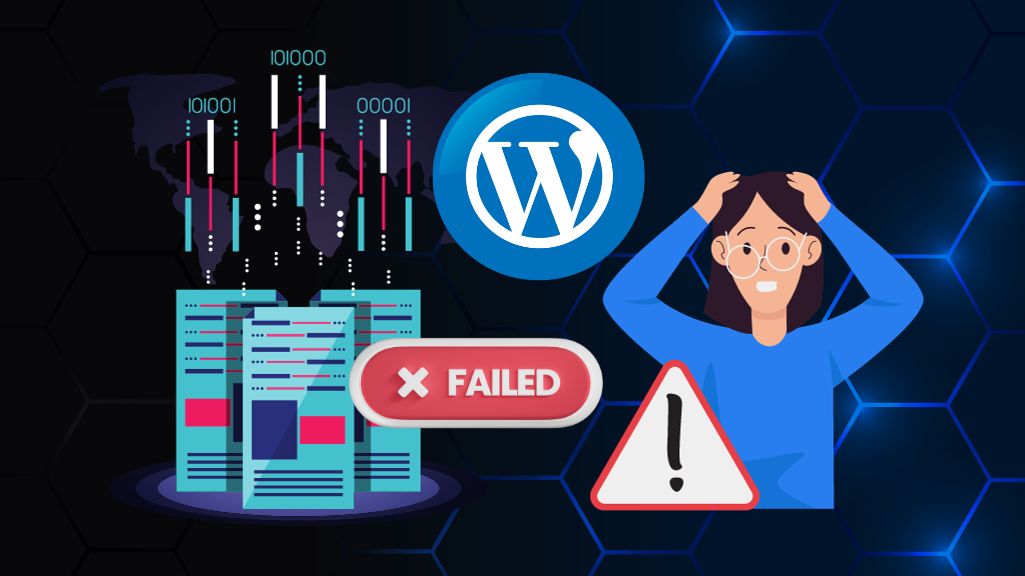
When it comes to finding the best graphic design software, there is a wide range of options available. From free and open-source web-based programs to professional image editing software with complex features, there is something for everyone. When choosing software, it’s important to consider your current needs and what capabilities you may need as your business and skills grow. Subscription-based software can be expensive, so it’s a good idea to choose a program that offers the features you need at a reasonable price. Some useful features for businesses include real-time collaboration, version history, and master page setups, which can help you work efficiently with clients. Most of the software options on our list include basic design tools such as image resizing, editing, gradients, and overlays. Consider these features and more when selecting the right graphic design software for your needs.

6 Graphics Designing Software’s

Are you in need of software to help you design business cards, flyers, calligraphy, art, banners, and social media posts? Look no further! We’ve compiled a list of the best software options for these tasks that are widely used around the world. Not only can these programs assist with design, but they can also be used for printing purposes. If you’re looking to earn money through design, consider learning one of these programs. Here is our list of top software choices:

  1. CorelDRAW Graphics Suite
  2. Adobe Illustrator
  3. Xara Designer Pro
  4. Adobe Photoshop
  5. Gravit Designer
  6. Corel Photo-Paint

CorelDRAW Graphics Suite is a comprehensive graphic design software that offers a wide range of tools for designing and customizing vector graphics, page layouts, and websites. Some of its standout features include support for multiple file formats, the ability to import and export data to and from other programs, and the ability to customize templates and design elements.

Adobe Illustrator is a vector graphics editor that is widely used in the design industry. It offers advanced drawing and typography tools, as well as the ability to create and edit complex shapes, paths, and graphics. Illustrator also has a powerful set of color options and supports multiple file formats.

Xara Designer Pro is a powerful graphic design software that offers a range of tools for creating and editing graphics, layouts, and websites. Some of its key features include support for multiple file formats, the ability to import and export data, and the ability to customize templates and design elements.

Adobe Photoshop is a raster graphics editor that is well-known for its extensive set of image editing and manipulation tools. It offers a wide range of features including layers, filters, and adjustment tools, as well as support for multiple file formats and the ability to import and export data.

Gravit Designer is a cross-platform graphic design software that offers a range of tools for creating and editing graphics, layouts, and websites. It has a sleek interface and is easy to use, making it a great choice for beginners. Some of its standout features include support for multiple file formats, the ability to import and export data, and the ability to customize templates and design elements.

Corel Photo-Paint is a powerful image editing software that offers a range of tools for retouching and enhancing photos. It has a variety of features including layers, filters, and adjustment tools, as well as support for multiple file formats and the ability to import and export data. Photo-Paint is a great choice for photographers and graphic designers looking to create professional-quality images.

Each of these programs has its own unique set of features and capabilities. Consider your specific needs and choose the software that best fits your requirements.

6 Online Graphics and Photo Editing Software

Are you looking to edit your photos without spending a lot of money on image editing software? Fortunately, there are many free online photo editors available that allow you to adjust your photos right in your web browser, without the need to download any additional software. To help you find the best option for your needs, we’ve compiled a list of the top free online photo editors. Each of these web apps has its own unique features and strengths, so you’re sure to find one that meets your requirements. Explore our picks and discover the convenience and power of free online photo editing today!

  1. PIXLR
  2. FOTOR
  3. BEFUNKY
  4. PHOTOPEA
  5. ONLINE-IMAGE-EDITOR
  6. ILOVEIMG

Pixlr is a web-based photo editing software that offers a range of tools for retouching and enhancing images. It has a user-friendly interface and is suitable for both beginners and professionals. Some of its standout features include support for multiple file formats, a wide range of filters and effects, and the ability to import and export data.

Fotor is a photo editing software that offers a range of tools for retouching and enhancing images, as well as the ability to create collages and design graphics. It has a user-friendly interface and is suitable for both beginners and professionals. Some of its key features include support for multiple file formats, a variety of filters and effects, and the ability to import and export data.

BeFunky is a web-based photo editing software that offers a range of tools for retouching and enhancing images, as well as the ability to create collages and design graphics. It has a user-friendly interface and is suitable for both beginners and professionals. Some of its standout features include support for multiple file formats, a wide range of filters and effects, and the ability to import and export data.

Photopea is a web-based photo and image editing software that offers a range of tools for retouching and enhancing images, as well as the ability to create graphics and designs. It has a user-friendly interface and is suitable for both beginners and professionals. Some of its key features include support for multiple file formats, a variety of filters and effects, and the ability to import and export data.

Online-Image-Editor is a web-based photo and image editing software that offers a range of tools for retouching and enhancing images, as well as the ability to create graphics and designs. It has a user-friendly interface and is suitable for both beginners and professionals. Some of its standout features include support for multiple file formats, a wide range of filters and effects, and the ability to import and export data.

ILoveIMG is a web-based photo and image editing software that offers a range of tools for retouching and enhancing images, as well as the ability to create graphics and designs. It has a user-friendly interface and is suitable for both beginners and professionals. Some of its key features include support for multiple file formats, a variety of filters and effects, and the ability to import and export data.

Remove BG from your images with AI Technology.

eed to remove the background from your images? Using AI technology, you can easily and quickly remove backgrounds from your images, leaving you with a clean and professional result. The process is fast and free, making it an efficient solution for bulk image editing. Check out the list below for some top-rated background remover tools:

  1. Remove BG
  2. Bulk Background Remover
  3. Fast & Free
  4. Quickly Remove Backgrounds From Images

With these tools, you can easily remove backgrounds from your images and achieve a polished, professional look. Give them a try and see the difference they can make!

  1. FOCOCLIPPING
  2. SLAZZER
  3. PHOTOSCISSORS
  4. REMOVAL
  5. REMOVE.BG

FocoClipping – Features include: automatic background removal, support for various image file formats, batch processing for efficient editing of large numbers of images, and the ability to adjust and fine-tune the results for a precise and professional finish.

Slazzer – Features include: advanced AI technology for accurate and efficient background removal, support for a variety of image file formats, the ability to undo and redo edits, and a user-friendly interface for ease of use.

PhotoScissors – Features include: a simple and intuitive interface, support for multiple image file formats, the ability to preview and adjust the results for a precise finish, and a variety of tools for touch-ups and enhancements.

Removal.BG – Features include: automatic background removal using advanced AI technology, support for various image file formats, the ability to adjust and fine-tune the results, and a user-friendly interface for ease of use.

Remove.BG – Features include: automatic background removal using advanced AI technology, support for various image file formats, the ability to adjust and fine-tune the results, and a user-friendly interface for ease of use.

These tools use AI technology to accurately and efficiently remove backgrounds from your images, leaving you with a polished result. Whether you need to remove backgrounds from a few images or a large batch, these tools are up to the task. Give them a try and see the difference they can make for your image editing needs.

Free and Paid AI content writing software

Are you in need of a free AI content writing website for your knowledge base?

Are you looking for free AI content writing software to help automate your writing process? Look no further! The following software options utilize GPT3 technology to make content creation easier and more efficient:

  1. Articoolo
  2. Wordsmith
  3. AI Writer
  4. Quillbot
  5. ContentGrow
  6. Articl
  7. Rewordify
  8. Dallinger
  9. GPT-3 API
  10. Inkwell

Articoolo – Features include: AI-powered content generation, the ability to generate articles on a variety of topics, integration with popular content management systems, and the option to customize and fine-tune the generated content.

Wordsmith – Features include: AI-powered content generation, support for a wide range of industries and topics, integration with popular content management systems, and the ability to customize and adjust the generated content.

AI Writer – Features include: AI-powered content generation, support for multiple languages, the ability to generate articles on a variety of topics, and a user-friendly interface for easy use.

Quillbot – Features include: AI-powered paraphrasing and rewriting, the ability to generate unique content based on input text, a variety of tools and options for customization, and a user-friendly interface.

ContentGrow – Features include: AI-powered content generation, a variety of tools and options for customization, integration with popular content management systems, and the ability to generate content in multiple languages.

Articl – Features include: AI-powered content generation, the ability to generate articles on a variety of topics, support for multiple languages, and a user-friendly interface for easy use.

Rewordify – Features include: AI-powered paraphrasing and rewriting, the ability to generate unique content based on input text, a variety of customization options, and a user-friendly interface.

Dallinger – Features include: AI-powered content generation, support for multiple languages, the ability to generate articles on a variety of topics, and integration with popular content management systems.

GPT-3 API – Features include: AI-powered content generation, support for multiple languages, the ability to generate articles on a variety of topics, and integration with popular content management systems.

Inkwell – Features include: AI-powered content generation, support for multiple languages, the ability to generate articles on a variety of topics,


Please note that these websites may have different features and capabilities, and some may require a subscription or payment for certain services. It’s a good idea to research and compare the options to find the one that best fits your needs. These tools are great for those starting out in web development or running a graphic design business. In addition, our website offers thousands of free graphics that you can download and use to market your business and earn money. Simply open these graphics with the software mentioned in this post and use them to create banners for web design and business marketing. Don’t miss out on these valuable resources!
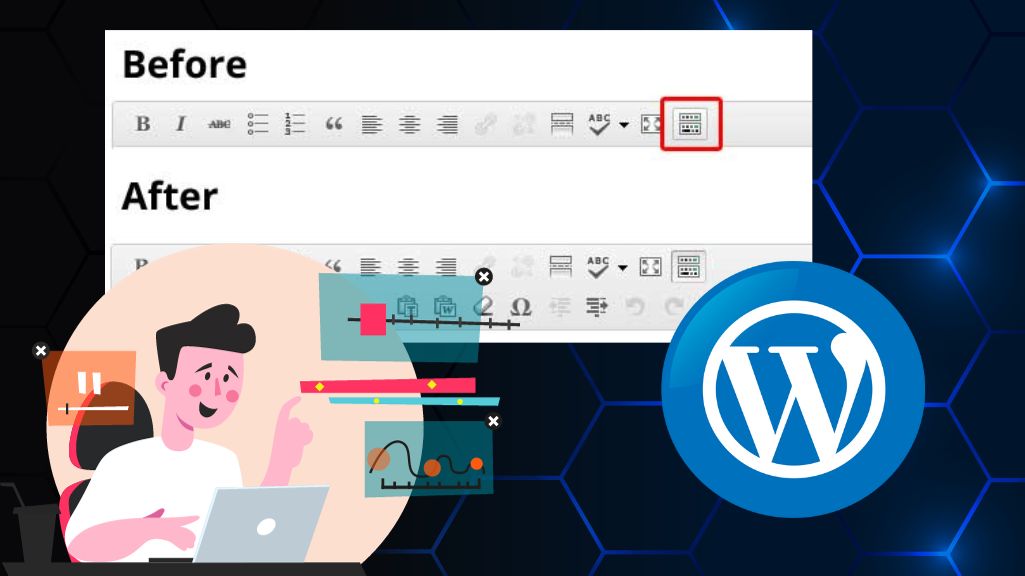
How to Choose Best Domain Registrar and find best Domain Deals

Best Way To Choose Right Domain Registrar For

How to Choose Best Domain Registrar and find best Domain Deals

When it comes to choosing the perfect domain registrar, it’s essential to focus on key elements that impact both cost and service. Pricing is a crucial factor in best Domain Registrar and find best Domain Deals. Many registrars offer special deals, such as discounts on multi-year purchases or seasonal promotions, so comparing prices is vital to securing the best domain deal. Features like privacy protection, email forwarding, and DNS management can also add significant value to your purchase. A robust set of tools can save you time and money in the long run.

Equally important is the registrar’s ease of use and customer service. Opt for a platform with an intuitive interface that makes managing your domain simple. Customer support should be responsive, as you’ll likely need their help at some point. Reputation is another critical factor; choose a registrar with positive reviews and a solid track record in domain management. This ensures that your investment in a domain is secure and trustworthy.

Popular Domain Registrars for the Best Deals:

Choosing a domain registrar can feel overwhelming with so many options out there, but getting it right is crucial for your online presence. Let me walk you through the key factors—from pricing and features to security and support—that’ll help you find the perfect registrar and snag the best domain deals without the stress.

  • Syeds Group: Register Domain with Privacy Protection.
  • Spaceship: Afordable cheapset price domain registration start from 8USD. ICANN-accredited registrar.
  • Namecheap: Offers affordable pricing with excellent customer support.
  • Network Solutions: A reputable registrar with extensive services.
  • Bluehost: Great for those seeking hosting and domain management.
  • Google Domains: Simple interface with solid security and support.
  • HostGator: Excellent for both beginners and experienced users.
  • Name.com: Reliable service with competitive pricing options.

Lastly, prioritize security measures. Look for registrars that offer advanced security features such as two-factor authentication (2FA) and encrypted transactions to protect both your personal and financial information. Additionally, check if the registrar is accredited by the Internet Corporation for Assigned Names and Numbers (ICANN), which ensures credibility and trustworthiness in domain registration. Before purchasing, always compare prices, services, and current deals from different domain providers. Special promotions or discounts can save you a lot of money, especially if you’re purchasing for several years.

Web Design and Best Graphics Software Toolkit

best Graphics Software

Web Design and Best Graphics Software Toolkit

Build your next website with the best Graphics Software Toolkit. We list the top tools for web development, graphic design, UI/UX, and project management. Creating a successful website requires more than just a good idea; it demands a sophisticated ecosystem of software. Gone are the days when one program could do it all. Today’s workflow is a multi-stage process that blends creative graphic design, interactive user experience (UI/UX) planning, powerful code development, and seamless project management. Whether you’re a solo freelancer or part of a large agency, your choice of tools will directly impact your efficiency and the quality of your final product. This guide explores the essential software categories you need to build a professional, high-performance website from the ground up.

1. UI/UX Prototyping & Wireframing Tools

Before you write a single line of code or design a logo, you must plan the user’s journey. These tools are the digital sketchbooks and blueprints for your website.

  • Figma: This is the undisputed, cloud-based champion for interface design and collaboration. It allows entire teams to design, prototype, and gather feedback in real-time, all within a browser. Its robust vector editing and “Auto Layout” features make creating responsive designs a breeze.
  • Adobe XD: Adobe’s direct answer to the UI/UX boom, XD is a powerful tool for designing, prototyping, and sharing. Its deep integration with other Adobe Creative Cloud apps (like Photoshop and Illustrator) makes it a seamless choice for designers already in that ecosystem.

2. Graphic Design & Asset Creation

This is where you create the visual identity of the website. These tools are for crafting logos, editing photos, and producing custom icons and illustrations.

  • Adobe Photoshop: The industry standard for decades, Photoshop is unmatched for raster (pixel-based) image editing. It’s essential for photo manipulation, retouching, and creating complex, layered web graphics.
  • Adobe Illustrator: When you need graphics that can scale to any size without losing quality, you need a vector tool. Illustrator is the standard for creating logos, icons, and detailed illustrations.
  • Canva: For those who aren’t professional graphic designers, Canva has become an invaluable resource. It’s perfect for quickly creating beautiful, template-based web banners, social media graphics, and marketing materials.

3. Web Development & Code Editors

This is where the visual designs are translated into a functional website. A good code editor is a developer’s most important tool.

  • Visual Studio Code (VS Code): This free tool from Microsoft has dominated the development world. It’s lightweight, incredibly powerful, and has a massive library of extensions for almost any language or framework (like JavaScript, React, and Python). Built-in features like Git integration and a debugging terminal make it an all-in-one powerhouse.
  • Sublime Text: For developers who value speed and simplicity above all else, Sublime Text is a fantastic, lightweight option. It’s known for its “Goto Anything” feature and blazing-fast performance, even with enormous files.

Graphics software toolkit is your secret weapon for building stunning websites that actually work. Forget struggling with outdated tools or piecing together a messy workflow – we’ve curated the essential software that transforms your creative vision into a professional, high-performance website. Whether you’re a solo freelancer or agency pro, these tools will supercharge your entire process.


In the modern web workflow, the lines between these tools are blurring. We now have platforms that bridge the gap between design and development, allowing for a more integrated process. For example, a designer can create a high-fidelity prototype in Figma, and a developer can then use a tool like Webflow to build that exact design visually while simultaneously producing clean, semantic HTML and CSS. This synergy means teams can go from idea to launch faster than ever, reducing the errors that often happen during the “handoff” from the design team to the development team. This integration is the future of web design.

4. Content Management Systems (CMS) & Builders

A CMS is the “engine” of your website, allowing you or your client to add, edit, and manage content without needing to code.

  • WordPress: Powering over 40% of the entire internet, WordPress is the world’s most popular CMS for a reason. Its vast library of themes and plugins gives you limitless flexibility, making it ideal for everything from blogs to complex e-commerce stores (with WooCommerce).
  • Webflow: This is the new standard for designers who want to build. Webflow is a visual web development platform that lets you design, build, and launch responsive websites without writing code. It offers the customization of a developer with the visual interface of a design tool.
  • Shopify: If the primary goal of the website is e-commerce, Shopify is the clear leader. It’s an all-in-one hosted platform that handles everything from product listings and payment processing to secure checkout, letting you focus on selling.

5. Project Management & Collaboration

Building a website, especially with a team, requires organization. These tools keep everyone on the same page.

  • Asana / Trello: These tools are essential for managing tasks. Trello uses a simple “Kanban board” system of cards and lists, perfect for visualizing a project’s workflow. Asana is more robust, offering timeline views, task dependencies, and detailed reporting for larger projects.
  • Git (and GitHub): Git is the industry-standard version control system. It allows developers to track every single change to the code, experiment with new features on “branches,” and collaborate without overwriting each other’s work. GitHub is the most popular cloud-based service for hosting and managing your Git projects.

Ultimately, there is no single “best” list of software. The perfect toolkit depends on your project’s specific needs, your team’s size, and your personal workflow. A freelance designer building a simple portfolio might only need Figma and Webflow. A large agency building a custom e-commerce platform might use all the tools on this list and more. The key is to choose tools that integrate well, empower your creativity, and streamline the path from your initial idea to a live, functioning website.

Best sites for learn English or prepare for the IELTS exam for usa, canada & united kingdome

Best Sites For Learn English Or Prepare For The Ielts Exam For Usa Canada United Kingdome

Best sites for learn English or prepare for the IELTS exam for usa, canada & united kingdome

There are many websites available that can help you learn English or prepare for the IELTS exam. Here are the top ten websites that can help you improve your English skills and succeed on the IELTS exam:

  1. Duolingo: Duolingo is a popular language-learning platform that offers courses in various languages, including English. It features interactive lessons, games, and exercises to help you learn English in a fun and engaging way.
  2. BBC Learning English: BBC Learning English is a comprehensive resource for learners of English, offering a wide range of lessons, exercises, and activities to help you improve your skills.
  3. English Central: English Central is a platform that offers video-based English lessons featuring real people speaking English in natural settings. It also includes interactive exercises and games to help you practice your skills.
  4. EF English Live: EF English Live is a comprehensive online English course that offers live classes with native English-speaking teachers, as well as self-study materials and activities.
  5. Kaplan International: Kaplan International is a leading provider of English language courses, offering a range of programs to help you improve your skills and prepare for exams such as the IELTS.
  6. Oxford Online English: Oxford Online English is a platform that offers a wide range of online English courses, including IELTS preparation. It features interactive lessons, exercises, and activities to help you improve your skills.
  7. English Tutor Online: English Tutor Online is a platform that offers one-on-one English lessons with native English-speaking teachers. It is a great option for those who want personalized attention and support.
  8. The English Tutor: The English Tutor is a website that offers a range of English courses, including IELTS preparation. It features interactive lessons, exercises, and activities to help you improve your skills.
  9. English for Everyone: English for Everyone is a comprehensive resource for learners of English, offering a range of lessons, exercises, and activities to help you improve your skills.
  10. IELTS Master: IELTS Master is a website that is specifically designed to help learners prepare for the IELTS exam. It offers a range of lessons, exercises, and activities to help you improve your skills and succeed on the exam.

Overall, these websites are excellent resources for those looking to improve their English skills and prepare for the IELTS exam. Whether you prefer interactive lessons, one-on-one tutoring, or self-study materials, you are sure to find a website that meets your needs and helps you succeed.

Learn English effectively and prepare for your IELTS exam with these top-rated websites designed for learners targeting the USA, Canada, and UK. Whether you’re starting from scratch or polishing advanced skills, these platforms offer engaging lessons, expert guidance, and practical exercises to help you succeed in your language journey and ace that important test.

10 World Best Technology Innovation Websites

Best Technology Innovation Websites
#image_title

10 World Best Technology Innovation Websites

In today’s hyper-connected world, best Technology Innovation Websites evolves at a staggering pace. What was revolutionary yesterday is standard today, and what’s theoretical today will be in our pockets tomorrow. For professionals, entrepreneurs, and enthusiasts alike, staying informed isn’t just a hobby—it’s a necessity. The constant flood of information can be overwhelming, which is why it’s crucial to rely on trusted sources that not only report the news but also analyze its impact. These are the websites that cut through the noise, offering everything from breaking startup news and in-depth gadget reviews to profound analysis of how emerging tech is reshaping our culture and economy.

1. TechCrunch

If you want to know what’s next in Silicon Valley, TechCrunch is your definitive source. It is the undisputed leader for breaking news on startups, venture capital, and funding rounds. TechCrunch is where you’ll first read about the “next big thing,” often years before it becomes a household name.

  • Best for: Startup news, funding announcements, and the business of tech.

2. The Verge

Where technology, culture, and design collide. The Verge is known for its beautiful, slick editorial and high-production video content. They don’t just review a product; they explore its place in our lives. Their long-form feature stories and guides are essential for understanding the consumer-facing side of innovation.

  • Best for: Product reviews, tech culture, and stunning design.

3. Wired

Wired is the long-form magazine for the digital age. It moves beyond simple reporting to explore the “why” behind technological shifts. With a focus on how emerging technologies shape politics, science, and our daily lives, Wired provides the deep-dive analysis that puts innovation into a broader cultural context.

  • Best for: Deep analysis, future-thinking, and the intersection of tech and culture.

4. MIT Technology Review

For a more academic and research-driven perspective, look no further than the MIT Technology Review. Sourced from one of the world’s top technology institutions, this publication bridges the gap between the research lab and the mainstream. It’s where you’ll find credible, in-depth reports on AI, biotech, climate tech, and more.

  • Best for: Research-backed insights, emerging science, and authoritative reports.

5. Ars Technica

For over two decades, Ars Technica has been the go-to for IT professionals and “power users.” This site offers highly detailed, technical breakdowns of complex subjects. From in-depth software reviews to expert analysis of tech policy and science, its content is written for an audience that wants more than just the basics.

  • Best for: In-depth technical analysis, IT news, and expert opinions.

It’s not just about reading; it’s about synthesis. The true value of these platforms isn’t just in what they report, but in the patterns you can see between them. When a niche startup on TechCrunch gets a deep-dive analysis on Wired and its underlying tech is explained on Ars Technica, you’re witnessing an innovation hit the mainstream. A smart reader doesn’t just pick one; they build a “personal dashboard” of insights, using CNET for practical buying advice and MIT for a glimpse at what’s coming in five years. This multi-source approach is the best way to build a truly comprehensive understanding of the tech landscape.

6. VentureBeat

VentureBeat (VB) is focused on the business of technology, with a particularly strong emphasis on artificial intelligence. VB cuts through the fluff to deliver news and analysis for tech executives and decision-makers. It’s the place to understand how emerging tech, especially AI, is being implemented in the enterprise world.

  • Best for: Enterprise AI, gaming industry, and tech business news.

7. Engadget

Originally a sibling to Gizmodo, Engadget has matured into a trusted source for consumer electronics. While still a powerhouse for gadget news and reviews, it has expanded its coverage to include “geared-up” guides and thoughtful pieces on the human side of technology.

  • Best for: Gadget reviews, consumer tech news, and buying guides.

8. CNET

One of the original tech websites, CNET remains a leader in making technology accessible to everyone. Its “how-to” guides, product reviews, and explanatory videos are invaluable. CNET excels at helping average consumers understand complex products and make smart purchasing decisions.

  • Best for: Practical how-to guides, product reviews, and mainstream tech news.

9. Mashable

Mashable is the voice of digital culture. It covers technology through the lens of social media, entertainment, and a connected lifestyle. If a piece of tech is going viral, creating a new trend, or changing how we interact online, Mashable is on top of it with a sharp, relatable voice.

  • Best for: Digital culture, social media trends, and entertainment tech.

10. ZDNET

For a laser-focus on business and IT, ZDNET is a top-tier resource. It provides news and analysis aimed squarely at IT professionals and corporate decision-makers. ZDNET’s content helps businesses navigate complex tech strategies, from cloud computing to cybersecurity.

  • Best for: Enterprise technology, IT professionals, and B2B tech news.

The world of technology and innovation is vast, and it’s moving faster than ever. No single website can capture it all, but this list represents the best-in-class for every angle. From the boardroom to your living room, from deep-space research to the app on your phone, these publications are dedicated to chronicling the future as it happens. To stay truly informed, the key is to remain curious, read widely, and challenge your own assumptions with diverse, quality-sourced information.

Technology innovation websites are your essential guides in today’s fast-moving digital landscape. Whether you’re a professional tracking industry shifts or an enthusiast curious about the next big thing, these platforms cut through the noise to deliver insights that truly matter. Let’s explore the top destinations for staying ahead.

Biggest network Royalty-Free PHP Codes, Wp Themes, Images, Videos & Graphics

Envato Largest Network For Download Royalty Free Content At One Platform

Best Royalty-Free Websites PHP, Wp Theme, Images, Graphics

Best Royalty-Free Websites PHP, Wp Theme, Images, Graphics digital assets always accessible and affordable resources for every one to grow business Online with Make new designs. Whether you’re a developer, a website owner, or a creative professional, having access to the biggest network for royalty-free PHP codes, WordPress themes, images, videos, and graphics can significantly enhance your workflow and project outcomes.

This comprehensive platform provides an extensive library of PHP codes that can be used for custom website development, plugin integration, and adding functionality to your projects without the need for complex coding from scratch. Additionally, with a vast collection of premium WordPress themes, you’ll be able to find responsive, modern, and highly customizable designs for your websites, blogs, and online stores.

Royalty-free websites are your go-to solution for accessing affordable, high-quality digital assets like PHP codes, WordPress themes, images, and graphics. Whether you’re a developer, designer, or business owner, these resources streamline your workflow and boost creativity without breaking the bank.

Envato: The Best Website for Downloading Royalty-Free Stock at One Platform

Envato Best Website for Downloading Royalty Free Stock at One Platform

Envato is an online platform that provides a wide variety of royalty-free stock media. This includes photographs, code, videos, templates, music, tutorials, and graphics. With a collection of over 7 million resources, Envato is biggest source for finding high-quality, royalty-free media for your business project. Envato apart from other stock media websites is the diverse range of resources available. In addition to traditional stock media such as photos and graphics, Envato also offers code, templates, and tutorials. This is ideal resource for web developers and designers looking for resources to use in their projects. Another benefit of Envato is the quality of the resources available. All of the media on the website is carefully screened to ensure that it meets high standards of quality. Because of this, you can be confident that the resources you download from Envato will be of the highest caliber. One of the great things about Envato is the convenience of having all of these resources available at one platform. Instead of having to search multiple websites for the resources you need, you can find everything you need in one place. This saves you time and effort, and makes it easier to find the perfect resources for your project.

Envato Largest Network for download Royalty Free Content at one Platform

Envato: A One-Stop Shop for All Your Creative Asset Needs

Envato is an online marketplace that offers hundreds of thousands of creative assets, online tools, and programming talent. It is visited by millions of people worldwide looking for the latest website codes, design templates, tutorials for new skills, and freelance developers. With Envato’s industry-leading marketplace and unlimited subscription service, you can get any project done faster and ready for use.

Envato’s assets can be found in a variety of projects, from café logos to Hollywood title sequences. Its offerings include graphic templates, website themes, photos, video, and audio. No matter what kind of project you are working on, you need graphics to impress your customers and showcase your work. There are many websites that offer images for various purposes, which can serve as a marketing tool in the online world. These websites have high-quality images and vectors for every field and industry. You can find a wide range of graphics on such websites, including banners, Islamic graphics, calligraphy, Twitter covers, flex, business cards, cards, brochures, artwork, wallpapers, magazines, logos, flyers, Facebook cover photos, food menus, packaging, newsletters, stationery, and key TV media.

Envato is a digital platform that offers a wide range of royalty-free and GPL (General Public License) projects for creative professionals. With a variety of websites catering to different needs, Envato is a one-stop-shop for everything from web themes and templates to stock photos and audio files.

1- Envato Tuts+: is a learning platform that offers a range of articles and video tutorials on topics such as Photoshop, JavaScript, WordPress, and coding.

Learn creative skills

Website tutsplus.com

2- Themeforest: One of the main websites within the Envato network is Themeforest, which offers a selection of WordPress themes, HTML templates, and Shopify themes for web designers and developers.

Build your business website with WordPress Themes and html Templates

Website: themeforest.net

3- VideoHive: popular website is VideoHive, which features a range of video effects, footage, and After Effects templates for video editing and production.

Video Stock Effects Templates

Website: videohive.net

4- Placeit: resources, Envato also offers Placeit, a platform for mockup and logo design that includes tools like an image resizer, video cropper, and GIF converter.

placeit

Website: placeit.net

5- PhotoDune: is a stock photo website with a collection of food, animal, tech, fitness, and nature photos.

Royalty free images stock

Webiste: photodune.net

6- Codecanyon: offers a variety of plugins and code, including those written in Python, Bootstrap, JavaScript, PHP, WordPress, and HTML5.

code php scripts wp plugins for every business website

Webiste: codecanyon.net

7- Envato Element: For those interested in monthly access to unlimited downloads, Elements is a website that offers a selection of WordPress themes, plugins, stock images, video, logos, and fonts.

elements envato

Website: elements.envato.com

8- GraphicRiver: is another website within the Envato network that specializes in vector-based fonts, logos, and icons.

Discover graphics

Website: graphicriver.net

9- AudioJungle: And for those in need of royalty-free music and audio, AudioJungle is a website that offers a selection of music, sound effects, Logic Pro files, and background music.

audiojungle

Website: audiojungle.net

Sometimes, it can be practically and physically impossible to obtain new images and vector graphics for your projects, such as creating a business website or marketing a product on social media. However, you can easily obtain beautiful images and graphics of attractive scenes from graphics, video, and photo stock websites. These websites give you full rights to use their images, vectors, and videos without any copyright claims, which is known as royalty-free copyright-free images, vectors, and videos. These stock photo royalty-free websites offer millions of high-quality images that you can download for free or for a fee. We have compiled a list of the best stock photo websites for your convenience, where you can find beautiful and high-quality vectors and images for your projects. These websites offer a selection of free and premium copyrighted images and vector stock that you can’t find anywhere else. Overall, Envato is a comprehensive resource for creative professionals looking for a wide range of high-quality assets and learning materials.